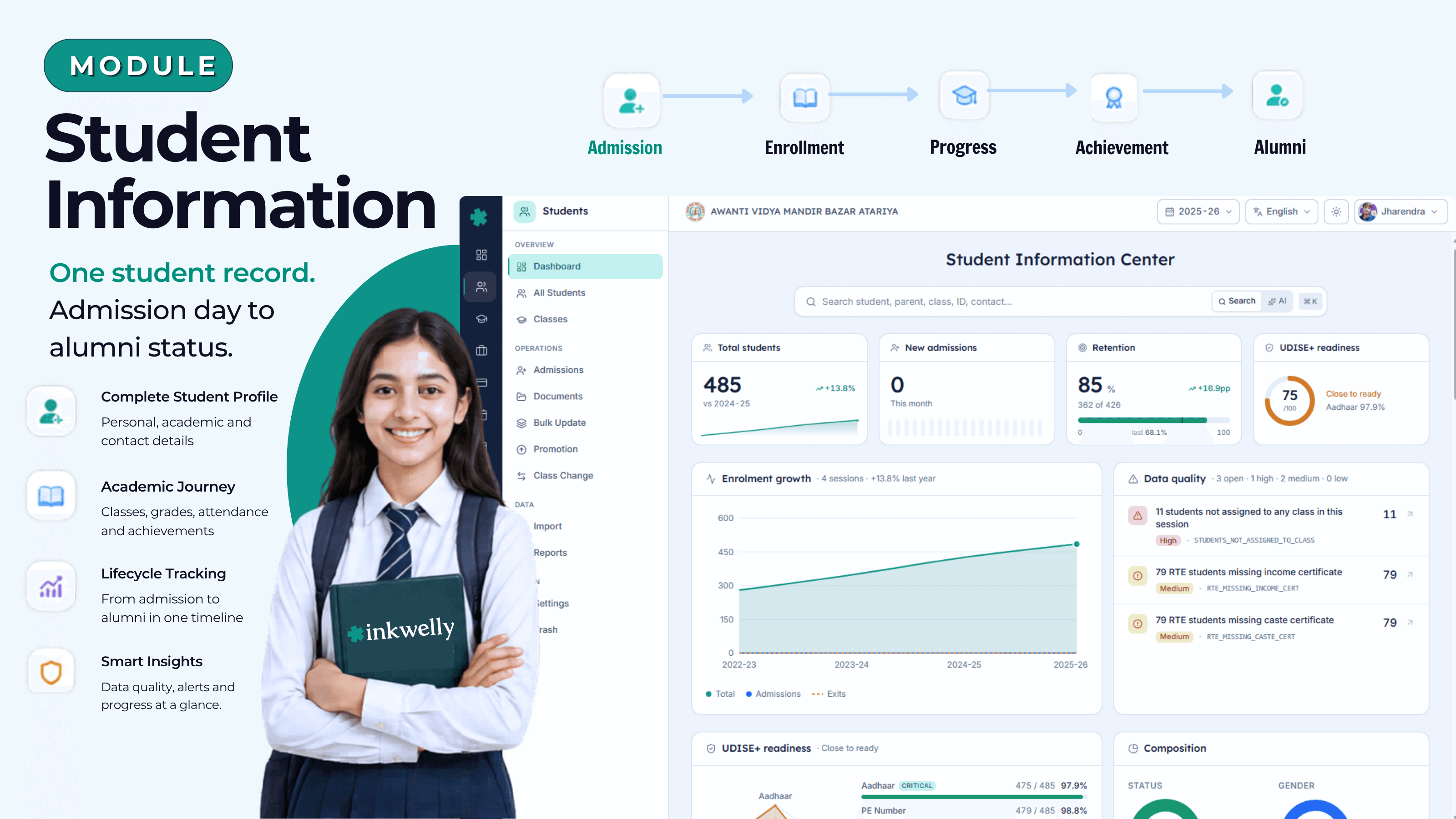
One student record. Admission day to alumni status.
Every student's admission, family, documents, academic history, scholarships, fee profile, transfer and graduation — in one structured, board-inspection-ready record. Survives every academic session, every class change, every UDISE submission, every TC request.
How most Indian schools manage student records today
The admission register lives in a hardbound book in the principal's office. Photocopies of birth certificates and Aadhaar cards are stored in physical files, organised by class, occasionally by year, often by 'where did we put that?' The class teacher maintains a roll-number-wise Excel sheet. The fee counter has its own list. The library has a third list. The transport in-charge has a fourth. When UDISE+ submission is due in October, four people compare four lists and reconcile them at midnight.
Then a parent walks in asking for a Transfer Certificate. The student joined in 2019, was in section B until 2022, moved to section A, took a year's gap, returned, and is now in Class 9. His father's address has changed twice. His scholarship was sanctioned but the certificate was misplaced. Issuing a single TC takes three days because the office has to physically locate seven documents across five cupboards.
The cost is not the time spent searching. The cost is the RTE inspector who finds your 25% EWS register doesn't reconcile with admission records. The CBSE renewal that gets stuck because UDISE data was off by 4. The parent who tells four other parents that 'this school can't even give a TC in one day'. The student who graduates and the school can never produce a transcript when she applies abroad.
What we built instead
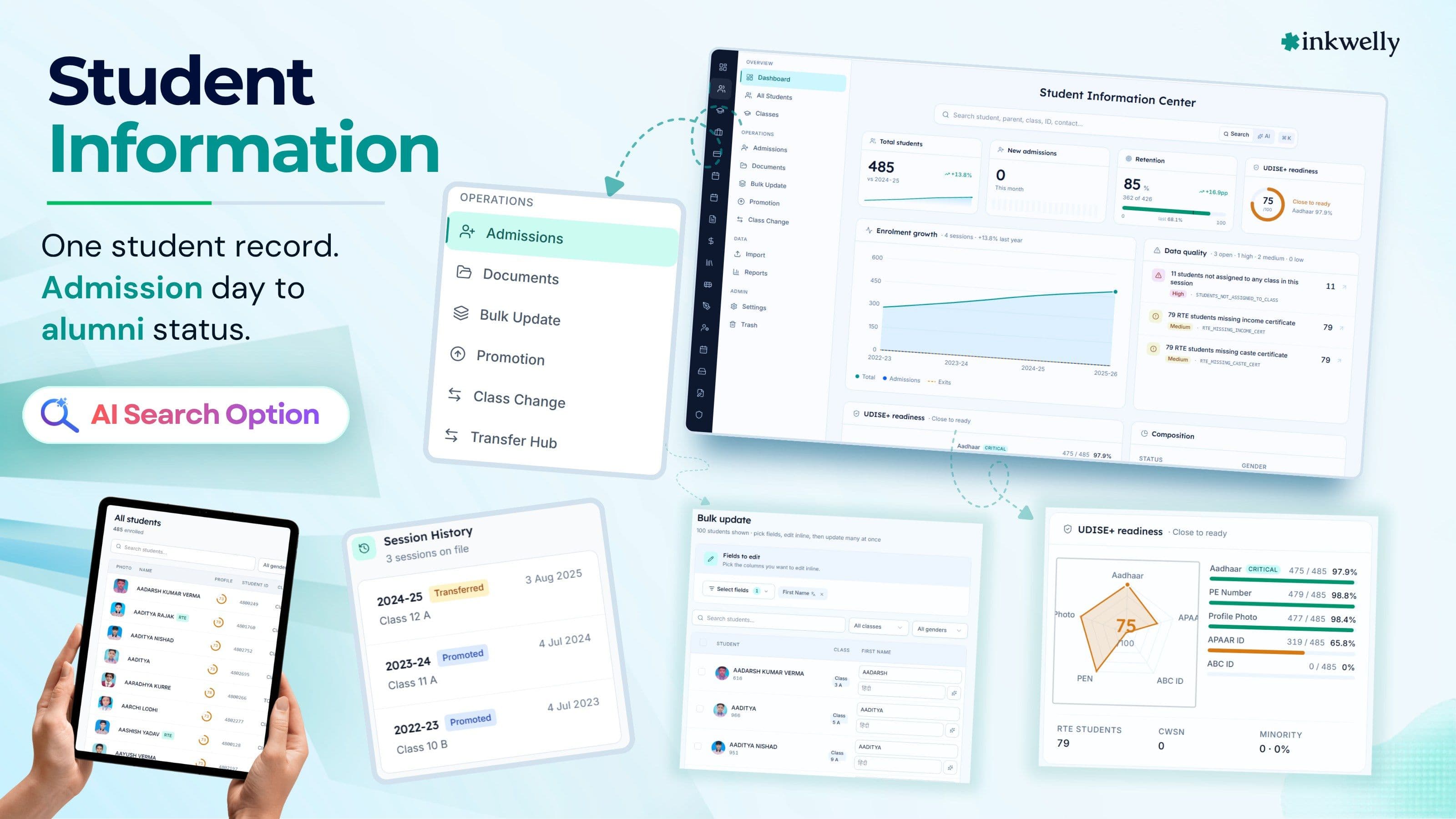
Inkwelly's Student Information module is one structured record per student — from admission day to graduation, with full family linkage, document vault, academic history, fee profile, transport, library and behaviour records, all on one searchable, audit-logged profile. The same record continues across academic sessions — from Class 1 through Class 12 — with promotions, class changes, transfers, suspensions and re-admissions tracked as first-class workflows.
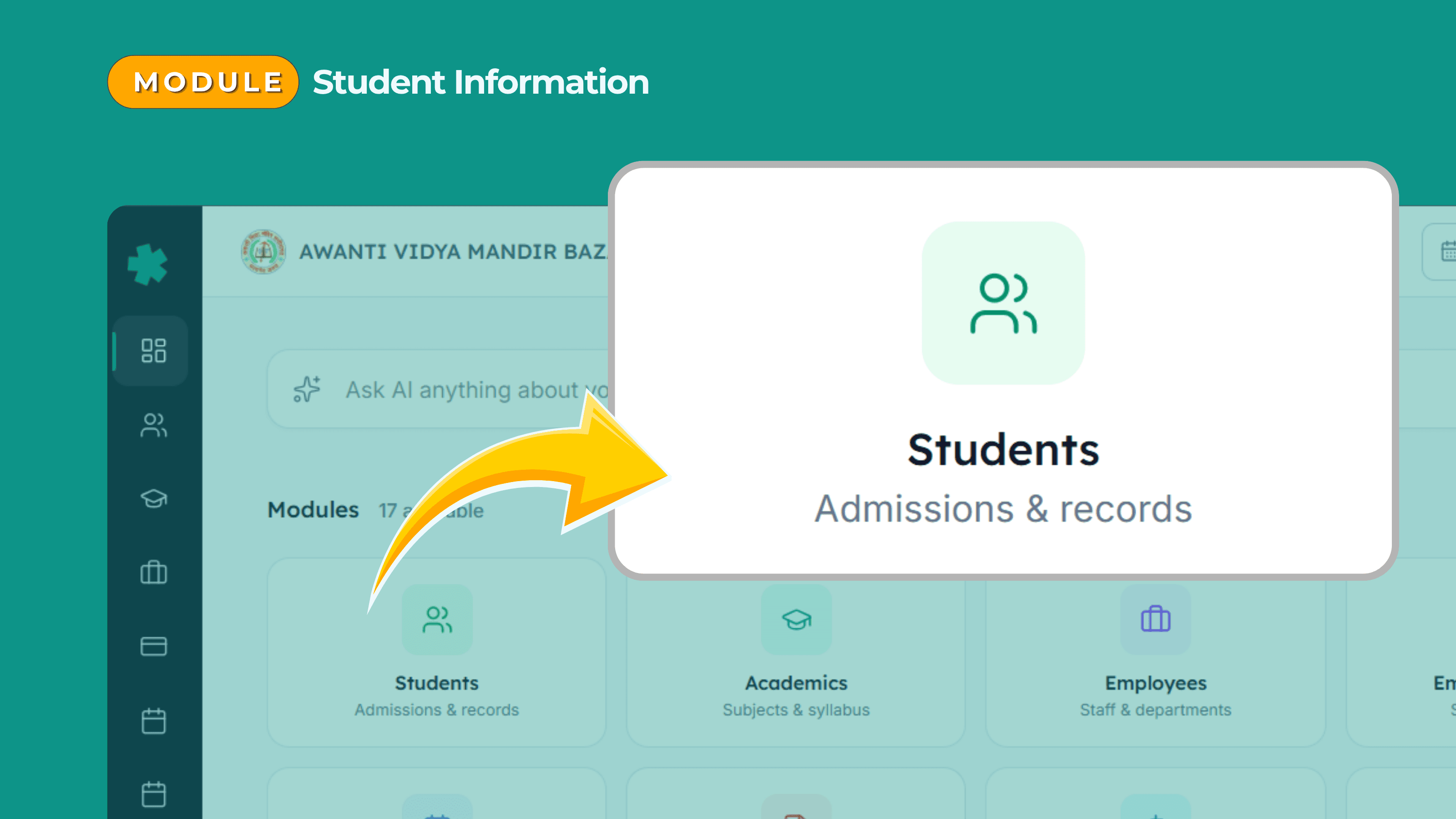
It is not a name-and-phone-number list. It is the master record every other module reads from. [Fees & Payments] looks up the student here. [Academic & Marksheets] writes results here. [Attendance] marks against this profile. [Communication] messages the linked parents. [Library] issues books to this profile. The Employee Information module references the class teacher; the Employee Payroll module pays her based partly on this student count.
It understands that an Indian school admits in March, promotes in April, runs through June-March, and that a student moving from Class 5 in 2024-25 to Class 6 in 2025-26 is the same student, not a new one. It understands APAAR ID under NEP 2020. It understands UDISE+ and the data points the District Information System actually wants. It understands RTE 25% reservation tracking. It understands that a Transfer Certificate is a legal document and has to be retrievable in seconds, not days.
Most importantly, it understands that the family is part of the record. One parent, multiple children. One mobile number, multiple students. Updating the father's number once should update it for every child of his enrolled in the school.
Highlights
- Centralized student directory — search across every student, every class, every session in 200 ms. Filter by class, section, gender, religion, category, scholarship, fee status, attendance, document compliance.
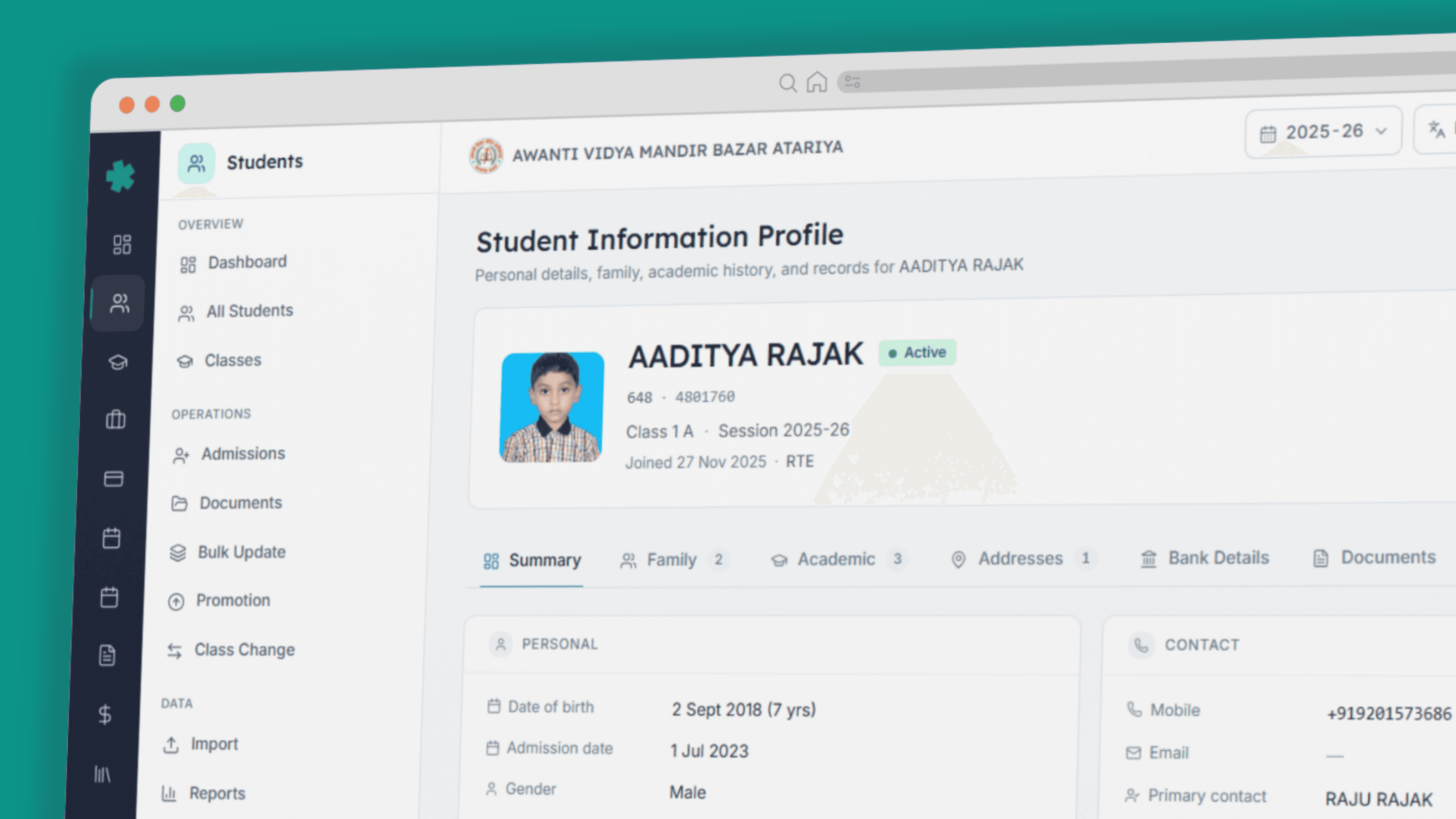
- 7-tab structured profile — Summary, Academic, Family, Addresses, Documents, Bank Details, Custom Fields — covering every detail Indian schools record about a student, with unlimited custom fields per school.
- Family-aware data model — one parent record links to multiple students; updating father's mobile updates it for every sibling. Sibling discount logic, fee circular grouping, parent communication, all tied to one family.
- Complete admission lifecycle — from enquiry to admission test to interview to admission to roll number assignment, with custom workflows per school. Bulk import from Excel for existing schools.
- Promotion, class change, transfer, graduation, deactivation, suspension — every lifecycle event modelled as a first-class workflow with audit trail and document generation.
- APAAR ID, UDISE+, RTE 25% reservation, DigiLocker — every Indian compliance regime supported natively. UDISE submission data exported in the format the portal accepts.
- Transfer Certificate (TC), Bonafide Certificate, Character Certificate — generated from templates on school letterhead, signed digitally, archived to the student profile permanently.
- Document vault — birth certificate, Aadhaar, caste certificate, income certificate, EWS certificate, transfer certificate from previous school, passport — with expiry tracking and role-based access.
- Scholarship and fee category tagging — Pre-Matric, Post-Matric, Means-cum-Merit, EWS, NSP-linked. Drives downstream fee waivers and reporting.
- Multi-session continuity — a student's record continues from Class 1 through Class 12, across years, across class changes, across temporary deactivations — nothing is ever lost.
- Hosted in India (Mumbai), DPDP Act 2023 ready, role-based access, full per-record audit log, soft-delete with 90-day restore.
See the product

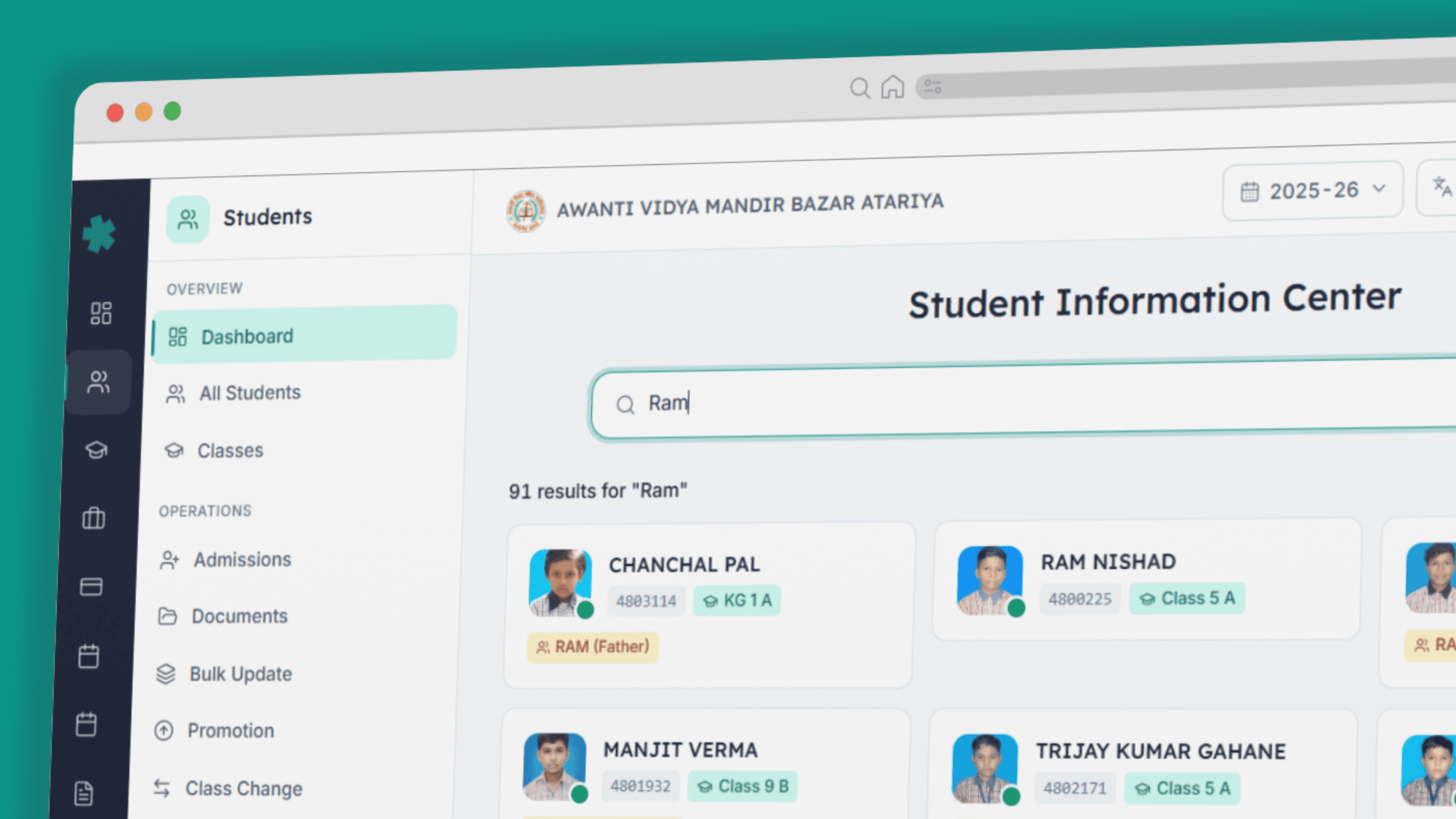
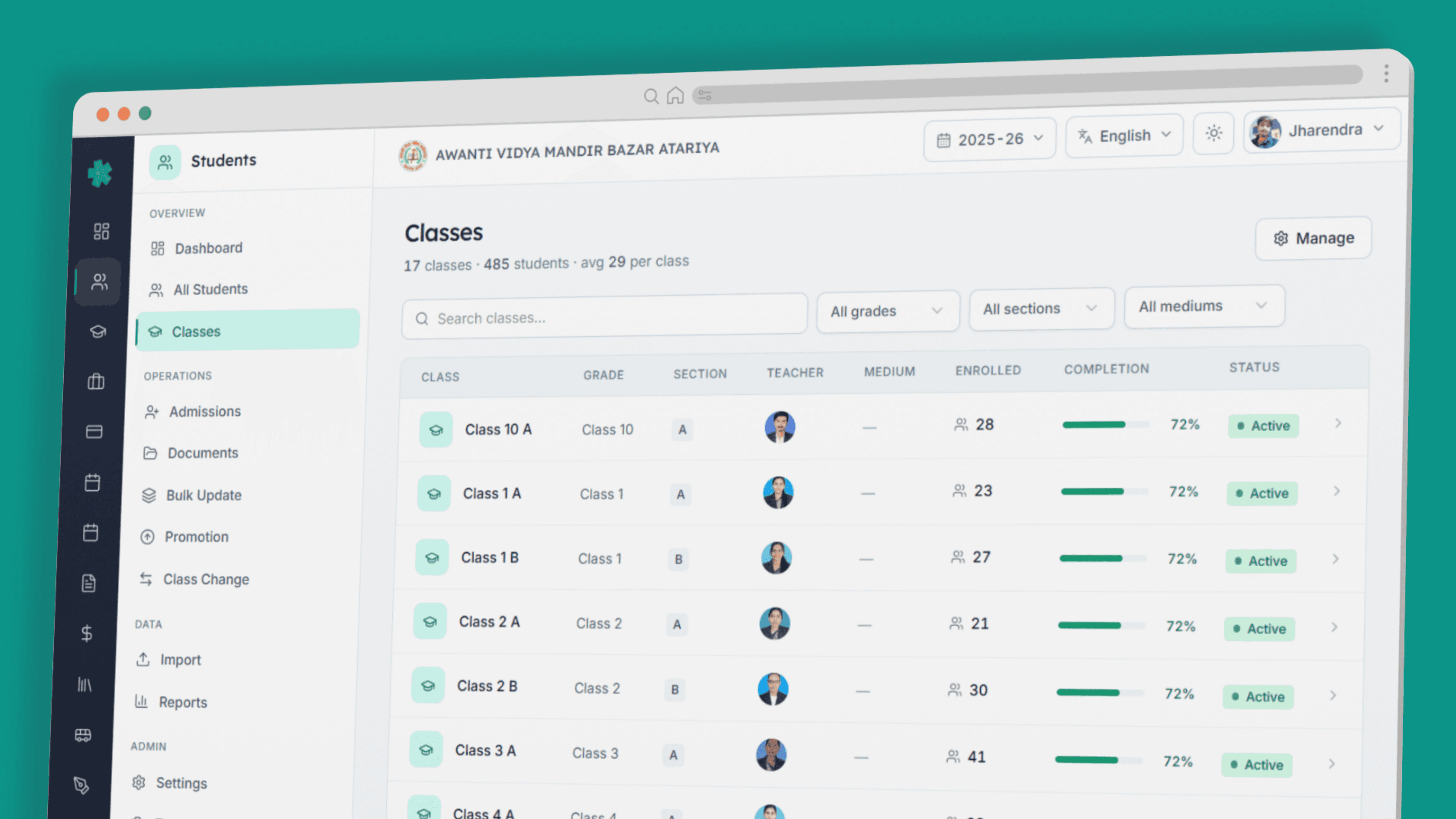
Everything an Indian school records about a student, in one record
A name and a roll number is not a student record. The Indian school records you actually keep — admission number, GR number, SR number, date of birth (with proof), parents' names and occupations, religion, caste, mother tongue, blood group, Aadhaar, APAAR ID, scholarship status, fee category, transport route, hostel block, library card number, behaviour history, achievement record, medical conditions, emergency contacts — are dozens of fields across many domains.
We organised them into seven tabs that mirror the way Indian schools actually think about students. Plus unlimited custom fields, because every school has its own list of 'things we track that nobody else does'.
Summary
Photo, name, admission/SR/GR number, class, section, roll number, date of birth, gender, blood group, religion, mother tongue, caste category, status — the front page of every profile.
Academic
Class, section, stream (Science/Commerce/Arts/Vocational), subjects opted, second/third language, optional subjects, previous class results, prior school. Drives [Academic & Marksheets] downstream.
Family
Father, mother, guardian — names, occupations, qualifications, mobile numbers, emails, photos. One parent record can be linked to multiple siblings; update once, applies to all.
Addresses
Current and permanent addresses with state, district, city, PIN. Used for transport route assignment, scholarship eligibility (rural/urban), Hindi/regional script supported for state board paperwork.
Documents
Birth certificate, Aadhaar, caste/income/EWS certificate, prior school TC, passport, SC/ST/OBC certificate, disability certificate, photographs. Each tracked for expiry and role-based access.
Bank Details
Account number, IFSC, branch — used for scholarship disbursement, fee refunds, deposit refunds at exit, NSP-linked direct benefit transfers.
Custom Fields
Any field your trust, board or society requires — House (red/blue/green/yellow), CCA category, NCC/NSS membership, transport pickup point, hostel block, prefect status — unlimited, no code.
From admission day to alumni status — the lifecycle
A student record is not static. Indian school students join, get promoted every April, change sections, occasionally change classes mid-session, sometimes transfer out and back, eventually graduate or drop out. We modelled every one of these as a first-class workflow with the right approvals, the right document generation, the right audit trail.
Admission — enquiry to admitted, in one workflow
A new admission is rarely a one-step process in Indian schools. It begins with an enquiry from a parent. An admission form is filled (online or on paper). An admission test is administered (more for ICSE and elite schools). An interview is conducted (with the parents). A merit list is published. The fee is deposited. The roll number is assigned.
Inkwelly models every stage. Enquiry data is captured (with source: walk-in, website, referral, ad campaign). Tests are scheduled and scored. Interviews are tracked. The admission decision is made and communicated. On admission, the family record is created (or linked, if siblings already exist), documents are uploaded, fee structure is assigned, class and section are allocated. The student moves from Enquiry → Tested → Interviewed → Admitted → Active — with full audit visibility for every stage. Bulk import from Excel handles existing schools onboarding to Inkwelly.
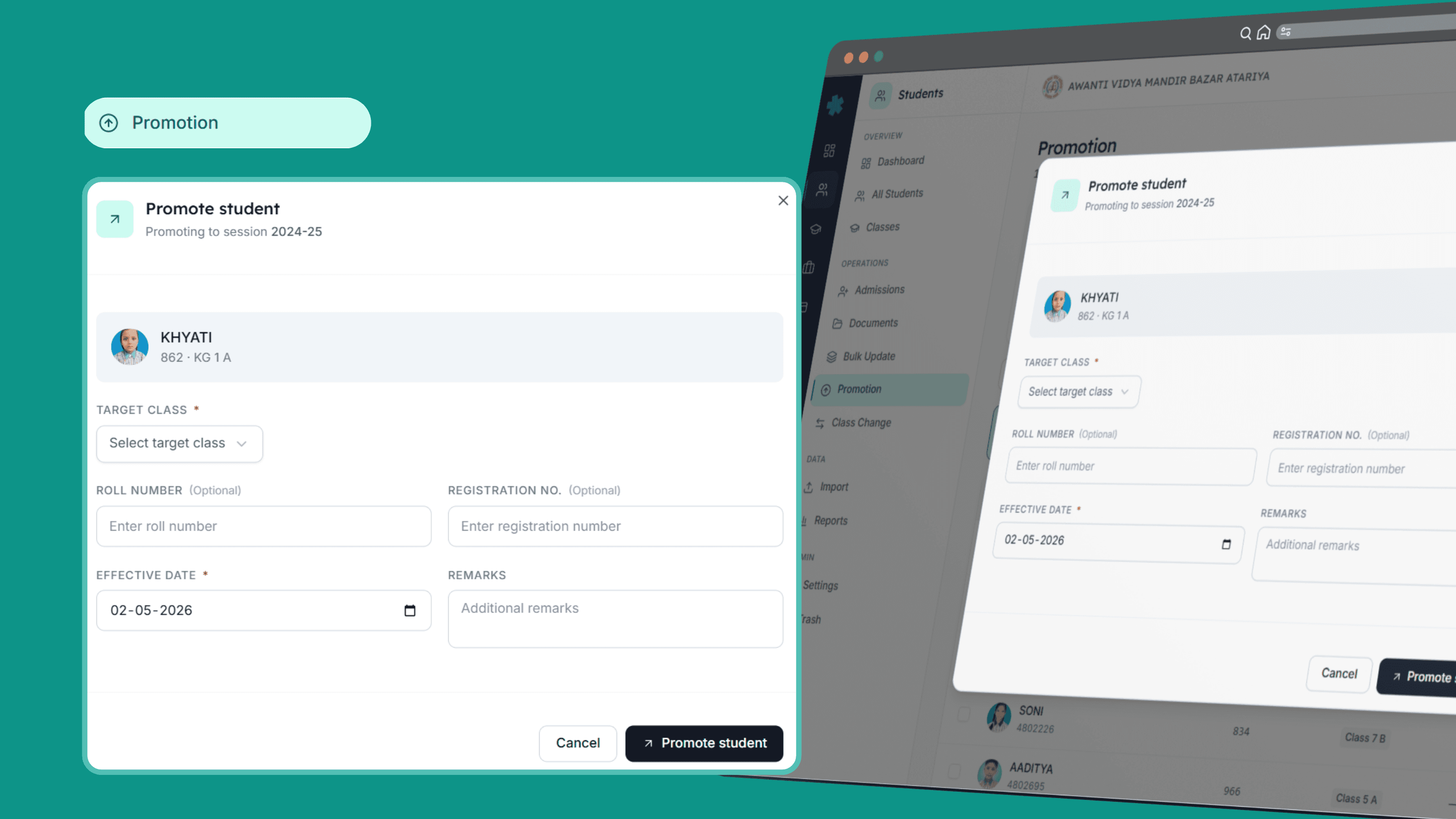
Promotion — every April, every class, one workflow
In the last week of March, every Indian school promotes every student to the next class for the new academic session. In most schools, this is a manual process — the office types out new class lists, marks repeats and fail cases, generates new ID cards, prints new fee receipts. In Inkwelly, you select the class, click 'Promote', review the retention exceptions (students who failed and stay back, students not promoted on attendance grounds), apply per-student overrides, and confirm.
Every affected student's class, section, fee structure, transport route assignment and library category updates simultaneously for the new session. The previous session's record is sealed read-only — marks, attendance, behaviour all preserved. The student's profile shows the multi-year journey — 'Class 1 in 2020-21, Class 2 in 2021-22, ...' — the way an Indian school actually thinks about a child.
Class change, transfer, deactivation, suspension
Mid-year events break most school ERPs. A student moves from section A to section B (parents requested it). A student takes a six-month break (medical reason, family relocation). A student is suspended for two weeks (disciplinary). A student transfers out (TC issuance). A student rejoins after a year (re-admission with prior record).
Inkwelly handles each as a first-class workflow with the right downstream effects. Class change updates fee structure if applicable, reassigns to new class teacher, updates timetable assignments. Deactivation pauses fee accruals while preserving the record. Suspension is logged, dated, reason captured — visible to staff with appropriate access. Transfer triggers Transfer Certificate generation, document handover checklist, fee final settlement. Every event is on the student's lifecycle timeline, visible in seconds.
Graduation — the record that survives the school
A student graduates from Class 12 (or Class 8 in primary, or Class 10 in middle, depending on your school's structure). The official passing-out triggers transcript generation, character certificate issue, final fee clearance, alumni record creation. The student moves to Alumni status — still searchable, still retrievable for verification calls or transcript requests years later, but no longer counted in active enrolment.
Seven years after graduation, when the same student applies to a US university and the admissions office calls your office to verify her grades, you find the record in seconds. When ten alumni form a 'Class of 2020' WhatsApp group and ask for an alumni meet to be organised, you can pull the contact list. The school's institutional memory survives — in your records, not in someone's notebook.
Built for Indian schools — every board, every state, every compliance regime
Indian student records have specific compliance requirements that schools-software-built-for-the-US has never heard of. APAAR ID under NEP 2020. UDISE+ submission. RTE 25% reservation. State-level scholarship schemes. Transfer Certificate as a legal document. We built every one natively, from day one.
APAAR ID — NEP 2020 ready
The Automated Permanent Academic Account Registry (APAAR) is the unique 12-digit student identifier introduced under the National Education Policy 2020. It is meant to follow a student through her entire academic life — school, college, vocational training, professional courses — and store her academic credits in the Academic Bank of Credits (ABC).
Inkwelly captures APAAR ID as a first-class field on every student profile. Bulk import from your existing student data, validation against the APAAR portal format, mapping to ABC for academic credit storage, generation of APAAR-linked transcripts — all built in. When the government requires APAAR submission, your school is already ready.
UDISE+ — the submission, ready every October
Unified District Information System for Education+ (UDISE+) is the Ministry of Education's primary data collection system for every recognised school in India. It is mandatory — your school's recognition depends on it. The data points are exhaustive: class-wise enrolment by gender, social category (SC/ST/OBC/General/Minority), CWSN (children with special needs), age-wise distribution, drop-outs, repeats, language of instruction, school facilities, teaching staff details.
Inkwelly's Student Information module captures every field UDISE+ requires — in the right format, with the right validation. When the October submission window opens, you generate the UDISE-compatible export from one screen. The data ties back to source records (admission, attendance, social category, scholarship), so when DEEO/DEO inspections audit the data, you have the source documents on file.
RTE 25% reservation — tracked, audit-ready
Under the Right to Education Act 2009, every recognised private school in India must reserve 25% of its Class I (and pre-primary, in some states) seats for children from economically weaker sections (EWS) and disadvantaged groups (DG). State governments reimburse part of the fees, but the school must maintain accurate records of every RTE-admitted student — their EWS/DG certificate, family income proof, residency proof — and produce them at every annual audit.
Inkwelly tags RTE-admitted students separately, captures the EWS/DG certificate and supporting documents, computes the 25% target against your Class I strength, and produces the RTE register on demand for state inspectors. Most schools have these records but cannot produce them on a one-day notice. Inkwelly fixes that.
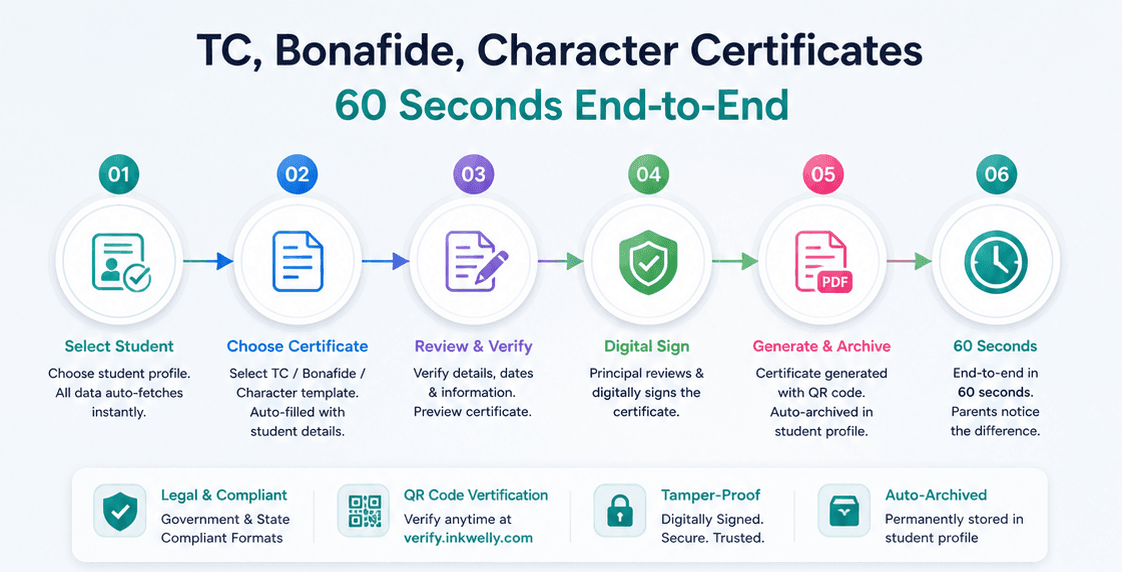
Transfer Certificate, Bonafide, Character — in 60 seconds
A Transfer Certificate (TC) is a legal document. Without it, the student cannot enrol in another school in India. Most schools issue a TC three days after the request, because the office has to physically locate the admission file, verify dates, type the certificate on letterhead, and get it signed by the principal. Three days during which the parent's frustration grows.
In Inkwelly, the TC, Bonafide Certificate, and Character Certificate are generated from templates with the student's data auto-filled. Add a QR code that verifies the certificate against the live record at verify.inkwelly.com. Get it digitally signed by the principal. Archive a copy on the student profile permanently. Sixty seconds end-to-end. Parents notice.
Scholarships — Pre-Matric, Post-Matric, Means-cum-Merit, EWS, NSP
Indian students access multiple scholarship schemes — Central government Pre-Matric, Post-Matric, Means-cum-Merit, Begum Hazrat Mahal, AICTE-Pragati for girls, state-level schemes (Maharashtra Mahadbt, Karnataka SSP, UP UPSDM), and the National Scholarship Portal (NSP) which consolidates many central schemes.
Inkwelly tags every student with applicable scholarship schemes and tracks status: applied, sanctioned, disbursed, renewed. The sanction letter and disbursement details are uploaded. The student's bank details (already on the profile) drive direct benefit transfer (DBT). Renewal reminders are pushed before each year's window closes. Scholarship audit by district education office — typically requested with 48 hours' notice — is answered with a one-click export.
“Earlier ek TC banane mein teen din lag jaate the. Ab parent walk-in karta hai, hum sixty seconds mein de dete hain. Reputation badal gayi hai humari.”
Inkwelly vs how schools manage students today
Different people, same one record
A student record means different things to the principal, the class teacher, the office clerk, and the parent. We built the same data to serve all four — with the right view for each.
Inkwelly vs generic school ERPs
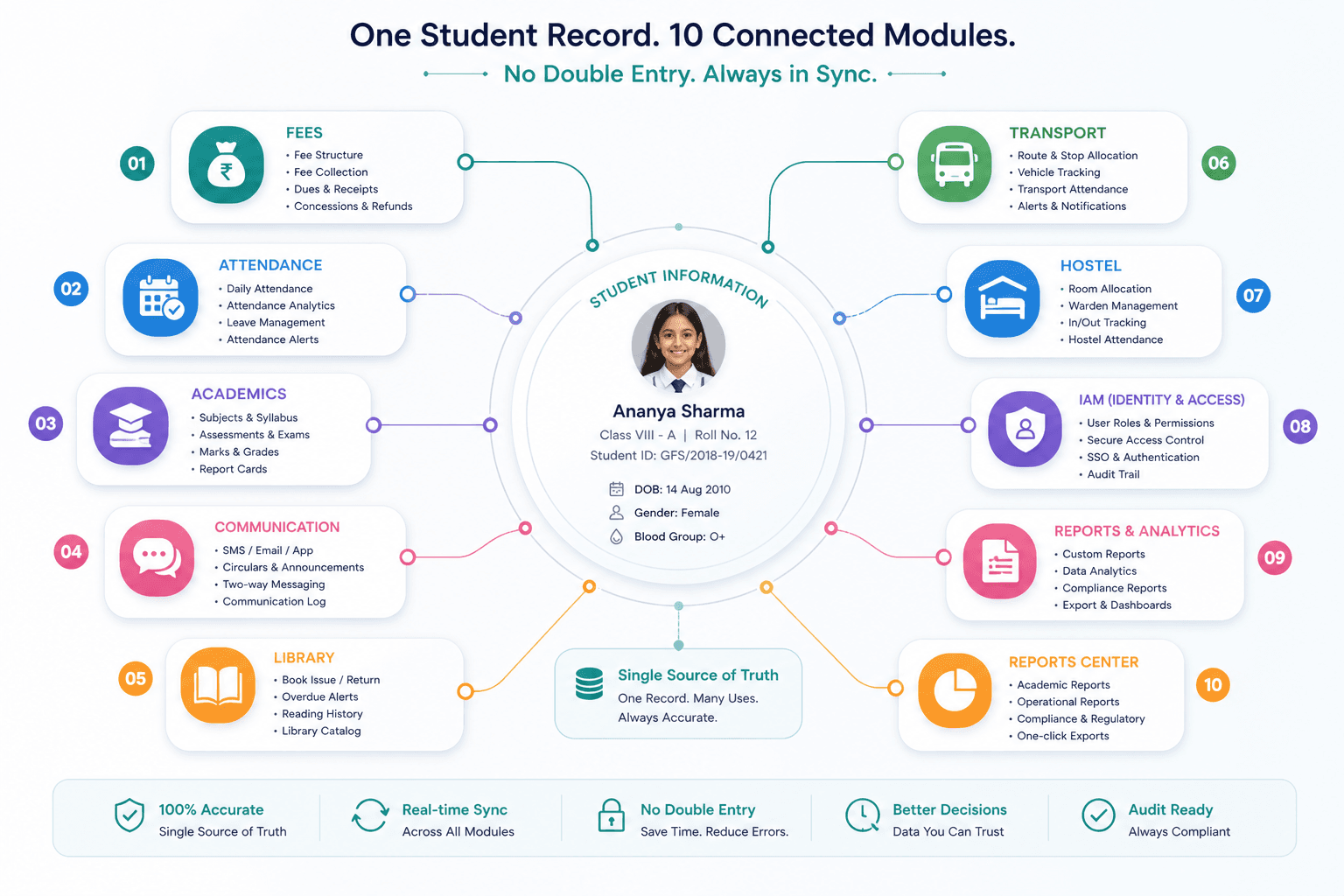
One student record powers ten other modules
Student Information is the master record that every other Inkwelly module reads from. A change here flows everywhere your school operates — instantly, consistently, audit-logged.
Student data is the most sensitive data we hold
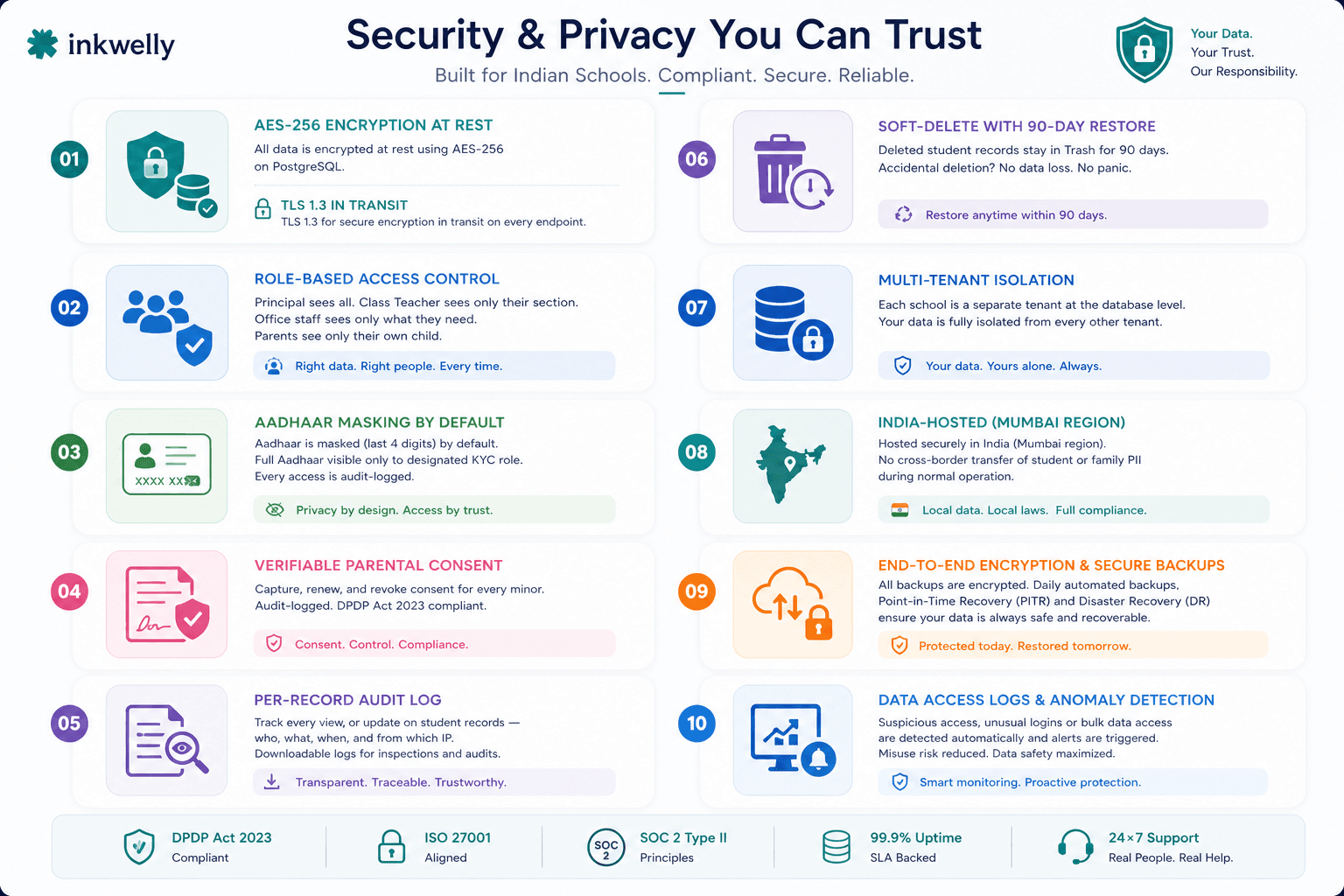
Minors. Personal data. Family information. Health records. Disability certificates. Caste and religion. Aadhaar. Bank accounts. Under the DPDP Act 2023, processing minor's personal data requires verifiable parental consent. Under POCSO, sensitive student information is governed by additional rules. We treat student data accordingly — not as an afterthought, not as an upsell.
- AES-256 encryption at rest on PostgreSQL; TLS 1.3 in transit on every endpoint.
- Role-based access control — principal sees all, class teacher sees her section only, office sees what they need to process, parents see only their children.
- Aadhaar masking to last-4-digits by default; full Aadhaar visible only to a designated KYC role and audit-logged.
- Verifiable parental consent — captured at admission for every minor; renewable, revocable, audit-logged, DPDP Act 2023 compliant.
- Per-record audit log — who viewed which student record, when, from which IP. Downloadable for inspection or audit.
- Soft-delete with 90-day restore — a deleted student record stays in Trash for 90 days. No accidental loss, no panicked support tickets.
- Multi-tenant isolation at the database level. Your school's student data is fully isolated from any other tenant. Forever.
- Hosted in India (Mumbai region). No cross-border transfer of student or family PII as part of normal operation.
Migration — bring your existing student data over
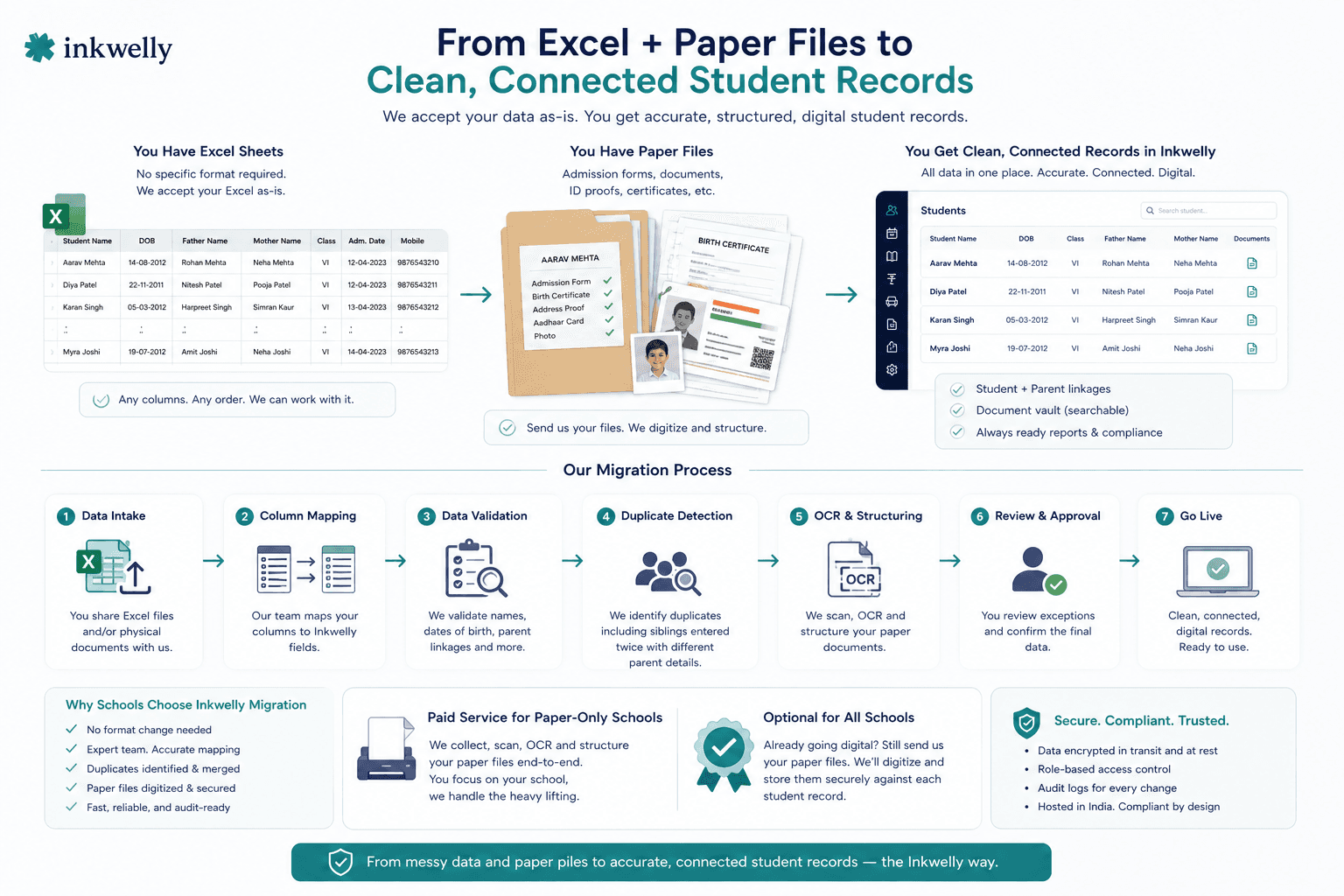
Most schools come to us already running on Excel or another ERP — ten years of admission registers, fee receipts, marksheet templates, sibling links. Migration is the part schools fear, so we own it. Free for the first 200 students, on us.
From Excel + paper files
Most mid-tier Indian schools have a master Excel sheet with every student, plus folders of admission documents in physical files. We accept the Excel as-is — no specific format needed. Our migration team maps your columns to Inkwelly fields, validates names, dates of birth, parent linkages, and identifies duplicates (siblings entered twice as separate parents). Documents in physical files can be sent to us for OCR and structuring — paid service for paper-only schools, optional for everyone else.
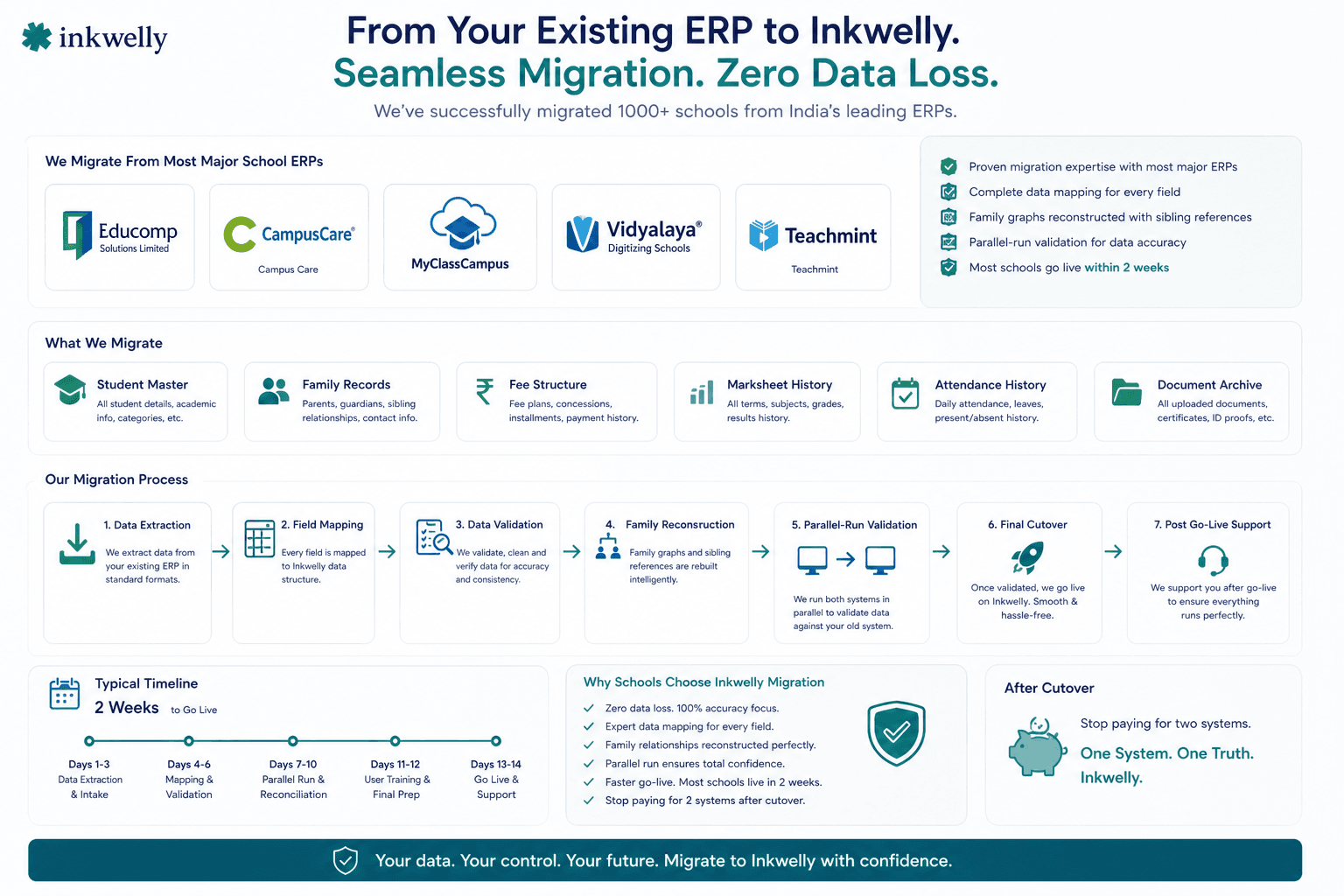
From Educomp, Campus Care, MyClassCampus, Vidyalaya, Teachmint
We have migrated schools off most major Indian school ERPs. Export your student master, family records, fee structure, marksheet history, attendance history, document archive in their standard formats — we map every field to Inkwelly. Family graphs are reconstructed from sibling references. Most schools are live in under two weeks, including a parallel-run validation against your previous system. After cutover, you stop paying for two systems.
See your school's student data, organised in 30 minutes
Bring your existing Excel or ERP export to the demo. We'll set up your student records, family graph, classes and basic compliance settings during the call — and show you exactly what your school's records would look like inside Inkwelly. By the end, you'll see your real students, your real classes, your real documents.
“Every school says they have a student information system. Few can produce a Transfer Certificate in sixty seconds. Few can submit UDISE+ in October without a fortnight of overtime. We built this for the few who care about the difference.”
The dashboard signals your principal actually wants
A student information module's job is not to store records. Its job is to tell the principal — every Friday morning — exactly what the school's student health looks like, where the risks are, and what is due next week. We built the dashboard for that conversation.
What you see on the dashboard
- Hero KPIs — total active students, class-wise strength, gender ratio, social category breakup, average daily attendance, year-on-year trend.
- Admission funnel — enquiries this month, tested, interviewed, admitted, conversion ratio. Identify weak stages early.
- RTE 25% register — EWS/DG admissions vs target, certificate compliance, by class.
- UDISE+ readiness — every UDISE field's completion status, exceptions list, last submission date.
- Document compliance — students with missing Aadhaar, missing birth certificate, expired documents, by class.
- Attendance summary — daily / weekly / monthly attendance percentage, low-attendance flags, by class.
- Pupil-Teacher Ratio (PTR) — live, calculated against Employee Information. Critical for RTE and board affiliation.
- Class strength vs capacity — sections at full, sections under-enrolled, capacity utilisation overall.
- Birthdays and milestones — student birthdays this week, achievement records this month.
- Activity feed — recent admissions, TC issuances, suspensions, document uploads, last 50 actions on the module.
Inkwelly vs imported global student information systems
What's included with Student Information
- Unlimited student records, every class, every section, every session.
- 7 structured profile tabs plus unlimited custom fields.
- Family graph — one parent record linked to multiple siblings.
- Admission, promotion, class change, transfer, graduation, deactivation, suspension workflows.
- TC, Bonafide, Character certificate generation, QR-verifiable on /verify-marksheet.
- APAAR ID and ABC integration ready for NEP 2020.
- UDISE+ submission ready, with all required fields and one-click export.
- RTE 25% reservation register, audit-ready.
- Scholarship tagging — Pre-Matric, Post-Matric, Means-cum-Merit, EWS, NSP-linked.
- Document vault with expiry alerts and role-based access.
- Bulk import from Excel and migration support from existing ERPs.
- Audit log, soft-delete with 90-day restore, role-based access, multi-language support.
- Hosted in India, DPDP Act 2023 compliant, parental consent verified.
Watch a 2-minute walkthrough of the Student Information module — from admission to TC.
Ready to see what 'one student record' actually looks like?
30 minutes. No commitment. Bring your Excel or ERP export — we'll bring the structure. By the end of the call, you'll see your real student data inside Inkwelly — admission, family, documents, classes, scholarships, all of it.
What’s new
6 updatesFrequently asked
12 questionsCan we import students from our existing Excel or another ERP?
Yes. Upload your Excel/CSV or send us an export from Educomp, Campus Care, MyClassCampus, Vidyalaya or Teachmint — our migration team maps columns to Inkwelly fields, reconstructs the family graph (one parent, multiple siblings), validates duplicates, and imports. Most schools are live in under two weeks. Migration is free for the first 200 students.
Does it support APAAR ID under NEP 2020?
Yes. APAAR ID (Automated Permanent Academic Account Registry, the 12-digit student identifier under NEP 2020) is a first-class field on every student profile. Bulk import, validation against the APAAR portal format, mapping to the Academic Bank of Credits (ABC) for credit storage, and APAAR-linked transcripts — all built in.
Can we generate UDISE+ submission directly from Inkwelly?
Yes. Every field UDISE+ requires — class-wise enrolment by gender, social category (SC/ST/OBC/General/Minority), CWSN, age-wise distribution, drop-outs, repeats, language of instruction — is captured natively. When the October submission window opens, the UDISE-compatible export is generated in one click. Source documents are linked, so audits by DEO/DEEO are answered with proofs on file.
Does it handle RTE 25% reservation tracking?
Yes. RTE-admitted students under the 25% reservation are tagged separately, with EWS/DG certificate, family income proof and residency proof linked. The system computes the 25% target against your Class I (and pre-primary, in some states) strength and produces the RTE register on demand for state inspectors. Most schools have these records but cannot produce them on a one-day notice — Inkwelly fixes that.
How does Transfer Certificate generation work?
TC, Bonafide Certificate and Character Certificate are generated from configurable templates with the student's data auto-filled. The certificate is printed on school letterhead, optionally includes a QR code that verifies the document against the live record at /verify-marksheet, can be digitally signed by the principal, and is archived to the student profile permanently. End-to-end takes about sixty seconds.
Can multiple siblings share one parent record?
Yes — this is core to how we model Indian families. One parent record can be linked to multiple siblings. Updating the father's mobile number once updates it for every linked child. Sibling fee discounts (in [Fees & Payments]), family-level parent communication, parent meeting invites, and admission tracking for the next sibling all flow from this family graph automatically.
Do parents and students get their own portal?
Yes. Every active student has a portal at /s/<id> where the parent (or the student, depending on age and access settings) can view profile, attendance, marks, fee status, transport route, library books, school circulars, and download TC, Bonafide Certificate and fee receipts. Two-way communication with the class teacher is supported. Reduces office walk-ins dramatically.
What happens to a student's record after graduation?
The student moves to Alumni status. The record becomes read-only but is permanently retained — transcripts, documents, achievements, all preserved. When the same student applies abroad three years later and the admissions office calls for verification, you find the record in seconds. Alumni records are also queryable for alumni meet planning and institutional memory.
How does promotion at session-end work?
Promotion is a single workflow. Select the class, click 'Promote', review retention exceptions (students who failed, or are not promoted on attendance grounds), apply per-student overrides, confirm. Every affected student's class, section, fee structure, transport route and library category updates simultaneously for the new session. The previous session's record is sealed read-only — marks, attendance, behaviour all preserved.
Is student data stored securely? Where is it hosted?
All student data is encrypted at rest with AES-256 on PostgreSQL, in transit with TLS 1.3, hosted in Indian regions (Mumbai). Role-based access ensures principals see all, class teachers see their section only, and parents see only their own children. Aadhaar is masked by default. Per-record audit log captures every view and edit. DPDP Act 2023 with verifiable parental consent for minors is built in.
Can we run it in Hindi or our regional language?
Yes. The interface is available in English and Hindi. Student names, addresses, parents' names, qualifications can be stored in English plus Hindi (Devanagari) plus your regional script (Bengali, Tamil, Telugu, Kannada, Marathi, Gujarati, Punjabi). Useful for state board paperwork, Hindi-medium schools, and certificate generation in regional language.
What if we have multiple branches under one trust?
Inkwelly supports multi-school trusts natively. Each school has its own student list, its own classes, its own admission processes — fully isolated. Trust-level dashboards roll up enrolment across schools. Sibling discount logic can span multiple schools under the same trust if you opt in. One platform, every branch, fully isolated by default.
You might also like
5 readsSee Inkwelly on your school
30-minute demo. We open your current ERP with you and load your data into Inkwelly on the call. Dated go-live plan by the end of it.