Your School's Memories, Organised and Shared
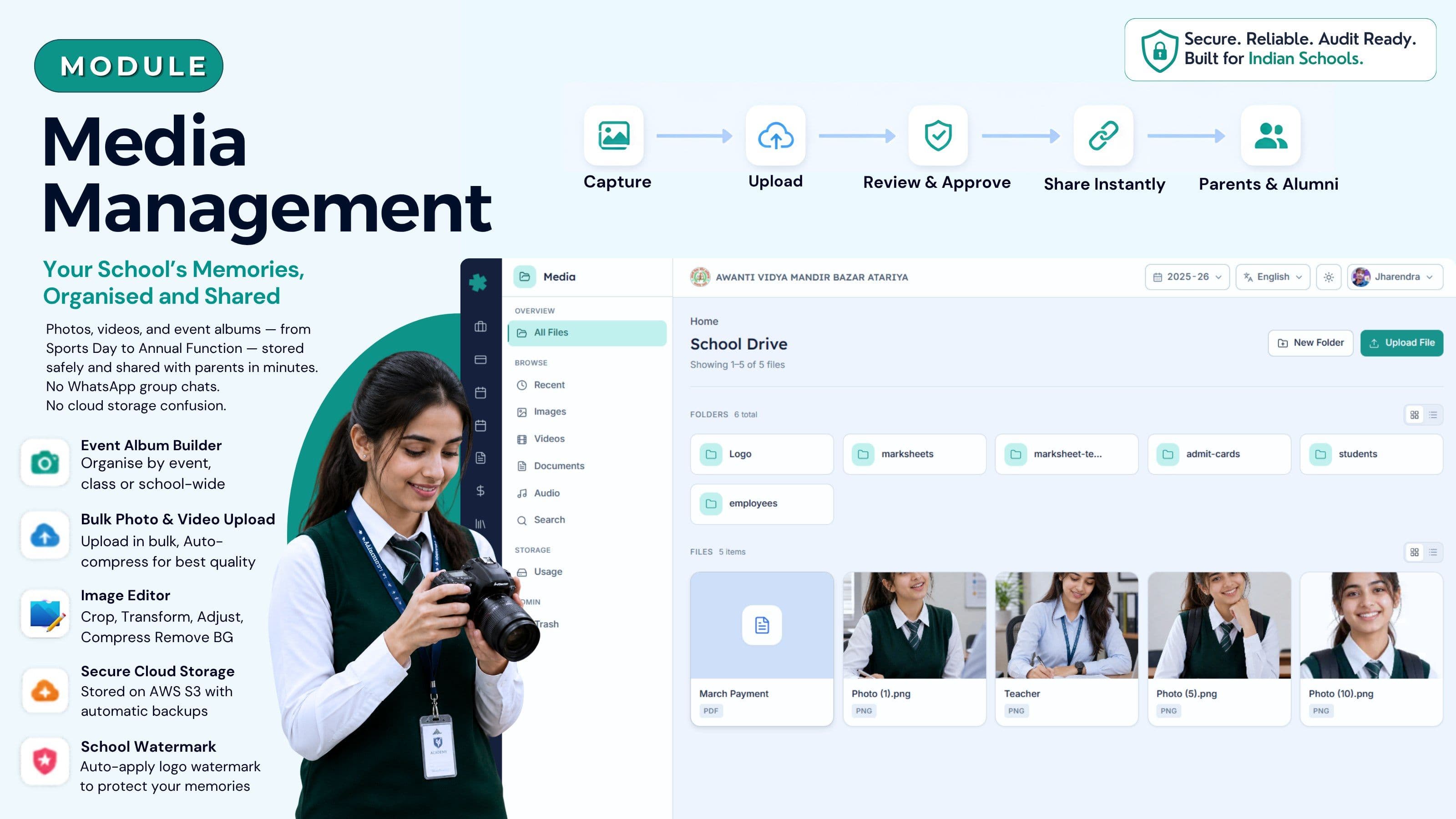
Photos, videos, and event albums — Sports Day to Annual Function — stored safely and shared with parents in minutes. No WhatsApp group chaos. No cloud storage confusion.
Everything your school's media management needs
Event Album Builder
Create organised albums by event — Annual Function, Sports Day, Republic Day, Science Fair. Tag albums by class, section, or school-wide. Each album lives at its own shareable link.
Instant Parent Sharing
Publish any album to parents with one click. Parents receive a push notification in the Inkwelly parent app and a WhatsApp link. No group chaos, no file-size limits, no manual forwarding.
Photo & Video Upload
Upload DSLR photos, smartphone photos, and MP4 videos in bulk. Inkwelly auto-compresses for web delivery without quality loss. SD card, USB, or direct phone upload supported.
Role-Based Upload Permissions
Class teachers upload to their own class albums. School admin reviews and approves before any parent can see. Prevents accidental or inappropriate uploads reaching parents.
Secure Cloud Storage
All media stored on AWS S3 with automatic backups. No hard drive failures. No pen drive losses. Your 2018 Annual Function photos are as accessible today as they were the week they were uploaded.
School Watermark
Auto-applies your school's logo watermark to every photo before it leaves the platform. Photos shared with parents are branded, protecting children's images from misuse outside school circles.
How Indian schools manage media today — and why it fails
Every year after Annual Function, the same story plays out in thousands of Indian schools. The photography volunteer — usually a tech-savvy teacher or a parent helper — has 400 photos spread across two smartphones and one borrowed DSLR. The SD card gets handed to the IT person, who starts copying files to a shared computer. Meanwhile, the parent WhatsApp group of 280 to 600 members is already flooding: "Please share photos from today's event." The office staff forward whatever they have, leading to blurry reposts, duplicates, and low-resolution thumbnails that lose all detail.
Three weeks later, half those photos are still sitting on smartphones that have since been cleared to free storage. The SD card got misplaced in the staff room drawer. The principal asked for a curated album for the school website, but nothing was organised. Parents received blurry WhatsApp forwards from multiple chains. Two parents complained on the school Facebook page about the lack of professional documentation. The most expensive cost: a 400-photo record of your school's best annual event exists only as low-resolution thumbnails in a chat archive that nobody will ever open again.
Every principal reading this has lived this story — after Annual Function, after Sports Day, after Graduation, after the inter-school competition your students won. You know the event was excellent. The documentation rarely matches it. That is the problem Inkwelly Media solves.
What school media management software does for Indian schools
School media management software is a dedicated platform that replaces the scattered combination of WhatsApp, Google Drive, pen drives, and shared desktops that most Indian schools currently use. It gives every photo and video a permanent home, organises them by event and class, controls who can see what, and delivers them to parents through a single channel — without any manual forwarding, file compression, or storage juggling.
Inkwelly's Media module is built specifically for how Indian schools work. Teachers upload from their phones during events. The admin reviews before publishing. Parents get notified automatically and can browse albums in the parent app. Nothing gets lost. Nothing gets shared to the wrong audience. Three years later, when a student wants their Class 12 farewell photos, the school retrieves them in under a minute.
The module connects directly to the Student Information module — photos can be tagged to individual students, and parent access is scoped automatically based on school enrollment data. No manual list management.
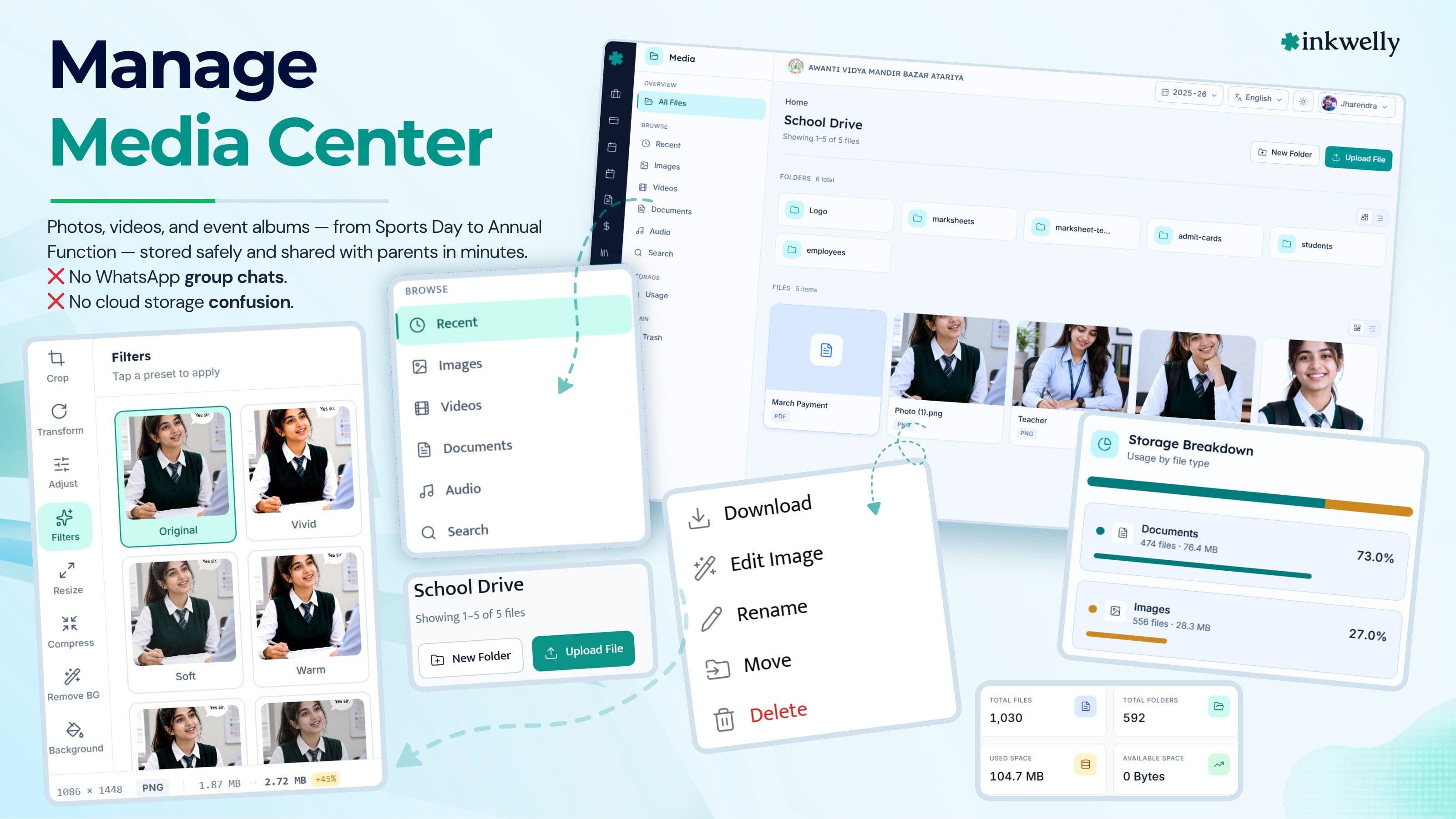
See the Media module in action
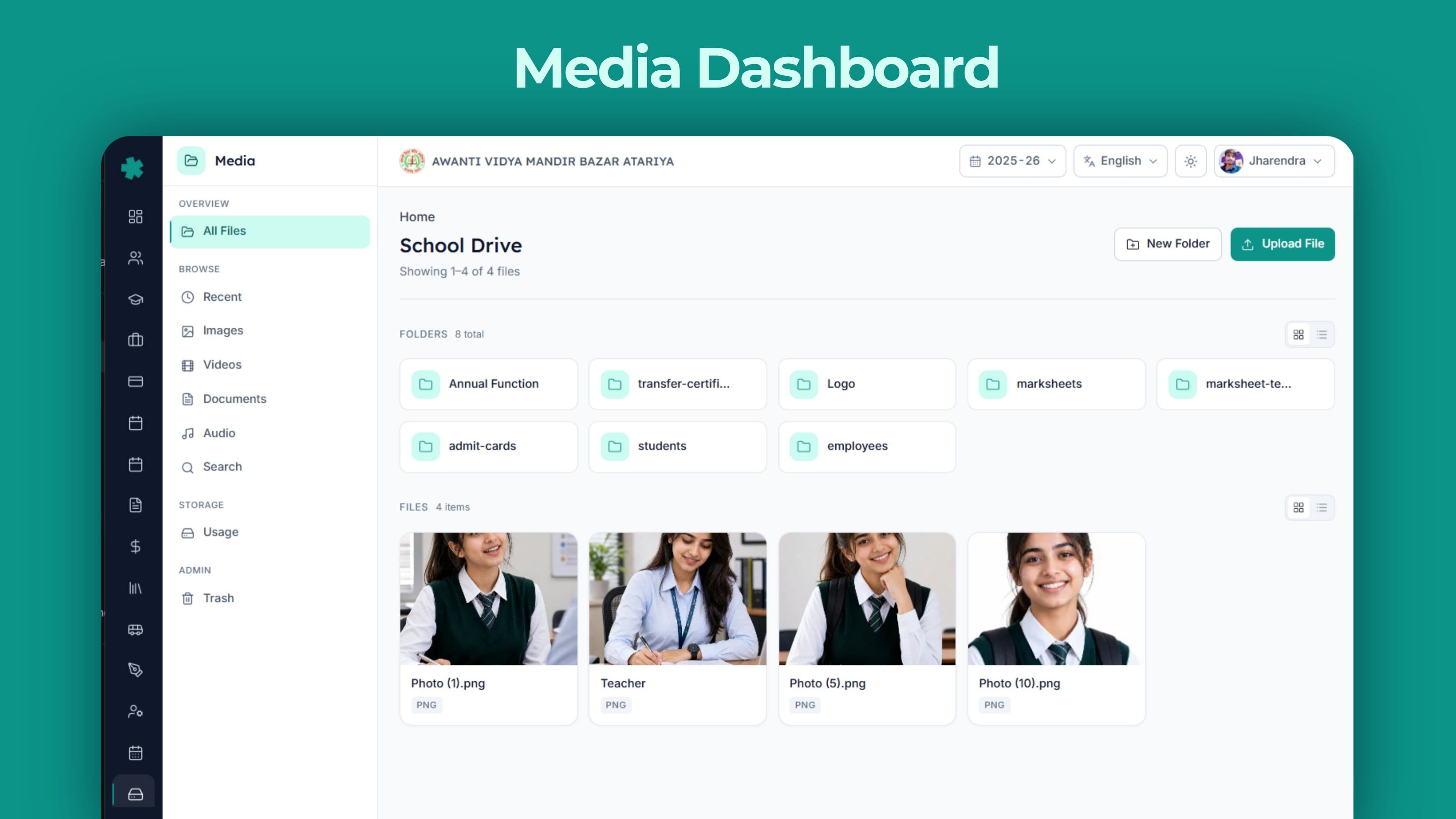
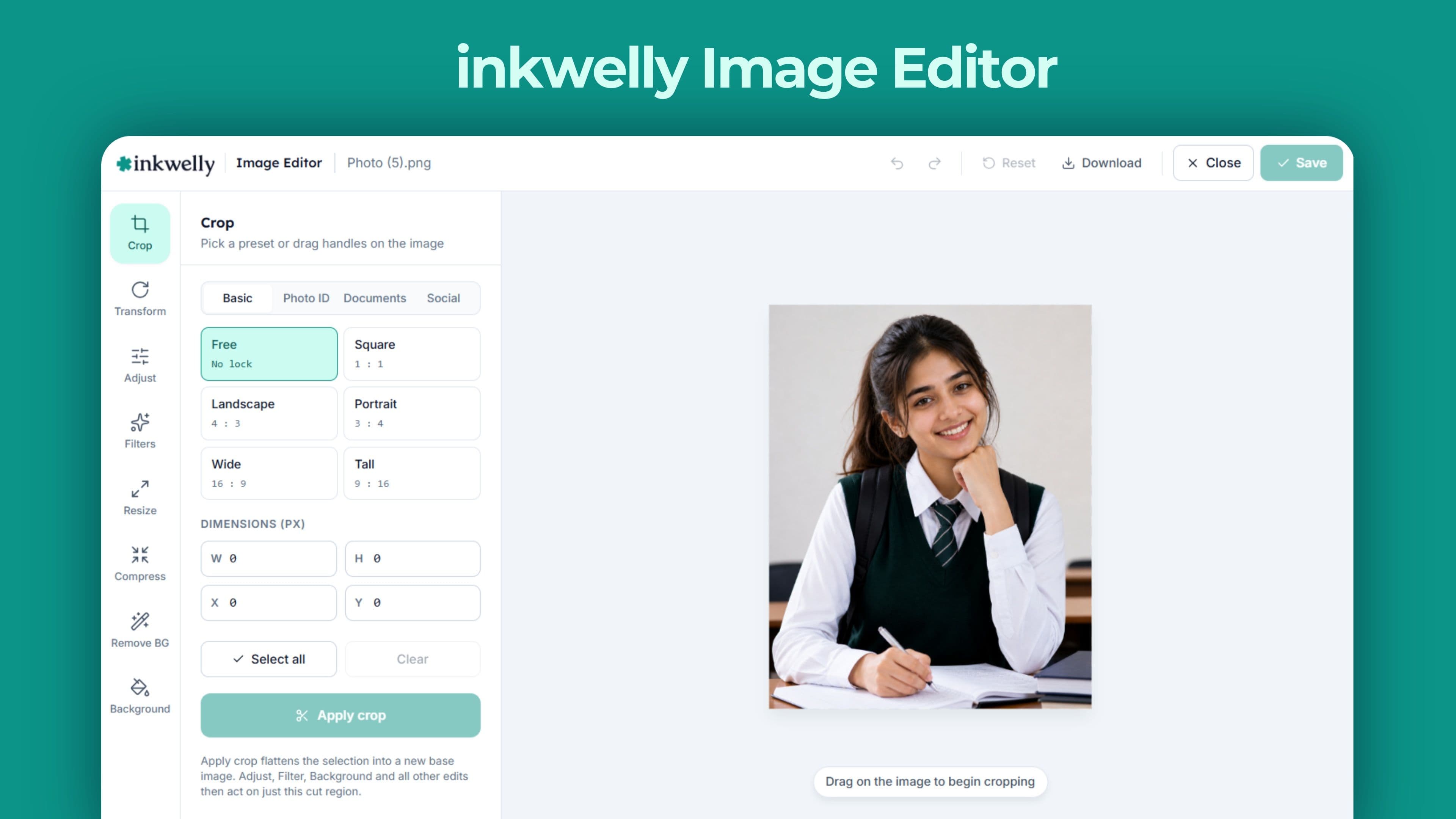
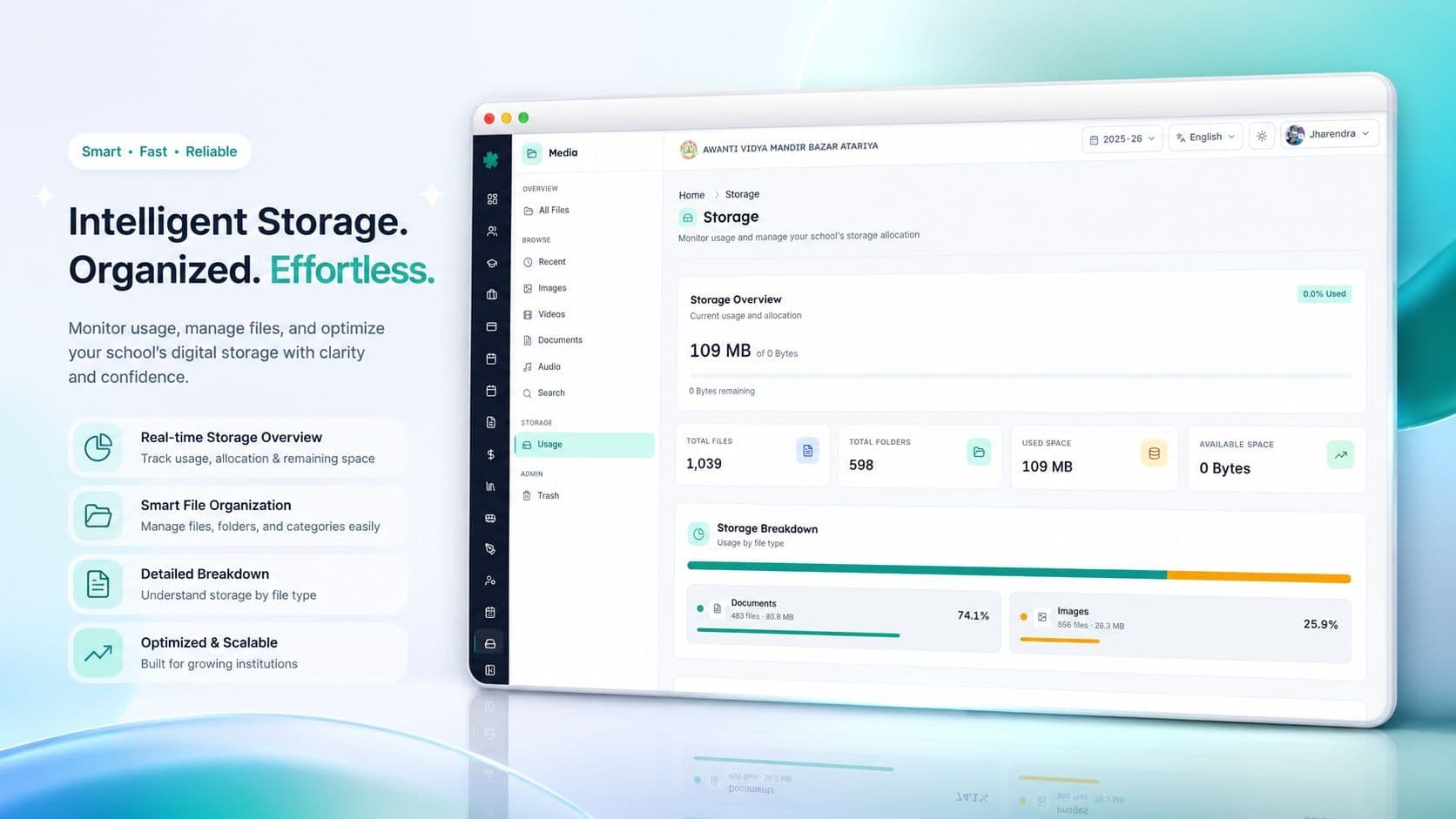
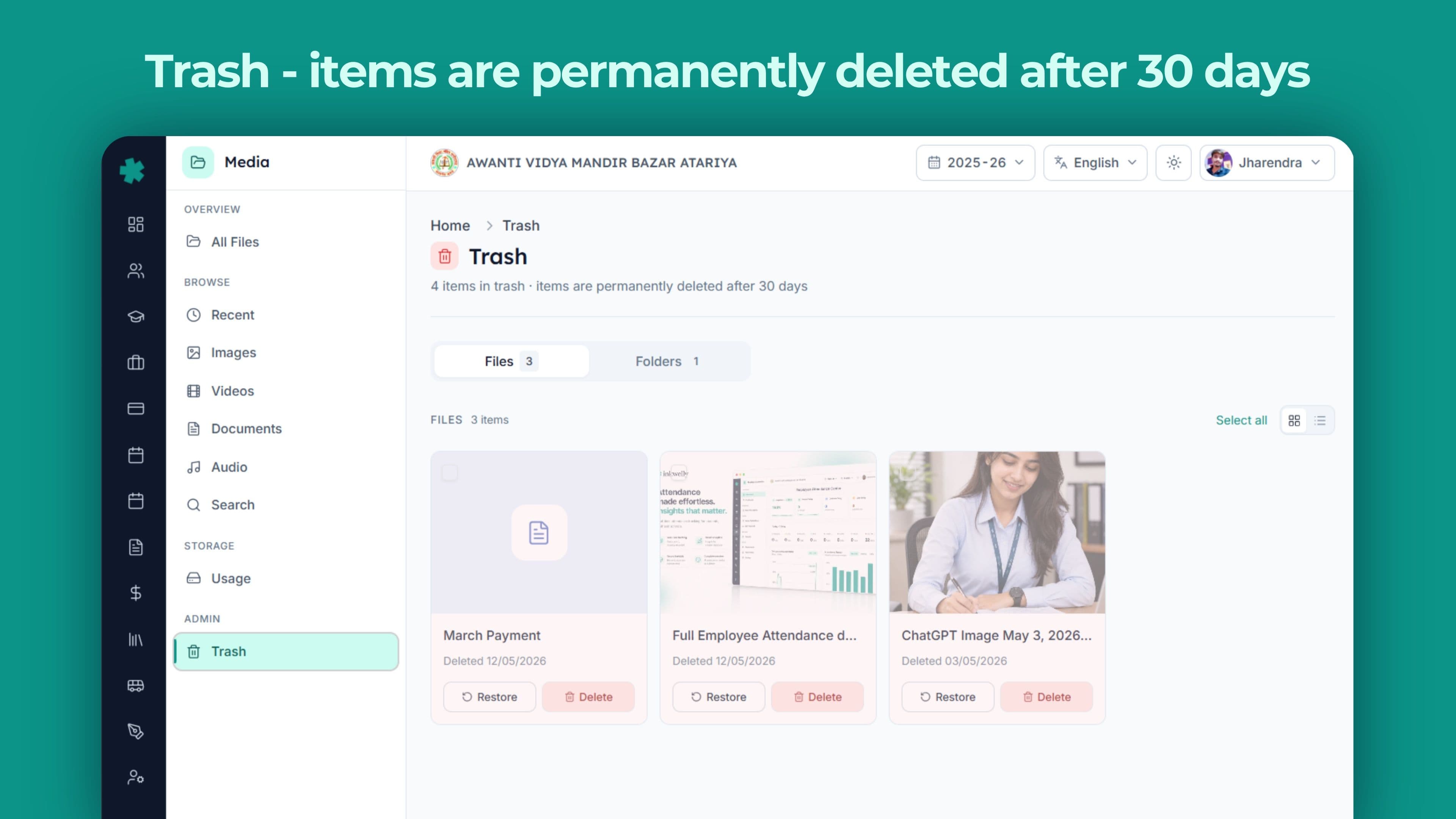
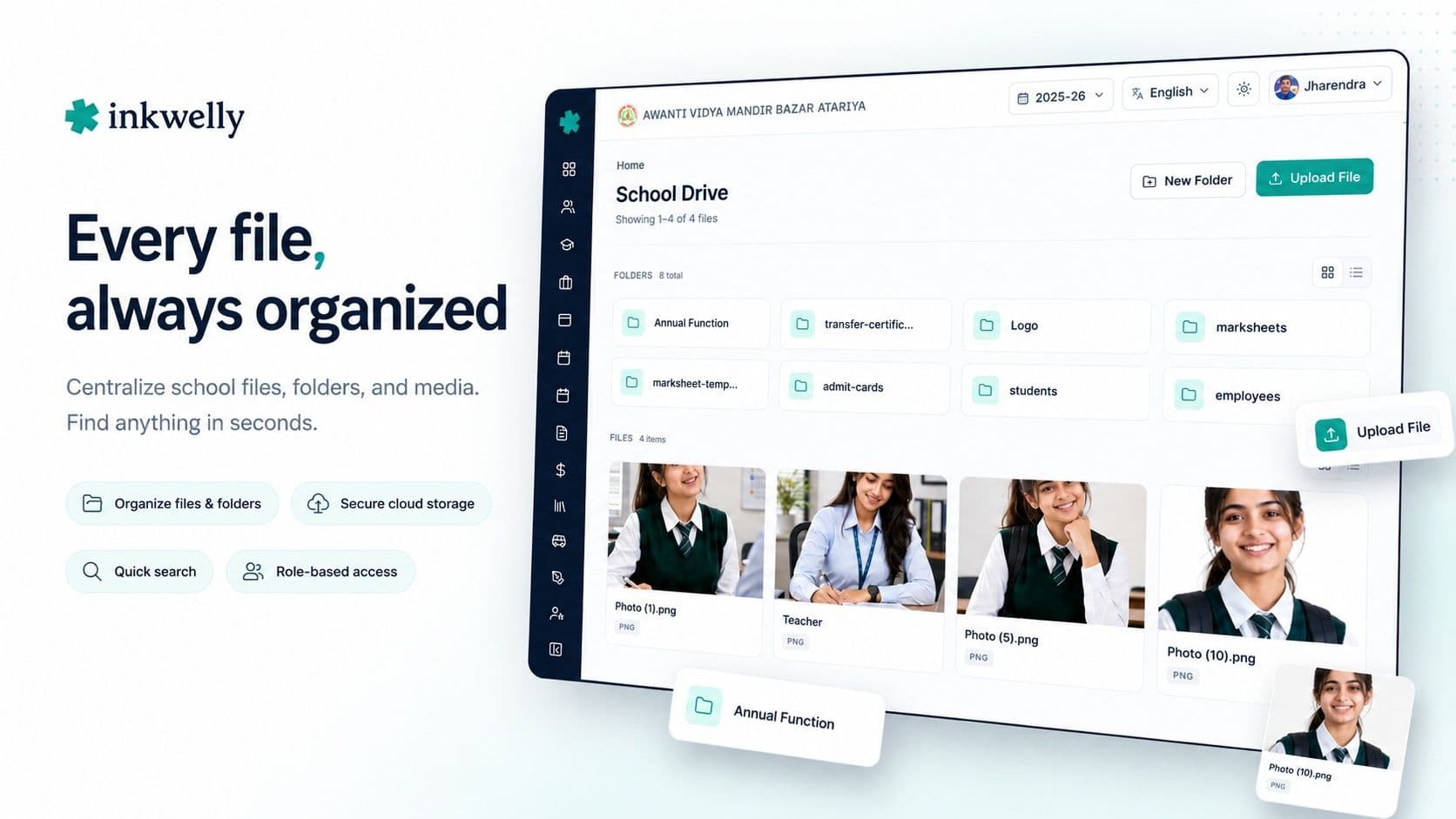
Album management built for Indian school events
Inkwelly organises media around events the way Indian schools actually think about them. Not just by date or folder — by event name, class, and academic year. You create an album called "Annual Function 2025-26", and it stays accessible, searchable, and shareable for as long as your school runs.
Album permissions let you publish school-wide (visible to all parents), class-only (visible only to parents of students in that class), or restricted (admin and staff only). A prize distribution ceremony album might be school-wide. A class-specific sports event might be class-only. A staff farewell might stay staff-only permanently.
When you promote the Class 12 batch to alumni status, their farewell album does not disappear — it moves to the alumni archive. Parents and students who want to revisit it can still access it through the same link, without the school needing to maintain a separate archive system.
Bulk upload handles 200 photos at once. Auto-tagging by upload date creates a working timeline even before you manually name events. Drag-and-drop album reordering on the admin side takes under two minutes for even the most extensive annual archive.
How parents receive school media without WhatsApp chaos
The standard approach to parent media sharing in Indian schools involves WhatsApp — and it creates more problems than it solves. When a school shares photos on a WhatsApp group, the first 20 parents re-forward to family groups, where photos are downloaded, re-uploaded, and quality degrades with each compression cycle. Within 48 hours, a crisp 4MB DSLR photo has been forwarded into a 180KB thumbnail that looks like it was taken in 2007.
Beyond quality loss, there are real privacy concerns. Parent WhatsApp groups are frequently screenshot and shared to neighbourhood groups and local community groups. Photos of children in school uniform at a specific school are effectively public once they enter a WhatsApp chain. Most schools have no idea their student photos are circulating this widely.
Inkwelly Media solves both problems. When an album is published, parents receive one notification — a push alert in the Inkwelly parent app, plus a WhatsApp message if the school has WhatsApp notifications enabled. The link opens in the parent app, where photos display in full resolution but cannot be re-shared outside the app. Download permissions are controlled by the school admin — for most albums, parents can download their own child's photos but not bulk-download whole-class galleries.
WhatsApp integration without the chaos
For schools that rely heavily on parent WhatsApp communication, Inkwelly sends one clean notification message per album: "Annual Function 2025-26 photos are now available. Tap to view: [link]". The link takes the parent directly to the album in the app. The photos never enter the WhatsApp group itself — only the notification does. Class WhatsApp groups stay clean. Quality stays intact. Privacy stays controlled.
This approach has a measurable effect on parent satisfaction. When parents know they will receive proper, organised, high-resolution photos of school events, they stop the informal "can anyone share photos from today?" requests that create chaos in staff and parent groups. The expectation is set: all official school media comes through Inkwelly.
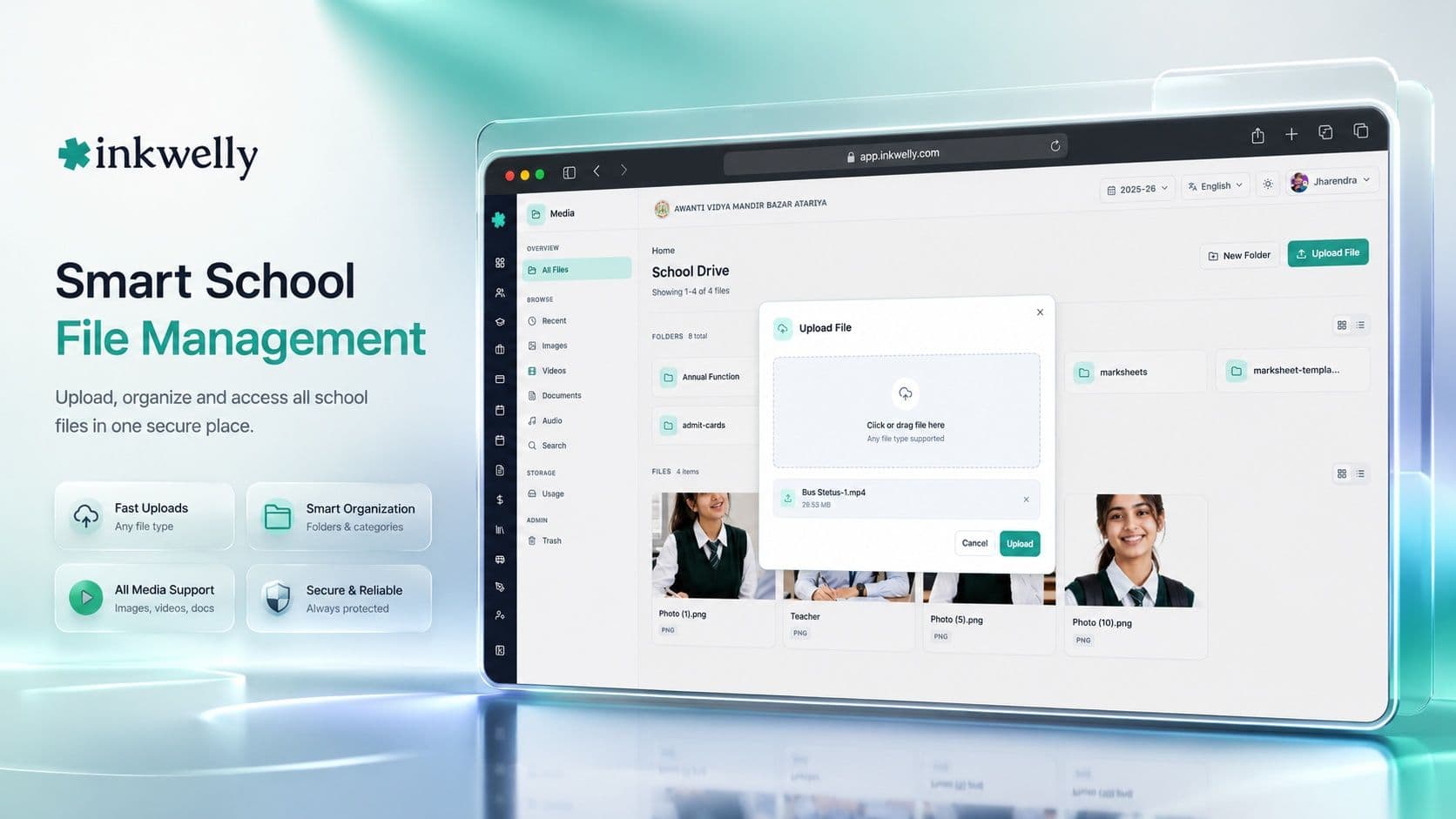
Video support built for Indian connectivity
Most school media platforms support photos well but handle video poorly. Large video files stall uploads on school WiFi, fail to play on parent 4G connections, and eat through storage quotas fast.
Inkwelly's video processing pipeline is built around Indian connectivity realities. When you upload a 500MB MP4 of the Annual Day performance, Inkwelly generates three quality variants automatically: 1080p for parents on strong WiFi, 720p for 4G, and 480p for slower connections. The parent app detects network speed and serves the right variant — the parent never sees a buffering spinner.
For annual magazine videos, prize-day speeches, or inter-school competition highlights, Inkwelly handles up to 2GB per video file. The upload pauses and resumes automatically if school internet drops mid-upload — a common reality in Tier-2 and Tier-3 school offices during peak academic periods.
Videos are watermarked with the school logo just like photos. They live in the same album structure — parents browse photos and videos together in one seamless gallery, not in separate tabs with different login flows.
Before Inkwelly Media vs. After Inkwelly Media
Setting up the Media module — what to expect in the first week
Most schools complete the Media module setup in one working day. The initial configuration involves three steps: uploading your school logo for watermarking, setting default album visibility rules, and assigning teacher upload permissions to the staff you designate as event photographers.
From that point, the first album is typically created within hours. Schools that onboard in September or October — near Annual Day season — often have their first set of photos uploaded and shared to parents within the same week the module goes live.
The upload flow for teachers and designated staff
Teacher upload works from both the Inkwelly mobile app (Android and iOS) and the web dashboard. Teachers create an album, give it a name and event date, and start uploading. The upload queue handles batches of 50 to 200 photos without stalling. Once submitted for review, the school admin receives a notification to approve.
The review step is configurable — schools that want direct publish can bypass it. For schools with stricter quality control, the review step means the principal or coordinator previews the album before parents see it. This catches duplicates, blurry photos, and anything not appropriate for parent-facing communication.
For CBSE and ICSE schools that include a media or activities section in their annual report or school self-evaluation documentation, Inkwelly exports any album as a PDF contact sheet — a grid of thumbnails with event names, dates, and caption text. This is the format most CBSE audit committees request for academic year activity documentation.
Migrating from Google Drive and WhatsApp archives
Schools wanting to preserve older event photos when moving to Inkwelly can use the bulk import tool. It accepts folder-structured Google Drive exports and organised ZIP files. Folder names map to album names; photo creation dates are read from EXIF metadata automatically.
For schools with photos going back 10 or more years, migration can be staged — start with the current academic year, and import historical photos in batches. Historical albums are not published to parents by default; they go into the school's internal archive and can be selectively published if needed.
Which schools benefit most from Inkwelly Media
Schools that gain the most from the Media module share a common profile: high parent engagement expectations, regular events throughout the academic year, and existing pain around photo sharing. These are typically CBSE and ICSE schools in Tier-1 and Tier-2 cities where parents are active on digital platforms and expect professional documentation.
Residential and boarding schools use the Media module differently. Because parents cannot attend events in person, photos and videos of their child's school life are especially important. Boarding schools in hill stations and smaller towns use Inkwelly Media to send monthly "life at school" albums to parents — daily activities, campus life, dormitory events, and academic sessions — which reduces parent anxiety and the volume of parent phone calls to the school office.
Budget private schools in Tier-3 cities and small towns use the Media module as a marketing asset. A well-maintained photo album of school events — shared consistently, on time, in high resolution — is the strongest possible marketing asset for sibling admissions and word-of-mouth referrals. Parents who receive well-documented school events are measurably more likely to recommend the school to other parents in their neighbourhood.
See Media Management in your school's setup
We'll walk you through the album builder, teacher upload flow, and parent sharing — using your school's actual event types. 20-minute session, no slides.
Works with your school as-is
- Android and iOS smartphones for teacher and staff uploads
- CBSE, ICSE, ISC, IB, IGCSE, NIOS, and all State Board schools
- Day schools, residential and boarding schools, and international schools
- WhatsApp Business API integration for album notifications to parents
- Integrates with Inkwelly Student Information — photos auto-linked to student profiles
- Offline upload queue — photos captured without WiFi upload automatically when connection returns
- Bulk import from Google Drive, Dropbox, or ZIP archives for historical media migration
- PDF contact sheet export for CBSE annual audit and school self-evaluation documentation
Frequently asked
6 questionsHow much media storage does an Inkwelly school plan include?
The standard Inkwelly plan includes 100GB of media storage per school. For a typical Indian school running 15 to 25 events per year with 200 to 400 photos each, this covers 5+ years of storage. Additional storage is available in 100GB increments. Video-heavy schools or those migrating large historical archives can expand storage at any time without changing their core Inkwelly plan.
Can parents download photos from the Inkwelly parent app?
Download permissions are set by the school admin per album. The most common setting allows parents to download individual photos — useful for personal printing or family albums. Bulk album download can be enabled or disabled per album. Photos opened within the parent app display with the school watermark; the original unwatermarked version is never delivered to parent devices.
Does Inkwelly support video uploads for school events?
Yes. Inkwelly Media supports MP4 video upload up to 2GB per file. Videos are auto-compressed into three quality variants — 1080p, 720p, and 480p — for adaptive playback based on the parent's connection speed. Videos live in the same album structure as photos. Upload supports pause and resume for schools with intermittent internet connections, which is common in Tier-2 and Tier-3 school offices.
How are student photos protected under the DPDP Act 2023?
All media is stored on AWS S3 in the Mumbai (ap-south-1) region — no student data leaves India. Access is logged per session. Schools can delete all photos of a specific student within 24 hours of a parent deletion request using the per-student deletion tool, which removes the student from tagged photos without deleting entire event albums. Inkwelly's privacy architecture is designed to meet Digital Personal Data Protection Act 2023 requirements for educational institutions.
Can we migrate our existing Google Drive photo archive to Inkwelly?
Yes. Inkwelly's bulk import tool accepts Google Drive folder exports and ZIP archives. Folder names are mapped to album names; photo dates are read from EXIF metadata. Historical imports can be done in batches and staged over weeks. Imported historical albums are not published to parents by default — they go into the internal archive and can be published selectively at any time.
How long does Media module setup take?
Most schools complete initial Media module setup in one working day. This includes uploading the school logo for watermarking, configuring album visibility defaults, and assigning teacher upload permissions. The first album is typically created and shared with parents within 48 hours of setup. Schools onboarding near Annual Day or Sports Day season are often live the same week.
You might also like
3 readsSee Inkwelly on your school
30-minute demo. We open your current ERP with you and load your data into Inkwelly on the call. Dated go-live plan by the end of it.