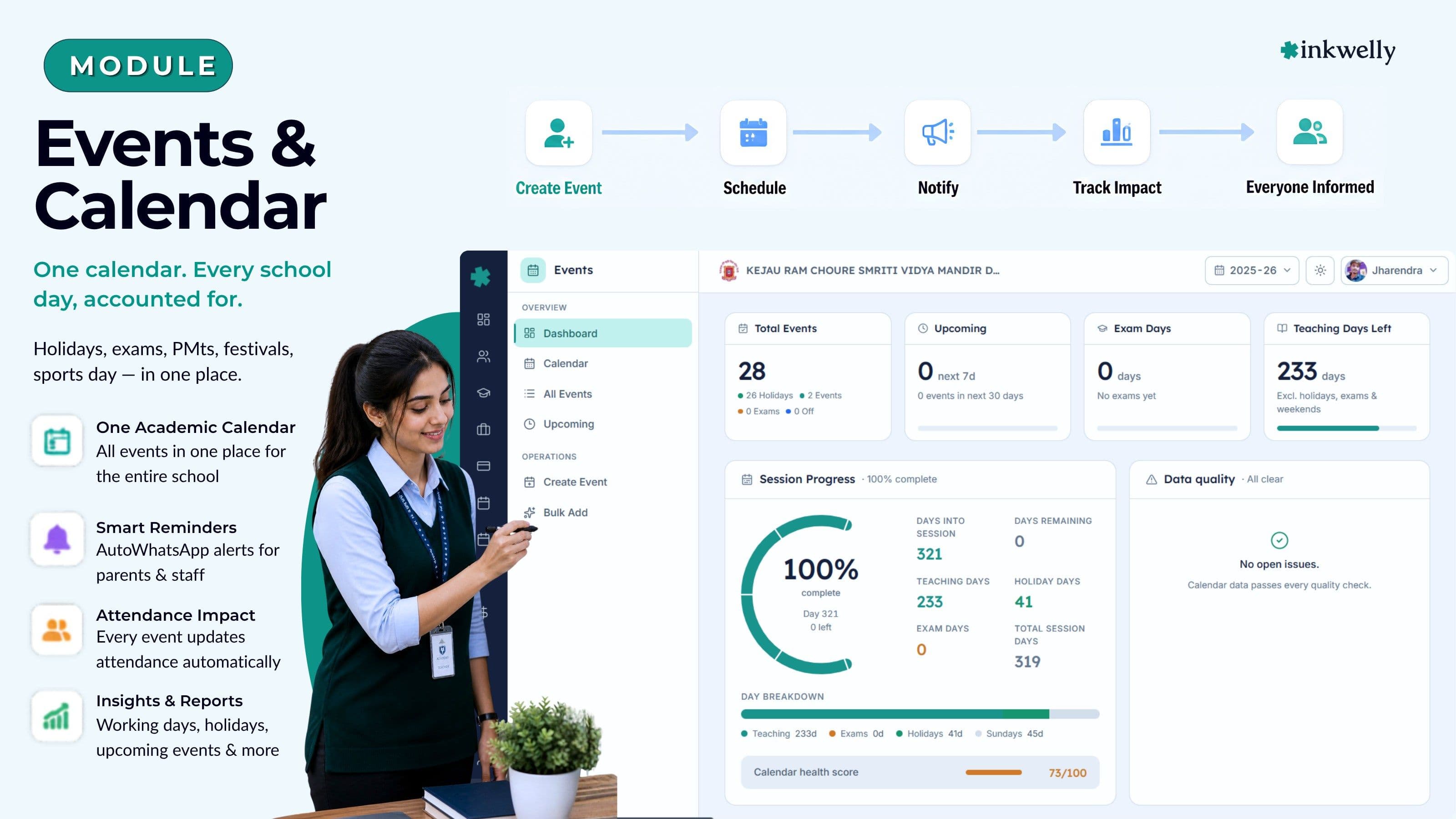
One calendar. Every school day, accounted for. Holidays, exam days, PTMs, festivals, sports day — in one place.
A single academic calendar for the whole school — holidays, exam days, parent-teacher meetings, sports day, festivals and student events. Every entry is scoped to the right classes, counted into the working-day total, and visible to the principal, the office and the teachers on the same screen. Built for the Indian school year — CBSE, ICSE, IB, IGCSE and State Boards.
How most Indian schools manage events today
It is the second week of June in a CBSE school in Indore. The principal is preparing the academic calendar for 2025-26 in an Excel sheet that her predecessor mailed her three years ago. The state government has just notified two extra working days for the Eid holiday. The exam coordinator wants the Half-Yearly schedule locked by July. The PT teacher needs Sports Day before the monsoon. The accountant is asking which dates count as 'school holiday' for the bus contractor invoice. Four people, four documents, one calendar that nobody fully owns.
By August, parents are calling the office every Monday morning to ask whether school is open. WhatsApp class groups are forwarding the wrong dates from a 2023 circular. The exam in-charge has put a Class 10 pre-board on the same Saturday as the inter-school cricket final — nobody noticed because the two calendars never sat side by side. By December, the principal's calendar Excel has 14 versions; the parent app shows the August version because nobody re-uploaded the file. UDISE+ asks for the working-day count and four staff give four numbers.
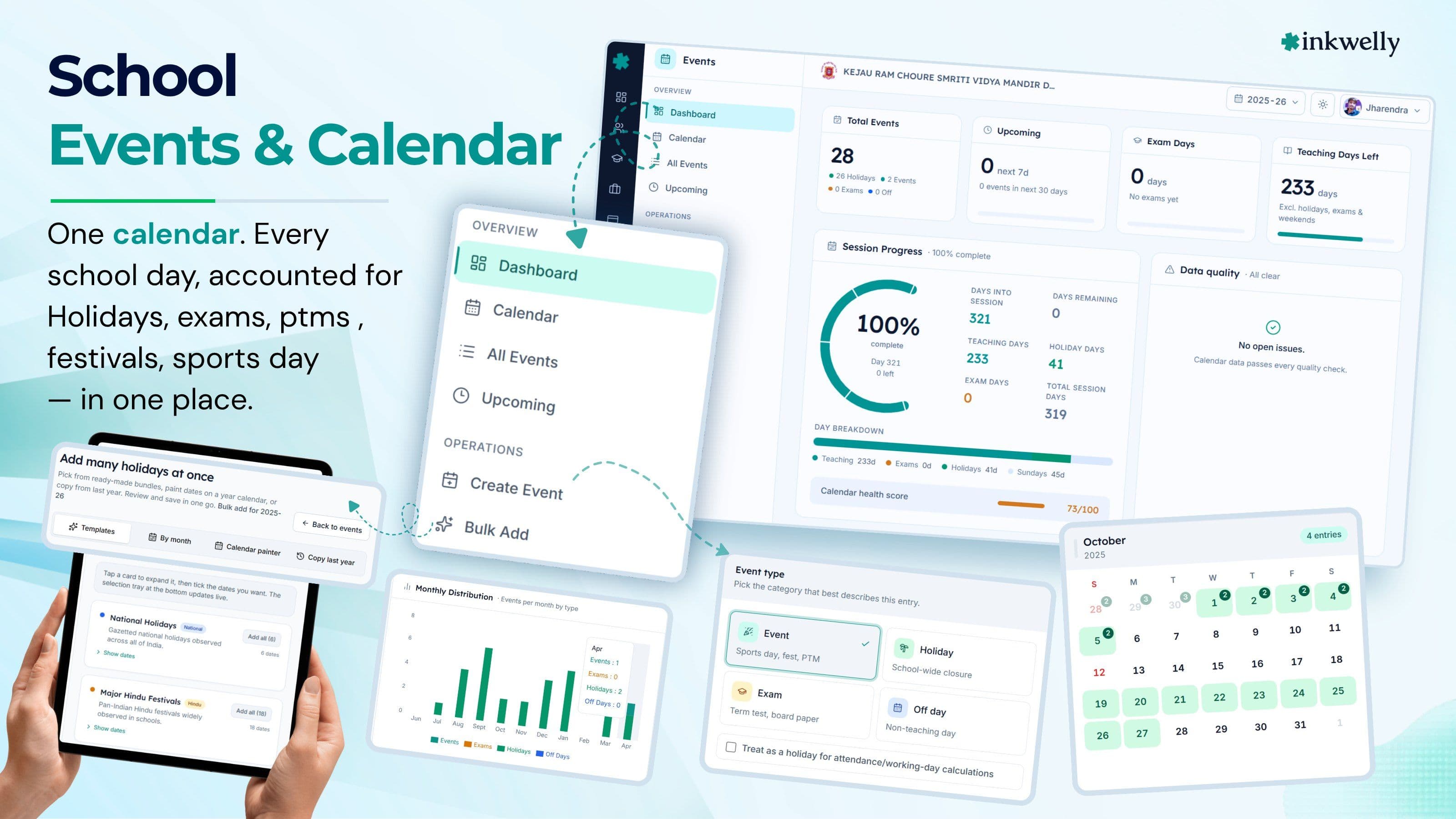
Inkwelly's Events module replaces this with one academic calendar. Every event — holidays, exam days, parent-teacher meetings, sports day, cultural festivals, student trips — lives as one row, scoped to the right classes, counted into the working-day total, and visible to the principal, the office staff and the teachers on the same screen.
What we built instead
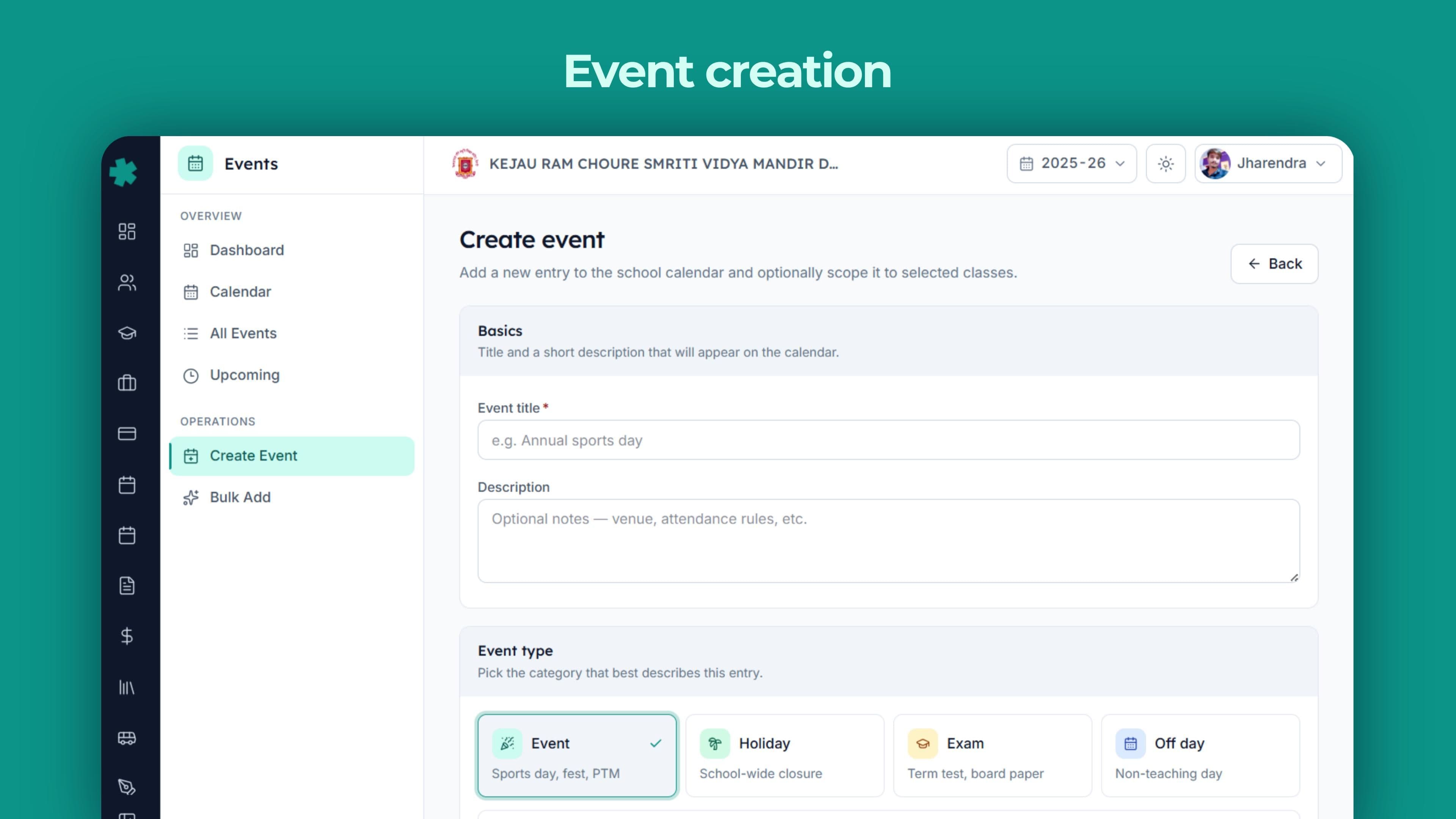
One event row, one place. Each event carries a title, a description, a start date, an end date, a type (holiday, school event, exam day, or off-day) and an optional list of classes it affects. If no classes are picked, the event is school-wide; if classes are picked, only those classes see it on their teacher app and only those classes count it against their working days.
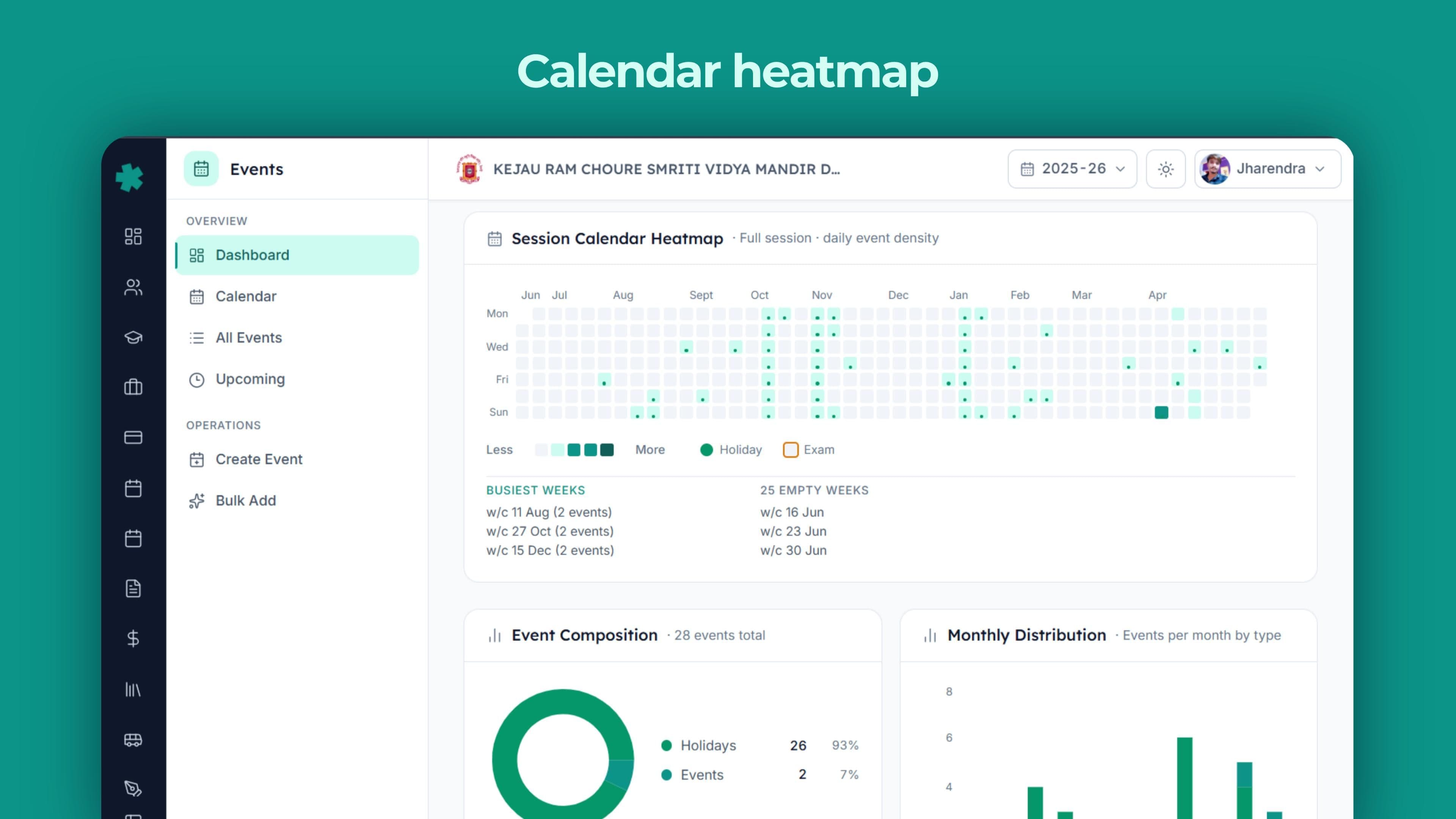
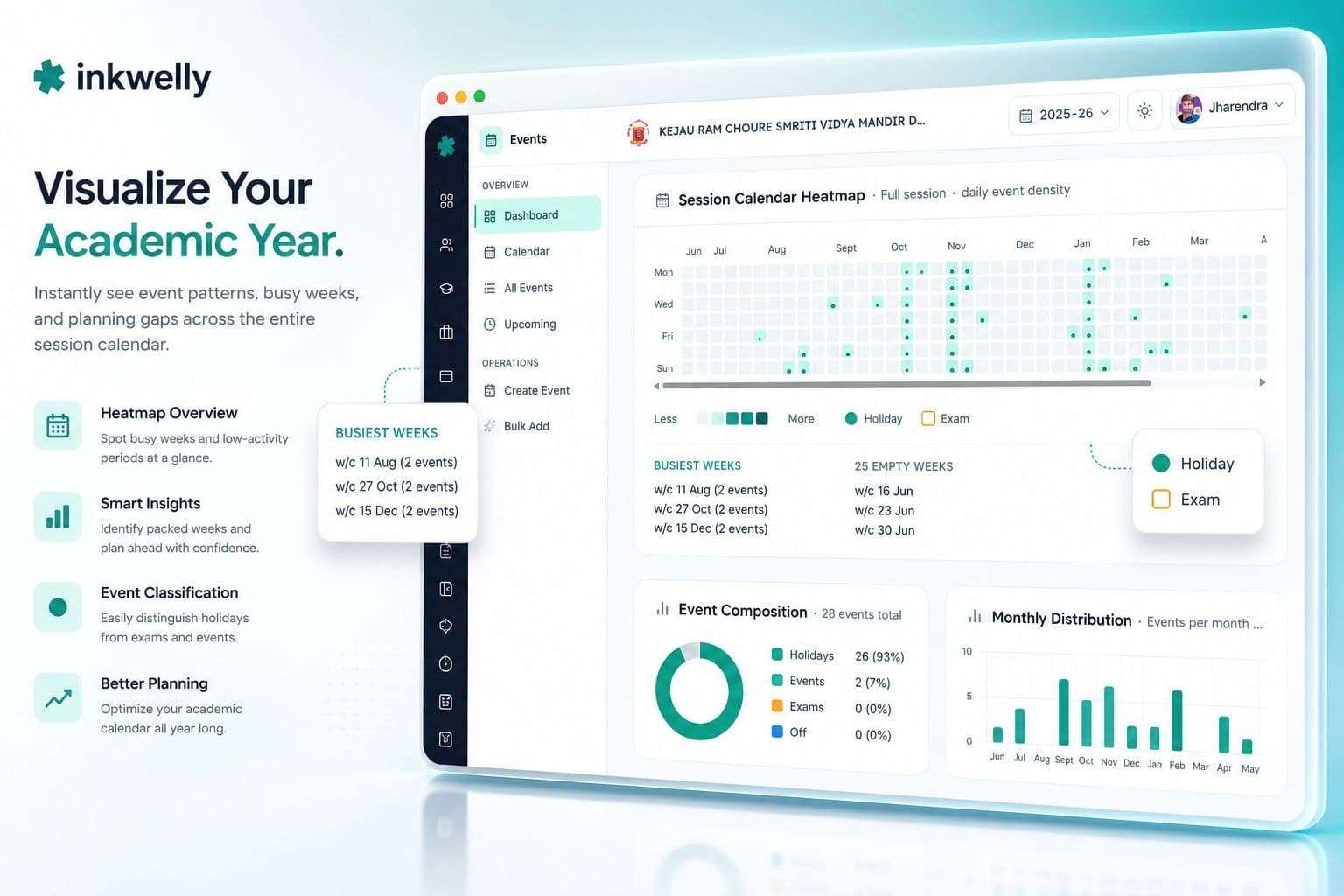
A dashboard sits on top — hero KPIs at the top, a session-progress bar and a data-quality alerts feed, a full-year calendar heatmap, composition and monthly stack views, an upcoming timeline, an exam-schedule card, a holiday-impact card and a class-impact card. Every card is computed from the same set of event rows. Change one date and every card updates on the next page load.
What the Events module covers
- Single academic calendar tied to your school's current session — events live inside the session and the dashboard automatically resets each year
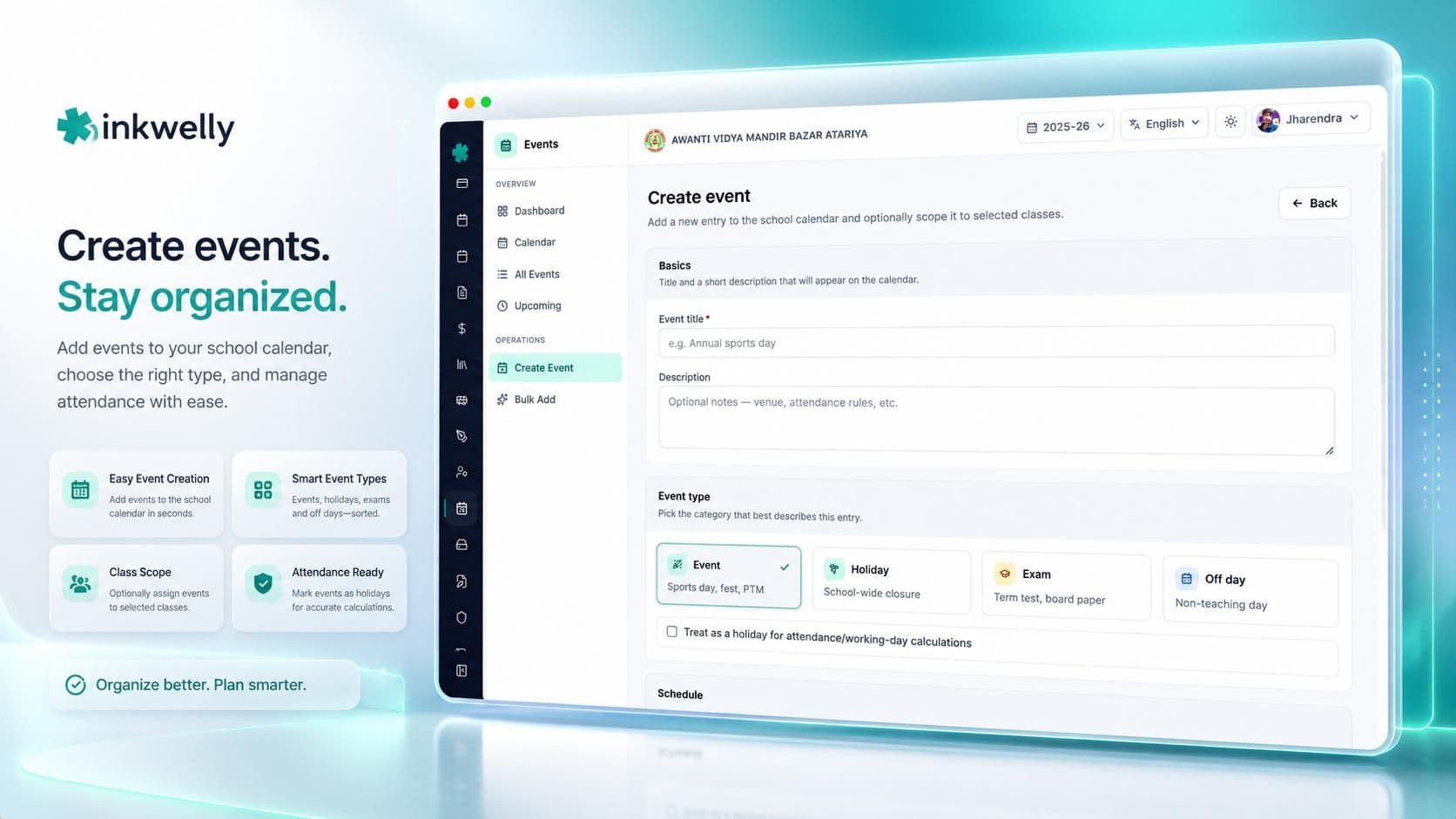
- Four event types — Holiday, Event (sports day, fest, PTM, trip), Exam day, Off-day — each visually distinct on the calendar
- Class-scoped events — a Class 10 pre-board affects only Class 10 in the teacher app and the working-day count; sports day picked for the whole school affects everyone
- Multi-day events — a vacation block, an inter-school sports week, or a board exam window spans every day from start to end on the calendar and in the count
- Working-day computation — effective teaching days are session length minus weekends, minus holidays, minus exam days, minus off-days, with overlap handling so a day flagged as both is counted once
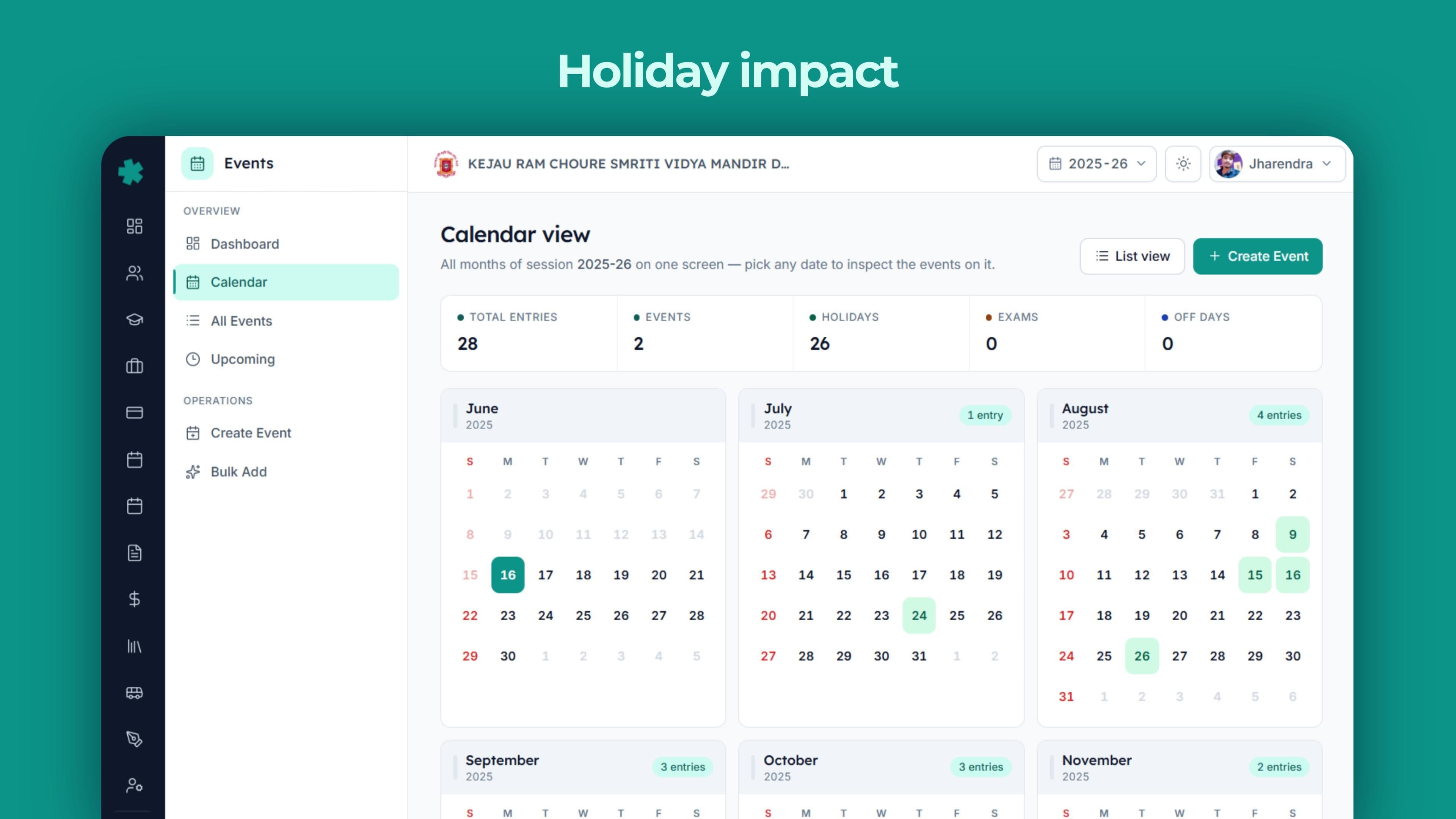
- Calendar heatmap — month-by-month grid, colour-coded by event density and type, the entire year on one screen
- Health score — a 0-100 number combining how much of the session is planned, how evenly events are spaced, exam density and holiday balance — tells you in one glance if the year's calendar is well-built
- Eight dashboard cards — hero KPIs, session progress, data-quality alerts, calendar heatmap, composition donut, monthly stack, upcoming timeline, exam schedule, holiday impact, class impact — every card linked back to the screen where the data is entered
- Bulk event creation with four methods — calendar painter (click and drag on a visual calendar), copy-from-last-year, by-month planning, pre-built holiday and festival templates
- Five continuous data-quality checks — end-date before start-date, events straddling the session boundary, holiday-flag mismatches, very long events, and events still tied to inactive classes — each alert linked to the fix screen
- Growth comparison — the dashboard compares this session's event count to last session's so leadership sees the planning trend
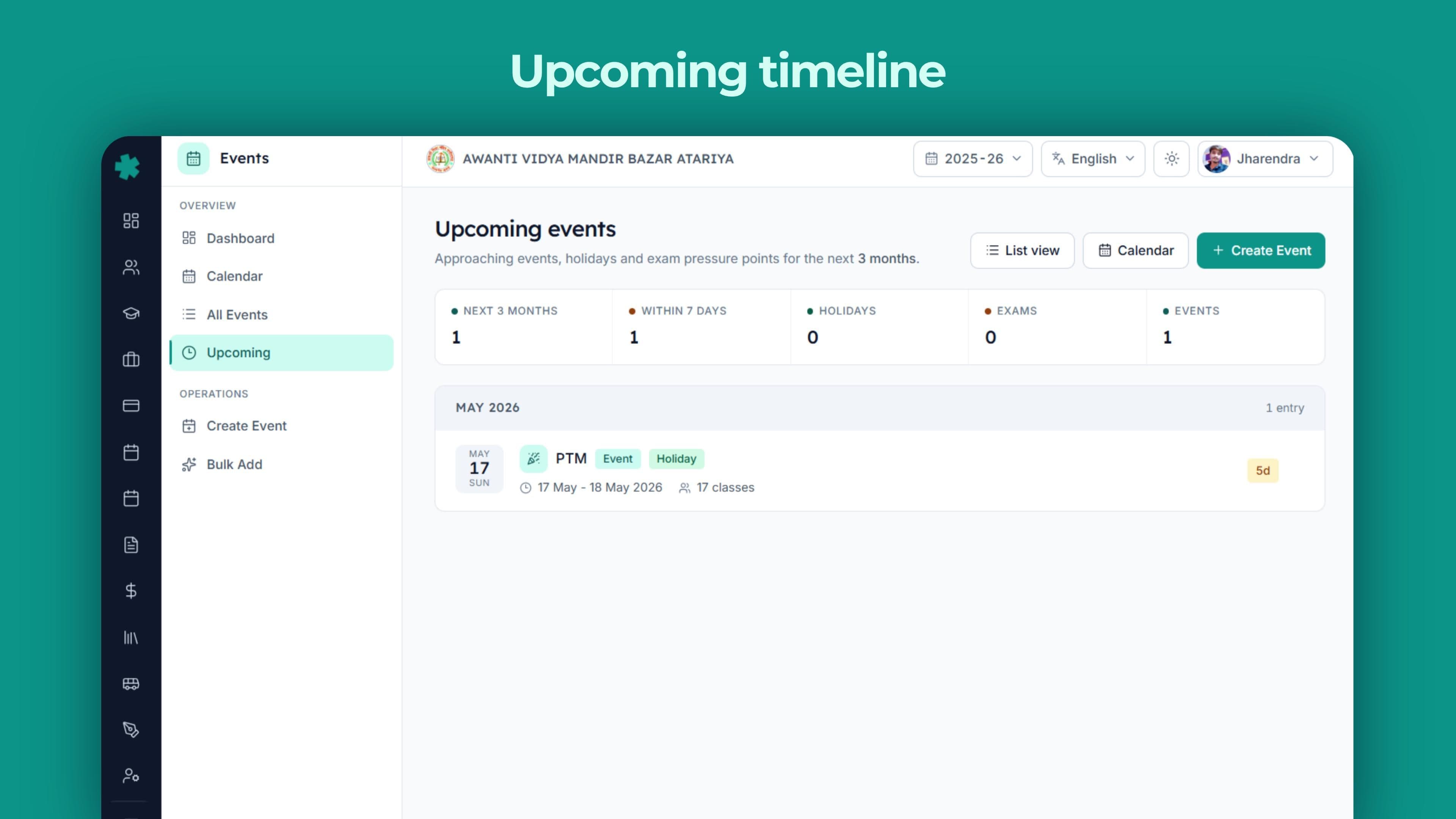
- Upcoming view — a dedicated three-month timeline grouped by month with countdown badges, ideal for staff planning meetings
- Multiple views from one data source — list, full-year calendar, monthly calendar painter, three-month upcoming timeline, dashboard heatmap
See it in action
Built for the Indian academic year
Global calendar tools assume a fixed Monday-to-Friday school week, two long term breaks, and one parent-teacher conference a year. Indian schools live in a different reality — a six-day week with selectively-off Saturdays, a three-term structure, multiple state-notified holidays announced two weeks before they happen, and a calendar that has to coexist with CBSE's pre-board windows, ICSE's coursework requirements and the local district administration's election-day school closures. The Events module is built around these realities, not around a US-school template.
State-government holidays added in 90 seconds
When the UP government notifies an extra holiday for a state festival on a Tuesday afternoon, the principal opens Inkwelly, adds one event, sets the type to Holiday, picks the date and saves. The calendar heatmap recounts, the upcoming timeline picks up the new entry, and the working-day total drops by one. Compare this to the Excel-and-WhatsApp workflow where every dependent screen has to be updated separately and three of them inevitably are not.
Five continuous data-quality checks
The dashboard runs five quality checks against your calendar every time it loads. A critical alert if any event has an end date earlier than its start date. A warning for events that straddle the session boundary — someone created a January event in last year's session by mistake. A warning if an event is tagged as a holiday but its type is not Holiday, or the other way around. A warning for events that run longer than thirty days — usually a date-entry error. An informational alert if an event still references a class that is no longer active. Each alert links straight to the screen where the fix is one click away.
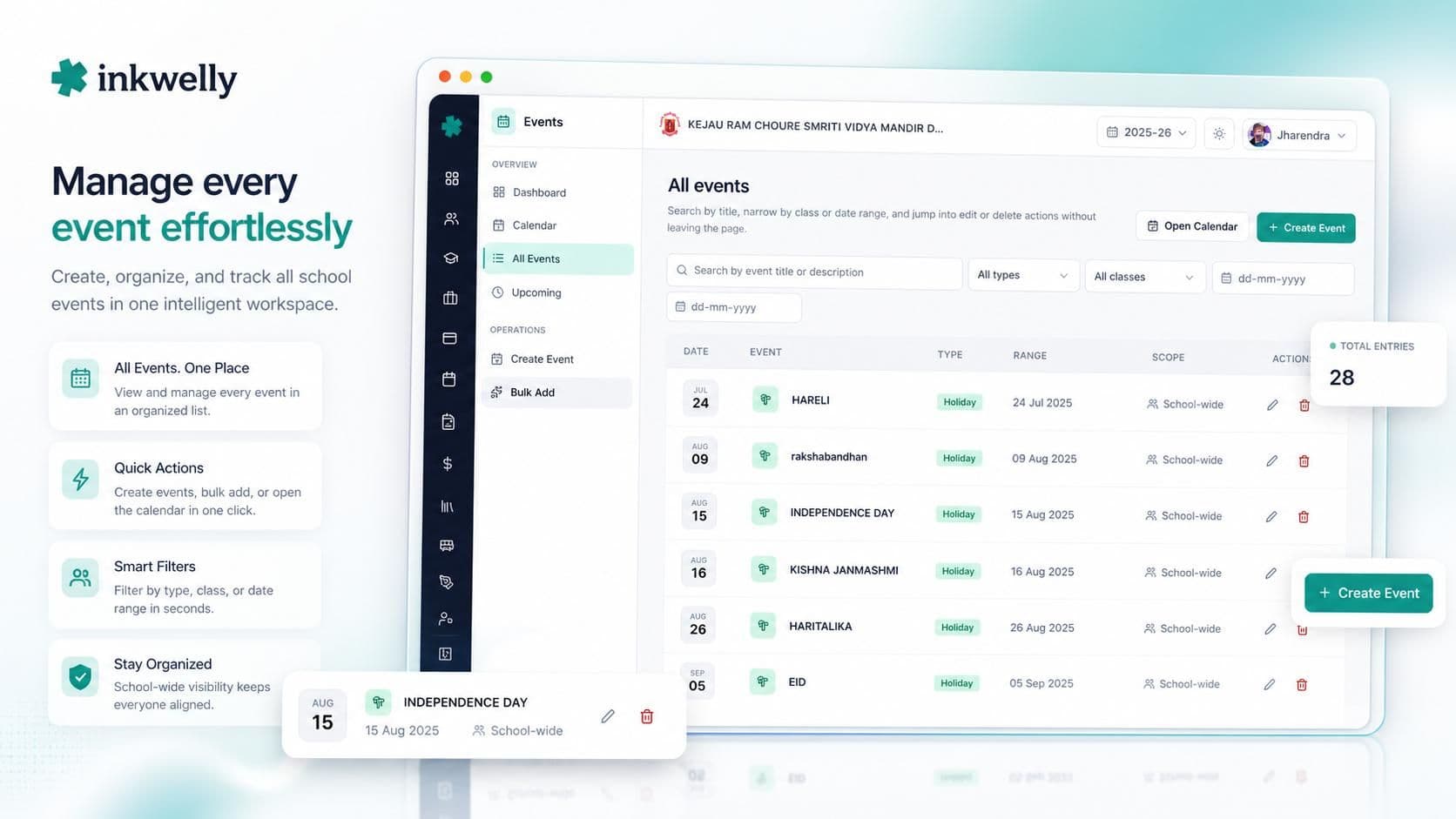
Working days, computed transparently
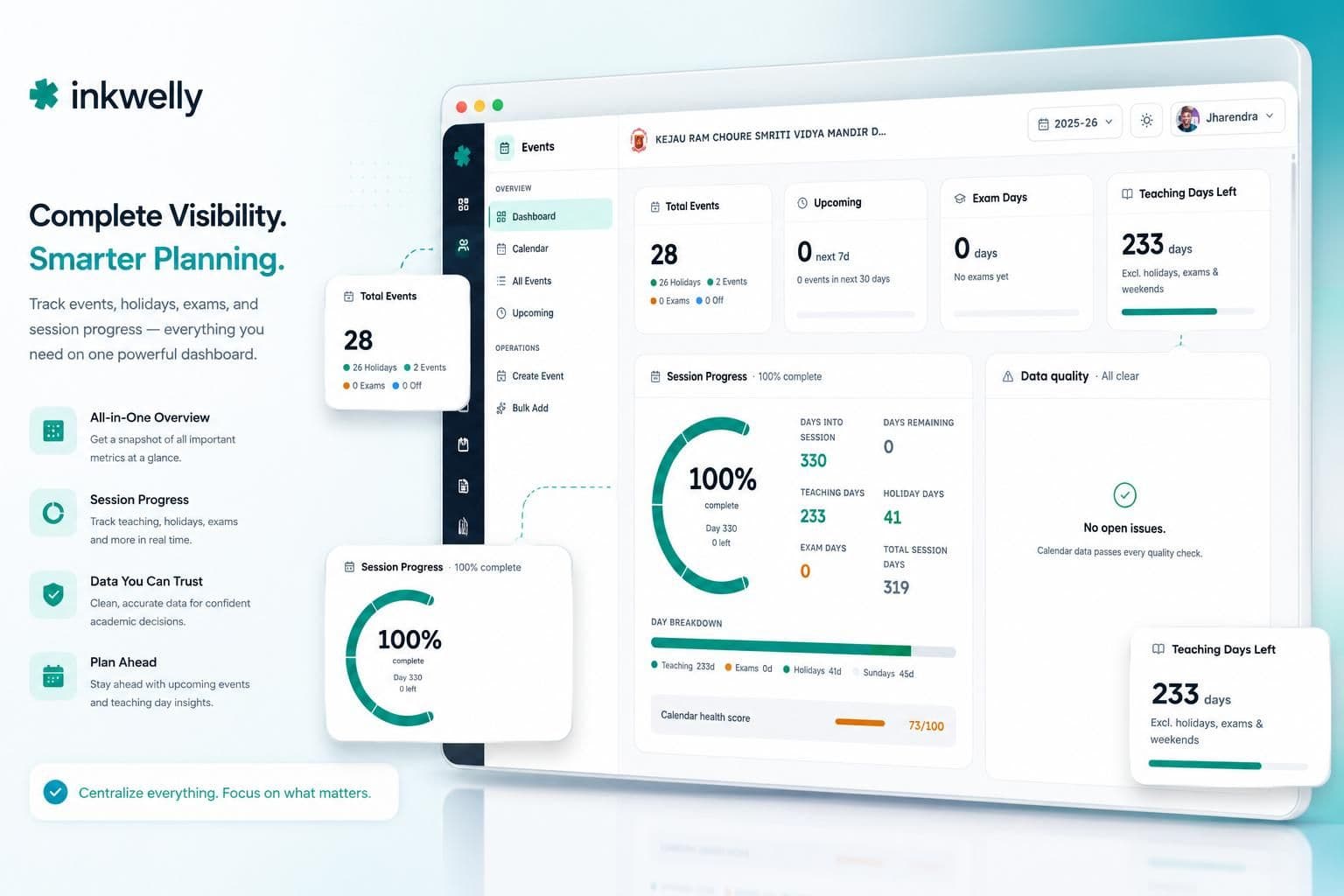
The dashboard shows three numbers that every principal eventually has to defend — days into the session, days remaining, and effective teaching days. The third one is the hard one: session length minus weekends, minus holidays, minus exam days, minus off-days, with overlap handling so a day flagged as both a holiday and a national festival counts once. The number on the dashboard is the number that goes into UDISE+ — no parallel Excel, no second opinion.

Bulk-create with the calendar painter
Four ways to add many events at once. The calendar painter — click and drag across dates on a visual calendar, pick the type, and a whole vacation block or festival cluster lands in one motion. Copy-from-last-year — pull the prior session's calendar across, edit the dates that shifted, and most of next year is done. By-month — plan one month at a time, useful when the principal sits down on a quiet Saturday to lay out the term. Templates — pre-built sets for national holidays and the main Indian festivals. Most schools seat a full year's calendar in an afternoon.
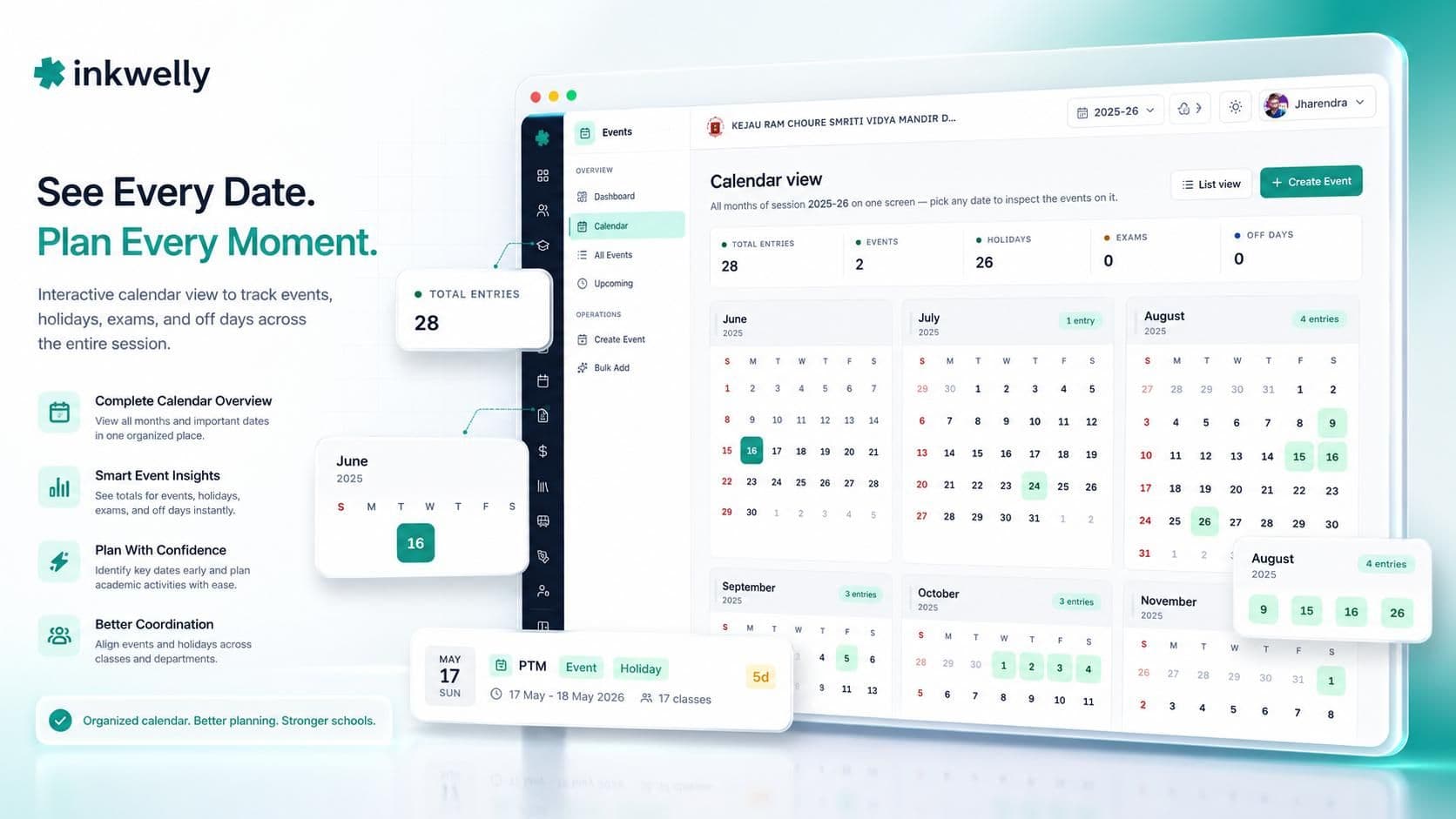
Class-scoped, not school-wide by default
A Class 10 pre-board affects Class 10 — not Class 6's lunch break or Class 12's projects. A drama rehearsal for Houses A and B disrupts only those students. When the affected classes are picked on an event, only those classes see it on their teacher view, and only those classes count it against their working days. The class-impact card on the dashboard shows you which classes carry the most events and which have none — useful when one wing is doing too much and another is doing nothing.
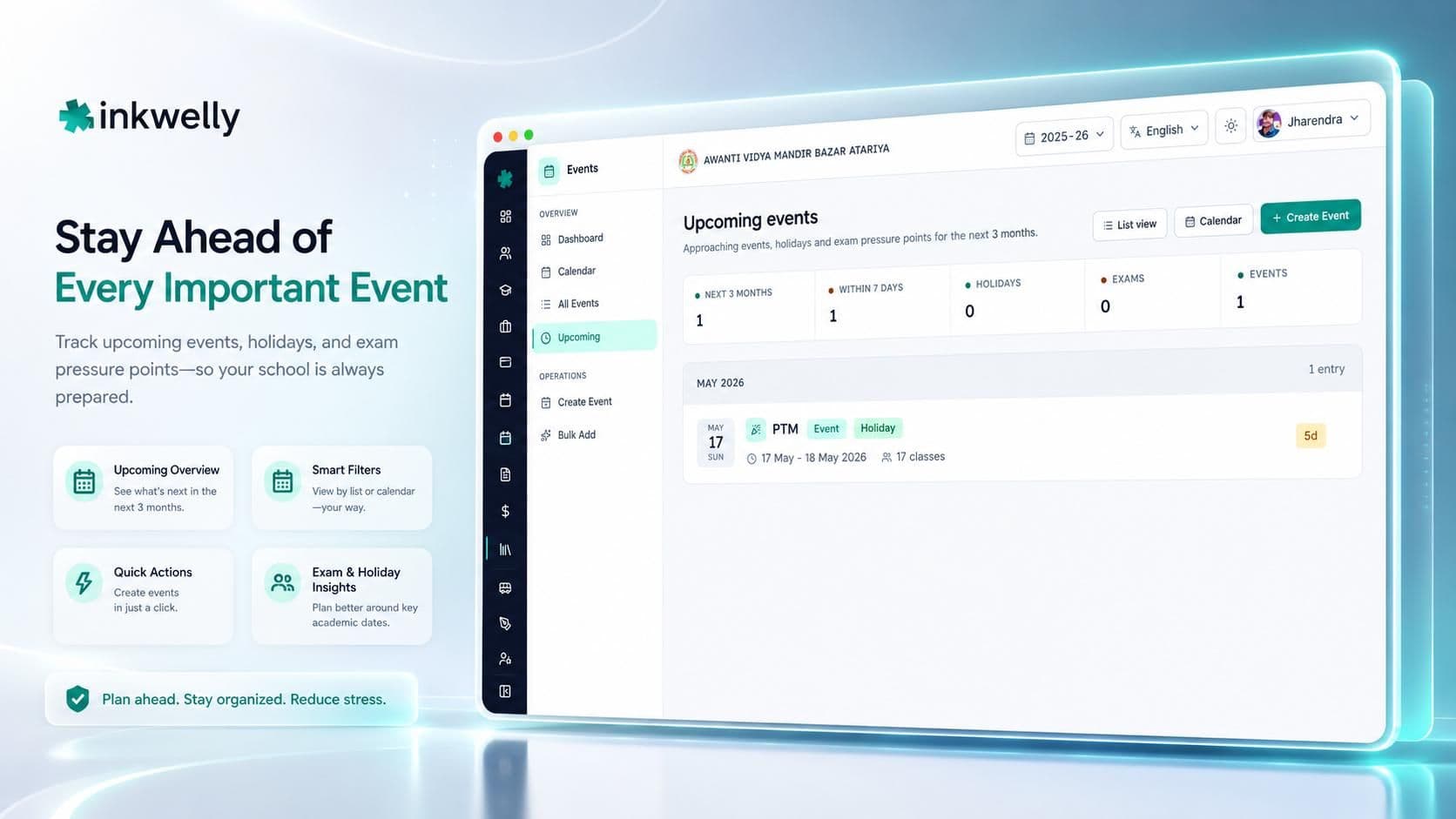
A dedicated upcoming view, three months ahead
The Upcoming screen is its own page — not a card buried inside the dashboard. It lists the next three months of events, grouped by month, each event carrying a countdown badge ('in 4 days', 'next week', 'on Monday'). The principal scans the next thirty days in seconds; the office staff use the same page to brief the staff WhatsApp group on Monday morning. A 'planning gap' warning appears if the school has more than seven days ahead with nothing on the calendar.
Before and after Inkwelly Events
Who uses it, and how
Four different people open the Events module on a normal week. Each gets exactly the data they need.
Principal
Opens the dashboard once a week. Sees the session-progress bar (days completed, days remaining, effective teaching days), the next three months of events, and any quality alerts. Adds the new circular's holiday with two clicks. Looks at the growth-vs-last-session number to see if the school is doing more or less than last year. Closes the laptop. Total time: 6 minutes.
Office staff
Most data entry happens here. State-notified holidays, special-circumstance closures, sports-day blocks, vacation periods — all entered in the same form. The bulk-create screens (calendar painter, copy-from-last-year, monthly, templates) take care of the big batches at the start of the year so day-to-day entry is just the occasional one-off.
Class teacher
Filters the events list and the calendar to her class. A Class 6-A teacher pulls up Class 6-A's events plus school-wide events; the upcoming view tells her what is next week and what is the week after. Class 10 teachers preparing for the pre-board see the exam-day block weeks in advance.
Wing in-charge
The class-impact card on the dashboard is the wing in-charge's favourite screen. It shows which classes carry the most events, which have the fewest, and which exam blocks affect which class. When one wing complains it is over-loaded and another claims it is fine, the data is on one card.

How it fits with the rest of Inkwelly
The Events module sits inside an academic session, so the session's start and end dates set the boundary that every event lives within. Exam days entered as events show up on the calendar and the dashboard's exam-schedule card; holiday and off-day events reduce the effective teaching-day total that flows into the dashboard's overview. The class structure from Academics supplies the list of classes you scope events to, so when a new section is added in August, it is immediately available to pick on the next event you create.
Migration from your current setup
Most schools come to Inkwelly Events from one of three places — a printed or Excel academic calendar, the calendar feature inside an existing ERP, or no-system-at-all WhatsApp circulars. In all three cases the migration is short.
From Excel or a printed calendar
The most common starting point. Open the calendar painter, drag across the holiday and vacation blocks for the year, apply the national-holiday template, accept the festival dates for your state, then add school-specific events (sports day, annual function, parent-teacher meetings) one by one. A 1,000-student school typically seats a full year's calendar in one focused afternoon.
From an existing ERP
If you are coming from Fedena, Entab, MyClassboard or a similar tool, export your calendar to CSV and we map the columns to Inkwelly's event fields. Ambiguous entries — a row that does not say whether it is a holiday or just an event — are flagged on screen for the principal to confirm before they go live.
From no-system-at-all
The most common Tier-2 and Tier-3 starting point. The school's calendar lives in the principal's head and a chain of WhatsApp circulars. We seat the academic structure (sessions, classes) in thirty minutes, apply the pre-built Indian holiday and festival templates, and the school adds school-specific events as they come up through the year.
Carrying last year's calendar forward
When the new session begins, the copy-from-last-year screen pulls the prior calendar into the new session as a draft. Edit the dates that shifted (Diwali moves, Holi moves, Eid moves), accept the rest, save. The events that need to stay (Republic Day, Independence Day, the school's own sports day) are already there. Last year's calendar stays queryable in its own session for any audit.
See Inkwelly Events live
20-minute walkthrough on a real CBSE dataset — calendar heatmap, event creation, the bulk-create calendar painter, the data-quality alerts feed and the principal's session-progress dashboard.
Security, privacy and data residency
Event data — dates, titles, descriptions, the classes an event affects — is stored on Indian servers, never offshored. Every event change is logged with the user who made it and the timestamp; the audit trail does not get deleted when a year ends. Role-based access means a principal sees the whole school, a wing in-charge sees their stage, and a class teacher sees only her class. DPDP Act 2023 obligations — verifiable parental consent for minors, 30-day breach notification — are built into the platform as a whole.
What's included with the Events module
- Unlimited events, unlimited classes, unlimited multi-day events
- Four event types — Holiday, Event, Exam day, Off-day — visually distinct on every view
- Class-scoped or school-wide events — the affected-classes selection drives the working-day count and the teacher app view
- Bulk event creation with four methods — calendar painter, copy-from-last-year, by-month and pre-built holiday templates
- Pre-built Indian holiday and festival templates — national days plus the main festivals (Diwali, Holi, Eid, Christmas, Pongal, Lohri, regional celebrations)
- Dashboard with eight cards — hero KPIs, session progress, data-quality alerts, calendar heatmap, composition donut, monthly stack, upcoming timeline, exam schedule, holiday impact, class impact
- Health score — a 0-100 composite of coverage, spacing, exam density and holiday balance
- Five continuous data-quality checks — each alert linked to the screen where the fix is one click away
- Effective teaching-day computation with overlap handling — the number on the dashboard is the number for UDISE+
- Growth-vs-last-session comparison — useful for trustee meetings and renewal forms that ask for three-year movement
- Dedicated upcoming view — the next three months, grouped by month, with countdown badges
- List view with date-range and class filters — sortable columns, exportable
- Full-year calendar view — month-by-month grid with click-to-inspect on any date
- Data stored on Indian servers — DPDP Act 2023 ready
- Onboarding and training — two sessions, included in setup
Plan next academic year on one calendar
Switch from Excel and WhatsApp to a single audited calendar before April 1, 2026. Setup completes in under a week.
Frequently asked
12 questionsCan the Events module handle state-government-notified holidays that come at short notice?
Yes — this is exactly what it is built for. The principal or office staff add the event in under 90 seconds, and every dependent screen — the calendar, the events list, the upcoming timeline, the working-day count and the data-quality alerts feed — updates on the next page load. State-notified Tuesday-afternoon holidays no longer wait for a Wednesday-morning Excel re-upload.
Does it support our six-day week with selectively-off Saturdays?
Yes. The working-day calculation excludes Sundays by default; any specific Saturday you do not work, you add as an event with the off-day type and it stops counting as a teaching day. A four-Saturday-on, two-Saturday-off pattern is added once in bulk using the calendar painter and the rest of the year is done.
How does the calendar interact with exam days?
Exam days are recorded as events of the exam type. They appear on the calendar, in the upcoming timeline and in the dashboard's exam-schedule card; they are subtracted from the effective teaching-day total alongside holidays and off-days, so the number on your dashboard matches the number you submit for UDISE+.
How do I add many holidays and festivals at once?
There are four ways. The calendar painter — click and drag across dates on a visual calendar to paint events of a chosen type. Copy-from-last-year — lift the prior session's calendar and edit it. By-month — plan events one month at a time. Templates — pre-built sets for Indian national and regional holidays. Most schools seat a full year's calendar in an afternoon.
Does it integrate with the Indian holiday list, or do I have to add Diwali every year?
Pre-built holiday templates are included for national holidays (Republic Day, Independence Day, Gandhi Jayanti) and the main festivals (Diwali, Holi, Eid, Christmas, Pongal, Lohri, regional celebrations). Apply the template, accept the dates for your state and year, and the bulk of your calendar is in. School-specific events — sports day, annual function, vacation blocks — you add on top.
What happens when an event is cancelled or moved at the last minute?
Edit the event row — change the date or remove it. The calendar heatmap, upcoming timeline, working-day count and the data-quality alerts feed all update on the next page load. Every change carries the user who made it and the timestamp; no silent edits.
How does this differ from Google Calendar or Outlook?
Google Calendar is built for personal scheduling. It has no concept of class scope, working-day computation, exam-day vs. holiday separation, session boundaries, or data-quality checks. Inkwelly Events is purpose-built for the Indian school year: every field, every default, every report exists because an Indian school administrator needs it.
Can I generate the working-day count for UDISE+ submission?
Yes. The dashboard's overview computes effective teaching days as session length minus weekends minus holidays minus exam days minus off-days — with overlap handling so a day flagged as both an exam and a holiday is counted once. The same number flows into the holiday-impact card per class for boards (like ICSE) that ask for minimum instructional days per subject.
Is there a way for class teachers to see only their events?
Yes. The events list and the calendar view both filter to a chosen class. A Class 6-A teacher pulls up Class 6-A's events plus school-wide events; a Class 10 teacher sees their pre-board exam block weeks in advance. The principal sees everything.
What kind of data-quality alerts does the dashboard surface?
Five checks run continuously. A critical alert if any event has an end date earlier than its start date. Warnings for events that straddle the session boundary, for holiday-flag mismatches, and for events that run longer than 30 days. An informational alert if an event references a class that is no longer active. Each alert links straight to the screen where the fix is one click away.
Does it support multi-day events?
Yes. A vacation block, an inter-school sports week, a board exam spanning ten days — enter the start and end date and the event spans the full range on the calendar, in the timeline, and in the working-day computation.
Are last year's events still queryable when we move to the new session?
Yes. Previous sessions' events stay in the system under their original identifiers; the dashboard's growth metric compares the current session's event count to the previous session's. Two years from now the calendar still answers questions for any audit, board renewal, or alumni request.
You might also like
4 readsSee Inkwelly on your school
30-minute demo. We open your current ERP with you and load your data into Inkwelly on the call. Dated go-live plan by the end of it.