अर्ली-पेमेंट डिस्काउंट नियम कैसे सेट करें Inkwelly में
यह गाइड उन स्कूल अकाउंटेंट और प्रिंसिपल के लिए है जो चाहते हैं कि अभिभावक due date से पहले फीस चुका दें ताकि अप्रैल की सैलरी और तिमाही की शुरुआत के खर्च समय पर निकल सकें। अंत में आपके पास Inkwelly में एक सक्रिय अर्ली-पेमेंट नियम तैयार होगा जो जल्दी भुगतान करने वाले अभिभावकों को थोड़ी छूट देगा।
Inkwelly में अर्ली-पेमेंट डिस्काउंट नियम बनाने के लिए: Student Fee → Configuration → Early Payment Discounts खोलें, + Add Early-Pay Rule पर क्लिक करें, due date से कितने दिन पहले छूट लागू हो (7, 14, 30 या 60) चुनें, छूट का प्रतिशत भरें, अभिभावकों के लिए छोटा description लिखें, Active चालू रखें और Create Rule दबाएँ। यह छूट अपने आप उन अभिभावकों पर लागू हो जाती है जो due date से पहले भुगतान करते हैं।
अर्ली-पेमेंट डिस्काउंट भारतीय स्कूलों के लिए working-capital का मुख्य लीवर है। एक unaided स्कूल को अप्रैल की सैलरी तब देनी होती है जब पहली किस्त पूरी तरह नहीं आई होती; 5 प्रतिशत की छूट देकर एक अभिभावक से वार्षिक फीस 30 दिन पहले लेना ही cashflow को कई सप्ताह आगे खींच लाता है। Reserve Bank of India की MSME working-capital guidance सेवा-व्यवसायों के लिए receivables ageing को सबसे बड़ा दबाव बताती है। जिन CBSE और राज्य बोर्ड स्कूलों में अर्ली-पे योजना चलती है, उनमें लगभग 18 से 25 प्रतिशत अभिभावक सबसे ऊपर के tier का लाभ उठाते हैं — ₹50,000 की वार्षिक फीस पर अभिभावक को ₹2,500 की बचत और स्कूल को एक तिमाही का बिना ब्याज वाला cashflow मिलता है। Inkwelly में आप कई नियम एक साथ रख सकते हैं — जैसे 30 दिन पहले 5 प्रतिशत, 14 दिन पहले 3 प्रतिशत, 7 दिन पहले 2 प्रतिशत — ताकि ऑफिस हर window पर इनाम दे और अभिभावक को अनुमान न लगाना पड़े।
1. Configuration के अंदर Early Payment Discounts खोलें
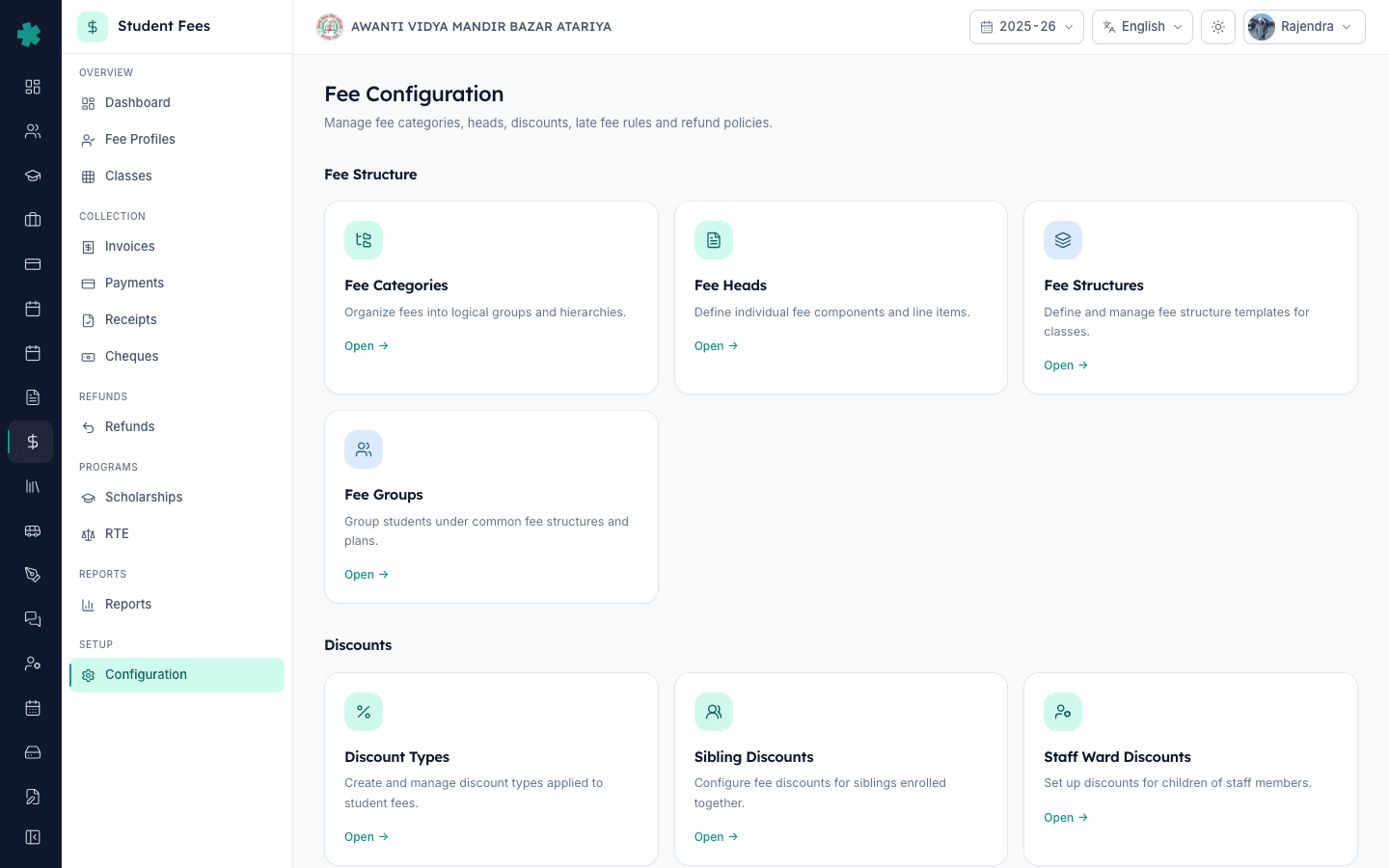
बाएँ साइडबार से Inkwelly → Student Fee खोलें, फिर SETUP के अंतर्गत Configuration पर क्लिक करें। Fee Configuration पेज पर चार सेक्शन दिखेंगे — Fee Structure, Discounts, Penalties & Refunds और Preferences। Discounts सेक्शन के अंदर Early Payment Discounts टाइल पर Open क्लिक करें। टाइल का subtitle पढ़ा जा सकता है Reward students who pay fees ahead of schedule. यही वह जगह है जहाँ सत्र के सभी अर्ली-पेमेंट नियम रखे जाते हैं।
2. + Add Early-Pay Rule पर क्लिक करें
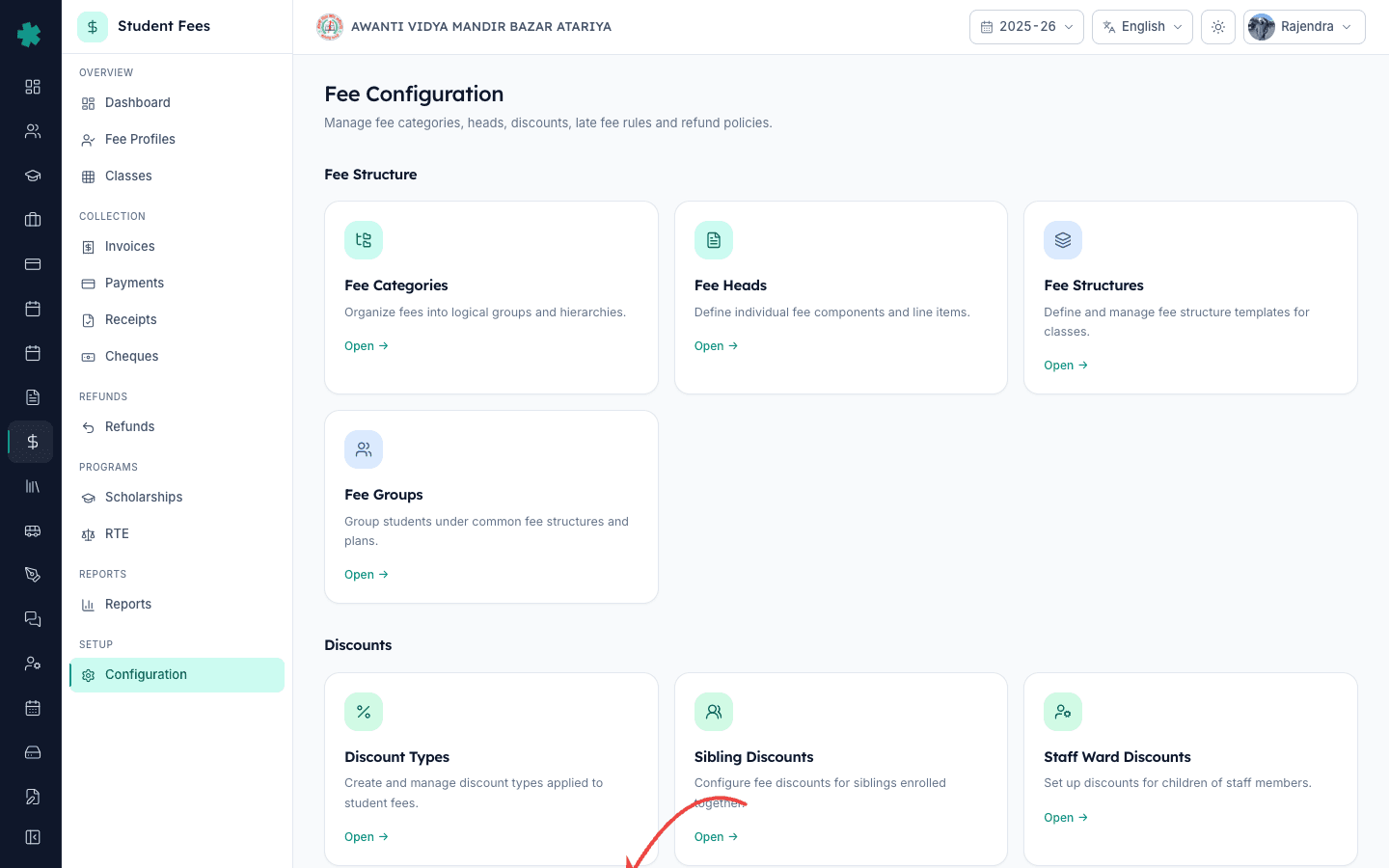
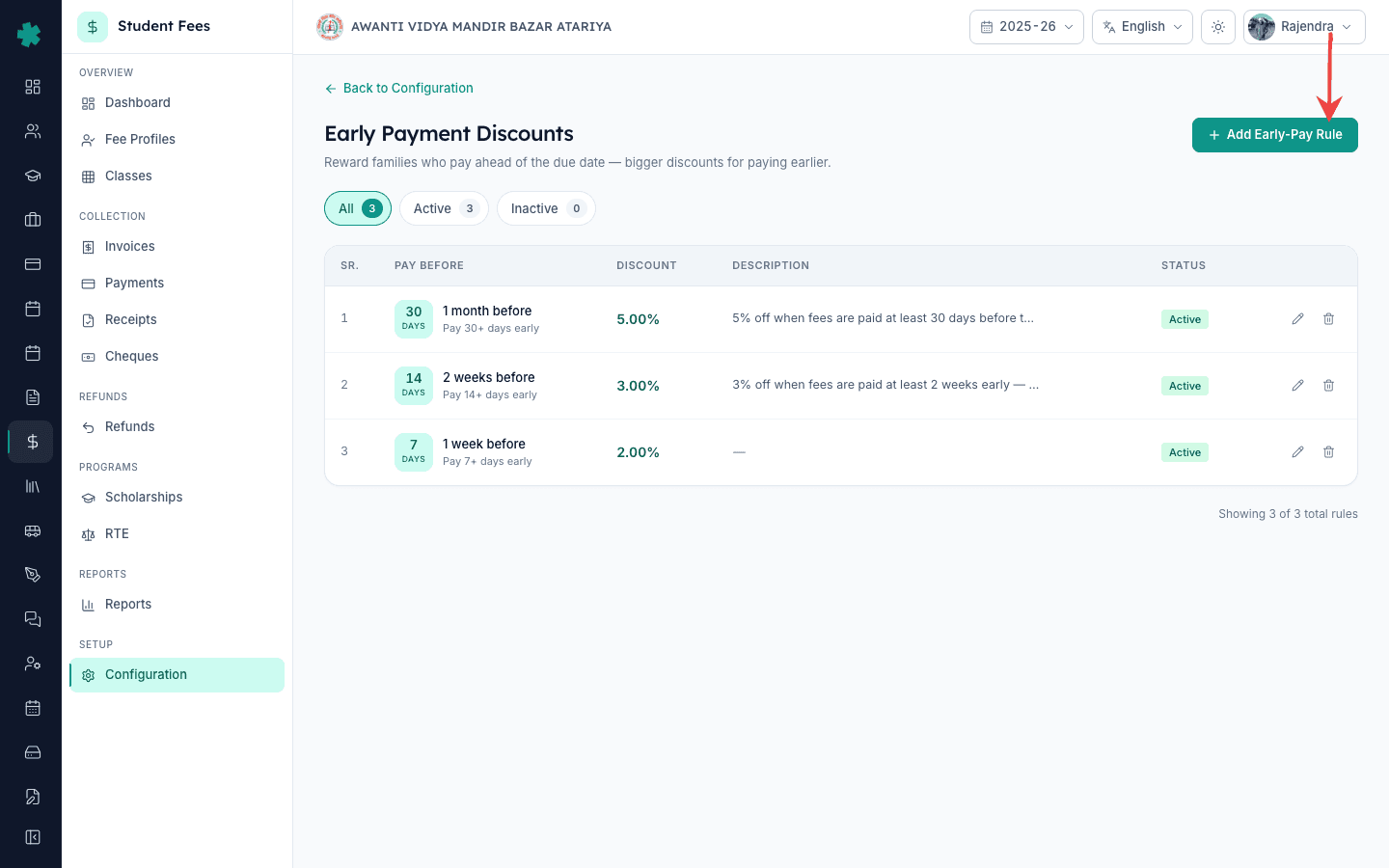
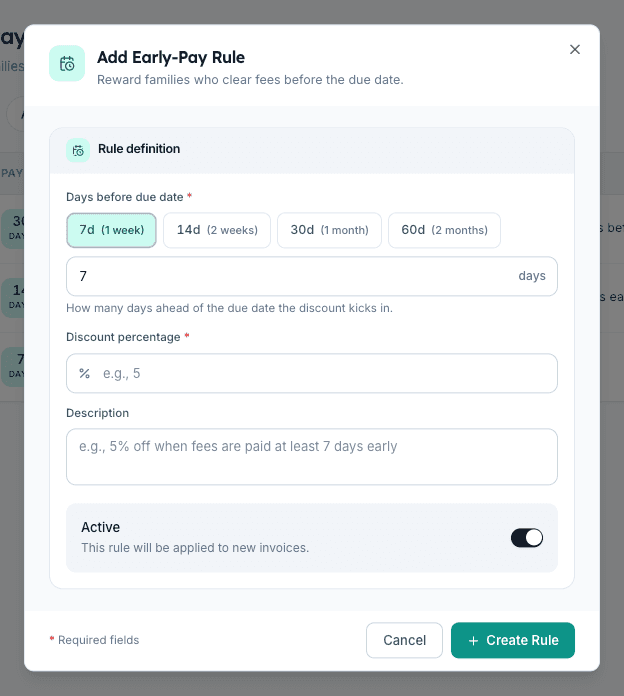
Early Payment Discounts पेज के ऊपर दाईं ओर + Add Early-Pay Rule बटन पर क्लिक करें। Inkwelly Add Early-Pay Rule डायलॉग खोलेगा। हेडर पढ़ता है Reward families who clear fees before the due date. डायलॉग में केवल तीन इनपुट और एक toggle हैं — कोई calculation type चुनने की आवश्यकता नहीं, कोई अतिरिक्त field नहीं। यह form व्यस्त फीस counter के लिए बनाया गया है, इसलिए एक नया नियम एक मिनट से भी कम समय में तैयार हो जाता है।
3. due date से कितने दिन पहले छूट लागू हो — यह चुनें
डायलॉग की पहली पंक्ति Days before due date chooser है, जिसमें चार quick-pick chips हैं — 7d (1 week), 14d (2 weeks), 30d (1 month) और 60d (2 months)। अपनी नीति से मेल खाता chip क्लिक करें। यदि कोई और संख्या चाहिए, तो नीचे के input में टाइप करें — Inkwelly 1 से 365 के बीच की कोई भी पूर्ण संख्या स्वीकार करता है। सबसे आम भारतीय-स्कूल सेटिंग्स हैं — मासिक installment स्कूलों के लिए 7 दिन, तिमाही स्कूलों के लिए 14 से 30 दिन और annual-upfront स्कूलों के लिए 60 दिन।
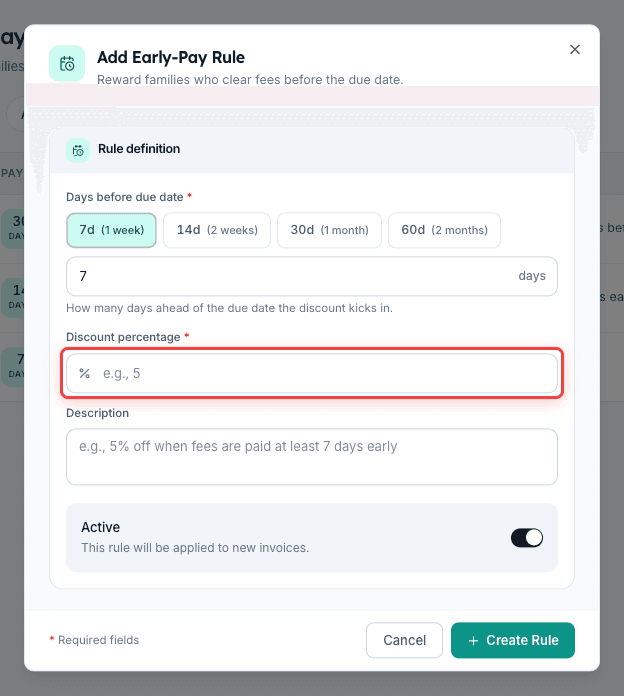
4. Discount percentage भरें
Discount percentage field में 0 से 100 के बीच की संख्या भरें। 2 से 3 प्रतिशत सबसे सुरक्षित रोज़मर्रा की दर है; 5 प्रतिशत annual-upfront के लिए सबसे आम top tier है। 5 प्रतिशत से अधिक के लिए सामान्यतः स्कूल मैनेजमेंट कमेटी या ट्रस्ट की स्वीकृति चाहिए — और वही संख्या सत्र की शुरुआत में अभिभावकों को दिए गए फीस circular पर छपी होनी चाहिए। Inkwelly यह प्रतिशत invoice की बकाया राशि पर लगाता है, कुल वार्षिक फीस पर नहीं — इसलिए ₹12,500 की तिमाही installment पर 5 प्रतिशत नियम अभिभावक को ₹625 की छूट देता है, ₹2,500 की नहीं।
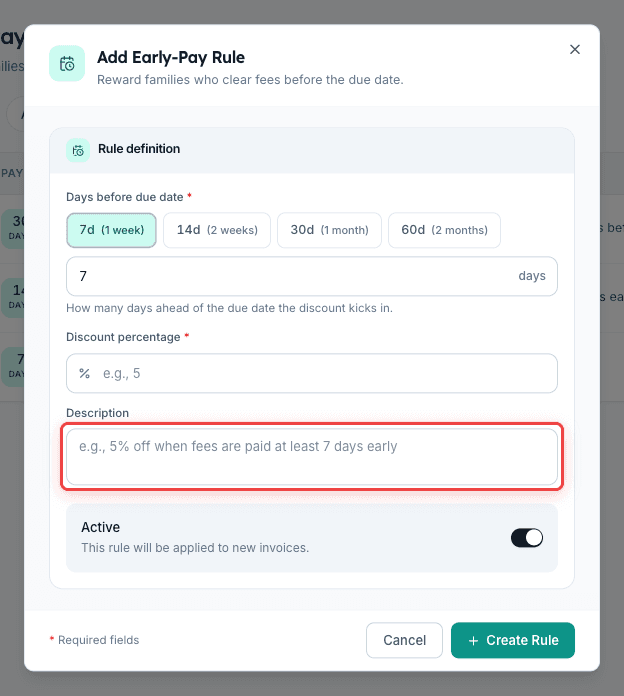
5. अभिभावकों के लिए छोटा description लिखें
Description field वैकल्पिक है पर भरना बेहतर है। Inkwelly इस पंक्ति को फीस invoice, फीस receipt और parent app पर दिखाता है ताकि छूट एक इनाम की तरह पढ़ी जाए, न कि कोई कटौती जिसके बारे में अभिभावक को पूछना पड़े। इसे छोटा और मानवीय रखें — जैसे 5% off when fees are paid at least 30 days early या Quarterly early-pay reward — pay by the 25th of the previous month and save 3%। कोड या आंतरिक संक्षिप्ताक्षर न लिखें; यह पंक्ति अभिभावक के लिए है, ऑफिस के लिए नहीं।
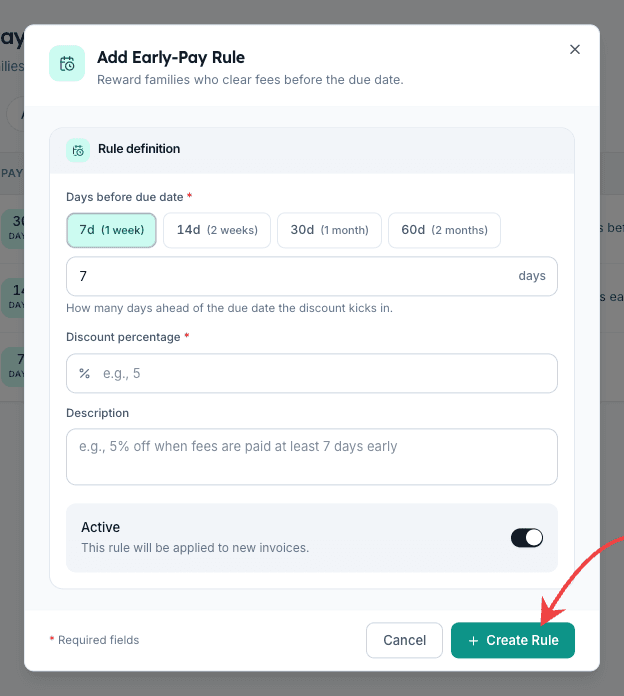
6. Active चालू रखें और Create Rule दबाएँ
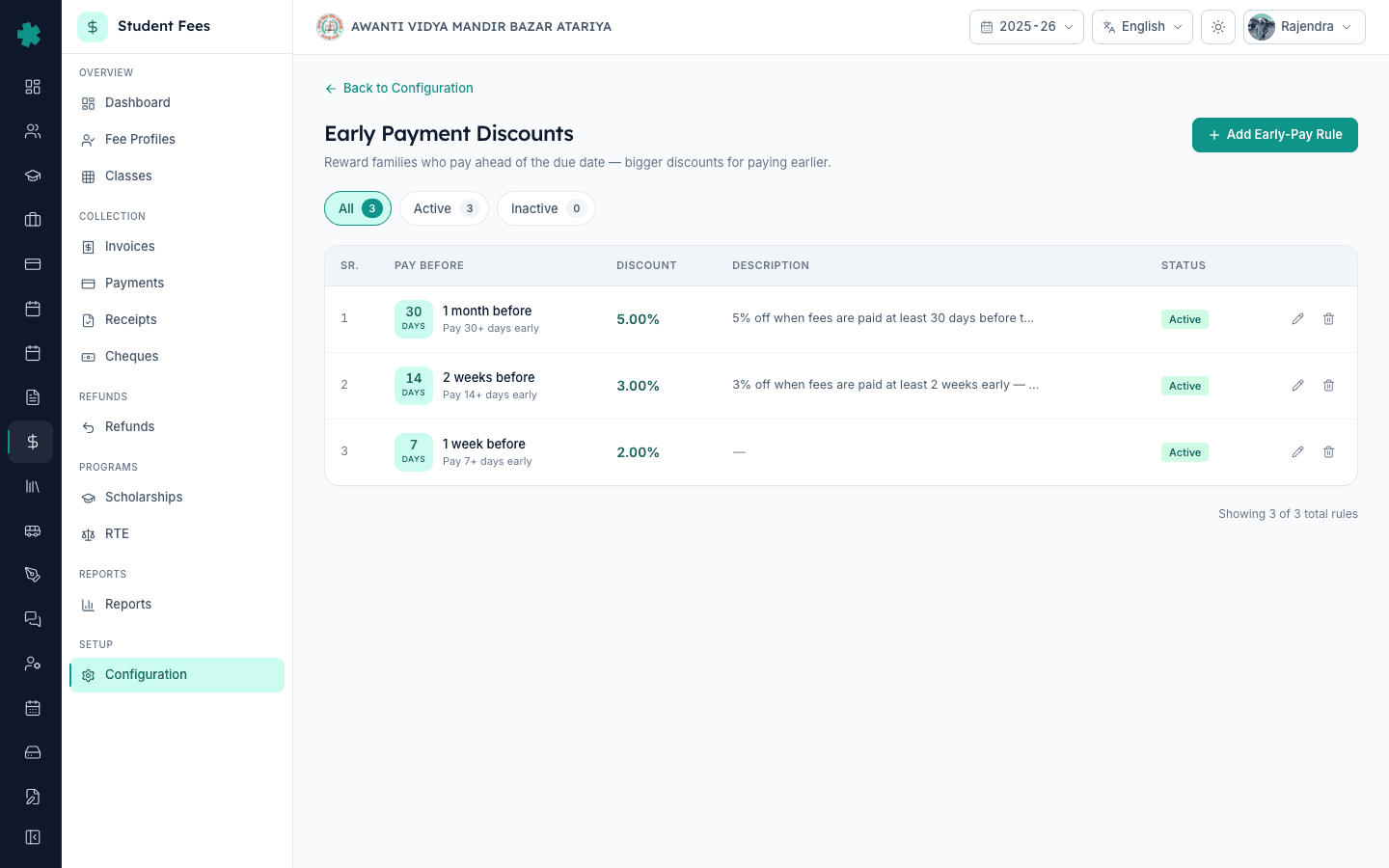
डायलॉग के नीचे का Active toggle यह तय करता है कि Inkwelly इस नियम को आज के नए invoices पर लागू करे या नहीं। तुरंत प्रभाव के लिए इसे चालू रखें, या अगले सत्र के लिए नियम सहेजने के लिए इसे बंद रखें। Create Rule क्लिक करें। Inkwelly नियम सहेजकर list पर दिखाता है — बाईं ओर days chip, दाईं ओर हरे रंग में discount percentage, आपका लिखा description और एक Active pill। + Add Early-Pay Rule क्लिक करने से लेकर सहेजी गई पंक्ति तक की पूरी प्रक्रिया एक मिनट से भी कम लेती है।
7. दूसरा tier जोड़ें ताकि हर payment window पर इनाम मिले
ज़्यादातर भारतीय स्कूल एक से अधिक नियम रखते हैं। फिर से + Add Early-Pay Rule क्लिक करके छोटे window के लिए कम छूट का tier जोड़ें — जैसे 30 दिन पहले 5 प्रतिशत, 14 दिन पहले 3 प्रतिशत, 7 दिन पहले 2 प्रतिशत। Inkwelly अपने आप उच्चतम मेल खाता नियम चुनता है — इसलिए 35 दिन पहले भुगतान करने वाला अभिभावक 30-दिन वाले 5 प्रतिशत का लाभ पाता है। List दिनों के अनुसार descending में sort होती है, इसलिए सबसे बड़ा-इनाम वाला नियम ऊपर बैठता है — ऑफिस चार्ट को ठीक उसी तरह पढ़ता है जैसे अभिभावक।
अगला कदम — सुनिश्चित करें कि बाकी का फीस चार्ट इस इनाम से सहमत हो। हर किस्त की due dates सही सेट करने के लिए How to create a fee structure for the academic session पढ़ें — अर्ली-पेमेंट की तारीख किस्त की due date के विरुद्ध गिनी जाती है, इसलिए गलत due date हर इनाम को चुपचाप उतने ही दिन खिसका देती है। इनाम के साथ-साथ दंड भी लगाएँ — How to set up late fee rules से ऐसा नियम सेट करें जो due date के बाद भुगतान करने वाले अभिभावकों को उसी invoice पर एक उचित जुर्माना दिखाए। अर्ली-पे योजना को अभिभावकों के फीस circular और Inkwelly से जाने वाले हर reminder पर छापें — यह छूट तभी व्यवहार बदलती है जब अभिभावकों को इसका पता हो।
Inkwelly Student Fees को काम करते हुए देखें
अक्सर पूछे गए सवाल
6 सवालभारतीय स्कूल को कितना अर्ली-पेमेंट डिस्काउंट देना चाहिए?
7 से 14 दिन पहले भुगतान के लिए 2 से 3 प्रतिशत सुरक्षित रोज़मर्रा की दर है; 30 या 60 दिन पहले annual-upfront के लिए 5 प्रतिशत सबसे आम top tier है। 5 प्रतिशत से अधिक के लिए सामान्यतः स्कूल मैनेजमेंट कमेटी या ट्रस्ट की स्वीकृति चाहिए। वही संख्या अभिभावकों के फीस circular पर छपी होनी चाहिए ताकि सत्र शुरू होने से पहले ऑफिस और अभिभावक एक ही पन्ने पर हों।
क्या Inkwelly में कई अर्ली-पेमेंट नियम एक साथ रखे जा सकते हैं?
हाँ। अपनी नीति के अनुसार जितने चाहें उतने नियम जोड़ें — जैसे 30 दिन पहले 5 प्रतिशत, 14 दिन पहले 3 प्रतिशत और 7 दिन पहले 2 प्रतिशत। Inkwelly अपने आप उच्चतम मेल खाता नियम चुनता है। 35 दिन पहले भुगतान करने वाले अभिभावक को 30-दिन-वाला 5 प्रतिशत मिलेगा, न कि छोटा 14-दिन-वाला tier। कोई कठोर सीमा नहीं है, पर ज़्यादातर स्कूल तीन tier पर रुकते हैं।
क्या यह छूट पूरी वार्षिक फीस पर लागू होती है या सिर्फ एक installment पर?
यह छूट उस invoice की बकाया राशि पर लागू होती है जो अभिभावक भुगतान कर रहा है, पूरी वार्षिक फीस पर नहीं। ₹12,500 की तिमाही installment पर 5 प्रतिशत नियम अभिभावक को ₹625 की छूट देता है; उसी 5 प्रतिशत को ₹50,000 के annual upfront invoice पर लगाने से ₹2,500 की छूट मिलती है। annual upfront भुगतान करने वालों को विशेष रूप से इनाम देने के लिए चार तिमाही invoices के बजाय एक बड़ा वार्षिक invoice generate करें।
Early payment discount Inkwelly me kaise set kare?
Student Fee → Configuration → Early Payment Discounts kholiye, top-right ka + Add Early-Pay Rule button dabaiye. Days before due date chuniye (7d, 14d, 30d, ya 60d quick chips), discount percentage bhariye (typically 2 se 5 percent), description likhiye, Active toggle on rakhiye, aur Create Rule dabaiye. Rule turant naye invoices par lagne lagega.
Annual fee upfront pay karne par discount kaise milta hai?
School ko 5% ya policy allow kare utna ka early-payment rule banana hota hai — example 30 days before due par 5%. Phir Annual fee structure ka ek hi installment rakhiye (4 quarterly nahi), aur due date sahi set kijiye. Jab parent us due date se 30+ din pehle pay karega, Inkwelly automatic 5% discount lagayega aur receipt par separate line dikhayega.
क्या अभिभावकों के नियम का उपयोग करने के बाद उसे संपादित या रोका जा सकता है?
हाँ। Inkwelly किसी भी समय दिन, प्रतिशत और description को संपादित करने देता है, या Active toggle बंद करके नियम को रोकने देता है। जिन invoices को पहले ही छूट मिल चुकी है, वे अपने receipt और ledger पर उसी छूट के साथ बने रहते हैं — परिवर्तन केवल संपादन के बाद इकट्ठा किए गए भुगतानों पर लागू होता है। audit trail खोए बिना सत्र के बीच योजना रोकने के लिए, नियम को delete करने के बजाय pause करें।
आपको ये भी पसंद आ सकता है
2 लेखस्रोत व संदर्भ
- CBSE Affiliation Bye-Laws — Chapter VII, Fee Structure · देखा गया 19 May 2026
CBSE bye-laws require affiliated schools to publish the fee chart approved by the school management committee, which is why discount tiers must appear on the parent-facing circular.
- Reserve Bank of India — MSME Working Capital Framework · देखा गया 19 May 2026
RBI working-capital guidance for service businesses identifies receivables ageing as the single biggest cashflow squeeze, which is why pulling fee collections forward by weeks materially improves a school's quarter-start liquidity.
- Right of Children to Free and Compulsory Education Act, 2009 — Section 13 · देखा गया 19 May 2026
The RTE Act prohibits collecting any amount beyond the published fee, so the early-payment scheme and its tiers must be part of the published fee structure for parents to see.
Inkwelly आपके स्कूल पर — खुद देखें
30 मिनट का डेमो। आपके मौजूदा ERP को आपके साथ खोलकर, कॉल पर ही आपका डेटा Inkwelly में लोड करते हैं। कॉल ख़त्म होते-होते एक तय तारीख़ का गो-लाइव प्लान आपके हाथ में।