How to diagnose a failed parent message in Inkwelly
A parent walks in saying no fee receipt ever arrived. Instead of resending blindly, open the Messages log, find the FAILED row, and read the exact provider error. Six error codes cover 95% of failures, and each has a one-line fix.
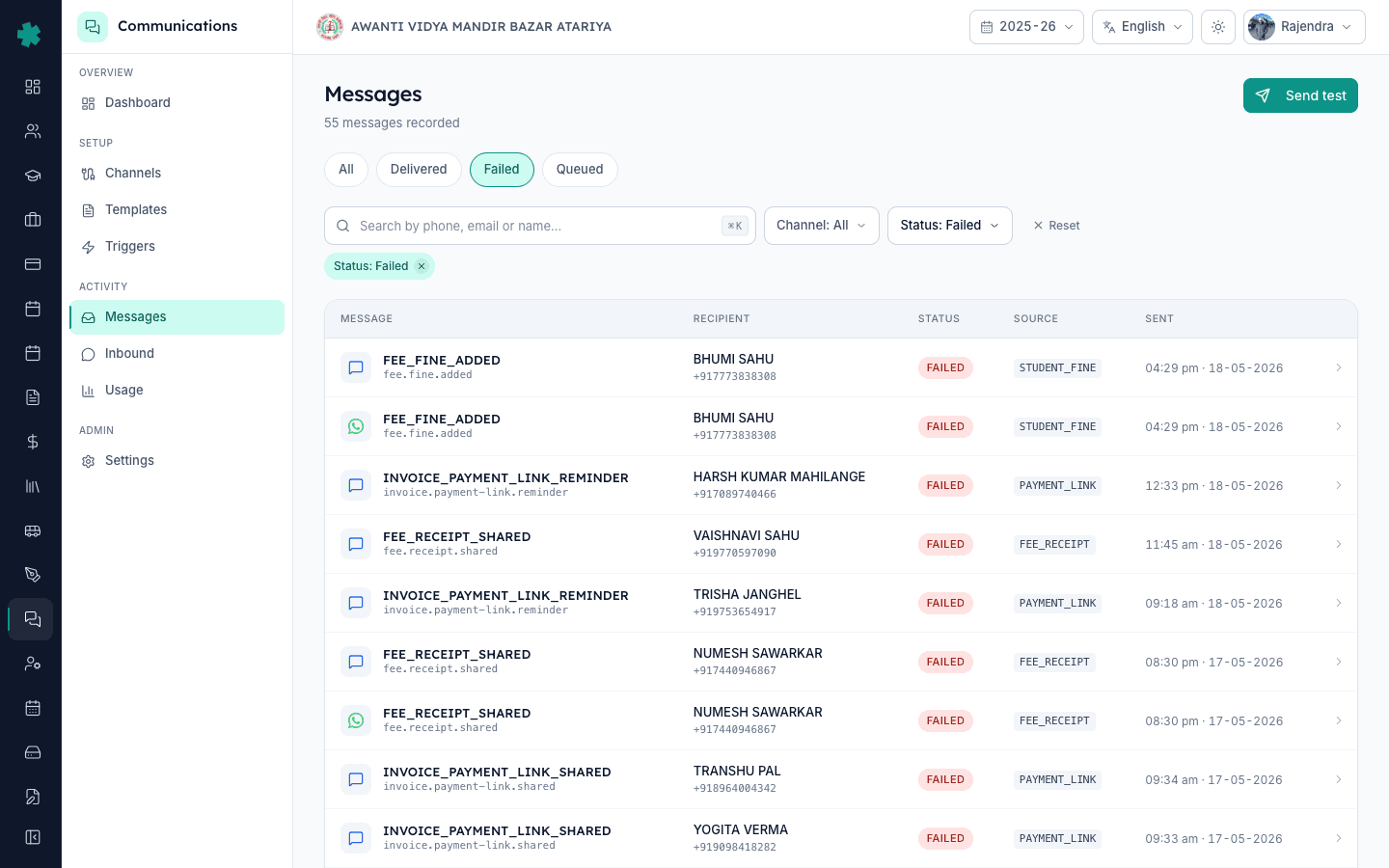
TL;DR — Open Communications → Messages, filter by Status: Failed, search by the parent's phone or email, click the FAILED row to open its detail page. The provider error code at the top tells you exactly why — invalid number, unapproved template, rate limit, or webhook timeout. Each code has a known fix, no guessing required.
Resending the same message rarely works because the failure has a cause and that cause is still present. A WhatsApp template that was not approved by Meta will fail on the second send the same way it failed on the first. A phone number that is not a valid 10-digit Indian mobile will keep returning RECIPIENT_NUMBER_INVALID until you correct it in the Students module. The Messages log is the single source of truth on Inkwelly — every dispatch attempt, the provider response, the timestamps for QUEUED, SENT, DELIVERED, and FAILED, and the raw error code from Meta, MSG91, AWS SES, or FCM all live there. Two minutes in the log saves an hour of guessing.
1. Open the Messages log
From the Communications dashboard, click the Messages tab in the second-level navigation, or go directly to /communications/messages. The page shows every message sent or attempted in your school in the last 90 days, newest first. The header tells you the total count — a typical CBSE school with 800 students sees 3,000–6,000 messages a month. The page loads in under three seconds even for schools with 50,000 monthly messages.
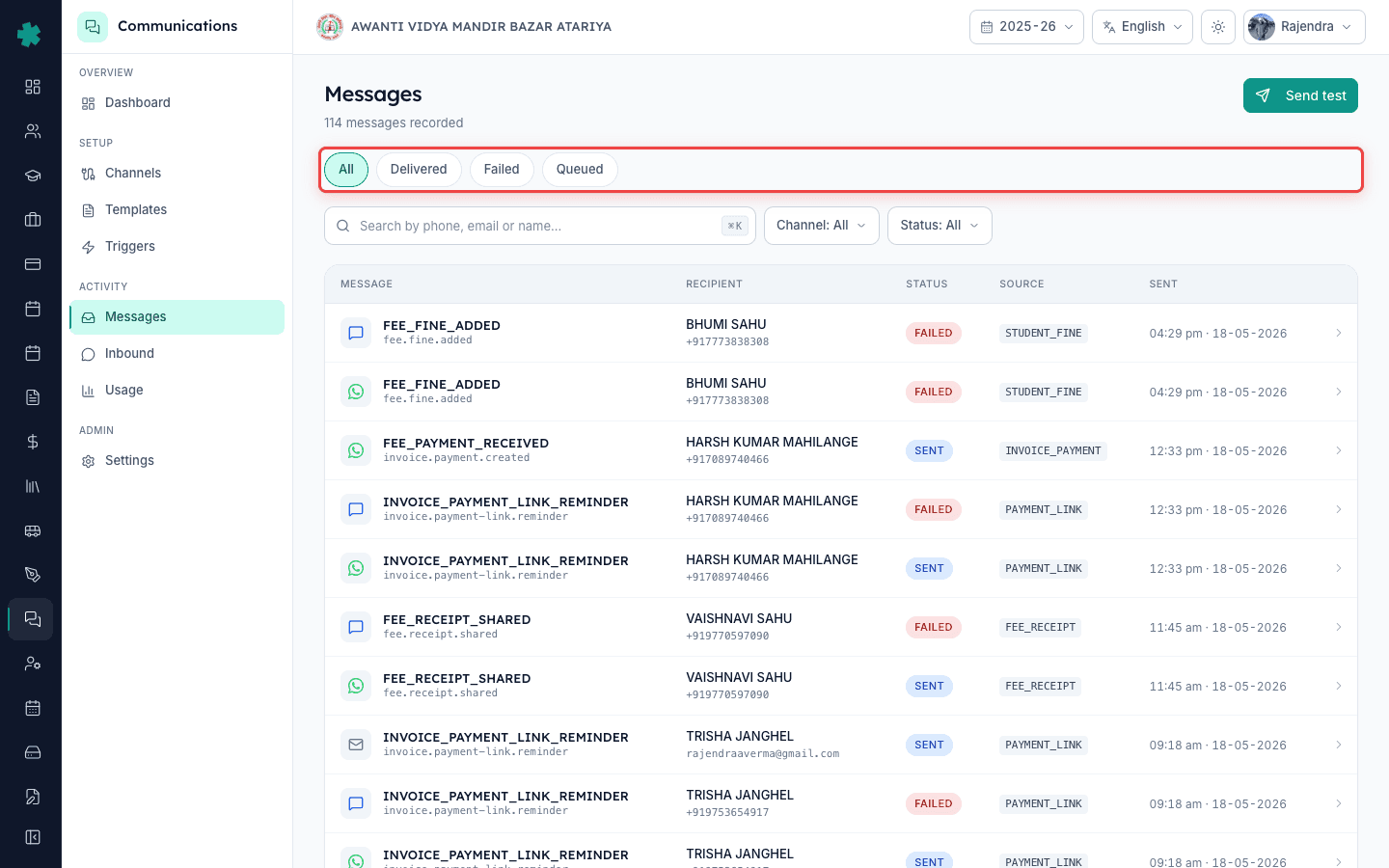
2. Filter by Status: Failed
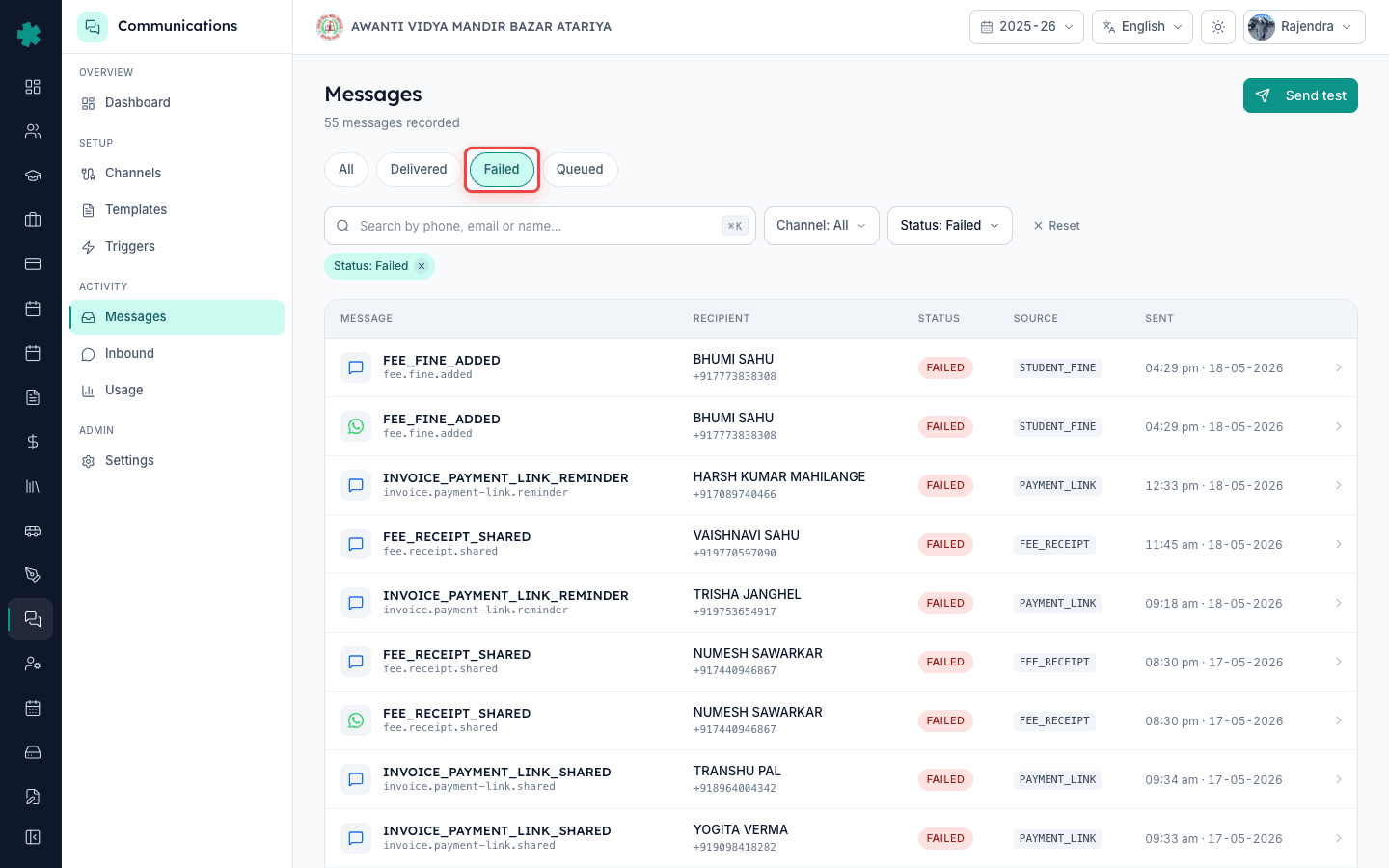
Use the Status filter at the top of the table and pick Failed. The table now shows only the messages Inkwelly dispatched but the provider rejected or never confirmed. If you see fewer than 1% of total messages failed, your delivery is healthy. If failures cluster on one channel (most failures on SMS, none on WhatsApp), the channel itself has a configuration issue — jump to step 7. If failures are scattered across channels but cluster on one parent, the parent's record is broken — continue to step 3.
3. Search by the parent's phone or email
Use the keyboard shortcut Cmd-K (Mac) or Ctrl-K (Windows) to open the search box. Paste the parent's phone number (digits only, no country code) or the email address. The table narrows to messages addressed to that parent, across every channel and every source. You will see one row per send attempt — a single fee receipt may produce three rows (WhatsApp SENT, SMS FAILED, Email SENT) if the school has channel fallback enabled. Find the FAILED row most relevant to the parent's complaint.
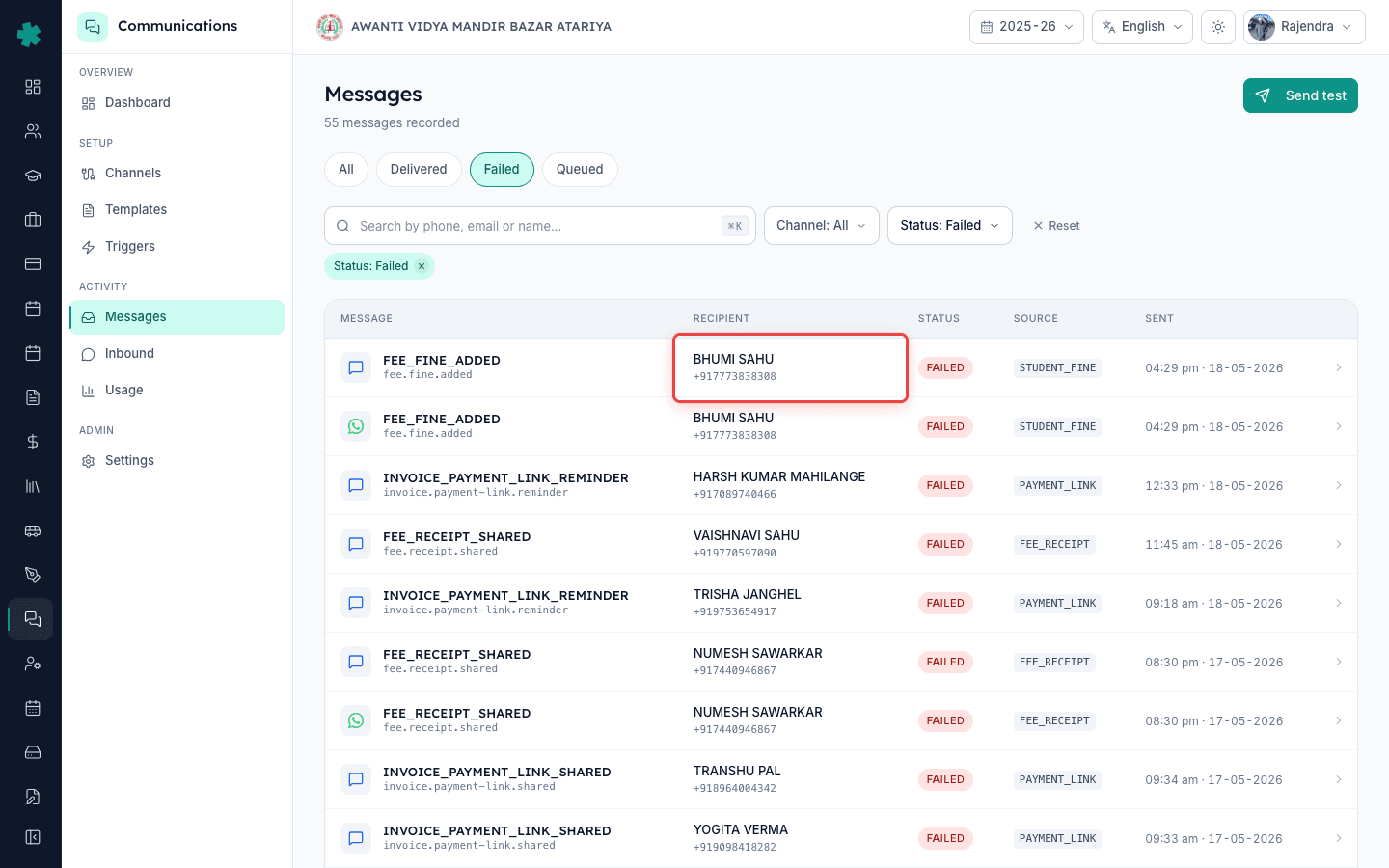
4. Click the FAILED row to open the message detail
Clicking the row opens the detail page — a full panel showing recipient address, template name, source (FEE_RECEIPT, PAYMENT_LINK, INVOICE_PAYMENT, STUDENT_FINE, etc.), channel, the trigger event (fee.receipt.shared, attendance.absent.marked), and most importantly the raw provider error at the top in a red banner. The banner reads something like 'STATUS_FAILED — RECIPIENT_NUMBER_INVALID (Meta error 131026)'. This single line is your answer.
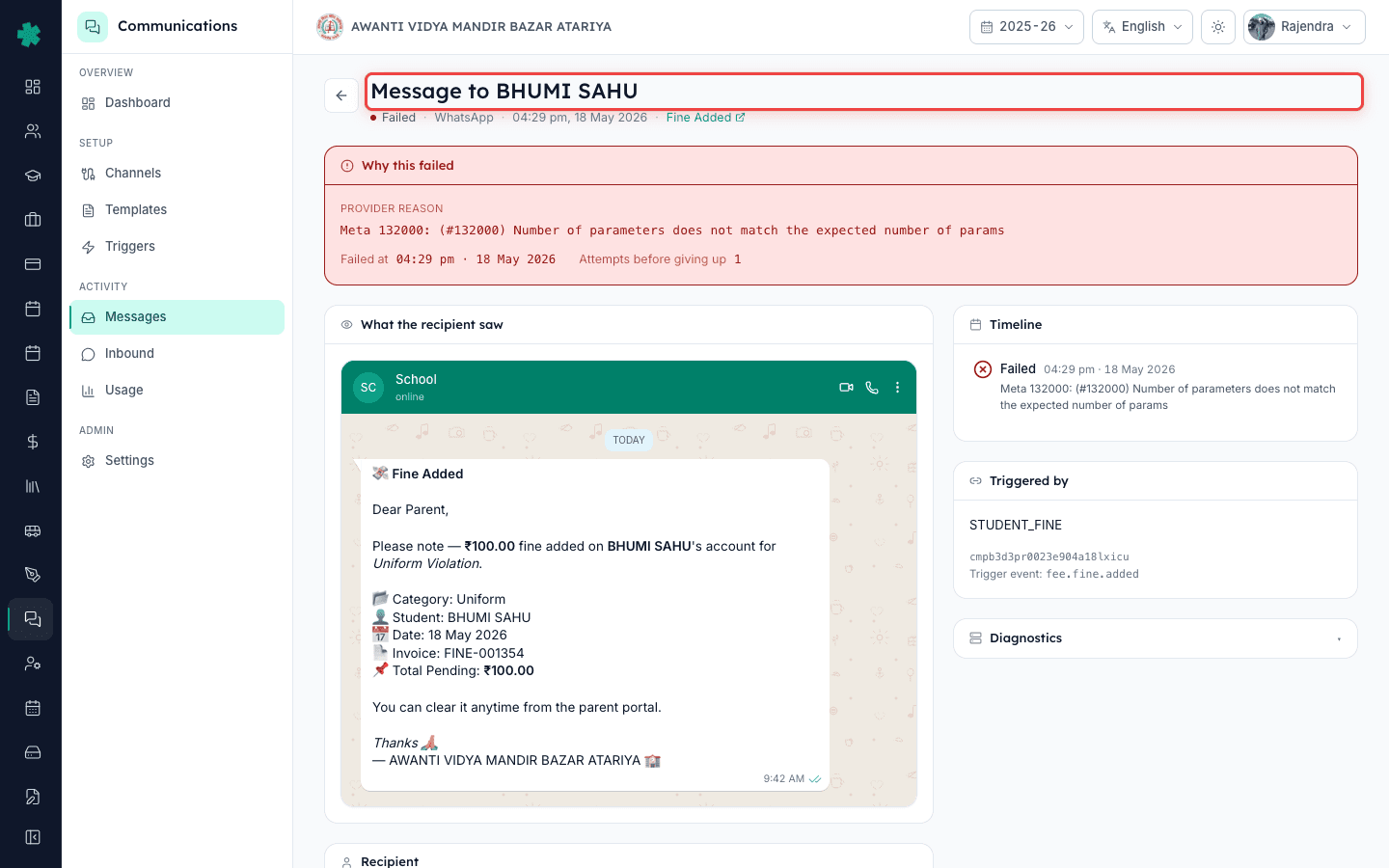
5. Match the error code to the known fix
Six error codes account for 95% of failures. RECIPIENT_NUMBER_INVALID means the phone column has a non-mobile number — fix it in the Students module. TEMPLATE_NOT_APPROVED means a WhatsApp template was edited after submission — re-submit under Meta Business Manager. RATE_LIMIT_EXCEEDED means too many messages too fast — wait an hour, reduce campaign batch size. BLOCKED_BY_USER means the parent reported the WhatsApp number as spam — use SMS or call them. WEBHOOK_TIMEOUT means the provider acknowledged but never confirmed delivery — re-verify the webhook under Settings → Channels. STATUS_FAILED with no sub-code means the channel account has expired credentials.
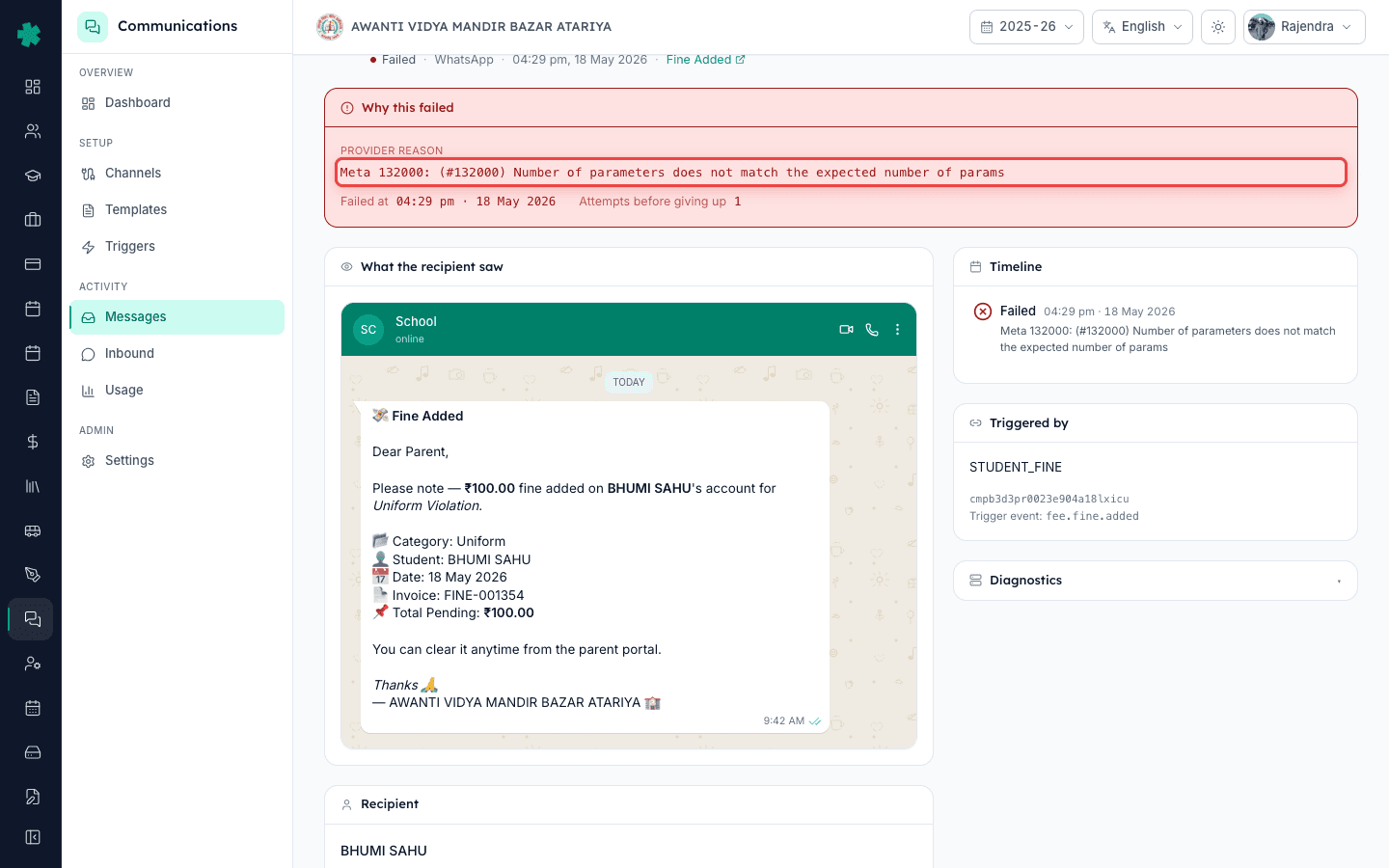
6. Apply the fix at its source, not on the message
Do not retry the message from the detail page until you have fixed the underlying cause. For RECIPIENT_NUMBER_INVALID, open the Students module → find the student → correct the parent phone column → save. For TEMPLATE_NOT_APPROVED, open Settings → Communications → Templates → find the template → click 'Submit for Meta review' → wait 24–48 hours. Inkwelly auto-retries any message that previously failed for that template once Meta approves it — you do not need to manually resend.
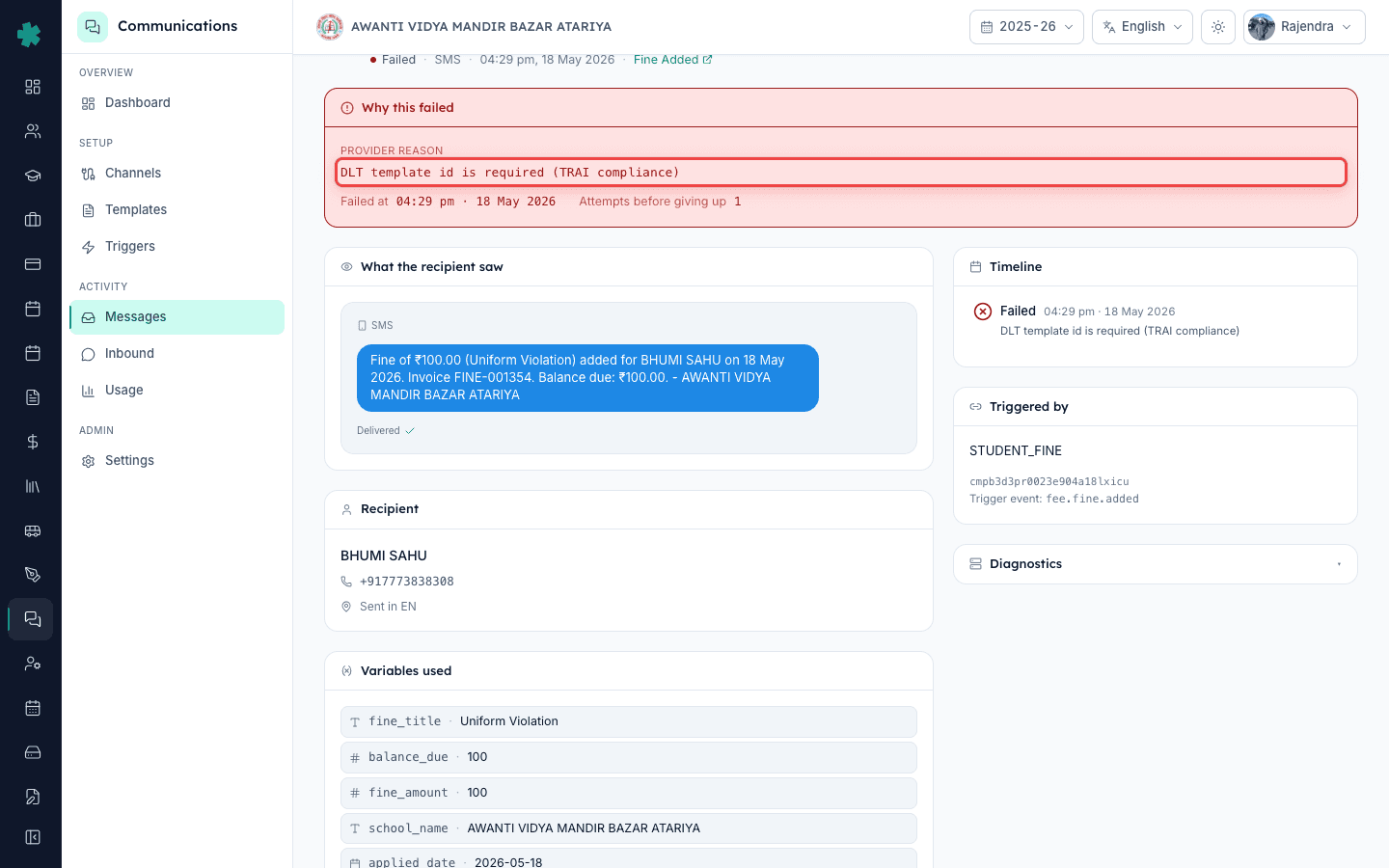
7. When all failures are on one channel, check the channel account
Go to Settings → Communications → Channels. Each tile shows the channel, provider (Meta Cloud API, MSG91, Fast2SMS, AWS SES, FCM), last successful webhook timestamp, and credential expiry. A channel showing 'Last webhook: Never' or 'Last webhook: >24h ago' is silently broken. Click the tile, re-enter the access token or app secret, click 'Verify webhook'. The Alerts strip on the Communications dashboard clears within five minutes of a successful re-verification.
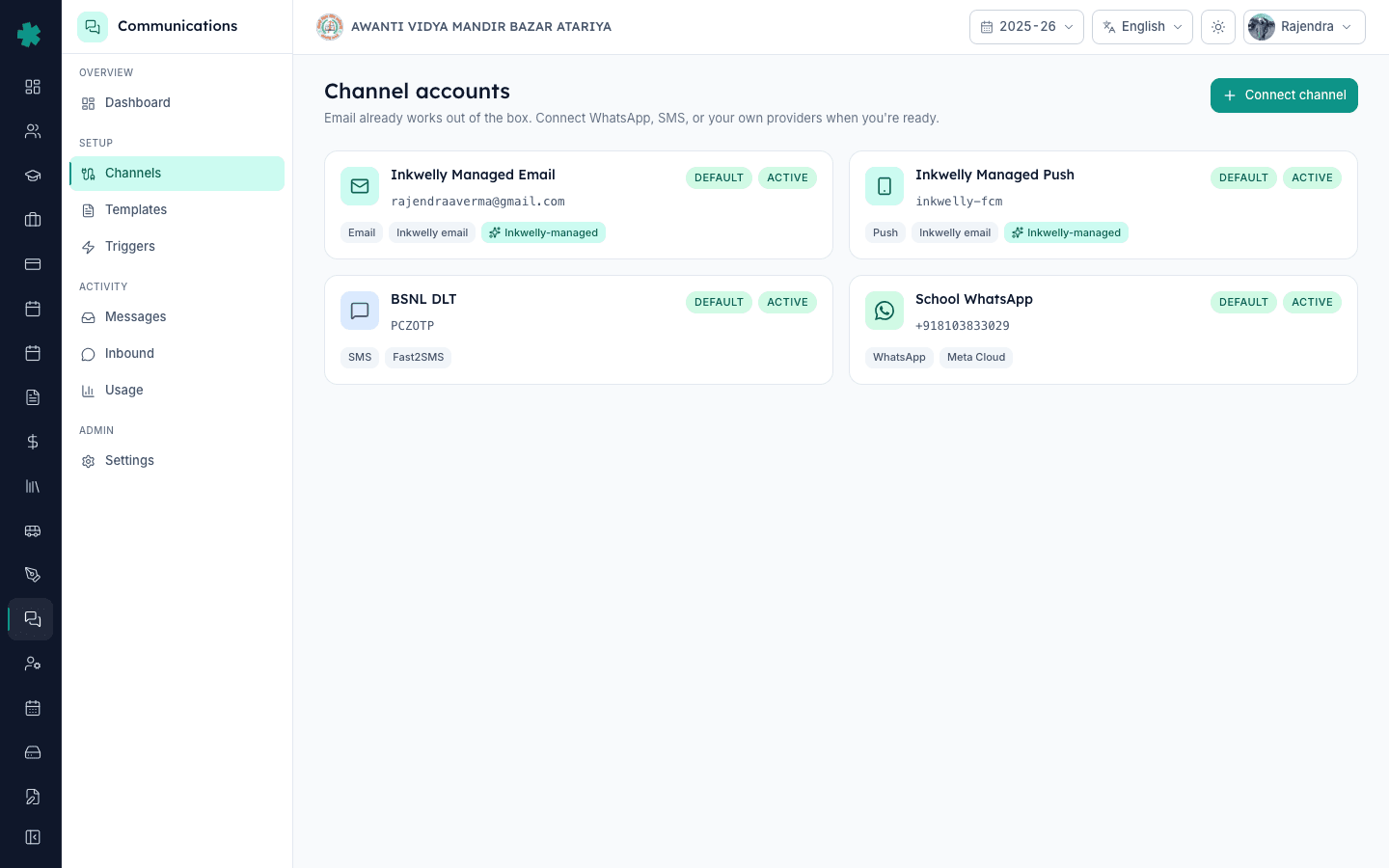
Next steps — After the third or fourth diagnosis, you will notice the same two or three error codes repeating. Open the Delivery health card on the Communications dashboard — its 'Top failure reasons' section ranks every error code by frequency over the last seven days. The top reason is the project to fix this week. If RECIPIENT_NUMBER_INVALID dominates, run a one-time Students module audit. If TEMPLATE_NOT_APPROVED dominates, audit your WhatsApp templates and re-submit any that were edited. Schools that do this for one term cut their failure rate from 15% to under 3%.
Stop guessing about failed messages
Book a 25-minute demo and we will walk you through your own message log live, with real failure codes and the fix for each one.
अक्सर पूछे गए सवाल
6 सवालHow long are failed messages retained in the log?
90 days. Older messages are archived but the FAILED count still appears in the Delivery health card aggregate. If you need a record older than 90 days, export the log monthly to CSV — there is a built-in monthly export under Settings → Communications → Digests.
What is the difference between FAILED and QUEUED in the log?
QUEUED means Inkwelly has accepted the message but has not yet dispatched it to the provider, usually because of quiet hours, rate limit, or scheduled send window. FAILED means the dispatch attempt completed and the provider rejected it. QUEUED for more than an hour during school hours is unusual — check the queue depth on the dashboard.
Will retrying a FAILED message do anything if I do not fix the cause?
No. The same error will return on the retry because the underlying condition has not changed — invalid number is still invalid, unapproved template is still unapproved. Inkwelly automatically retries transient failures (network blips, rate limits) for you, so any failure you see in the log is a permanent one that needs the cause fixed.
Can a parent receive a FAILED status on WhatsApp but a SENT status on SMS for the same fee receipt?
Yes. If channel fallback is enabled under Settings → Communications, a WhatsApp FAILED automatically triggers an SMS attempt for the same template. The Messages log shows both rows tied to the same trigger event, so you see the full delivery story.
What does 'Source' mean in the Messages table?
Source is the part of Inkwelly that produced the trigger — FEE_RECEIPT (the fee module sent a paid receipt), PAYMENT_LINK (an invoice link was shared), INVOICE_PAYMENT (a payment was recorded), STUDENT_FINE (a fine was added). It tells you which module to investigate if a whole source is failing.
Does the FAILED count include test messages I sent from the Send test button?
Yes. Test sends share the same log and are subject to the same provider rules. If a test message is FAILED, the production message would also fail — always test first against the same provider rules you use in production.
आपको ये भी पसंद आ सकता है
3 लेखस्रोत व संदर्भ
- Meta WhatsApp Cloud API error codes · देखा गया 18 May 2026
Authoritative reference for the WhatsApp provider error codes (RECIPIENT_NUMBER_INVALID, TEMPLATE_NOT_APPROVED, RATE_LIMIT_EXCEEDED, BLOCKED_BY_USER) that surface on the Inkwelly Messages detail page.
- TRAI Telecom Commercial Communications Customer Preference Regulations, 2018 · देखा गया 18 May 2026
Governs SMS DLT template approval and consent rules; failures with 'template mismatch' or 'header not registered' on MSG91 or Fast2SMS trace to these regulations.
Inkwelly आपके स्कूल पर — खुद देखें
30 मिनट का डेमो। आपके मौजूदा ERP को आपके साथ खोलकर, कॉल पर ही आपका डेटा Inkwelly में लोड करते हैं। कॉल ख़त्म होते-होते एक तय तारीख़ का गो-लाइव प्लान आपके हाथ में।