अपने स्कूल का SMS sender Inkwelly से कैसे जोड़ें
School office staff और principals के लिए जिनके पास पहले से DLT-onboarded sender header और MSG91 या Fast2SMS account है। इस गाइड के बाद आपके स्कूल का SMS sender Inkwelly में active हो जाता है — fee receipts, payment reminders, attendance alerts और admit-card notices WhatsApp deliver न होने पर legal fallback के रूप में जाते हैं।
अपने स्कूल का SMS sender Inkwelly से जोड़ने के लिए: Communications → Channels → Connect channel → SMS खोलें, अपना provider चुनें (MSG91 या Fast2SMS), अपना DLT-registered 6 character sender header डालें, provider के credentials paste करें, Connect दबाएं, और account detail पेज पर Verify पर click करें। जिस moment status pill ACTIVE होती है — SMS live हो जाता है।
भारत में भेजे जाने वाले हर commercial SMS को एक DLT-registered header और DLT-approved template के ज़रिए ही जाना होता है — यह TRAI की वो शर्त है जो TCCCPR 2018 reforms के बाद से लागू है। Inkwelly यह मानकर चलता है कि स्कूल ने इस step से पहले अपना DLT registration पहले ही पूरा कर लिया है (यह एक one-time काम है जो SMS provider की onboarding team अक्सर स्कूल को साथ लेकर पूरा करवाती है)। एक बार sender wire हो जाए, Inkwelly का हर वह trigger जिस पर SMS on है, इसी account के ज़रिए जाता है — जब भी WhatsApp delivery fail हो या या parent ने WhatsApp पर opt-out किया हो। इससे fee receipts और absentee alerts एक numbered, regulated channel पर legally reachable बने रहते हैं।
1. Channels पेज खोलें
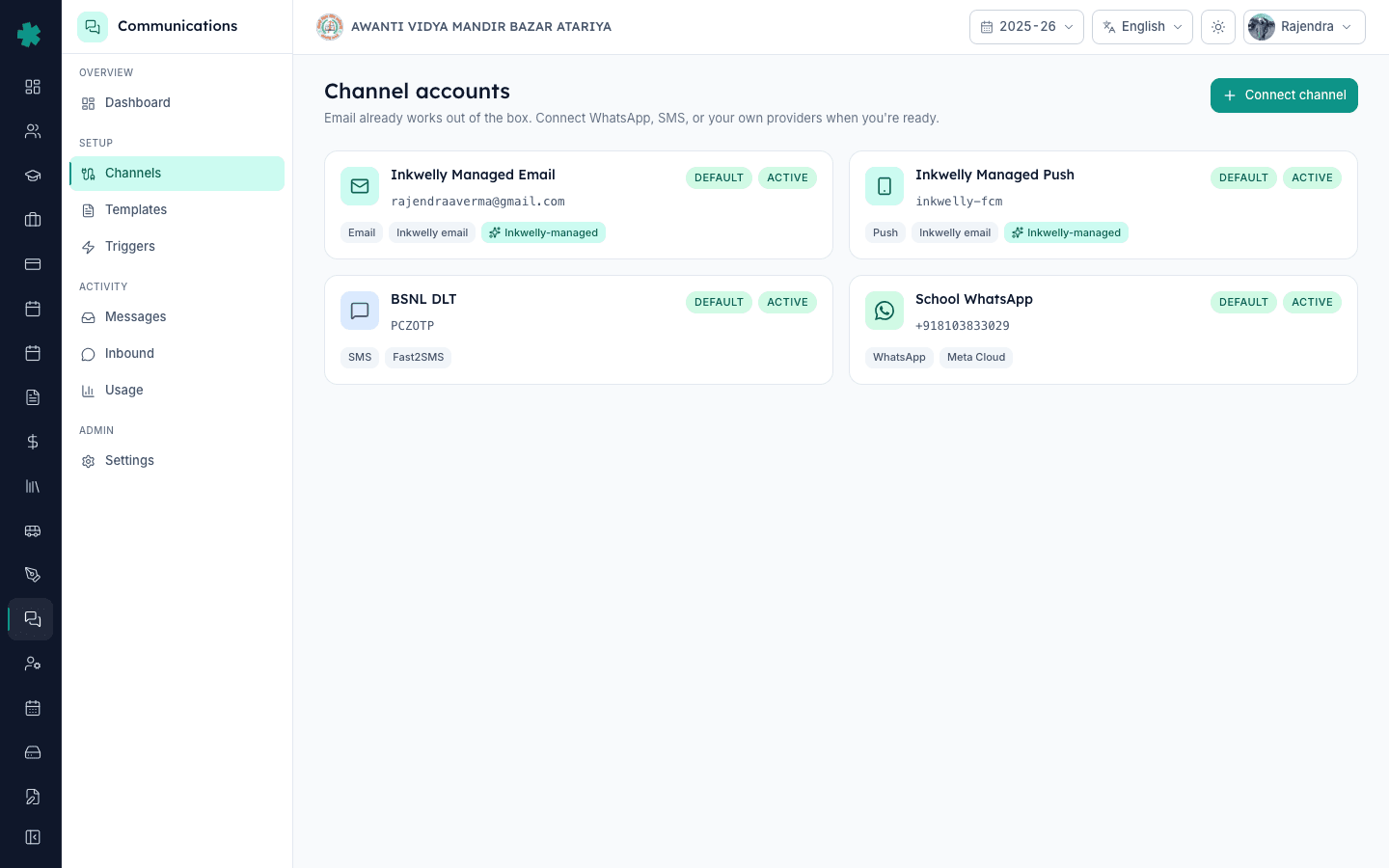
Inkwelly में sign in करें और left sidebar से Communications module खोलें। Setup section के अंदर Channels पर click करें। इस पेज पर वे सारे providers एक ही जगह दिखते हैं जिनके ज़रिए Inkwelly आपके स्कूल के messages dispatch करेगा — branded email और push पहले से active होते हैं, और WhatsApp भी अगर पहले से connected है तो यहीं दिखता है। SMS connect करने पर एक चौथी row जुड़ती है और हर उस trigger पर SMS fallback channel की तरह unlock हो जाता है जिस पर SMS support दिया गया है।

2. SMS को channel के रूप में चुनें
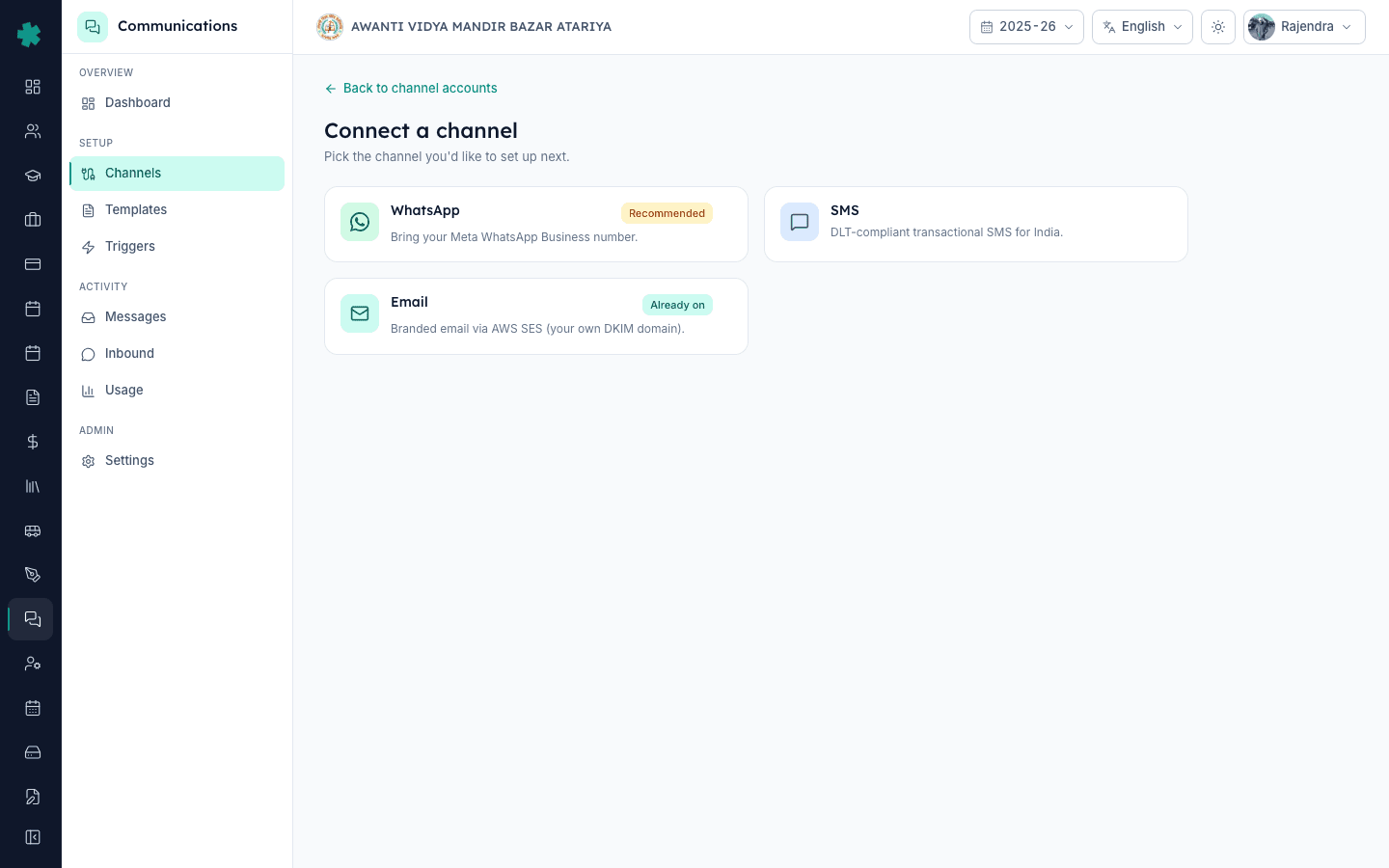
Top-right पर Connect channel पर click करें। Channel picker खुलने पर SMS चुनें। Setup form तीन sections के साथ खुलता है: Identity, SMS provider credentials, और Defaults। Identity section में आप Inkwelly को बताते हैं कि आपका स्कूल कौन सा DLT-onboarded gateway use करता है और कौन सा 6 character header parents को SMS sender के रूप में दिखाई देगा।
3. अपना DLT-onboarded provider चुनें
SMS provider dropdown में MSG91 या Fast2SMS चुनें — जिस भी gateway पर आपके स्कूल की DLT entity पहले से onboard है। जो स्कूल एक ही account पर transactional SMS और OTP SMS दोनों चाहते हैं वे ज़्यादातर MSG91 चुनते हैं; Fast2SMS उन स्कूलों के लिए बेहतर है जिन्हें केवल transactional parent alerts चाहिए। इस choice से अगले credential field का नाम बदलता है; DLT compliance पर इसका कोई फ़र्क़ नहीं पड़ता — Inkwelly दोनों पर header check enforce करता है।

4. अपना DLT sender header डालें
Account name में एक पहचानने लायक नाम डालें (जैसे School SMS या BSNL DLT)। DLT sender header में वही 6 character header डालें जो आपके स्कूल ने DLT पर register कराया है (जैसे AWANTI VIDYA MANDIR BAZAR ATARIYA के लिए AVMBZA)। Inkwelly इस header को हर outgoing SMS पर stamp करता है — अगर यहाँ की value आपकी DLT entity के रिकॉर्ड से मेल नहीं खाती, तो provider send ही reject कर देगा। ज़्यादातर networks पर header case-insensitive होता है पर Inkwelly audit के लिए इसे वैसा का वैसा ही संभालता है जैसा टाइप किया गया।

5. Provider credentials डालें
MSG91 के लिए, MSG91 dashboard → API → Auth Key से Auth Key paste करें। चाहें तो अपनी DLT registration से DLT Principal Entity ID भी paste कर सकते हैं — Inkwelly इसे MSG91 requests पर attach कर देता है जब भी यह दी गयी हो, और इससे rate-limited routes पर message throughput बढ़ जाता है। Fast2SMS के लिए, Fast2SMS dashboard से API Key paste करें। Inkwelly दोनों को AES-256-GCM से encrypt करके store करता है; Save के बाद yeh field write-only हो जाता है — आपकी अपनी team भी इसे वापस पढ़ नहीं सकती।

6. Account save करें
Defaults section में Set as default for this channel toggle on करें अगर यह स्कूल का primary SMS sender होना चाहिए (ज़्यादातर single-branch स्कूल इसे on ही रखते हैं)। Connect पर click करें। Inkwelly credentials को encrypted रूप में store करता है, channel-account row को PENDING status के साथ बनाता है, और account detail पेज खोल देता है। WhatsApp की तरह SMS में provider dashboard पर webhook configure करने की ज़रूरत नहीं पड़ती — provider polling और message-status hooks अपने-आप wired हो जाते हैं।

7. Connection verify करें
Account detail पेज पर Verify पर click करें। Inkwelly credentials को re-decrypt करता है और provider के identity endpoint को ping करके confirm करता है कि sender header provider side पर recognised है और आपका Auth Key / API Key valid है। Status pill PENDING से ACTIVE हो जाती है और एक fresh verifiedAt timestamp दिखता है। आपके स्कूल का SMS sender अब live है — हर Inkwelly trigger जिस पर SMS list हुआ है, अगले event से ही इस account के ज़रिए dispatch करने लगेगा।

SMS live होने के बाद next दो पेज खोलने लायक हैं — Templates और Triggers। Inkwelly के templates WhatsApp और SMS के लिए अलग-अलग channel rows रखते हैं, और हर SMS variant को dispatch होने से पहले एक DLT template ID चाहिए — Templates पेज पर वह ID paste कर के template को DLT-approved mark कर सकते हैं। फिर Triggers खोलें और SMS को उन events पर on करें जो regulated fallback deserve करते हैं: Fee payment received, Invoice payment-link shared और Attendance marked absent एक typical भारतीय स्कूल के लिए तीन highest-value SMS triggers हैं।
WhatsApp के साथ-साथ Inkwelly का SMS fallback live देखें
20 मिनट का walkthrough जो दिखाता है कि Inkwelly एक ही parent के लिए WhatsApp और DLT-SMS के बीच automatically कैसे switch करता है।
अक्सर पूछे गए सवाल
6 सवालक्या मुझे अपने SMS templates DLT पर अलग से register करने होंगे, या Inkwelly यह ख़ुद कर देता है?
स्कूल अपने DLT templates DLT operator portal पर खुद register करते हैं — Inkwelly इसे auto-submit नहीं करता। Register हो जाने के बाद हर SMS variant के लिए DLT template ID Inkwelly Templates पेज पर paste करें। उसके बाद Inkwelly हर send पर template ID stamp करता है। DLT template ID के बिना SMS Inkwelly ख़ुद block कर देता है ताकि provider-side rejection न आए।
Inkwelly me apna DLT SMS sender kaise add kare?
Inkwelly kholiye → Communications → Channels → Connect channel → SMS chuniye. MSG91 ya Fast2SMS chuniye, apna 6-character DLT header (jaise AVMBZA) daaliye, provider ka Auth Key ya API Key paste kijiye, Connect dabaiye. Phir Verify pe click kijiye. Status ACTIVE hote hi aapke school ke SMS Inkwelly se jaane lagenge.
MSG91 या Fast2SMS — कौन सा provider चुनें?
MSG91 चुनें अगर आपके स्कूल को OTP SMS भी चाहिए (admission portals, payment confirmations) एक ही account के अंदर। Fast2SMS चुनें अगर सिर्फ़ transactional parent alerts ही चाहिए। Pricing दोनों पर लगभग एक जैसी है; ज़्यादा बड़ा factor यह है कि आपकी DLT entity पहले से किस gateway पर onboarded है — provider बदलने का मतलब है DLT पर header का re-onboarding।
Inkwelly DLT SMS template ID kahan paste karu?
Inkwelly me Communications → Templates kholiye. Jis SMS template ka DLT ID dalna hai, uspe click kijiye, SMS tab kholiye, aur DLT template ID field me apna 19-digit ID paste karke save kar dijiye. Template ki status DLT-ID-set ho jati hai, aur agle send par Inkwelly us ID ko provider ke saath dispatch karta hai.
अगर MSG91 पर मेरा DLT Principal Entity ID नहीं है — क्या फिर भी Inkwelly SMS भेजेगा?
हाँ। Inkwelly के form पर Entity ID optional है क्योंकि MSG91 अकेले sender header से भी SMS accept करता है। पर इसे देने से rate-limited routes पर throughput बढ़ जाता है और board-result जैसे peak hours में occasional rejections से बचाव हो जाता है। अगर आपके पास है, तो paste कर दें; नहीं है तो बिना इसके save करके बाद में channel-account edit screen से add कर सकते हैं।
Connect होने के बाद हर SMS की cost कितनी पड़ती है?
Cost provider से तय होती है और route के हिसाब से बदलती है (एक typical transactional SMS किसी भारतीय नंबर पर 2025 के मिड तक 0.15 से 0.25 रुपए के बीच बैठता है)। Inkwelly send-time SMS cost पर कोई margin नहीं लगाता — MSG91 या Fast2SMS जो charge करता है, वही आपका स्कूल pay करता है। हर महीने का spend Communications → Usage में track किया जा सकता है।
आपको ये भी पसंद आ सकता है
3 लेखस्रोत व संदर्भ
- TRAI — Telecom Commercial Communications Customer Preference Regulations (TCCCPR), 2018 · देखा गया 18 May 2026
भारत में हर commercial SMS के sender और templates को DLT पर register करना mandatory करता है — Inkwelly हर SMS dispatch पर यही नियम enforce करता है।
- MSG91 — DLT registration guide · देखा गया 18 May 2026
Document करता है कि Indian schools Principal Entity, headers और templates को DLT portals पर Inkwelly से connect करने से पहले कैसे onboard करते हैं।
Inkwelly आपके स्कूल पर — खुद देखें
30 मिनट का डेमो। आपके मौजूदा ERP को आपके साथ खोलकर, कॉल पर ही आपका डेटा Inkwelly में लोड करते हैं। कॉल ख़त्म होते-होते एक तय तारीख़ का गो-लाइव प्लान आपके हाथ में।