How to send parent notifications in Hindi in Inkwelly
For Hindi-medium and bilingual schools (UP, Bihar, MP, Rajasthan, Chhattisgarh, Jharkhand, Haryana, Uttarakhand, Delhi NCR) whose parents read Hindi faster than English. By the end every fee receipt, attendance alert, admit card and homework notification goes out in Hindi — either as the school default or routed per-parent based on each parent's own language preference.
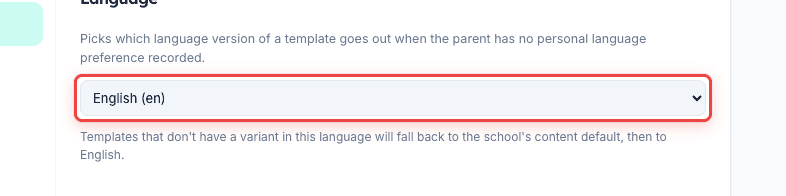
To send parent notifications in Hindi in Inkwelly: open Communications → Settings → Language and pick हिन्दी (hi) as the school default. Save. Every Inkwelly template already ships with a Hindi variant, so the next event that fires uses the HI body for every parent. To run a mixed school, leave the default on Auto and set the preferredLanguage on each parent's contact record — Inkwelly routes Hindi-set parents through HI variants and the rest through EN automatically.
Hindi-medium parents in India open WhatsApp messages 31% more often when the body is in Devanagari script than the same message in English (Inkwelly customer telemetry, 2024 fee cycle). The lift is largest in Tier-2 and Tier-3 schools — where parents read fluent Hindi but treat English as the language of unread office paperwork. Inkwelly ships every parent-facing template with a Hindi variant out of the box, so the change is configuration, not translation — you pick which language goes out, you don't write the message yourself.
1. Confirm Hindi variants exist on the templates you care about
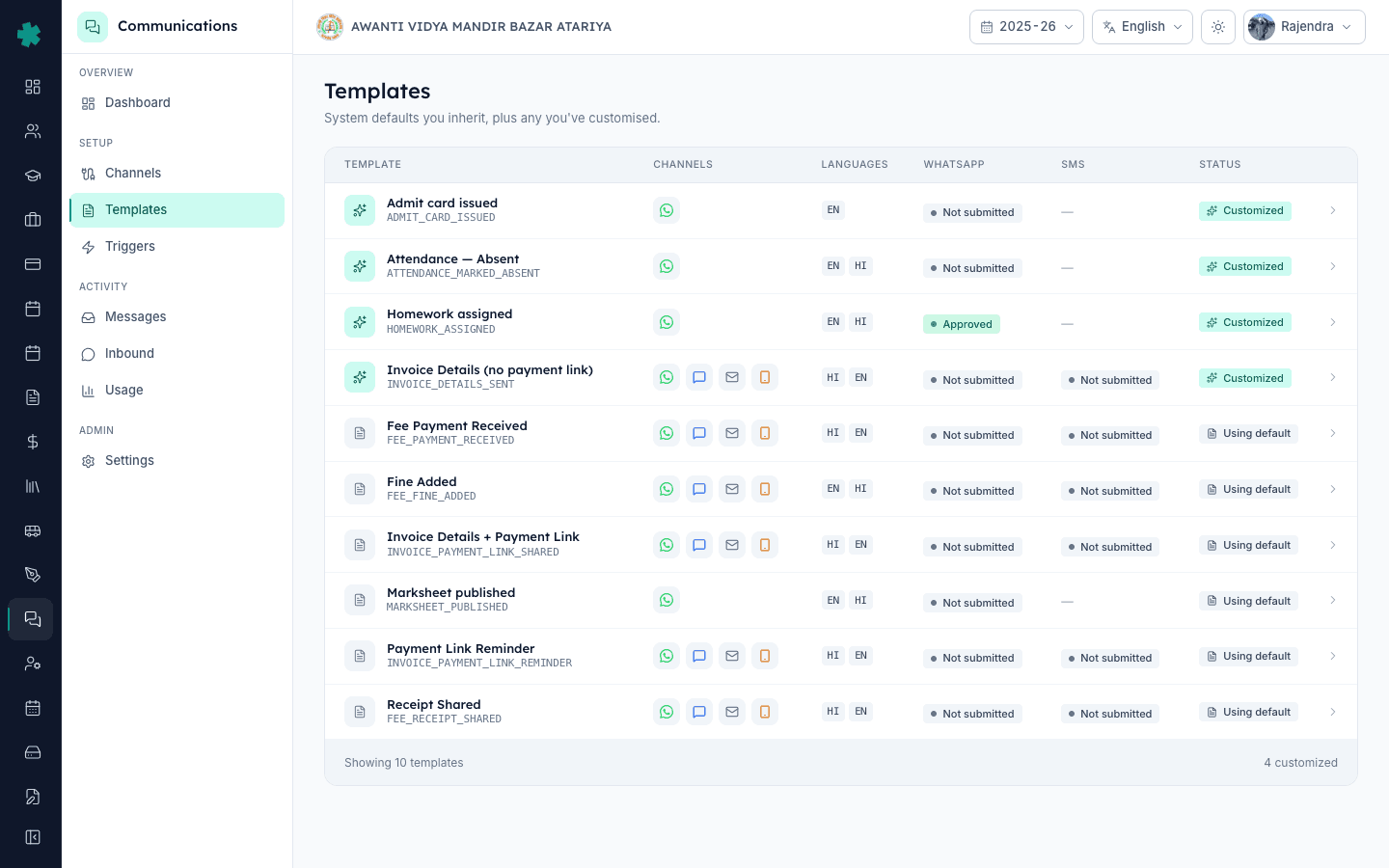
In Inkwelly open Communications → Templates. Each row shows the language badges shipped with that template — most carry both EN and HI. Fee Payment Received, Invoice Payment Link Shared, Payment Link Reminder, Receipt Shared, Fine Added, Attendance Marked Absent, Admit Card Issued, Marksheet Published and Homework Assigned all ship with an HI variant on Day 0. If a template you need has only EN, click Customise on that template and add a Hindi body (see [[how-to-customise-a-parent-notification-in-inkwelly]]).
2. (Option A) Make Hindi the school-wide default
For schools where almost every parent reads Hindi, open Communications → Settings → Language and pick हिन्दी (hi) as the school default. Save. Every Inkwelly notification fires the HI body unless an individual parent has explicitly set their preferredLanguage to English on their contact record. Templates without an HI variant fall back to English automatically — so this setting is safe to flip even before customisation is complete.
3. (Option B) Let each parent's language preference decide
For mixed schools where some parents read Hindi and some read English, leave the school default on Auto. Open Students → a student → Parents and edit the parent's preferredLanguage to hi or en. Inkwelly stores the preference on the parent contact, and every event that fires for that student honours the preference. The school-default route is the fallback for any parent who has no preference recorded — so you can change preferences one cohort at a time.
4. Bulk-import preferredLanguage for thousands of parents
For large schools, set the preference in bulk via the existing Student Bulk Import flow. Add a parentPreferredLanguage column to your CSV (values: en, hi, mr, ta, te, kn, bn, gu — ISO-639-1 codes for the languages Inkwelly's templates support). Upload through Students → Import. Inkwelly merges the language preference into each parent contact alongside name and phone. Existing parents get updated; new parents are created with the preference set on the first row.
5. Submit the Hindi WhatsApp variants to Meta
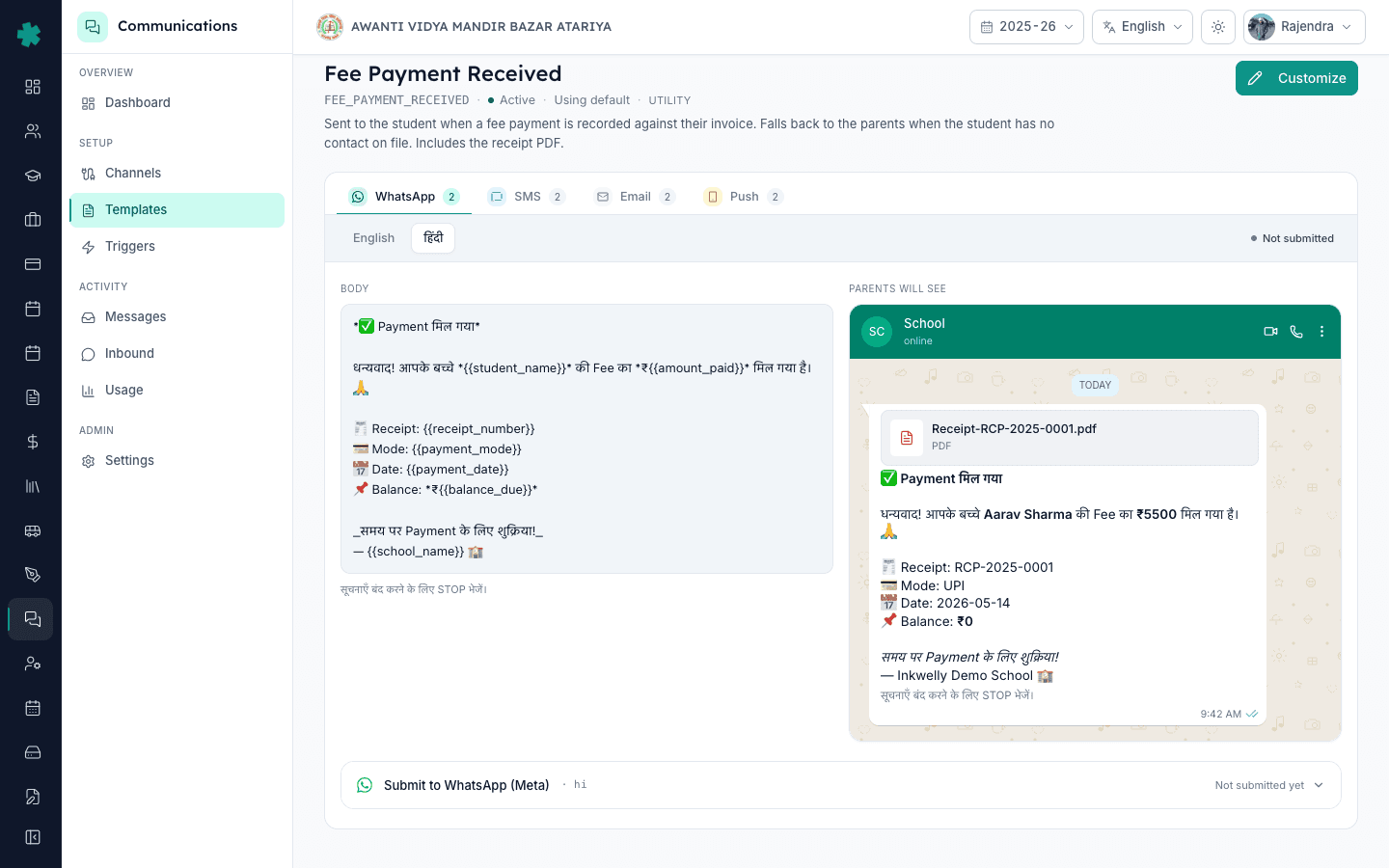
Meta treats every template-language pair as a separate asset — EN approval does not cover HI. On each template you want to dispatch over WhatsApp in Hindi, click Submit to Meta on the HI row. Most schools submit EN first to learn the Meta acceptance pattern, then submit HI as a second pass. The Communications dashboard's Templates & triggers card surfaces every HI variant that is still Not submitted so you can see the queue at a glance.

6. Register the Hindi SMS variants on DLT
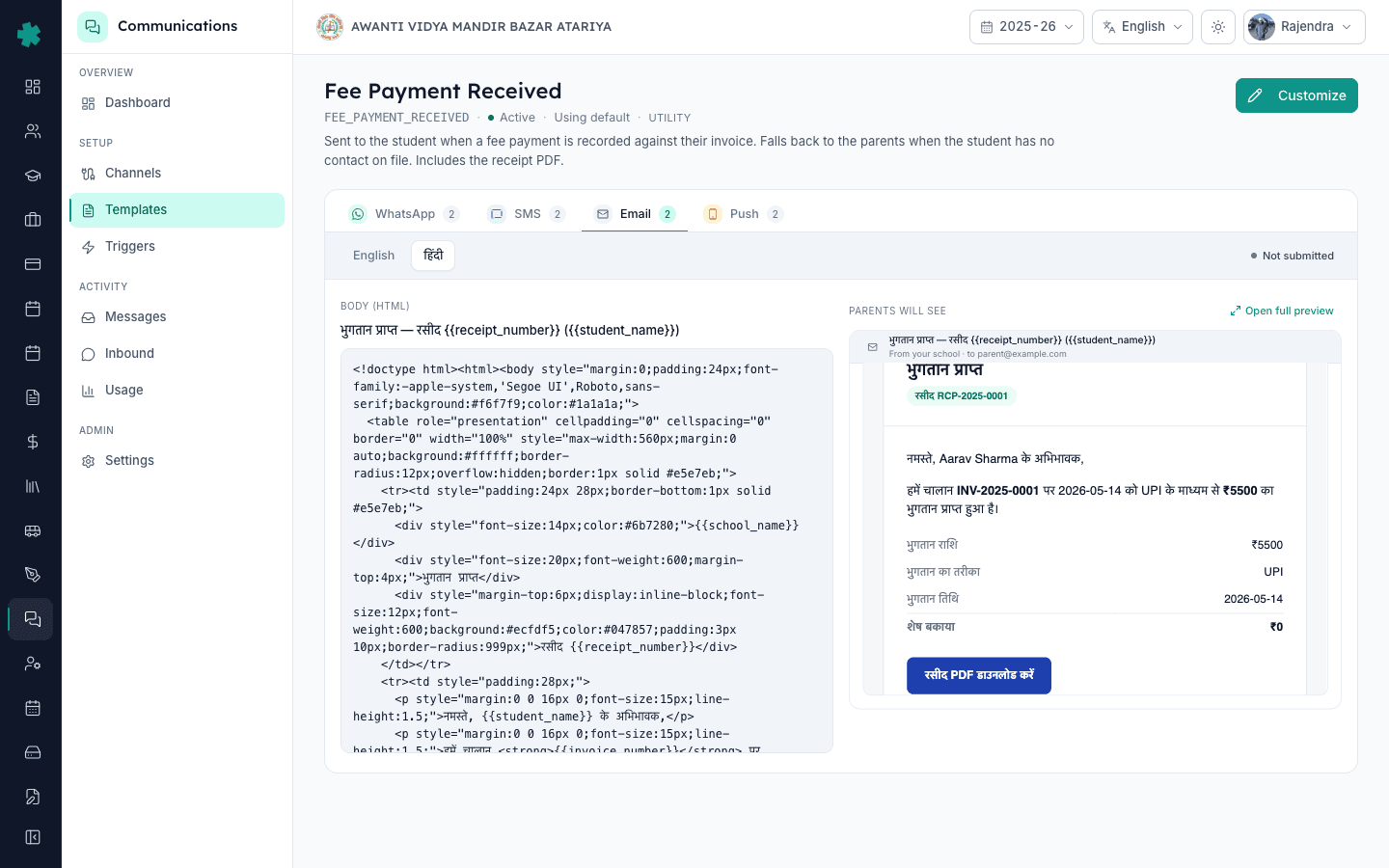
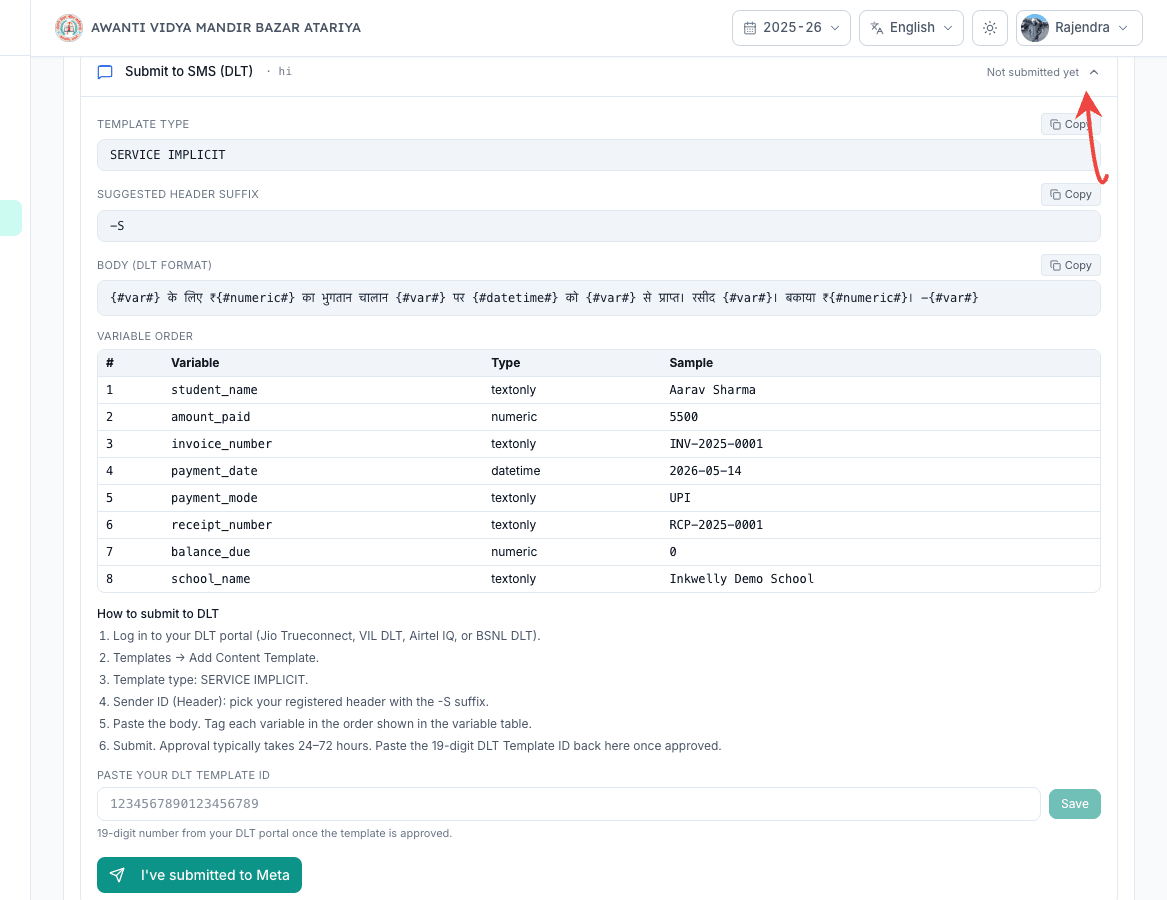
DLT also treats every language as a separate template entry. Open each template's SMS tab, copy the HI body word-for-word into your DLT operator portal, register and wait for the 19-digit Hindi template ID, then paste it back into Inkwelly. The SMS variant flips to APPROVED only when that HI-specific DLT ID is in place. Email variants need no provider step — Hindi email dispatches immediately once the HI body is saved.
7. Verify the routing with a test send
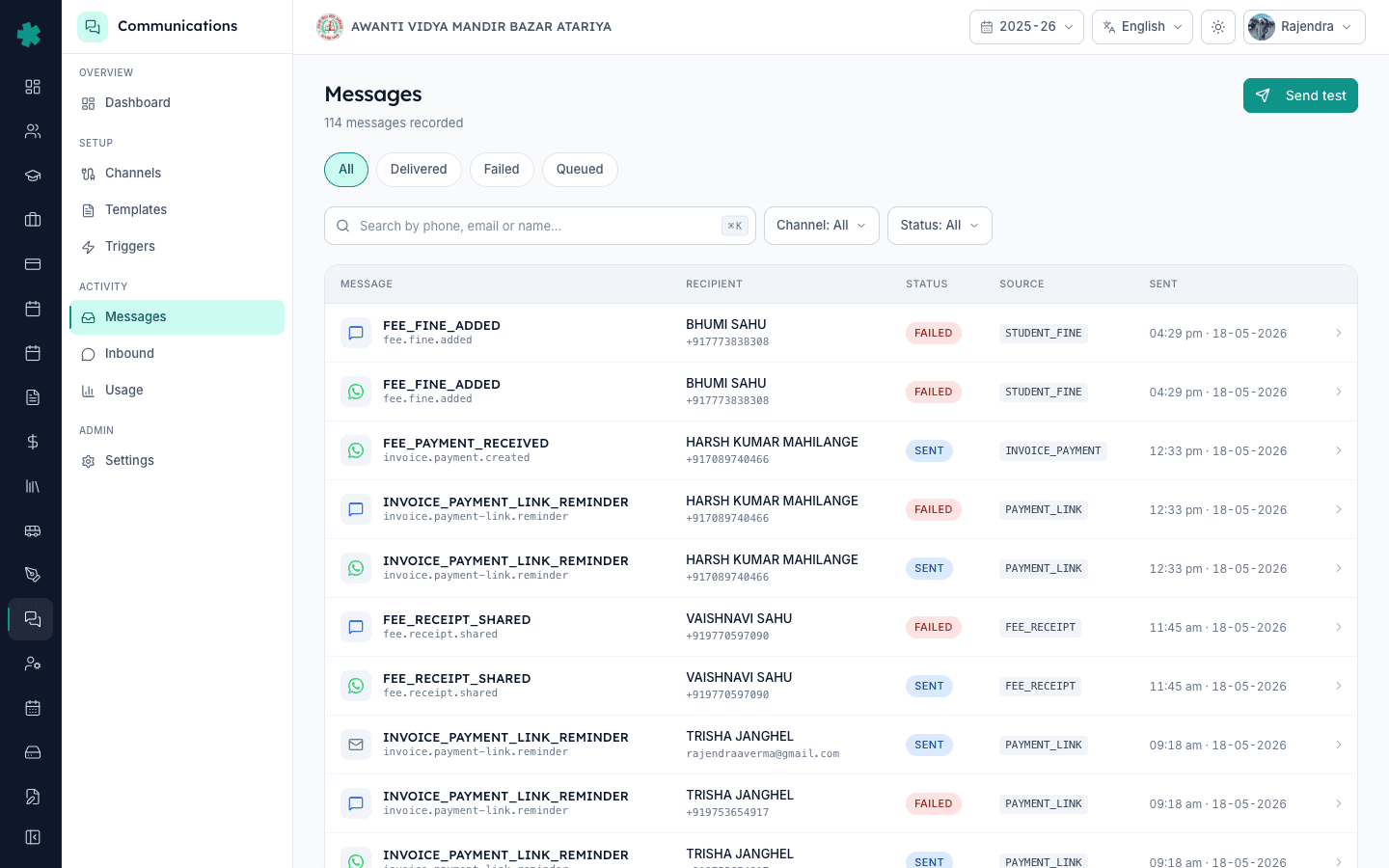
Go to Communications → Messages → Send test. Pick a parent contact whose preferredLanguage is HI and trigger a real template send to that parent. Inkwelly resolves the language at dispatch time: if the parent has a preferredLanguage and a matching HI variant exists, the HI body goes out; otherwise it falls through to the school default; otherwise to English. The Messages log records the exact language used on the row so you can spot misrouted parents.
Most Hindi-medium schools complete the switch in a single afternoon: about ten minutes per Meta resubmission and ten per DLT re-registration. The Communications dashboard surfaces every HI variant that still needs approval as part of the Templates & triggers card, so there is one place to watch progress. For schools that send in Marathi, Tamil, Telugu, Kannada, Bengali or Gujarati, the same flow applies — customise the template body in that language, set the parent's preferredLanguage to the matching code, and dispatch.
See Inkwelly run a Hindi-first parent notification flow end-to-end
20-minute walkthrough showing a UP-Board school routing fee receipts, attendance and homework alerts in Hindi alongside English for its mixed parent base.
Frequently asked
6 questionsDo I have to write the Hindi template myself, or does Inkwelly ship one?
Inkwelly ships a Hindi variant on every parent-facing template out of the box — Fee Payment Received, Invoice Details, Payment Link, Receipt Shared, Fine Added, Attendance Marked Absent, Admit Card Issued, Marksheet Published, Homework Assigned. The HI body is written in Devanagari grammar with technical terms in English, the way Indian parents actually read in 2025. You can customise any of them if your school has its own voice; the editorial defaults are good enough to ship on Day 0.
Inkwelly me parents ko Hindi me notifications kaise bheje?
Communications → Settings → Language par jaaiye aur Hindi (hi) ko school default chuniye. Har Inkwelly template Hindi variant ke saath aata hai, isliye agla event ki body Hindi me jayegi. Mixed school ke liye default Auto rakhiye aur student ke parent record par preferredLanguage hi ya en set kijiye — Inkwelly har parent ke liye sahi language pick karta hai.
What if I want some parents on Hindi and some on English at the same school?
Leave the school default on Auto and set each parent's preferredLanguage individually on the parent contact record. Bulk-import works too — add a parentPreferredLanguage column to your Students CSV. Inkwelly resolves the language at every send: parent preference first, school default second, English fallback. You can run a mixed school cleanly without separate triggers.
Will WhatsApp deliver a Hindi template if I only got the English version approved by Meta?
No. Meta treats EN and HI as separate template assets, so the HI variant needs its own approval before WhatsApp dispatches it. Inkwelly enforces this strictly: an HI WhatsApp send with no APPROVED HI variant falls back to SMS or email automatically rather than failing the dispatch. The Communications dashboard surfaces the missing HI approvals so you can submit them in one batch.
Can I send the same notification in both Hindi and English to the same parent?
Inkwelly sends one language per parent per event by design — doubling up creates two messages and doubles spend without lifting comprehension. The clean way to support bilingual households is to set the parent's preferredLanguage to whichever they read faster; the cleanest cohort-level fix is a customised template that mixes Devanagari and Latin scripts in the body (most Indian Hindi-medium parents read this Hinglish-style hybrid comfortably).
Which regional languages does Inkwelly currently ship variants for?
English and Hindi ship on Day 0 across every parent-facing template. Marathi, Tamil, Telugu, Kannada, Bengali, Gujarati and Punjabi are available via the Customise flow — the editorial team adds the variant on request for any school running in that language. Inkwelly stores the preferredLanguage on parents in ISO-639-1 codes (mr, ta, te, kn, bn, gu, pa), so dispatch picks the right body automatically once the variant is saved.
You might also like
4 readsSources & references
- Government of India — Constitution, Eighth Schedule (Scheduled Languages) · accessed 18 May 2026
Lists the 22 scheduled Indian languages including Hindi, the source set Inkwelly draws regional template variants from.
- Meta — WhatsApp Business Platform: Message Templates · accessed 18 May 2026
Defines Meta's rule that every template-language pair needs a separate approval — the reason Inkwelly's HI variants need their own Submit to Meta pass.
See Inkwelly on your school
30-minute demo. We open your current ERP with you and load your data into Inkwelly on the call. Dated go-live plan by the end of it.