Deleted a teacher by mistake? Bring them back safely.
Every employee record you delete is moved to Trash — never gone, never lost. Restore the right teacher or staff member with optional audit remarks, while permanent delete stays blocked whenever payroll history exists. Built for the messy reality of Indian school HR — exit formalities, EPF/ESI compliance, TDS deadlines, and the occasional wrong-row click during May payroll cleanup.
Why every Indian school office needs an Employee Trash bin
May 28th, 2026. The accountant in a CBSE day school in Indore is racing to close April payroll before the EPFO challan deadline. He is also cleaning up the employee list — marking exited teachers inactive, deleting the placeholder records created during March interview rounds, deactivating the substitute teachers whose contracts ended after the board exam season. He is fast, he is tired, and he is doing this between salary slip generation and a parent meeting at 4 PM. At 3:42 PM, he clicks delete on the wrong row. A real teacher. Class 9 English. Joining number EMP-2022-0048. Gone from the active employee list.
In most Indian school ERPs, that one mistake is a multi-day disaster. The teacher's salary slip for May still has to generate. Her EPF contribution has to be reported in the EPFO ECR file by the 15th. Her TDS for Q4 is due on the 31st. The Form 16 issued in June must list her name. Without her record in the system, every one of these compliance steps breaks. The accountant calls support, pays for a database restore, hopes nothing else got affected, and crosses fingers that the EPFO portal accepts the late filing.
We built Employee Trash for this exact moment. Every employee you delete moves to Trash — a soft-delete bin that holds the full record: profile, joining details, department, designation, qualification, salary structure, payroll history, EPF / ESI numbers, TDS history, leave balance, document trail. One click to restore. The teacher reappears in the employee directory with everything intact. And if you try to permanently delete an employee whose payroll history exists, Inkwelly refuses — the system protects the records that the EPFO, ESIC, and the Income Tax Department legally require you to keep.
How Employee Trash works
When anyone with delete permission removes an employee from the active list, the record is soft-deleted — moved to Trash with a deletedAt timestamp, the deletion reason captured at the time of delete, and the user who performed the action recorded in the audit log. The active employee directory no longer shows the row. Attendance dashboards, current payroll runs, the timetable assignment view, and the Employee Payroll processing queue stop counting them. From every active angle the employee looks gone.
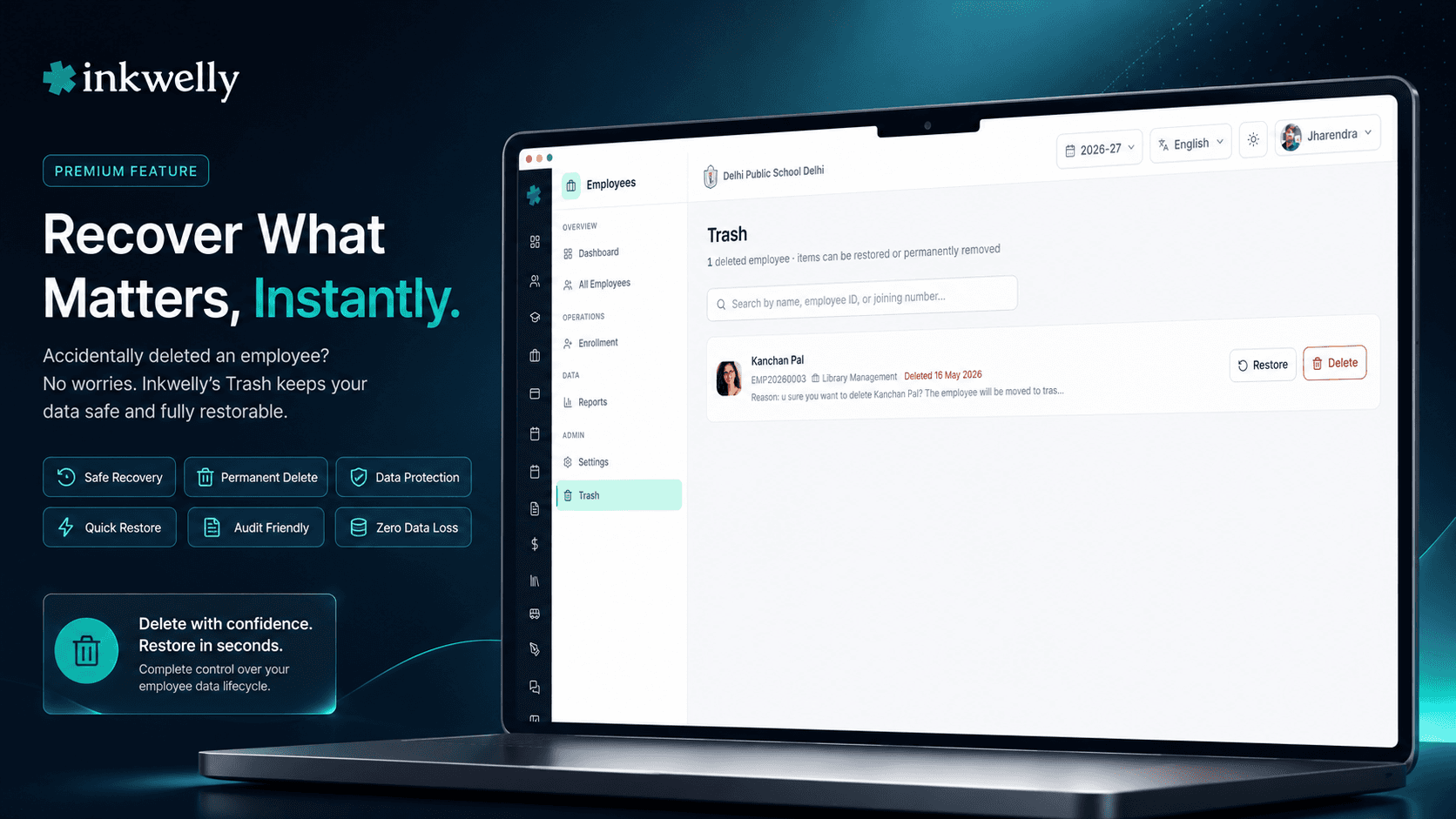
But the record is preserved in full. Open /employees/trash from the Employee Information sidebar. The view loads up to 100 deleted employees at a time, sorted by deletion date with the most recently deleted first. Each row shows the full name, the system employee ID, last department, profile photo, the date they were deleted, and the deletion reason. A search box on top filters across all pages by name, employee ID, or joining number.
Two actions per row: Restore and Delete permanently. Restore opens a dialog asking for optional audit remarks — type why you are restoring (e.g., 'Wrongly deleted, contract is still active until June 30') and click Restore. The profile reappears in the directory, but employment status stays inactive by design — so that HR explicitly reviews EPF/ESI status, salary continuation and reporting line before reactivating the employee. Delete permanently opens a different dialog — it asks you to type the employee's full name to confirm. And critically, if that employee has any payroll records — even one historical salary slip, one PF contribution row, one TDS entry — the system refuses the permanent delete and tells you exactly why.
What's preserved when an employee is sent to Trash
- Full profile — first/middle/last name in every language your school maintains, gender, date of birth, blood group, religion, nationality, mother tongue.
- Joining record — employee ID, joining number, joining date, last working day (if exited), the department and designation they were last in.
- Government identifiers — Aadhaar, PAN, mobile, personal email, EPF UAN, ESIC IP number, bank account, IFSC — every identity field the EPFO, ESIC and TDS systems need.
- Salary structure — basic, HRA, special allowance, conveyance, custom heads, deductions, gross and net history per month — exactly as needed for Employee Payroll re-runs.
- Payroll history — every payslip generated, every PF contribution, every ESI contribution, every TDS deduction, every Form 16 the school issued.
- Attendance and leave — every day of marked attendance under Employee Attendance, full leave balance, leave history, sandwich-leave / loss-of-pay records.
- Documents — uploaded appointment letter, qualification certificates, Aadhaar / PAN scans, joining KYC, bank cancelled cheque, character certificates — all preserved in your school media library.
- Audit log — who deleted, when, deletion reason; on restore: who restored, when, the audit remarks they entered; on permanent delete: the controlled trail of authorised destruction.
One-click restore — but employment stays inactive on purpose
The restore dialog is intentionally short. The Trash list already shows you the employee's name, employee ID, last department and deletion reason. You don't need to re-confirm what you're restoring — you just need to record why.
A single optional audit remarks input — type 1-3 sentences ('Wrongly deleted during May payroll cleanup; contract is active until June 30, parent committee just confirmed extension') and click Restore. The profile reappears in the active directory immediately. But — and this matters — the employment status stays inactive. This is deliberate. Restoring a record is one decision; rehiring an employee is another. HR opens the profile, reviews EPF/ESI continuation, salary structure, reporting line and joining-date semantics, and then explicitly clicks 'Activate employment'. Two-step on purpose, because re-employment in India touches Provident Fund continuation, ESI eligibility, gratuity tenure and TDS computations all at once.
Permanent delete blocked when payroll history exists — by design
This is the most important safety net in Employee Trash. If you try to permanently delete an employee who has even one row of payroll history — a single salary slip, one EPF contribution, one ESI deduction, one TDS entry — Inkwelly refuses. The dialog returns a clear error: 'Permanent deletion blocked: this employee has payroll records (salaries, payslips, PF/ESI contributions). Soft-delete keeps the record in Trash. Permanent deletion is only allowed for employees with no financial history.'
This is not a bug. This is the design. The EPFO requires schools to retain employee provident fund records for the entire employment life of every member. The Income Tax Department requires Form 16 records for at least 8 years. The ESIC needs contribution history for member welfare claims that can be raised years later. Labour Department audits, gratuity disputes, full-and-final settlement reviews — every one of these depends on intact employee records. We protect those records from accidental destruction, period.
For employees with no payroll history — placeholder records, interview-round entries, draft profiles never activated — the typed-name confirmation dialog still applies as the second guard. Type the name exactly. Then it's gone. For everyone else, the soft-delete bin is the right and only path.
Search and pagination — find any deleted employee fast
A mid-sized CBSE day school running for 8 years accumulates 60-150 trashed employee records — exited teachers from previous sessions, retired clerical staff, contract substitutes whose contracts ended, the placeholder profiles created during interview rounds. The Employee Trash view paginates 100 rows per page sorted by deletion date (newest first), with previous/next controls and a counter showing 'Page 2 of 3 · 247 deleted employees'.
The search box at the top filters across all pages by full name, employee ID or joining number. Type 'EMP-2022' to find every employee deleted from the 2022-23 joining cohort. Type 'Sharma' to find every Sharma ever deleted. Type the exact joining number to jump straight to the row. The result list updates as you filter, and the page resets to page 1 so you don't miss recent matches buried under old ones.
Every delete and restore is audit-logged for the labour audit
The Employee Trash workflow writes to the same audit log as every other change in Employee Information. Each delete records: the user who clicked delete, the timestamp, the IP address, the deletion reason captured at delete time. Each restore records: the user who clicked restore, the timestamp, the IP address, and the audit remarks. Each permanent delete (only ever for employees without payroll history) records the controlled trail.
The audit log is exportable from the school admin panel as PDF or CSV — useful for Labour Department audits, EPFO inspections, gratuity dispute documentation, internal HR reviews, and CBSE / ICSE renewal filings where the inspector asks for evidence of employee data discipline. Role-based access means a department head sees only their department's events; the principal and HR see everything. There is no way to delete an audit log entry — it survives the destruction of the employee record itself, by design.
“May ke payroll close week mein ek substitute teacher ko galti se delete kar diya tha — uski ESI contribution May ki ECR mein chahiye thi. Pehle aise haalat mein support ko phone karte the, EPFO portal pe extension request karte the. Ab Trash khola, naam search kiya, Restore kiya — 30 second mein wapas active list mein aa gayi, ESI challan time pe file ho gaya. HR aur accountant dono ka pressure 80 percent kam ho gaya।”
Real-world HR routines this turns into 30-second tasks
Five routine school office mistakes that traditionally cost hours of HR and payroll work:
1. Wrong-row delete during May payroll cleanup. Accountant is marking 6 exited teachers inactive after the academic session ends. One real, currently-active substitute teacher gets clicked instead. Without Trash: ECR file fails, EPFO challan delayed, payroll team works the weekend. With Trash: open Trash, search by joining number, click Restore. Salary slip and PF contribution generate normally. Under 30 seconds.
2. Interview-round placeholder entries created during recruitment. During the March-April hiring cycle, the school adds 20+ interview candidates as placeholder employees so HR can compare CVs in the system. Of those, 4 are hired; 16 should be cleaned up. Without Trash: someone deletes them but accidentally also deletes a real probationary teacher. With Trash: the 16 placeholders go to Trash. Because they have zero payroll records, you can permanent-delete them with typed-name confirmation. The probationary teacher who was caught accidentally is restored from Trash with one click.
3. Substitute / contract teacher whose extension was approved late. The contract was supposed to end on April 30. The accountant marked the teacher inactive and deleted the record on May 2. On May 5, the principal informs HR that the contract has been extended to June 30 to cover summer remedial classes. Without Trash: re-create employee from scratch, lose joining date, lose EPF UAN linkage, parent committee complains. With Trash: open Trash, restore. EPF UAN intact, joining date intact, contract continues cleanly.
4. Bulk filter mistake during session-close cleanup. A school admin runs a bulk operation to deactivate all employees who haven't taken any class this month, intending to flag substitute / on-leave staff. The filter accidentally catches 18 active teachers on summer vacation. Without Trash: panic, escalate to vendor, payroll runs late. With Trash: open Trash, sort by today, click 'Restore' on each. All 18 employees back in the directory within 5 minutes — and because employment status stayed inactive on restore, HR explicitly reactivates them after a quick review.
5. Departing employee invokes DPDP right-to-erasure. A teacher who has fully exited (full and final settlement complete, gratuity paid, Form 16 issued, all dues cleared) requests permanent deletion under the DPDP Act 2023. Without a controlled flow: the office runs raw SQL, with all the risk that implies — and possibly violates the EPFO retention rule. With Trash + payroll-history-aware permanent delete: the system itself enforces 'no, you cannot permanent-delete this employee — payroll history exists, the law requires you to retain it.' Soft-delete satisfies the DPDP minimisation principle while honouring the EPFO retention duty. The employee record is hidden from active dashboards but legally retained.
Common operations Indian school HR runs on Employee Trash
- Restore wrong-row deletes during April-May payroll cleanup and session-end exits.
- Permanently remove interview-round placeholders that were never hired and have no payroll history.
- Restore substitute / contract teachers whose extensions were approved after their contracts technically ended.
- Bulk-restore after a wrong filter in a routine deactivation script — all profiles return as inactive for HR review.
- Audit deleted employees for compliance before EPFO / ESIC / Labour Department inspections.
- Investigate unusual deletions by user, by date, by deletion reason — full audit export to PDF or CSV.
- Validate full-and-final settlement closure by reviewing the deletion-reason field across recently trashed employees.
- Cleanup before academic year migration — review Trash, decide which placeholders go permanent, which exited staff stay soft-deleted under retention rules.
See Employee Trash live in 30 minutes
Bring 3 routine HR deletion mistakes you have made (or are afraid of making). We'll set up your school's departments and a sample salary structure during the demo, run the workflows live with realistic payroll data, and show how each becomes a one-click restore — or a payroll-locked safe block.
Limits, safety and the small print
Soft-delete is the default. Every delete from the active employee directory moves the record to Trash. There is no way to bypass Trash and permanently delete in one step from the active list — that path simply does not exist.
Payroll-history hard block. Permanent delete is refused for any employee with even one payroll record. This is enforced server-side, not just hidden in the UI — it cannot be turned off, by configuration or otherwise. Auditors, principals and labour officers can rely on the guarantee that no employee with financial history can be silently destroyed.
Restoration brings the profile back as inactive employment. This is by design, not a bug. Re-employment in India touches Provident Fund continuation, ESI member status, gratuity tenure and TDS computations all at once. HR reviews and explicitly clicks 'Activate employment' after a restore — keeping every compliance decision deliberate.
Restoration preserves joining number, EPF UAN, ESIC IP, and PAN linkage. When an employee is restored, the original employee ID, joining number, EPF UAN, ESIC IP number, PAN, salary structure, and the entire payroll trail return as they were. The employee is not 'rehired' — they are restored. Reports run against past payroll periods stay correct.
Up to 100 trashed employees per page. Larger schools accumulating thousands of trashed records page through with previous/next controls. Search filters across all pages.
Permanent delete (when allowed) is irreversible. For an employee with zero payroll history (placeholder, never-employed records), the typed-name-confirm permanent delete removes the record from the database. The audit log entry survives — it remembers that the deletion happened, who did it, when, and the original employee ID — but the personal data is gone.
Role-based access. By default, only school admin, principal and HR roles see Trash and have permission to restore or permanent-delete. Department heads see only their own department's exits in the audit log; class teachers see no Trash at all. Configure exact permissions per role from the Identity & Access Management settings.
Multi-tenant isolation. Like every Inkwelly module, Trash operates strictly within your school. Multi-school trusts run independent Trash views per school — there is no cross-tenant access. School A's trashed teacher is invisible to School B, even within the same organisation.
Backups still apply. Soft-delete plus the payroll-history block is your day-to-day safety net. Inkwelly's nightly database backup is the disaster recovery layer underneath. The combination means catastrophic accidental destruction of compliance-critical employee data is not just unlikely — it is structurally prevented.
Belongs to
1 moduleFrequently asked
8 questionsWhy does restored employment stay inactive instead of fully active?
By design. Restoring a record is one decision; rehiring an employee is another. Re-employment in India touches Provident Fund continuation, ESI member status, gratuity tenure, and TDS computations all at once. After restore, the profile is back in the directory but employment is inactive — HR opens the profile, reviews EPF/ESI continuation, salary structure and reporting line, and then explicitly clicks 'Activate employment'. This two-step is intentional, not extra friction.
What does 'permanent delete blocked due to payroll history' mean exactly?
It means Inkwelly refuses to permanently destroy an employee record if any payroll data exists for them — even one historical salary slip, one EPF contribution row, one ESI deduction, one TDS entry. The EPFO requires PF records for the entire member lifecycle. The Income Tax Department requires payroll records for at least 8 years. The ESIC needs contribution history for member welfare claims raised years later. Labour audits and gratuity disputes depend on these records. We enforce the protection server-side so no admin can accidentally — or even deliberately — destroy compliance-critical employee data.
Can I permanently delete interview-round placeholder employees?
Yes. If a placeholder employee record was created during the March-April hiring rounds and never converted to an active employee — meaning zero salary slips, zero PF contributions, zero TDS entries — the typed-name-confirm permanent delete works. The system checks for any payroll history before allowing the action. Records with no financial trail can be cleanly removed; records with even one payroll row stay protected.
How long do employees stay in Trash before being auto-deleted?
They don't auto-delete. Soft-deleted employees stay in Trash indefinitely until someone with the right permission either restores them or — only if no payroll history exists — permanently deletes them with typed-name confirmation. We deliberately don't auto-purge, because Indian schools regularly need access to records of exited employees 1-8 years later for EPFO claims, gratuity calculations, Form 16 reissues, Labour Department audits and personal references. Auto-deletion would create more compliance problems than it solves.
Will EPF, ESI, salary slips and TDS history come back when I restore an employee?
Yes — completely. Restore preserves the original employee ID, joining number, EPF UAN, ESIC IP number, PAN, salary structure, every payslip ever generated, every PF/ESI/TDS entry, every Form 16 issued, leave balance, attendance trail and uploaded documents. The employee is not rehired as a new entry; the original record is reactivated. Past payroll-period reports stay correct after a restore.
Can department heads see and restore deleted employees from their own department?
By default, no. Trash access is gated to school admin, principal and HR roles. Department heads see only the active employee list within their assigned department, and their delete permission is scoped accordingly. Their deletes go to Trash where only authorised roles can act. If your school wants department heads to have Trash visibility for their department, that's configurable via the school's Identity & Access Management settings.
Does Employee Trash help with EPFO and Labour Department audits?
Yes — directly. The audit log records every delete, every restore, every permanent delete, every audit remark, with user, timestamp and IP address. The log is exportable as PDF or CSV from the school admin panel. Soft-delete plus the payroll-history hard block together prove that the school cannot — and did not — destroy compliance-critical employee data. EPFO inspectors and Labour Department auditors increasingly ask for this kind of structural evidence; Inkwelly is designed to produce it without extra paperwork.
Does Trash satisfy DPDP Act 2023 retention and erasure requirements for employees?
Soft-delete supports both sides. The DPDP Act requires schools to retain employee records for prescribed periods even after exit; Trash holds the record encrypted at rest in India, accessible only to authorised roles, satisfying retention. When a fully-exited employee invokes the right to erasure, your school can permanent-delete only if no payroll history remains — which is rarely the case for full-time staff but common for never-hired interview placeholders. For employees with payroll history, retention obligations under EPFO, ESIC and Income Tax Act override the DPDP erasure right; this is documented and enforced. Your school's data protection officer should confirm exact retention periods per role and statute.
You might also like
2 readsSee Inkwelly on your school
30-minute demo. We open your current ERP with you and load your data into Inkwelly on the call. Dated go-live plan by the end of it.