Parents don't want more features — they want fewer reasons to call the office parents
Schools buy apps for the feature list. Parents use them for five things and ignore the rest. This guide separates what parents actually open a school app for from what looks good in a demo, so you choose an app parents keep on their home screen.
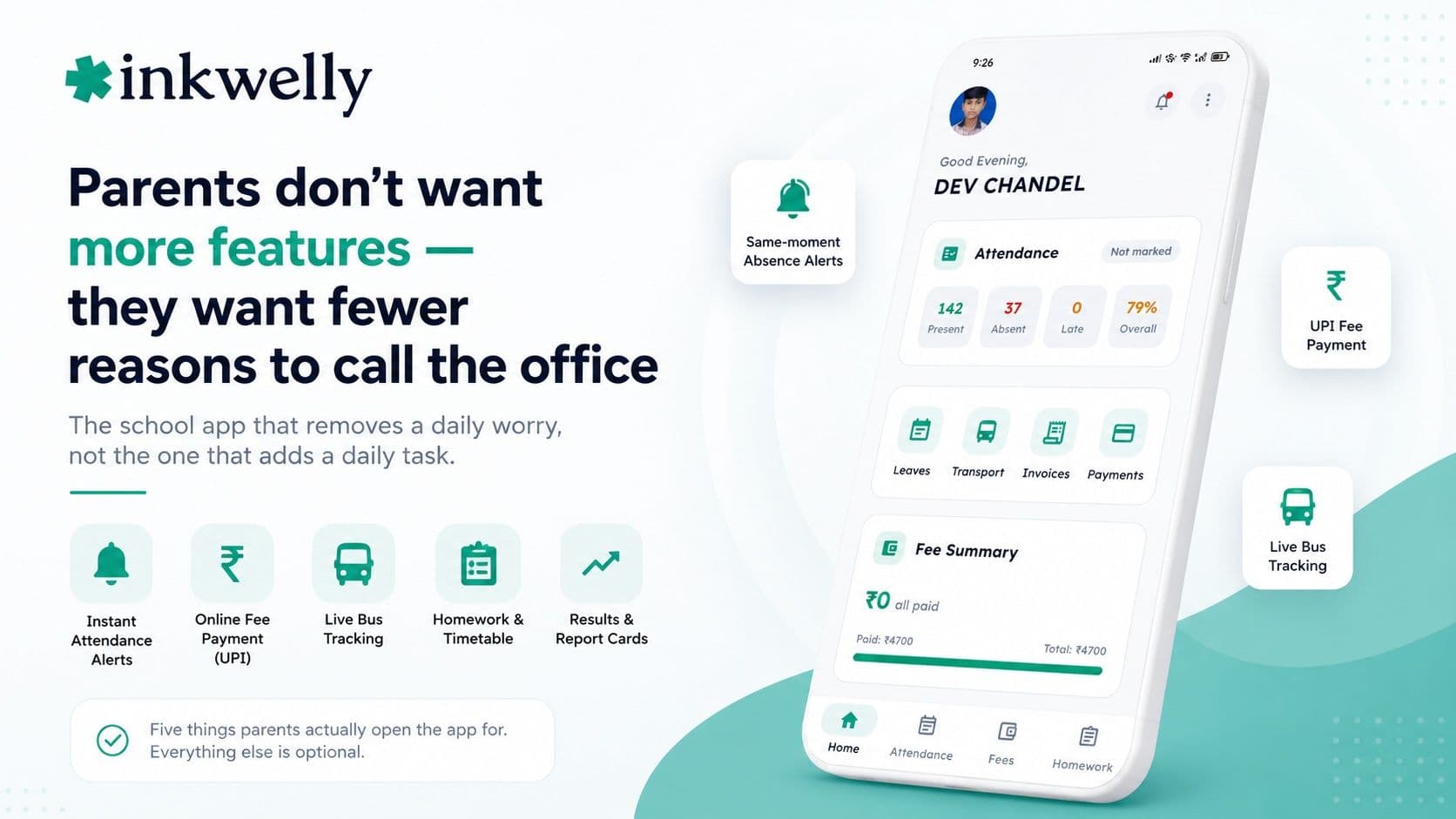
Ask any school office what parents call about and you'll hear the same three questions over and over: Was my child marked present? How much fee is left and how do I pay it? Where is the bus? A working parent in Pune doesn't want a 'parent engagement portal' with twelve tabs. She wants those three questions answered before she has to ask, on a phone, in the language she thinks in, in under ten seconds. Every school app is sold on a long feature list. Every parent uses a short one. The gap between those two lists is where most school apps quietly fail.
The thesis is simple and a little uncomfortable for vendors. Parents do not want more features — they want fewer reasons to call the office. The school app that wins is the one that removes a daily worry, not the one that adds a daily task. Judge any app by what it lets a parent stop doing, not by how much it lets them do.
The five things parents actually open a school app for
Across day schools, budget schools and international schools, parent behaviour is remarkably consistent. Five jobs account for almost all the times a parent opens the app. Everything else is occasional at best. If an app does these five brilliantly and nothing else, parents will keep it. If it does forty things and these five poorly, it dies on the home screen.
What parents open the app for, in order
- Did my child reach school safely? — an instant alert the moment attendance is marked, not a monthly report
- How much fee is due and can I pay it right now? — the balance, and a UPI or card payment that takes thirty seconds
- Where is the bus? — a live map and an alert when it's a couple of stops away, morning and evening
- What does my child have to do today? — homework and the timetable, in one clean feed
- How is my child doing? — exam results and the report card, the moment they're published
What parents quietly ignore
Knowing what parents ignore is as useful as knowing what they want, because vendors love to demo exactly these. Parents rarely open a separate 'news feed' that duplicates WhatsApp. They don't read long PDF circulars on a phone. They don't use in-app chat if it means another inbox to check. And they will never log in twice — once as a parent of one child, again for a sibling. Features that add a tap, an inbox, or a login are features parents route around. The lesson: depth on the five jobs beats breadth across twenty.
How to choose an app parents will actually use
Don't evaluate a parent app from the admin's chair. Evaluate it the way a parent will live with it. Here's the test:
-
Install it as a parent, not an admin. If onboarding needs a training video, your parents won't finish it. The best apps log a parent in by OTP and show the child's status on the first screen.
-
Time the fee payment. From opening the app to a paid receipt should be under a minute, by UPI. If it bounces to a clumsy web page, parents will go back to paying at the counter.
-
Check the absence alert speed. Mark a test student absent and see how fast the parent's phone buzzes. A same-second alert builds trust; a next-day summary destroys it.
-
Look for a sibling switch. A parent with two children should see both without logging out. If they can't, half your parents will be annoyed every single day.
-
Open it in Hindi and on a slow connection. This is where global apps fall apart and India-built apps shine. A parent in a Tier-3 town is your real test user, not the IT head.
The apps parents end up with
Most Indian schools hand parents one of two things. The first is the parent side of a full school ERP — Vidyalaya, Edunext, Entab CampusCare, MyClassboard, Fedena, Campus 365, Schoollog and others ship one. The second is a communication-first app like Teachmint that started with messaging. Both can serve parents well. The deciding question is never the brand — it's whether the five jobs above are fast, native and in the parent's language, or scattered across half-built screens a parent has to hunt through.
Does a better parent app cost more?
Usually not directly. The parent app rides on the school's ERP, which is typically priced per student per year (commonly ₹150–₹600), with the app included. So a school isn't choosing between a cheap app and an expensive one — it's choosing which platform's parent experience is actually good. The real costs that touch parents are the ones nobody mentions in the demo: a payment-gateway fee on online fee payments (usually under 2% on UPI and cards, charged by the gateway), and SMS or WhatsApp credits for parents who don't use the app. Budget for those two and the app itself rarely adds a line item.
Where Inkwelly fits
Inkwelly was built around exactly these five parent jobs. Parents get a same-moment alert when a child is marked absent, an online fee payment that clears by UPI in seconds with an instant receipt, and live bus tracking that runs on the driver's own phone. Homework, timetable and results sit in one feed, and every screen works in Hindi and English. A parent of two children switches between them with a tap — no second login. We'd rather you test it the way your parents will, on a slow connection in Hindi, than trust a feature grid. See the wider picture in our school app guide.
“Parents don't grade a school app on how much it can do. They grade it on how many times this week it saved them a phone call. Build for that, and the app earns a permanent place on the home screen.”
Decide by watching, not by listing
The honest way to choose a parent app is to put it in real parents' hands for two weeks and watch one number: office calls. If the absence-and-bus questions stop coming to the front desk, the app is working. If parents still call, the feature list was a brochure. Pick the app that quietly empties your office phone, switch to it between terms, and give parents a single OTP login — the right app needs no training because it answers the questions parents were already asking.
See the parent app the way your parents will
A 20-minute walkthrough on a real school dataset — absence alerts, fee payment, live bus tracking, all in Hindi and English. No sales pitch.
Frequently asked
8 questionsWhat do parents actually want from a school app?
Five things, in order: an instant alert when their child is marked present or absent, the fee balance with a quick UPI payment, live bus location, today's homework and timetable, and exam results when published. Parents open the app for these and largely ignore the rest. The best app does these five fast and in the parent's language rather than offering forty features.
Why do parents stop using the school app?
Usually because it adds work instead of removing it — a second login for a sibling, a clumsy fee payment that fails, a slow or English-only screen, or an absence alert that arrives a day late. Parents route around any feature that costs them a tap or a login. An app survives only if it answers the questions parents were already calling the office about.
What is the single most important feature in a parent app?
The instant absence alert. The moment a child is marked present or absent, the parent's phone should buzz. It's the feature that builds daily trust and the one that most reduces panic calls to the office. Live bus tracking is a close second because it answers the other question parents ask every morning.
Should parents with two children need two logins?
No. A parent should see all their children in one account and switch between them with a tap. Apps that force a separate login per child annoy a large share of parents every single day. A sibling switch is a quick, revealing thing to check in any demo.
Do parents prefer a school app or WhatsApp?
Parents prefer whichever answers their question fastest. For broadcast notices, WhatsApp is fine and a good platform sends there too. But for attendance, fees and bus location — which are personal to their child — a well-built app is faster and more private than scrolling a WhatsApp group. The best schools use both: the app for personal data, WhatsApp and SMS as a backstop.
Does a good parent app cost the school extra?
Rarely as a separate charge — the parent app is usually included in the school's ERP, priced per student per year (commonly ₹150–₹600). The costs that actually scale with parent use are the payment-gateway fee on online fee payments (under 2% on UPI and cards) and SMS or WhatsApp credits for parents who aren't on the app.
How do I test a school app from a parent's point of view?
Install it as a parent, not an admin. Time a UPI fee payment end to end, mark a test student absent and check how fast the alert arrives, look for a one-tap sibling switch, and open everything in Hindi on a slow connection. If onboarding needs a training video, your parents won't finish it — a good parent app shows the child's status on the first screen after an OTP login.
Does the parent app need a smartphone?
For the full experience, yes — but a good platform also pushes the essentials (absence alerts, fee reminders, results) over SMS and WhatsApp, so parents without a smartphone or who haven't installed the app still get the important updates. That backstop matters most in Tier-2 and Tier-3 schools.
You might also like
5 readsSee Inkwelly on your school
30-minute demo. We open your current ERP with you and load your data into Inkwelly on the call. Dated go-live plan by the end of it.