Good exam software means a teacher enters marks once and the report card builds itself exam
Report-card season is where most schools lose a week to spreadsheets and re-typing. The right exam software lets teachers enter marks once, applies the board's grading rules, and generates report cards automatically. This guide covers what to look for across CBSE, ICSE and state boards, how to test it, and what it costs.
Twice a year, every Indian school does the same painful dance. Teachers mark exam papers and write the marks in a register. A clerk types them into Excel. Someone applies the grade boundaries by hand, checks the weightings between term marks and internal assessment, computes each child's total and rank, and then a designer fits it all onto a report-card template that has to match what the board expects. One transcription error in that chain and a child's report card is wrong — in front of a parent. This is a week of work, every term, that exists almost entirely because the marks were entered once on paper and then re-entered three more times. Exam and report-card software exists to make the marks entered once the only time they're entered.
The thesis: the value of exam software is not the marks screen — it's everything that happens after. A tool that just stores marks has saved nobody from the report-card week. The real value is that a teacher enters a mark once, the software applies the board's grading scheme, weightings and rules, and the report card, marksheet and rank list generate themselves, correctly, for every child. Judge exam software by whether report-card season stops being a week of spreadsheets.
What exam and report-card software must do
Exams in India are not one format. CBSE, ICSE/ISC, IB, IGCSE and the many state boards each have their own assessment structure, grading scale and report-card layout, and most have shifted weight toward continuous and competency-based assessment under NEP 2020. Software that handles only simple percentage marks fits none of them well. Before comparing tools, be clear about the full scope.
The full scope of exam and report-card software
- Define exams and assessment components — terms, units, practicals, internal assessment — per the board's structure
- Let teachers enter marks once, component by component, from a phone or computer
- Apply the board's grading scale and weightings automatically — no hand-computed grade boundaries
- Compute totals, percentages, grades and rank for every student without manual sorting
- Generate the report card, marksheet and consolidated mark register in the board's expected layout
- Support continuous and competency-based assessment, not just term-end percentage marks
- Publish results to parents in the app the moment they're ready — no printing queue
- Produce the registers and analysis a school needs for board submission and review
The bar that separates exam software from a marks spreadsheet
The difference between real exam software and a digital mark register is automation and board-fit. A spreadsheet stores numbers; exam software turns those numbers into a correct, board-compliant report card without a human re-typing or re-checking. That back half — grading rules, report-card generation, publishing to parents — is where the week of work actually lives, and where most tools quietly leave the school to fend for itself.
What real exam software gets right
- Marks are entered exactly once and flow into every output — report card, marksheet, rank list, registers
- The board's grading scheme and weightings are built in, so grades are computed, not typed
- Report cards match the board's layout and can carry the school's logo and signatures
- Continuous and competency-based assessment is supported, not bolted on as an afterthought
- Results publish to the parent app instantly, with the report-card PDF downloadable
- It reuses the same class and student lists as attendance and homework — no separate roster
How to test exam and report-card software
Don't judge exam software by the marks-entry screen — judge it by the report card that comes out the other end. Here's the test:
-
Set up one real exam with components. Create a term exam with internal assessment and a practical, the way your board structures it. If you can't model your actual assessment scheme, the report cards won't match.
-
Enter marks for one class and generate the report card. This is the real test. The grades, totals and rank should compute automatically and the report card should come out in your board's layout, with nothing re-typed.
-
Check the grade boundaries and weightings. Verify one student's grade against the board's rule by hand. Exam software that gets grading subtly wrong is worse than a spreadsheet, because people trust it.
-
Publish results to a parent and download the PDF. Parents should see the result in the app and download the report card. If publishing means printing and distributing by hand, the software has saved only half the work.
-
Generate the consolidated mark register. The school needs a clean register for board submission and review. If that doesn't come out cleanly, someone rebuilds it in Excel — which is the week you were trying to remove.
The tools you'll compare
Exam and report-card capability comes in two forms. Full school ERPs — Vidyalaya, Edunext, Entab CampusCare, MyClassboard, Fedena — include an examination module that shares student and class data with attendance and homework, and usually ships board-specific report-card templates. Standalone report-card generators do one job — turn a marks sheet into a PDF — but don't connect to the rest of the school, so marks are still entered separately. The deciding question is whether a teacher enters marks once and a board-correct report card comes out automatically, or whether you'll still bridge a marks spreadsheet into a template by hand each term.
What it costs
In a school ERP, the examination and report-card module is part of the per-student-per-year price (commonly ₹150–₹600 per student), not billed separately — so a 1,000-student school pays roughly ₹1.5–6 lakh a year for the whole platform with exams included. Standalone report-card generators are cheaper on paper but solve only the PDF step, leaving marks entry and grading disconnected — so the real cost is the report-card week they don't remove. The thing to price isn't the software line item; it's the teacher and clerk time that report-card season consumes when marks are entered more than once.
Where Inkwelly fits
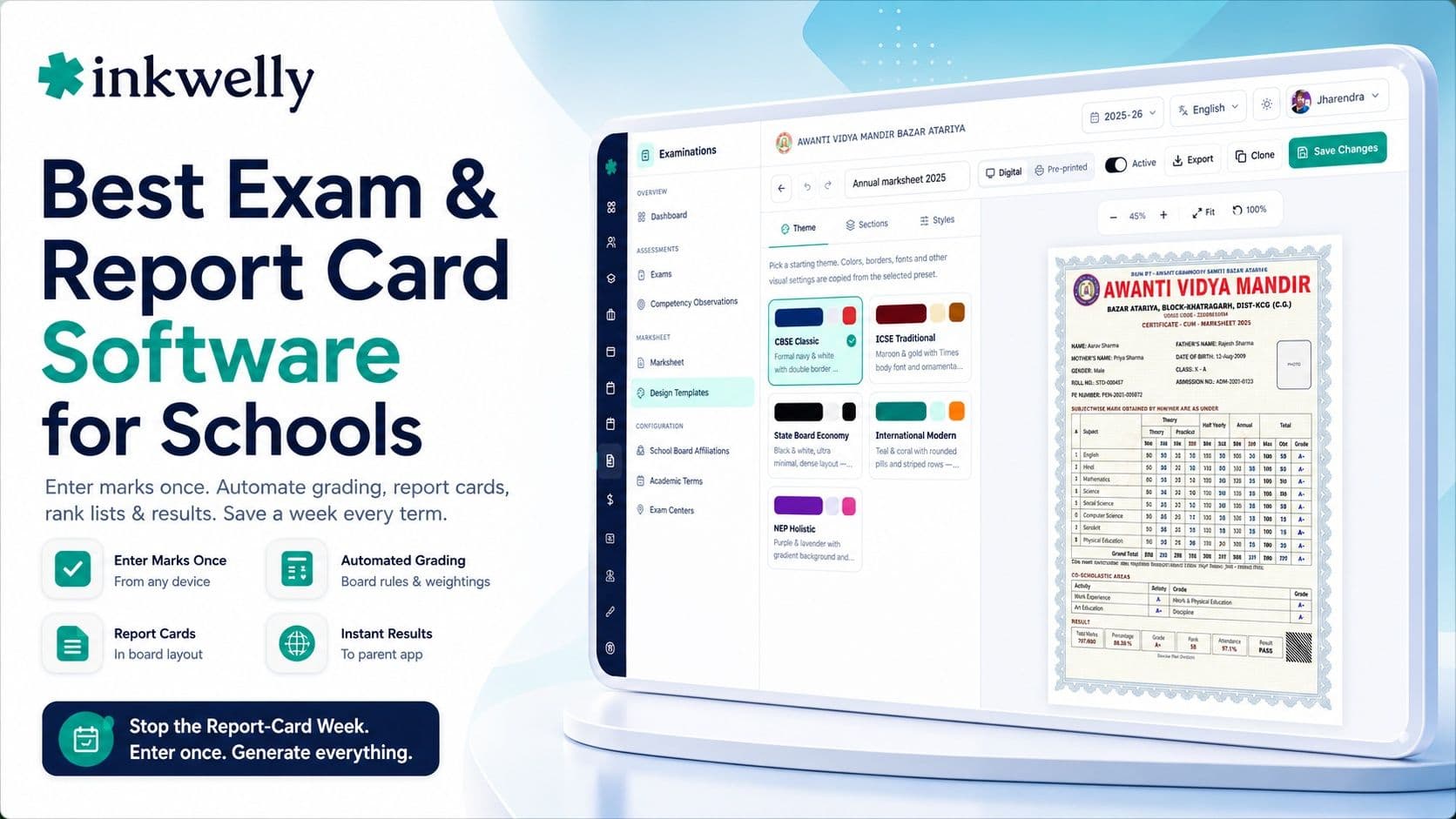
Inkwelly's examinations module lets a teacher enter marks once — component by component, from the phone — and applies the board's grading scale and weightings so report cards, marksheets and rank lists generate themselves in the board's layout. It supports continuous and competency-based assessment, reuses the same class and student lists as attendance and homework, and publishes results straight to the parent app with a downloadable report-card PDF. See how it fits for specific boards in our CBSE software guide and holistic progress card guide.
“Report-card week exists because the marks get entered once on paper and then three more times everywhere else. Fix that one thing — enter once, generate everything — and the week disappears.”
Decide before the next report-card season
The honest test is one term's worth of marks. Set up your real assessment scheme, have teachers enter marks for a couple of classes, and generate the actual report cards — then compare them, line by line, against last term's hand-made ones. If the grades, totals and layout come out correct with nothing re-typed, the software has removed the report-card week. Roll it out from the start of an academic year so the whole year's assessment structure is consistent, and let the spreadsheets go.
See a board-correct report card generate itself
A 20-minute walkthrough — set an exam, enter marks once, generate the report card in your board's format — on a real dataset. No sales pitch.
Frequently asked
8 questionsWhat is the best exam and report-card software for schools in India?
The best exam software lets a teacher enter marks once and then generates correct, board-compliant report cards, marksheets and rank lists automatically. Judge it on the output, not the marks-entry screen: does a report card come out in your board's exact format, with grades computed from the board's rules, without anyone re-typing? Test it against last term's actual report card before choosing.
Does the software support CBSE, ICSE and state board report cards?
Good exam software does, because each board has its own assessment structure, grading scale and report-card layout. Ask the vendor to generate a report card in your exact board's format with your weightings, not a generic percentage card. Report-card rules are board-specific and change over time, so board-fit is the single most important thing to verify.
Can teachers enter exam marks from a phone?
In a good system, yes — a teacher enters marks component by component from the phone, and those marks flow into the report card, marksheet and rank list automatically. Phone entry matters because it lets a teacher mark from anywhere instead of queuing at a shared computer. If marks have to be typed into a separate sheet later, the software hasn't removed the duplicate entry.
Does exam software handle continuous and competency-based assessment?
The better ones do. Under NEP 2020, Indian boards have shifted weight toward continuous and competency-based assessment, not just term-end percentage marks. Software built only for simple marks won't model this well. If your school uses internal assessment, practicals or a holistic progress card, check that the tool supports those components, not just a final percentage.
Should exams be part of the school ERP or a separate report-card tool?
Part of the school ERP is usually better. When the examination module shares student and class lists with attendance and homework, marks entered once flow everywhere and there's no separate roster to maintain. A standalone report-card generator only does the PDF step, so marks are still entered separately — leaving the report-card week largely in place.
How is exam and report-card software priced in India?
Inside a school ERP, the examination module is included in the per-student-per-year price (commonly ₹150–₹600 per student), not billed separately. Standalone report-card generators look cheaper but only solve the PDF step, so the real cost is the report-card week they don't remove. Price the teacher and clerk time that report-card season consumes, not just the software line item.
How do I test exam software before report-card season?
Set up your real assessment scheme with components, enter marks for a couple of classes, and generate the actual report cards — then compare them line by line against last term's hand-made ones. Check the grade boundaries against the board's rule, publish a result to a parent and download the PDF, and generate the consolidated mark register. If everything comes out correct with nothing re-typed, the software works.
Can parents see exam results and the report card in the app?
In a good system, yes — results publish to the parent app the moment they're ready, with the report-card PDF downloadable. That removes the printing-and-distribution queue and lets parents see results immediately. If publishing still means printing report cards and handing them out, the software has automated only half the process.
You might also like
5 readsSee Inkwelly on your school
30-minute demo. We open your current ERP with you and load your data into Inkwelly on the call. Dated go-live plan by the end of it.