TDS and 80C, sorted before March panic.
Teachers declare their tax regime and investments once. Inkwelly computes monthly TDS, tracks proofs through the year, and regenerates Form 16 in seconds — so March stops being the month nobody at the school looks forward to.
What 'TDS season' looks like in most Indian schools
February in the school office. The accountant has a spreadsheet open on one screen and a stack of paper proofs on the other. PPF passbooks, LIC premium receipts, school tuition fee receipts (yes, teachers' own children study at the same school), home loan interest certificates, rent receipts, NPS statements, mediclaim premium statements. The accountant types each number into a column, hits Enter, and a formula spits out the year-end TDS for every teacher. Half the values are wrong because two columns swapped row order somewhere in November.
The principal sends a WhatsApp at 9pm: 'Sharma sir says he has submitted PPF and HRA, but his March slip shows ₹14,000 TDS. Please check.' The accountant reopens the spreadsheet, finds the error, fixes one cell, and now the year-end totals for three other teachers have shifted because the same workbook had cross-references no one remembered. By the time Form 16s are issued in May, two teachers file revised returns at their own cost.
This is not a school problem. It is a tool problem. Excel cannot model the old regime versus new regime decision, cannot remember which proofs are still pending in October, cannot regenerate Form 16 the moment a number changes. Inkwelly does.
How the declaration flow works
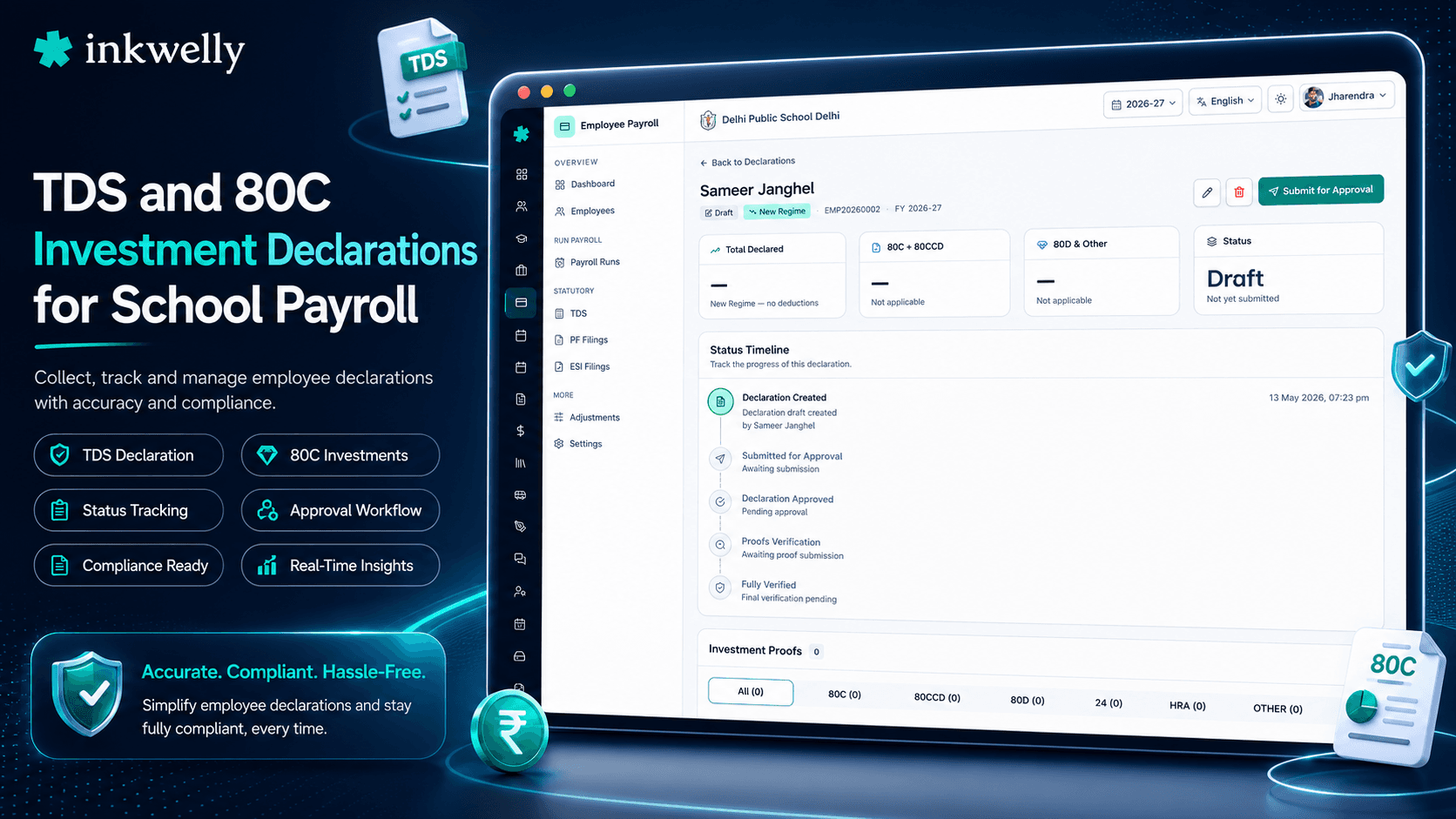
At the start of every financial year (April), every employee on Inkwelly is prompted to file a fresh Investment Declaration. The teacher logs into the employee portal, picks a tax regime — old or new — and enters expected investments and exemptions for the year: 80C (PPF, ELSS, LIC, tuition fees, home loan principal), 80D (mediclaim for self and parents), HRA (city of residence, monthly rent, landlord PAN if rent exceeds the cut-off), 80CCD(1B) NPS additional, 80E education loan interest, 80TTA savings interest, and home loan interest under Section 24.
The declaration is captured as a year-plan, not a final filing. Each row says 'I expect to invest ₹X under section Y by 31 March 2027'. The school's accountant approves the declaration (or sends it back with a note) and from that moment, every monthly TDS computation uses the declared figures to project the year-end tax liability and split it equally across the 12 months — so the teacher sees a stable monthly TDS instead of a spike at year-end.
In January, every teacher is asked to submit proof for what they declared. PPF passbook scan, LIC premium receipt, rent agreement, mediclaim policy. Inkwelly tracks each proof against the declared row — verified, pending, rejected. If a proof is rejected or missing by the school's cut-off date (usually mid-February), Inkwelly automatically recomputes February and March TDS to recover the under-deducted tax in those two payslips. No surprise refund. No surprise demand. Read more in the pay periods workflow.
Old regime vs new regime, decided once
From FY 2023-24 onwards, the new tax regime is the default for salaried employees in India. The old regime is now an opt-in choice that must be declared every year. Inkwelly captures this declaration on the very first form — the teacher picks one, the regime locks for the financial year, and every payslip from April onwards reflects that choice.
The new regime gets the standard ₹50,000 deduction, lower slab rates (0% up to ₹3 lakh, then 5%, 10%, 15%, 20%, 30%), and explicitly disallows 80C, 80D, HRA, home loan interest under Section 24. The old regime gets every exemption a school teacher in India typically claims. Inkwelly's projection shows both numbers side by side at declaration time — 'Old: ₹38,400. New: ₹62,000. Recommended: Old' — so the teacher sees the actual rupee impact before locking in.
Auto-recompute when something changes
The day the teacher updates her declared 80C from ₹80,000 to ₹1,50,000 (because she finally bought that ELSS), Inkwelly recomputes her year-end tax projection in milliseconds. The next monthly pay run — say, the November payslip — deducts a smaller TDS to balance the lower projected tax. By March, the year-end tax matches the actual liability without any year-end shock.
The same recompute fires when an arrears bonus is added in October, when the teacher gets an increment in July, when a proof is rejected in February. The accountant never has to remember to 'redo TDS'. Every payslip carries the latest projection — and every old payslip stays exactly as it was when it was locked.
What Inkwelly tracks for each teacher
- Tax regime selection — old or new — locked for the financial year with one-time amendment window
- Section 80C basket — PPF, ELSS, LIC premium, NSC, tuition fees, home loan principal, Sukanya Samriddhi (₹1.5 lakh cap)
- Section 80CCD(1B) — NPS additional contribution up to ₹50,000
- Section 80D — mediclaim for self/family (₹25,000) and parents (₹25,000 normal, ₹50,000 if senior citizen)
- HRA exemption — city, monthly rent, landlord PAN auto-collected if annual rent exceeds ₹1 lakh
- Section 24(b) — home loan interest up to ₹2 lakh on self-occupied property
- Section 80E — education loan interest with no cap, time limit auto-tracked
- Section 80TTA / 80TTB — savings interest exemption with senior-citizen detection
- Section 80G — charitable donations with 50/100 percent deduction split
- Standard deduction — ₹50,000 auto-applied under old regime, ₹50,000 under new regime
- Professional Tax — deductible from gross salary per state slab
- Other income — interest, rental, freelance — declared once and rolled into TDS projection
What Form 16 looks like when payroll is locked
Form 16 is the year-end tax statement issued by the school to every employee — Part A (TDS deposited with the government, downloaded from TRACES) plus Part B (the breakup of salary, exemptions, deductions and tax for the year). Most schools assemble Form 16 manually in May or June, copying numbers from 12 monthly payslips into a Word template. Errors are routine.
In Inkwelly, Form 16 is just a view into the locked pay periods. Click 'Generate Form 16 for FY 2025-26' and the system pulls the 12 locked payslips, the locked TDS lines, the locked investment declaration, the proof verification status, and produces a Part B that tallies to the rupee. Part A is uploaded once by the accountant from the TRACES portal (the government already has it, no re-keying), and Inkwelly merges Part A with Part B into a single signed PDF for each teacher.
The PDF carries the school letterhead, the principal's digital signature, the school Identity & Access Management audit trail, and a QR code that opens the verification page on the public Inkwelly URL. Every teacher gets the same PDF over email and inside the employee portal — ready to upload while filing income tax returns in July.
Form 24Q is built the same way
Form 24Q is the quarterly TDS return the school files with the income tax department — every Q1, Q2, Q3 and the year-end annexure. Inkwelly assembles 24Q directly from the locked monthly TDS lines and the year-end annexure from the same data that powers Form 16.
No separate workbook. No reconciliation between what was deducted and what was reported.
Use cases this fixes month by month
- April — every teacher locks regime and declares expected investments before the first payslip goes out
- July — increment letters arrive; Inkwelly auto-recomputes annual projection and adjusts August TDS
- October — Diwali bonus is processed; the bonus flows into projected income and TDS is recovered evenly across the remaining payslips
- January — proofs are collected via the employee portal; teachers upload PDFs, accountant verifies in batch
- February — cut-off date triggers; declared-but-unproven amounts drop out of projection; missing TDS is recovered in February and March payslips
- March — final payslip generated, year-end TDS deducted, locked period sealed
- May — Form 16 generated for every teacher in seconds; Form 24Q Q4 annexure submitted on TRACES the same week
See your school's TDS projection in 20 minutes
Bring three real teachers (with permission), their salary structure, and we will set up declarations and project March's TDS during the call. No commitment, no slide deck.
Privacy, audit and small print
Tax declarations contain personal financial information — LIC premium, rent, home loan EMI, parents' health insurance. Inkwelly treats the declaration form as restricted data. Only the employee, the accountant and the principal can see a teacher's full declaration; no other staff role has access by default. Every view is logged. The teacher receives a notification each time her declaration is opened by an admin role.
Proofs uploaded by the teacher (PPF passbook, rent agreement, mediclaim policy) are stored encrypted in India, on Inkwelly's Mumbai servers. They are never used outside the TDS workflow and are auto-purged seven years after the financial year closes — the same retention window the Income Tax Act mandates. The school can also bulk-purge a specific teacher's proofs immediately on request (a DPDP Act 'right to erasure' request, for example, after exit and after Form 16 has been issued).
TDS computations follow the slab rates published by the Income Tax Department for the current assessment year. Slab changes (Budget announcements in February, mid-year notifications) are pushed to all schools as a config update with a 7-day notice window — schools see exactly what changed before it goes live, and the change is logged against the financial year. The maximum employees in a single Form 16 batch generation is 5,000; larger schools batch automatically. Form 16 PDFs carry the school's principal's digital signature — either uploaded as an image or, on request, signed via DSC token integration.
Belongs to
1 moduleFrequently asked
7 questionsCan a teacher change tax regime after declaring once?
The default rule for salaried employees in India is one regime per financial year. Inkwelly enforces this — once locked in April, the regime is fixed for the year. The teacher can still amend the declaration during the financial year (e.g., bump 80C from ₹80,000 to ₹1.5 lakh), but cannot switch from old to new mid-year. The choice is shown clearly with a 'Locked until 31 March 2027' tooltip.
What if the proof submitted is rejected or partial?
If the accountant rejects a proof in January, Inkwelly automatically removes that declared amount from the year-end projection. The system then recomputes the remaining months (typically February and March) to recover any under-deducted tax. The teacher sees the rejection reason in the portal and can re-upload a corrected proof before the school's cut-off date.
Does Inkwelly support HRA exemption with landlord PAN?
Yes. If the teacher's annual rent exceeds the ₹1 lakh threshold, Inkwelly auto-prompts for the landlord's PAN (mandatory under Income Tax rules). If the landlord refuses to share PAN, Inkwelly captures a declaration to that effect and flags the HRA claim for accountant review — it does not silently disallow the exemption.
How does Inkwelly handle teachers whose children study at the same school?
Tuition fee paid to a recognised school is allowed under Section 80C up to ₹1.5 lakh in the aggregate basket. If a teacher's child studies at the same school, Inkwelly automatically reads the fee paid from [Student Fee module](/modules/student-fee), flags it for inclusion in 80C, and seeks the teacher's confirmation before applying — no double-claim risk, and no manual receipt copying.
Is Form 16 generated even for employees who have zero TDS?
Yes. Income Tax rules require the school to issue Form 16 for every employee whose total income exceeds the basic exemption limit, even if no TDS was deducted. Inkwelly generates Form 16 for every employee on payroll for any month of the financial year — zero-TDS or otherwise — and stores it in the employee portal for download.
Does the system file Form 24Q with the income tax department directly?
Inkwelly assembles the Form 24Q quarterly return file (the .fvu format expected by NSDL/Protean) and validates it against the latest TDS Return Preparation Utility (RPU) before download. Filing on the TRACES/NSDL portal is done by the school's accountant or a CA — we keep the actual filing step in the school's hands so existing workflows and DSC tokens continue to work.
What about teachers on contract or part-time who do not get Form 16?
Contract employees deducted under Section 194J or 194C get Form 16A, not Form 16. Inkwelly tracks each employee's contract type and issues the right form — Form 16 for salaried (192), Form 16A for professional/contractual. Both are generated from the same locked pay-period data.
You might also like
4 readsSee Inkwelly on your school
30-minute demo. We open your current ERP with you and load your data into Inkwelly on the call. Dated go-live plan by the end of it.