How to turn off one channel per trigger in Inkwelly
For principals who want a parent notification to keep going out but only over some channels — for example, SMS only for daily attendance because WhatsApp utility costs add up, or WhatsApp only for fee receipts because SMS misses delivery on Jio. By the end of this guide one channel is silenced for one trigger while the others keep dispatching exactly as before.
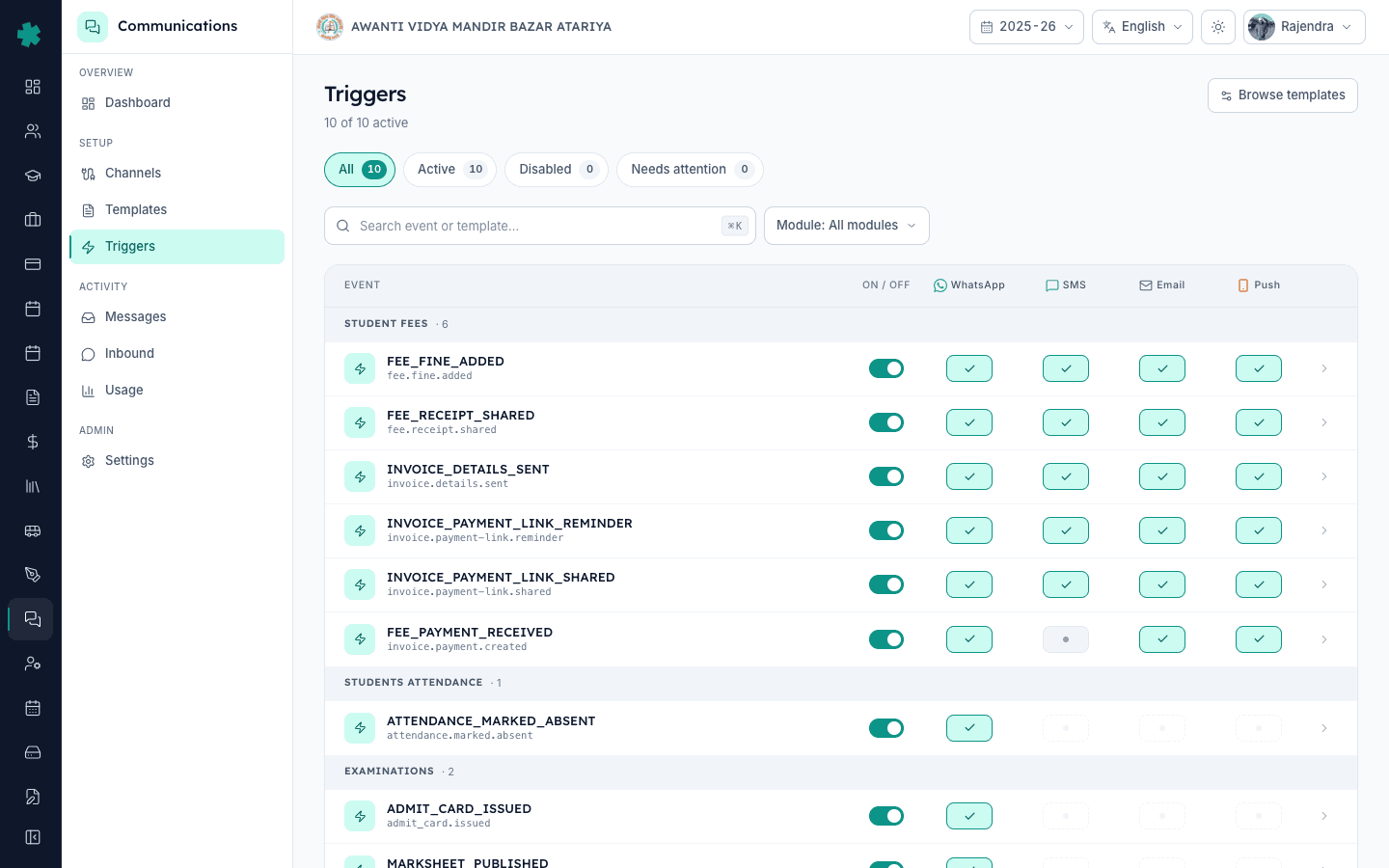
To turn off one channel for a single Inkwelly notification: open Communications → Triggers, leave the master ON/OFF toggle ON for the event row, and flip just the channel column you want silenced (WhatsApp, SMS, Email, or Push) to OFF. The next event fires normally on the remaining channels and nothing dispatches on the channel you turned off — same templates, same Meta/DLT approvals, zero rebuild work.
On any Inkwelly trigger row you have a master ON/OFF plus four channel toggles — WhatsApp, SMS, Email, Push. The most common reason Indian schools cut one channel for one event: WhatsApp utility-category cost is roughly 5x SMS for high-volume daily events like attendance, so a 1,000-parent school sending one daily attendance alert can save between ₹4,000 and ₹6,000 a month by keeping SMS on for attendance and turning WhatsApp off — while WhatsApp stays on for low-volume, high-stakes events like fee receipts where reach matters more than cost.
1. Open Communications → Triggers
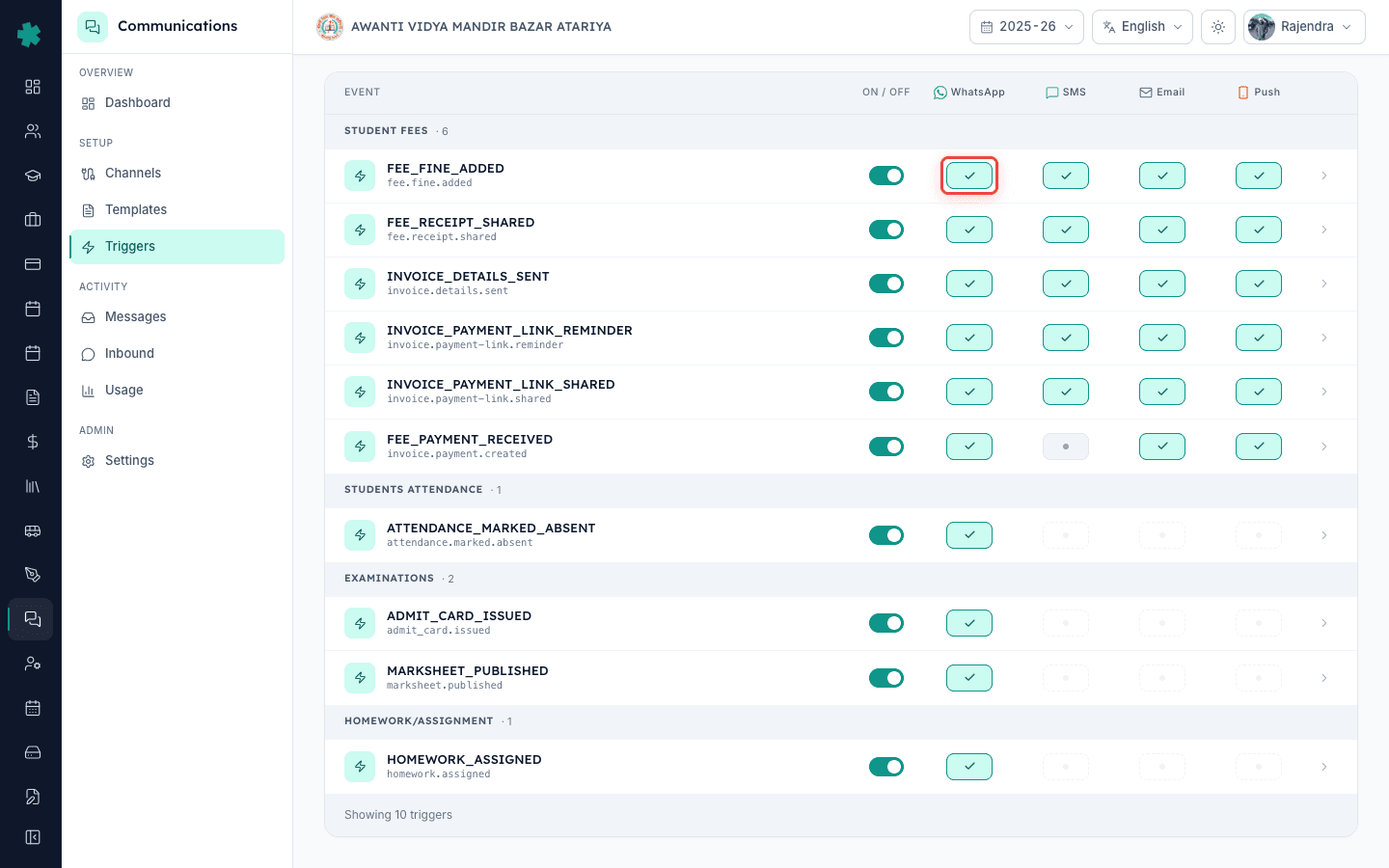
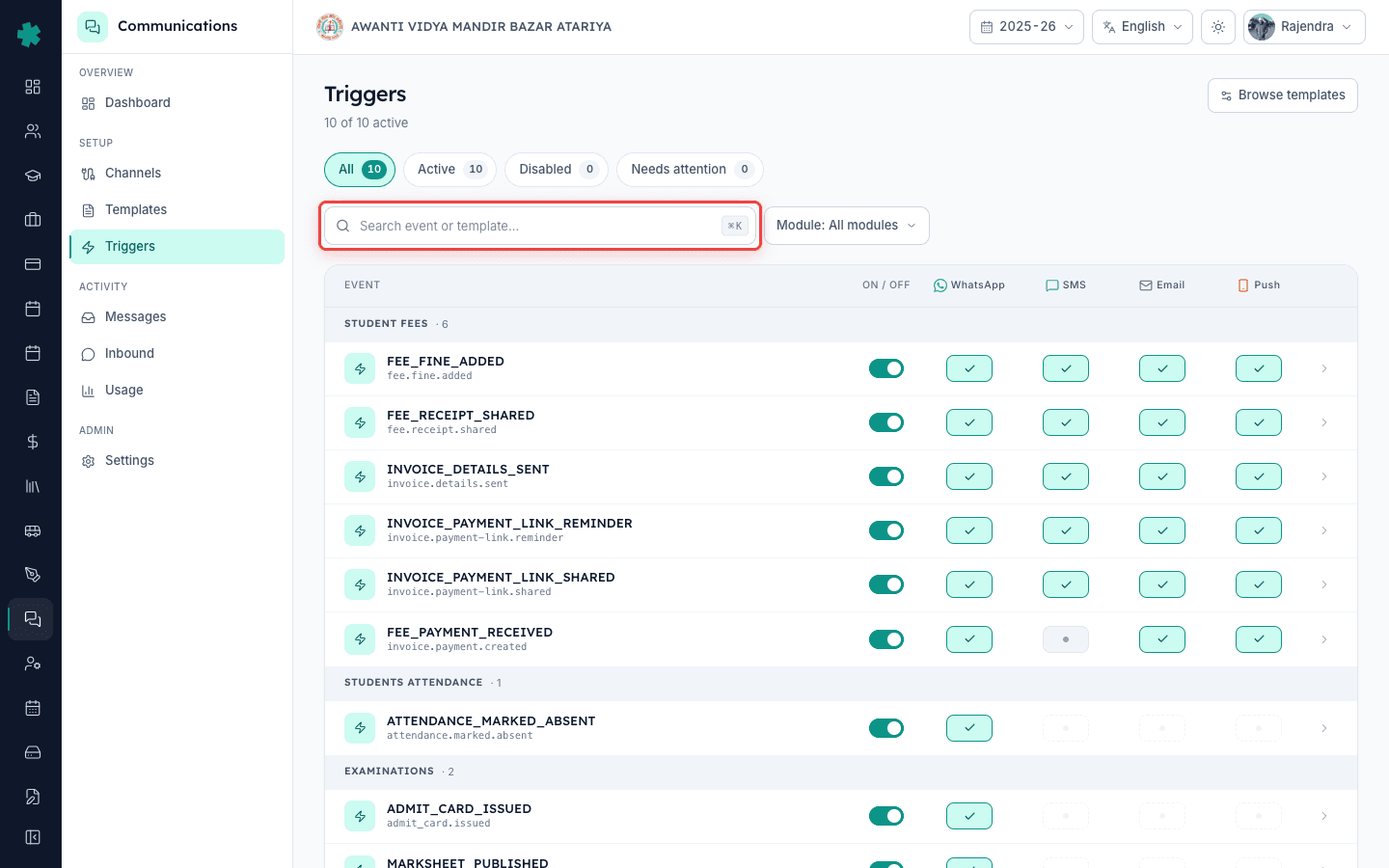
In Inkwelly open Communications → Triggers. The matrix lists every event your school can dispatch on (fee receipt, fee reminder, attendance absent, attendance present, exam admit card, exam result published, homework assigned, and so on) with one row per event. The master ON/OFF column is the leftmost toggle for the row; the four channel columns to its right (WhatsApp, SMS, Email, Push) are independent and each can be ON or OFF regardless of the others.
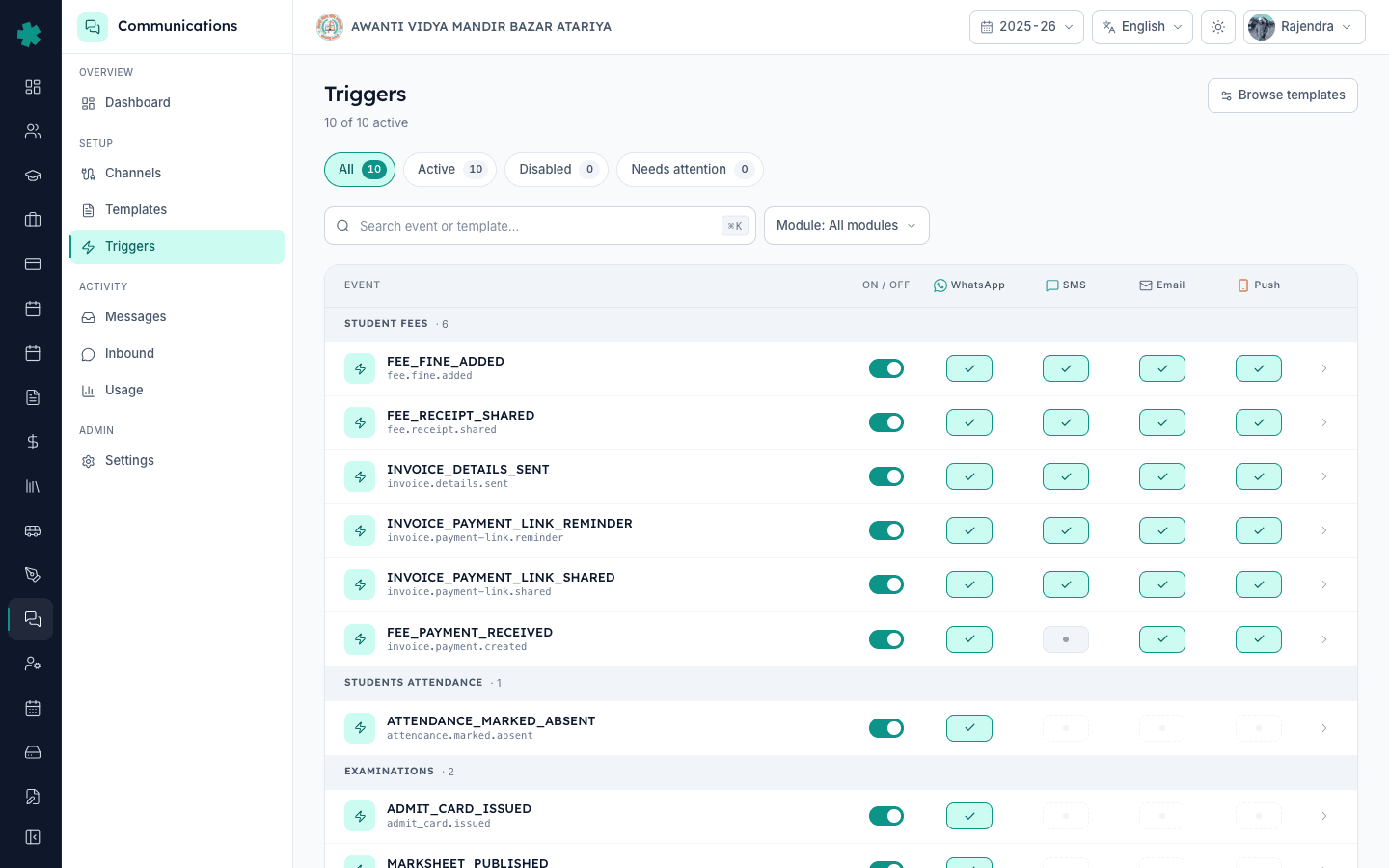
2. Confirm the master toggle is ON
For per-channel control to work, the master ON/OFF must stay ON. If the master is OFF, every channel column is greyed out and the per-channel toggle has no effect — Inkwelly sends nothing on that event regardless of channel state. If you see the row greyed, click the master toggle once to bring it back to ON; the channel columns turn interactive and reflect their last saved state. Most schools leave the master ON permanently and use the channel toggles as the day-to-day lever.
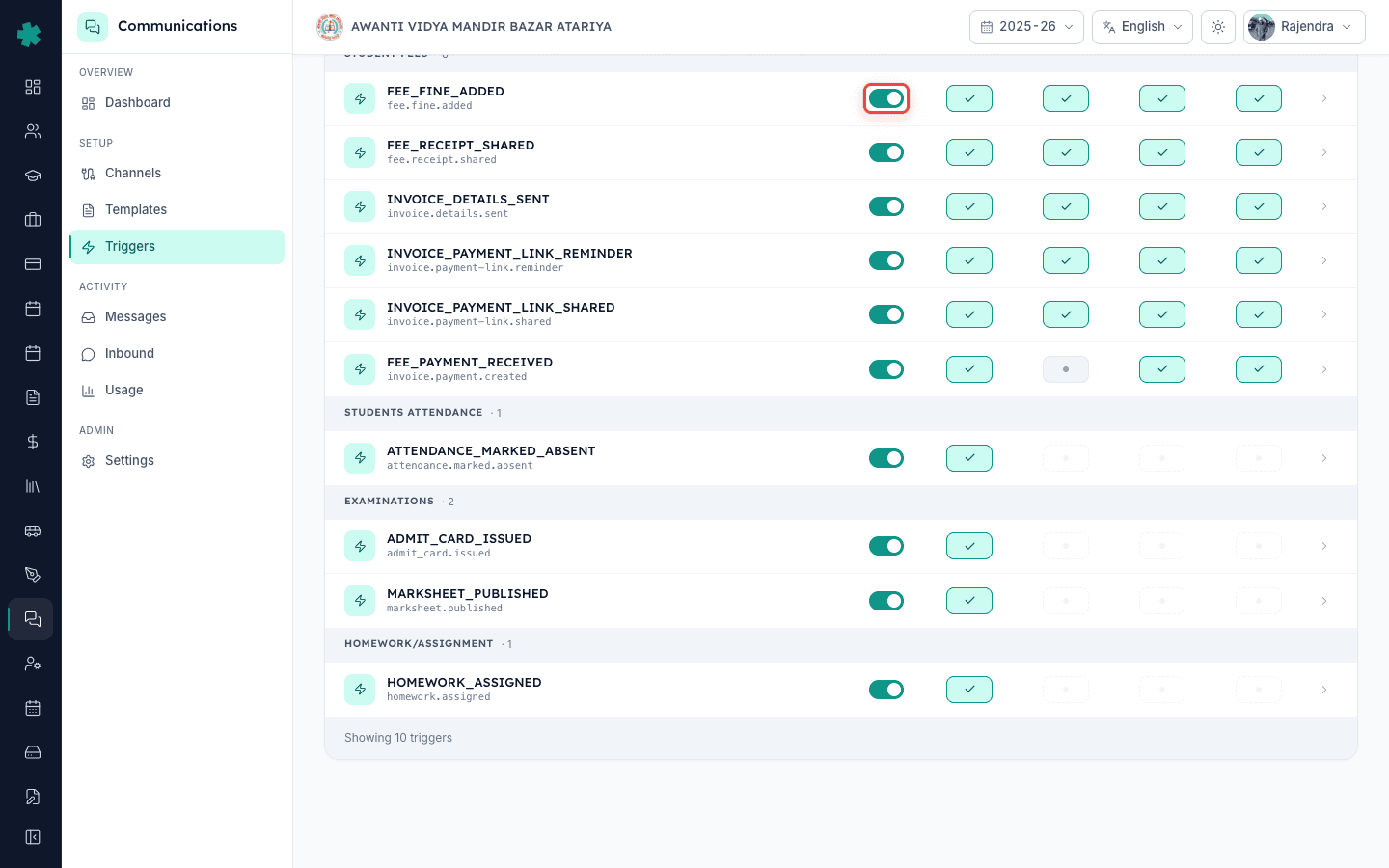
3. Flip the channel you want silenced to OFF
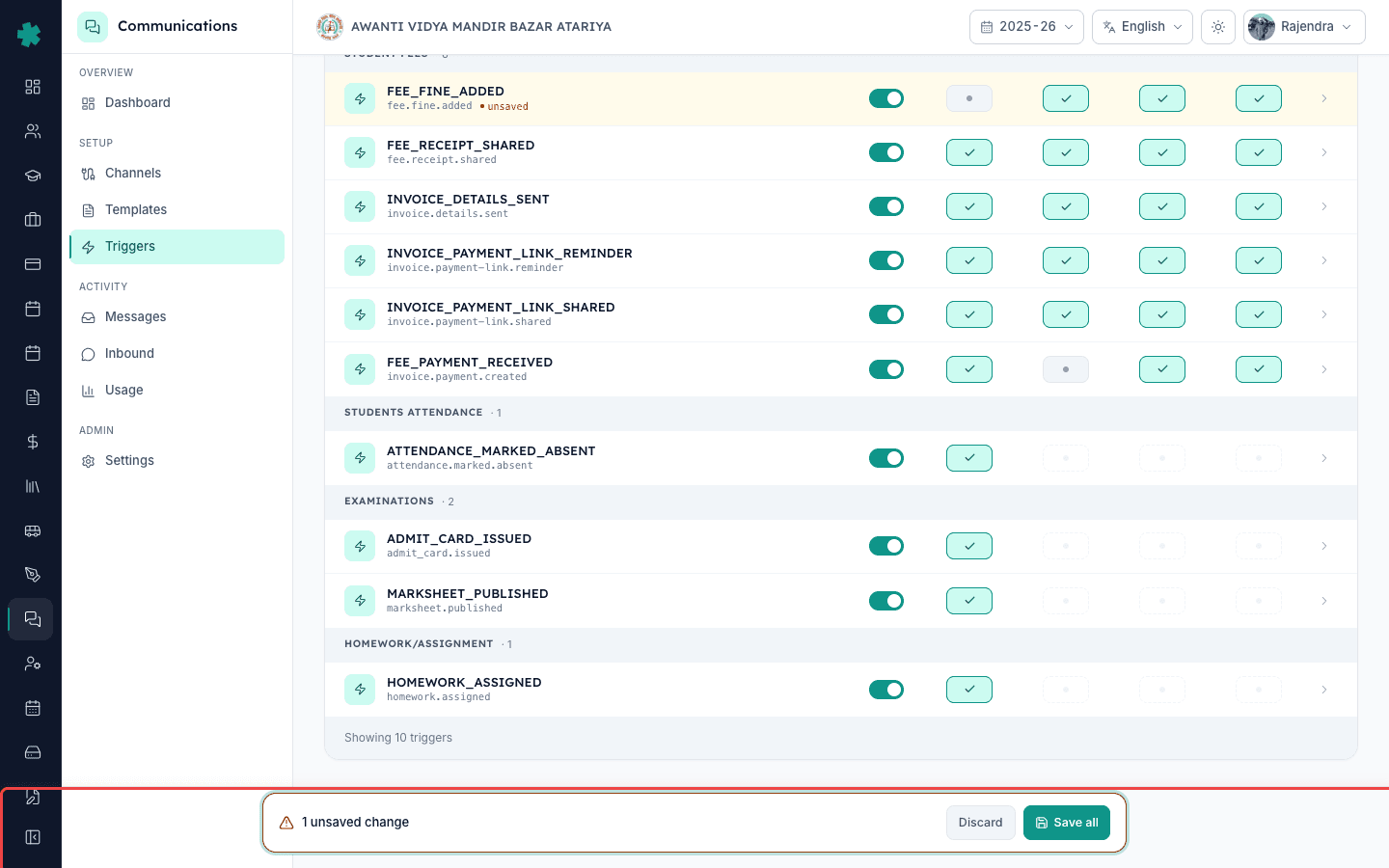
Click the channel column toggle on the event row — for example, WhatsApp on the Attendance — Absent row. The toggle turns grey. The change saves instantly; Inkwelly has no Save button on this page. The other channel columns on the same row stay ON (or whatever state you set them in), so the next time a teacher marks a student absent the SMS, Email and Push messages still go out — only the WhatsApp dispatch is skipped. The provider receives no API call for the silenced channel, so there is no cost line item for it.
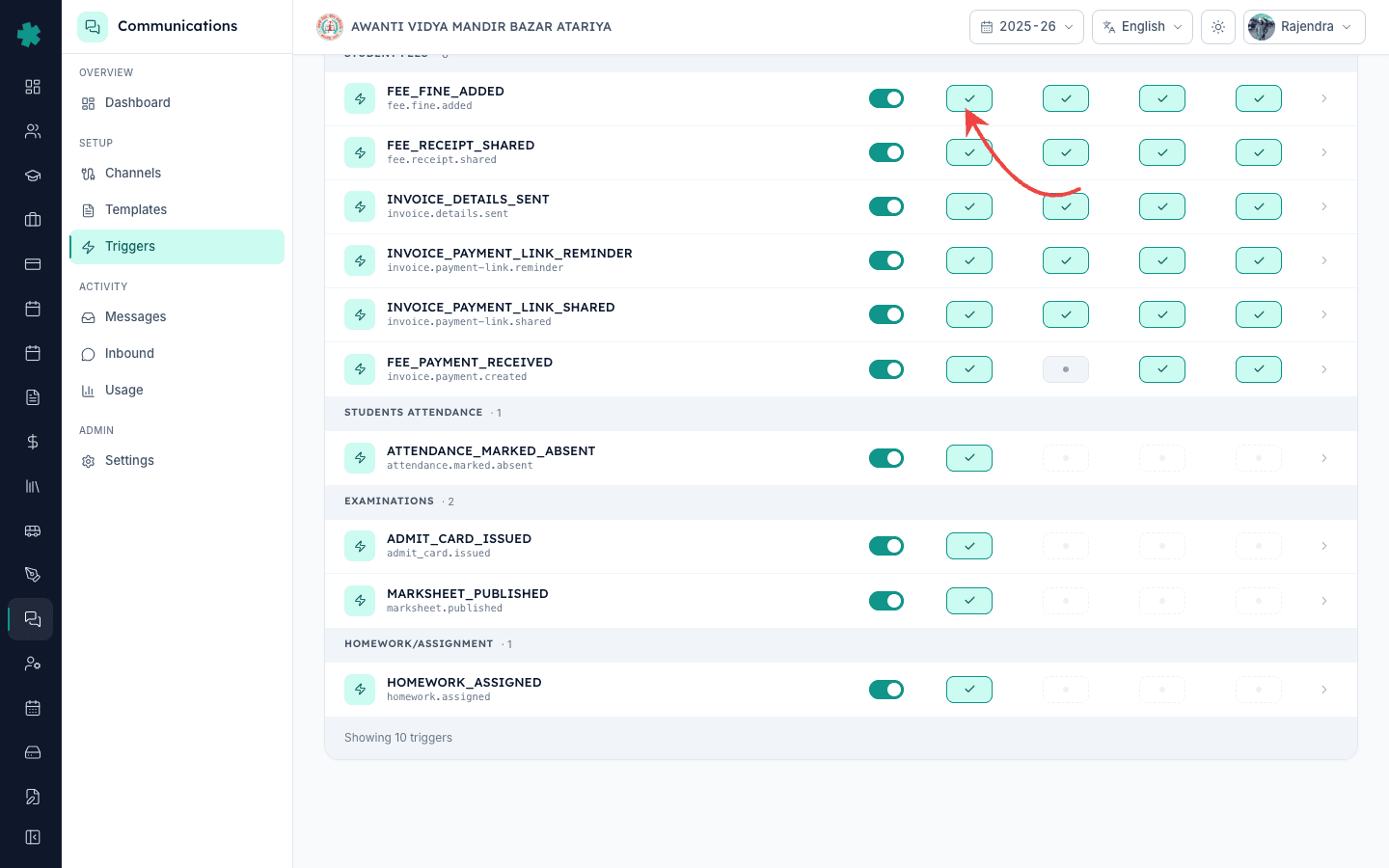
4. Mirror the change across related triggers if needed
A single decision ("we are cutting WhatsApp on daily-volume events") often spans more than one event. If that is your case, walk down the trigger list and turn WhatsApp OFF on Attendance — Absent, Attendance — Present, and Homework Assigned together. The Triggers page lets you do this in one sitting without leaving the screen. Schools that batch the decision this way usually finish the entire reconfigure inside two minutes and see the cost drop on the next day's usage report.
5. Fire the event and verify the channel was skipped
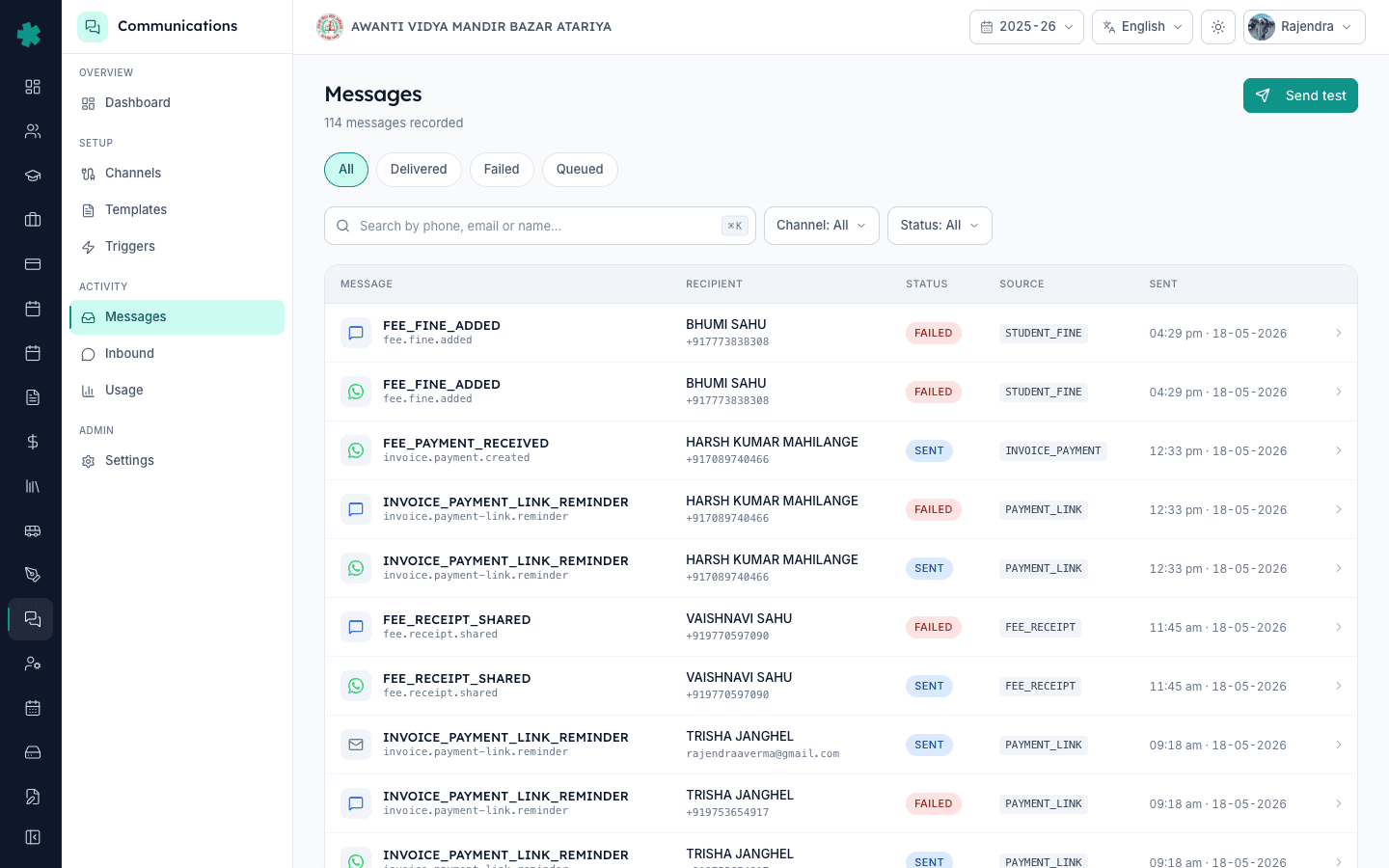
Go back into the system and fire the underlying event — mark a student absent, post a homework. Then open Communications → Messages and filter by that event. You should see the SMS, Email and Push messages with delivered/sent status and an empty row for WhatsApp — Inkwelly logs the skip with a channel_disabled_by_trigger reason so audit trails stay clear. The Communications dashboard's Recent activity strip shows the same — successful sends on the kept channels, none on the silenced channel.
6. Adjust per-school-event when the calendar changes
Schools often re-enable a silenced channel for short windows — fee deadline week, admission result day, parent-teacher meeting day. The same per-channel toggles let you turn WhatsApp back ON for Fee Reminder the day before the deadline and OFF the day after, without touching the rest. Treat the Triggers page as a calendar-driven dashboard rather than a one-time setup — the schools that get the most out of Inkwelly Communications revisit it monthly.
7. Lock the configuration with a quick audit check
Once you have the channel mix you want, open Communications → Audit Logs and filter by triggerToggledAt to confirm the changes are stamped against your user id with the right timestamps. This becomes useful when a parent asks why they got an SMS but no WhatsApp — you can show the audit row and the policy decision in one minute. For a multi-school chain on Inkwelly, the Org Admin can roll this audit up across all schools to compare configurations.
Per-channel toggles are the right tool when the event still matters but one channel is the wrong vehicle for it. If the underlying decision is "we do not want parents notified about this event at all", flip the master OFF instead — covered in the parent-notification turn-off guide. If parents are asking for a different language on the same channel, that is a per-parent preference (preferredLanguage on the StudentParent record), not a per-channel toggle. And if WhatsApp is failing for a few specific parents while working for everyone else, the issue is usually the parent's phone number not being WhatsApp-linked — not the trigger configuration.
See Inkwelly's per-channel toggles in a live cost-cutting walkthrough
15-minute walkthrough of a Tier-2 CBSE school cutting WhatsApp on three high-volume events to reduce Communications spend by 30% without losing parent reach.
Frequently asked
6 questionsCan I turn off WhatsApp for one event in Inkwelly while keeping it on for others?
Yes — that is exactly the point of per-channel toggles. Each trigger row in Inkwelly has independent WhatsApp, SMS, Email and Push toggles. Turning WhatsApp off on Attendance — Absent does not affect Fee Receipt, Homework Assigned, or any other event. Most cost-conscious schools keep WhatsApp ON for low-volume high-stakes events and OFF for daily-volume events.
Inkwelly me WhatsApp band karke sirf SMS kaise rakhe?
Communications → Triggers par jaaiye, jis event ki row me sirf SMS rakhna hai uska master ON rakhiye, aur WhatsApp column ke toggle ko OFF kar dijiye. SMS, Email, Push columns apne current state me rahenge. Inkwelly turant save kar deta hai — koi Save button nahi. Agle event par sirf SMS dispatch hoga, WhatsApp skip ho jayega.
Does turning off one channel save money?
Yes — Inkwelly bills per channel, per message. SMS rates in India are roughly ₹0.18–0.25 per message; WhatsApp utility-category messages are ₹0.80–1.10. A 1,000-parent school sending one daily attendance message saves between ₹4,000 and ₹6,000 a month by turning off WhatsApp on attendance while keeping SMS on. The drop is visible in Communications → Usage from the next day.
What happens to delivery reports for the silenced channel?
Inkwelly logs the skip as a channel_disabled_by_trigger reason in the Messages page so audit trails stay clean. There is no provider API call, so no provider-side delivery report is generated, and the school is not billed by the provider for that channel on that event. Compliance audits see a clear record of why the channel was not used.
Can I schedule a per-channel toggle to flip automatically on a specific date?
Not yet. Inkwelly's per-channel toggles are manual flips today. The Communications team has scheduled toggles on the roadmap for calendar-driven scenarios like fee-deadline week. For now schools who want a date-based change set a calendar reminder for the principal or Communications Admin to flip the toggle in the morning.
If WhatsApp is off at trigger level but a teacher uses Quick Send for that student, will it go?
Yes. Per-channel trigger toggles only affect the automated dispatch tied to the event key. Quick Send is a manual, one-off broadcast initiated from a teacher's screen — Inkwelly treats it as a separate intent and uses the channel configuration on that screen, not the trigger row. The trigger configuration also does not affect template testing from the Templates page.
You might also like
3 readsSources & references
- TRAI — Telecom Commercial Communications Customer Preference Regulations (TCCCPR), 2018 · accessed 18 May 2026
TRAI requires senders to control message frequency and channel selection per consent — Inkwelly's per-channel toggles give schools the granular lever the regulation expects.
- Meta — WhatsApp Business Policy · accessed 18 May 2026
Meta's frequency and cost guidance for WhatsApp Business — turning WhatsApp off on high-volume Inkwelly events while keeping SMS is the recommended pattern when utility-category cost is the constraint.
See Inkwelly on your school
30-minute demo. We open your current ERP with you and load your data into Inkwelly on the call. Dated go-live plan by the end of it.