A lesson plan you file once is paperwork — one that tracks coverage is a teaching GPS lesson plan
Most schools collect lesson plans, file them, and never look again — so nobody knows mid-term which classes are behind the syllabus until the exam exposes it. The right software turns the lesson plan into a live coverage tracker. This guide covers what to look for, how to test it, and what it costs in India.
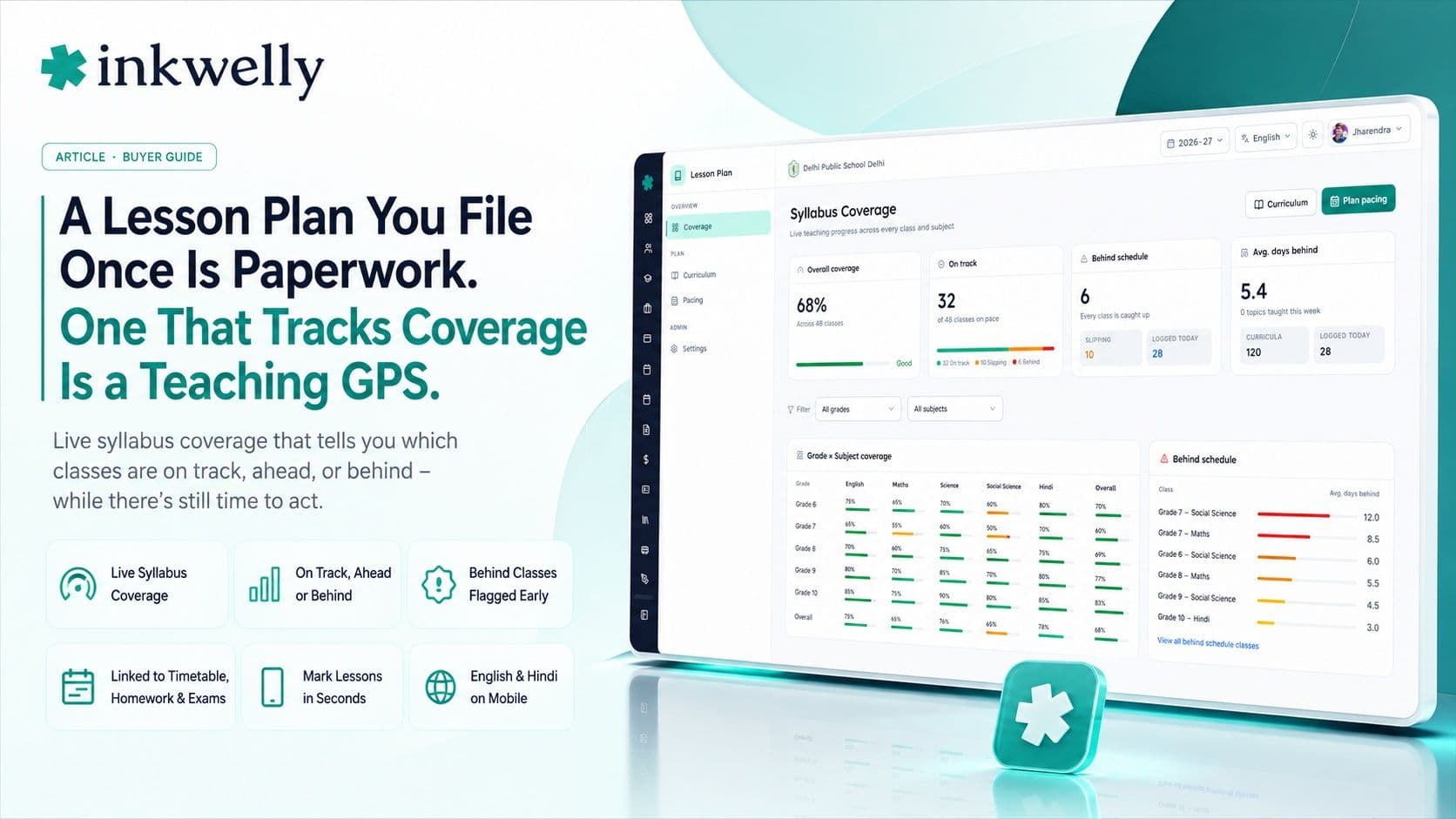
In most schools, lesson plans are a compliance ritual. At the start of term, every teacher submits a neat plan; the coordinator stacks them in a file; and the file is opened again only when an inspector asks. Three months later, nobody can answer the one question that matters: is Class 8 Science actually on track to finish the syllabus before the exam, or is it three chapters behind? The honest answer is usually 'we'll find out when the marks come in' — which is exactly too late. The lesson plan was treated as paperwork to be filed, when it should have been a live signal of whether teaching is on schedule. That gap — between the plan on file and the reality in the classroom — is what lesson-plan and syllabus-coverage software is for.
The thesis: a lesson plan that is only stored is paperwork; a lesson plan that tracks coverage is a teaching GPS. The value isn't in collecting plans — it's in knowing, on any given Tuesday, which classes are on track, which are ahead, and which are quietly falling behind, while there's still time to act. Judge lesson-plan software by whether a coordinator can see syllabus coverage across the school at a glance, not by how neatly it stores the plan.
What lesson plan & coverage software must do
Lesson-plan software has two jobs: help the teacher plan, and tell the school whether the plan is being kept. Most tools do the first and skip the second — which is the one that actually changes outcomes. Before comparing tools, be clear about the full scope, because the coverage half is where the value is.
The full scope of lesson plan & coverage software
- Plan a unit or chapter against the syllabus, with topics, objectives and the periods needed
- Let a teacher mark what was actually taught today, in seconds, from a phone
- Show live coverage per class and subject — on track, ahead, or behind, against the calendar
- Roll coverage up so a coordinator sees the whole school's progress at a glance
- Flag a class that's slipping behind early, while there's still time to adjust
- Link the plan to the timetable, so the schedule and the syllabus stay in step
- Connect to homework and exams, so what's planned, taught, practised and tested line up
- Keep a clean record for inspection and review, without it being only-for-inspection
The bar that separates coverage tracking from a plan filer
The difference between real lesson-plan software and a digital filing cabinet is the feedback loop. A filer takes the plan and hides it. Coverage software takes the plan and compares it to what's actually happening, every day, and surfaces the gap before it becomes a crisis. That live status — on track, ahead, behind — is the entire point, and it's exactly what plan-storage tools leave out.
What real coverage software gets right
- Marking today's lesson takes seconds, so teachers actually do it instead of treating it as extra paperwork
- Coverage is a live status, not a report someone compiles at term-end when it's too late
- A coordinator sees every class's progress in one view and can spot a slipping class in seconds
- Behind-schedule classes are flagged early, turning the syllabus into something you steer, not something you discover
- It reuses the same class, subject and teacher data as the timetable and homework — no separate setup
- Hindi and English, and usable on a phone, so a teacher marks coverage between periods, not at a desk
How to test lesson plan & coverage software
Don't judge lesson-plan software by how nicely it stores a plan — judge it by whether it tells you the truth about coverage. Here's the test:
-
Plan one unit against the syllabus. Set up a real chapter with its topics and the periods it should take. If you can't model your actual syllabus and pacing, the coverage numbers won't mean anything.
-
Mark a week of lessons as a teacher. Time it. Marking what was taught should take seconds per period. If it's slow, teachers won't keep it current and the coverage data dies.
-
Look at the coordinator's coverage view. Can you see, in one screen, which classes are on track, ahead or behind? If you have to assemble that from individual plans, the software isn't doing the job that matters.
-
Make one class fall behind and see if it's flagged. Skip a couple of periods of coverage and check that the class is flagged as behind, early. Late detection is the whole problem you're trying to solve.
-
Check the links to timetable and exams. Coverage should connect to the schedule and to what's being tested. If lesson plans live in a silo, they drift from the actual teaching day.
The tools you'll compare
Lesson-plan capability comes in two forms. Generic plan templates — a shared drive, a form, or a basic plan module — store the plan but tell you nothing about whether it's being followed. Full school ERPs that treat lesson planning as a coverage system — part of the academics module — tie the plan to the timetable, homework and exams and surface live coverage. The deciding question is whether the software answers 'which classes are behind, right now?' on its own, or whether you'll still find that out from exam marks, when it's too late to fix.
What it costs
Lesson planning is almost never a separate product with its own price. As part of a school ERP it's included in the per-student-per-year price (commonly ₹150–₹600 per student), inside the academics module alongside the timetable, homework and exams — so a 1,000-student school pays roughly ₹1.5–6 lakh a year for the whole platform. A standalone 'lesson plan' app or template is cheap or free, but it only stores plans; the cost it leaves behind is the syllabus gap nobody catches until the exam. The thing to price isn't the tool; it's the value of knowing a class is behind in week 6 instead of week 16.
Where Inkwelly fits
Inkwelly treats the lesson plan as a teaching GPS inside the academics module. A teacher plans a unit against the syllabus and marks what was actually taught in seconds from the phone; coverage shows live per class and subject — on track, ahead or behind; and a coordinator sees the whole school's progress in one view, with slipping classes flagged early. It links to the timetable so the schedule and syllabus stay in step, and to homework and exams so plan, practice and test line up. It works in Hindi and English. See how it fits in our teacher app guide and school app guide.
“A lesson plan in a file tells you nothing in March. A lesson plan that tracks coverage tells you in week 6 that Class 8 Science is slipping — while you can still do something about it. That difference is the whole product.”
Decide before mid-term, not after results
The honest test runs for a few weeks. Set up your real syllabus, have teachers mark coverage daily, and watch the coordinator's view. If, halfway through the term, you can see exactly which classes are behind and act on it — instead of discovering it from the exam — the software is doing the job. Roll it out from the start of an academic year so coverage is tracked against the full year's plan, and stop treating lesson plans as a file nobody reopens.
See live syllabus coverage across the school
A 20-minute walkthrough — plan a unit, mark coverage, and read the coordinator's on-track/behind view — on a real dataset. No sales pitch.
Frequently asked
8 questionsWhat is the best lesson plan and syllabus coverage software for schools?
The best lesson-plan software does more than store plans — it tracks live coverage, showing which classes are on track, ahead or behind the syllabus on any given day. Judge it on whether a coordinator can see the whole school's progress in one view and catch a slipping class early, not on how neatly it files a plan. Test the coverage view, not the plan template, before choosing.
What's the difference between a lesson plan tool and coverage tracking?
A lesson plan tool stores the plan; coverage tracking compares the plan to what's actually been taught and shows the gap live. Storage tells you what a teacher intended in August. Coverage tells you in week 6 that a class is three chapters behind, while there's still time to adjust. The live on-track/behind status is what turns lesson planning from paperwork into a useful signal.
How does syllabus coverage tracking work?
A teacher plans a unit against the syllabus with the periods it should take, then marks what was actually taught each day — in seconds, from a phone. The software compares taught-versus-planned against the calendar and shows a live status per class and subject: on track, ahead, or behind. A coordinator sees all classes at a glance and is alerted to any class falling behind early.
Why do schools' lesson plans end up as unused paperwork?
Because most tools only store the plan and never compare it to reality, so the plan is filed and forgotten until an inspection. Without a coverage view, nobody knows mid-term which classes are behind — they find out from exam results, too late to fix. Software that makes marking coverage take seconds, and surfaces a live status, is what keeps lesson plans from becoming dead paperwork.
Should lesson planning be part of the school ERP?
Yes, ideally. When lesson planning sits inside the academics module, it links to the timetable, homework and exams — so the schedule, the syllabus, what's practised and what's tested all stay in step, with one set of class and subject data. A standalone plan template is isolated: it stores plans but can't tell you coverage against the actual teaching day.
How is lesson plan software priced in India?
Lesson planning is rarely a separate product — in a school ERP it's included in the per-student-per-year price (commonly ₹150–₹600 per student) inside the academics module. A standalone plan app or template is cheap or free but only stores plans. The real cost of the cheap option is the syllabus gap nobody catches until the exam — price the value of knowing a class is behind in week 6, not week 16.
Can teachers mark lesson coverage from a phone?
In a good system, yes — a teacher marks what was actually taught in seconds from the phone, between periods, rather than filling a form at a desk. Phone-based, fast marking is essential: if updating coverage is slow, teachers won't keep it current and the whole coverage view becomes unreliable. Test the marking speed with a real teacher before buying.
How do I test lesson plan and coverage software before buying?
Plan one real unit against your syllabus, have a teacher mark a week of lessons (timing how long marking takes), then open the coordinator's view to see if on-track/behind status is clear across classes. Make one class fall behind and confirm it's flagged early, and check the links to the timetable and exams. If you can see mid-term which classes are slipping, the software works.
You might also like
4 readsSee Inkwelly on your school
30-minute demo. We open your current ERP with you and load your data into Inkwelly on the call. Dated go-live plan by the end of it.