How to choose a Fedena or Entab alternative for your school alternative
A lot of Indian schools know they have outgrown their ERP but fear the switch. This 2026 guide covers when it makes sense to move off Fedena or Entab, what a modern alternative must have, how to test any option in one demo, and why mid-session migration is safer than you think.
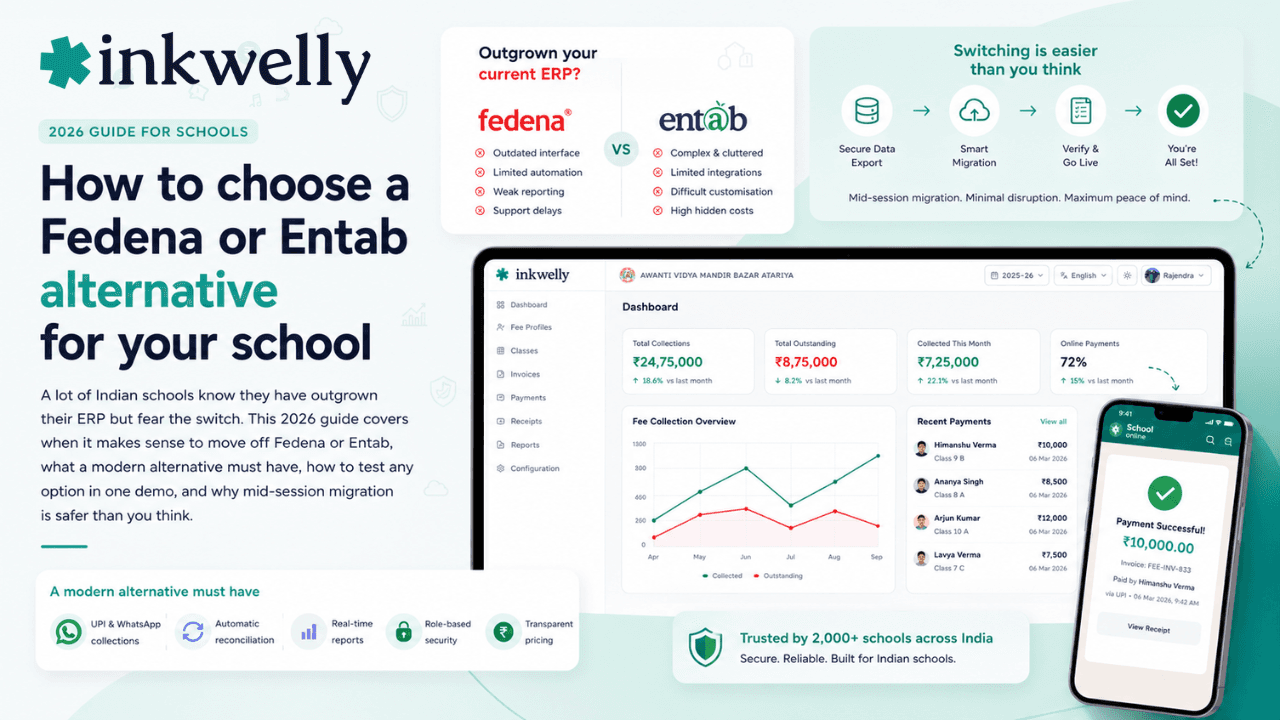
The school that knows it should switch — and is scared to
A lot of Indian schools are quietly unhappy with the ERP they already run. The per-student bill keeps climbing as the school grows. The parent app feels like it was built a decade ago. UPI and WhatsApp work, but awkwardly. Yet nobody moves — because the fear of switching mid-year, of losing years of data, of retraining staff, feels worse than the daily friction.
So the school renews for another year, and the friction compounds. This guide is for the principal stuck in exactly that spot: when it makes sense to switch off Fedena or Entab, what to move to, and how to do it without breaking the academic year.
The real question isn't 'is Fedena bad'
Fedena and Entab are both long-established, capable systems — Fedena has run since 2009 across tens of thousands of institutions worldwide, and Entab serves over a thousand Indian schools. Neither is a mistake. The real question is narrower: does the system you have still fit how Indian parents pay today, and does its cost and usability still earn its place? If the answer is no, switching is far safer than most schools fear.
Why schools move off Fedena or Entab
Schools that switch rarely do it on a whim. In demos and handovers, a few reasons come up again and again — not flaws so much as mismatches with what a 2026 school and its parents now expect.
Common reasons schools cite
- Pricing that climbs with the roll — per-student plans that quietly grow every admission season until the annual bill stings
- An interface from an earlier era — staff and parents compare it to the consumer apps they use daily, and it feels dated
- UPI and WhatsApp that work, but not smoothly — payment links and auto-receipts that need manual steps instead of being instant
- A parent app that parents avoid — slow, cluttered, or an extra download they resist
- Support that is slow exactly when fees are due — the worst possible week to wait days for a reply
- Data that feels locked in — no clean, self-service way to export your own students, fees and history
What a modern alternative actually needs
Before comparing names, fix the bar. A school replacing an older ERP in 2026 should expect all of the following as standard, not as premium add-ons. If an alternative is missing any of these, it is not actually a step forward.
The 2026 baseline
- Cloud-based and mobile-first — works on any phone, nothing to install on an office computer
- UPI, card and net banking, with money settling into the school's own account through a regulated gateway like Razorpay
- WhatsApp fee reminders and payment links that go out automatically, plus auto-receipts the moment a payment clears
- Automatic reconciliation — every payment tagged to the right student, with no Monday-morning matching
- A parent app parents actually open — fees, attendance, results and notices in one place
- Built for Indian boards and rules — CBSE, ICSE and state boards, RTE, installments and late-fee slabs
- Your data, exportable on demand — and stored in India in line with the DPDP Act
The kinds of alternatives schools consider
The Indian market has far more options than it did when most schools first bought Fedena or Entab, and they fall into a few groups: modern cloud all-in-one ERPs (Inkwelly sits here), mobile-first platforms that started from the classroom and grew outward, fee-only tools that handle collection but not the rest of school operations, and other established all-in-one systems with long track records. Names you will run into include Teachmint, Vidyalaya, MyClassboard, Campus 365 and Edunext, among others. The point of this guide is not to rank them — it is to give you the test that tells you which one actually fits your school.
How to evaluate any alternative in a single demo
Whatever shortlist you build, put each option through the same short test. It cuts through feature lists fast:
- Send a live fee payment to your own phone. Pay 1 rupee by UPI and watch the receipt arrive and the student's ledger update on its own. This one test reveals more than an hour of slides.
- Open the parent app on a basic phone. If it is slow or confusing on a cheap Android over mobile data, your parents will avoid it.
- Make them set up your real fee structure. Your installments, transport slabs, RTE and concessions — in the demo, not a generic example.
- Ask exactly how your data comes in — and how it leaves. A good vendor imports your students, fees and pending dues for you, and lets you export everything later without drama.
- Confirm the all-in total. Software price plus the payment-gateway charge, per year, for your actual student count.
- Test support before you sign. Send a question on a weekend. The reply speed now is the reply speed you will get during fee week.
The migration is smaller than the fear
The single biggest reason schools stay put is the belief that switching will break the year. In practice it rarely does. Fees and students are structured data: a clean import of your current students, their fee structure and their pending dues is usually a matter of a day or two, not weeks. The new system starts with your real balances, so collection continues uninterrupted. Parents do not re-register — they simply get a link to the new app. Staff training on a modern, familiar-feeling interface is hours, not days.
The genuine risk runs the other way. Every extra year on a system your office quietly fights is a year of slower collection, frustrated staff, and parents who blame the school for the software. The disruption you fear from switching is almost always smaller than the disruption you are already living with.
Where Inkwelly fits
Inkwelly is a modern, cloud, mobile-first alternative built for exactly this switch. Fees collect by UPI, card and net banking; payment links and reminders go out on WhatsApp automatically; money settles into the school's own account through Razorpay; and every payment reconciles to the right student with an instant receipt. CBSE, ICSE and state boards, RTE, installments, concessions, transport and parent communication all run in one place, and your data stays yours to export, stored in India. Migration from an older ERP — students, fee structure and pending dues — is handled for you. It is one option to hold against the checks above; the discipline this guide asks for is that you test every shortlist the same way, including this one.
“The hardest part of switching school software is not the migration. It is admitting you have outgrown what you bought five years ago. Once a school accepts that, the move is the easy part.”
A two-week way to decide
You do not need a six-month committee. Shortlist two or three alternatives. Give each the same demo test — live payment, parent app on a cheap phone, your real fee structure, all-in pricing, a weekend support question. Ask each how they would migrate your data, and ask your current vendor how you export it. Within two weeks you will know — not from a brochure, but from your own phone — which system your school should actually run. Then switch with the next fee cycle, not 'next session'.
See a switch from your current ERP, mapped out
A 20-minute walkthrough with your own classes and fee structure, a live payment to your phone, and a clear migration plan from Fedena, Entab or any ERP. No slide deck.
Frequently asked
7 questionsIs it safe to switch school ERP in the middle of the academic year?
Yes. Students and fees are structured data, so a clean import of your current students, fee structure and pending dues lets a new system pick up exactly where the old one left off — collection continues without a gap. Most schools switch with the next fee cycle rather than waiting for a new session.
What is a good alternative to Fedena for a CBSE school?
Look for a modern, cloud, mobile-first system that handles CBSE fee structures, RTE, UPI and WhatsApp payments, and an auto-reconciling fee ledger — then test it with a live payment in the demo. The market includes options such as Inkwelly, Teachmint, Vidyalaya, MyClassboard and Edunext; the right one is whichever passes that live test for your school.
How much does it cost to switch from Fedena or Entab?
The switching cost itself is usually low — most vendors migrate your data as part of onboarding. What changes is the ongoing price: compare each alternative's software fee plus the payment-gateway charge for your actual student count, since per-student plans can grow with your roll.
Can we move our old students, fees and history to a new ERP?
Yes. Current students, their fee structure and pending dues import cleanly into a new system. Ask your existing vendor, in writing, how to export your full history first, and confirm the new vendor imports it for you.
How long does migration take?
For most schools, importing students, fee structure and pending dues takes a day or two, not weeks. Staff training on a modern interface is usually a few hours.
Will parents have to register again?
No. Parents do not re-register — they receive a link to the new parent app and log in. Their child's fees, balances and history are already there from the import.
Is Fedena or Entab bad?
No — both are long-established, capable systems used by thousands of schools. Switching is less about either being bad and more about whether its cost, interface and parent experience still fit what your school and parents expect in 2026.
You might also like
3 readsSee Inkwelly on your school
30-minute demo. We open your current ERP with you and load your data into Inkwelly on the call. Dated go-live plan by the end of it.