Cloud vs on-premise school software: which is right for you which
For nearly every Indian school, cloud is now the right default — and on-premise makes sense only in a few specific cases. Here's what each really means, who carries the cost and risk, what each actually costs, and six honest questions to settle it.
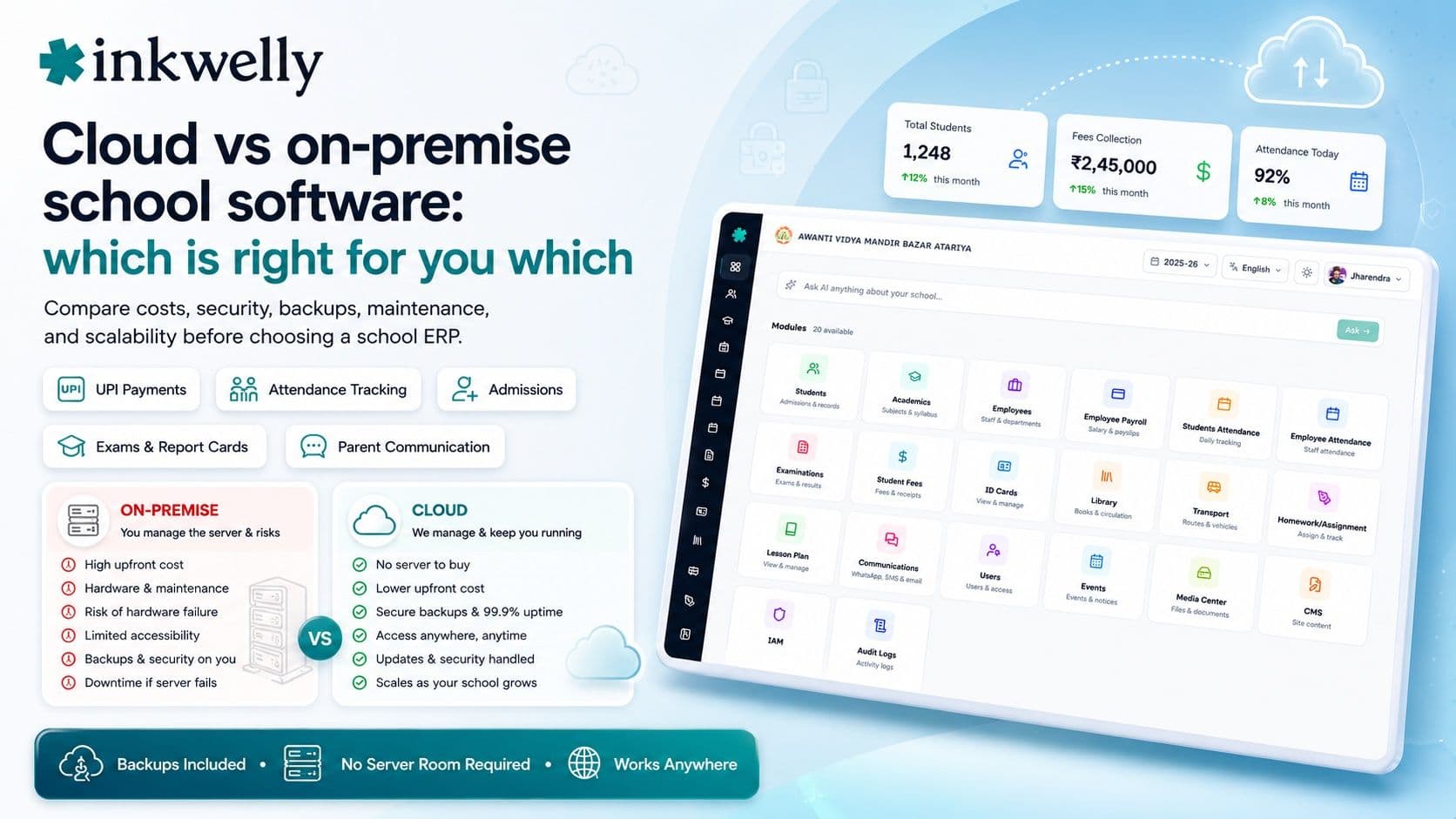
In a lot of Indian schools, "the server" is a beige box humming under the accountant's desk, behind a UPS that beeps every monsoon. It holds every student record and every fee receipt the school has ever issued. It runs fine — until the afternoon the hard disk fails, the one person who knew the admin password has left, and the AMC vendor takes four days to show up. Meanwhile admissions are open and nobody can pull a single record. The school never chose "on-premise" as a strategy. It just never moved off the box.
Here's the honest version: for nearly every Indian school in 2026, cloud is the right default, and on-premise makes sense only in a short list of specific cases. This isn't a fashion — it's about who carries the cost and risk of keeping the system running, backed up, and secure. The real decision isn't cloud versus on-premise; it's whether you want that job, or want it handled.
What cloud and on-premise actually mean
Strip the jargon. On-premise means the software and your data live on a computer the school owns and runs — a server in a room on campus. Cloud means the software and data live in a professional data centre, the school reaches it over the internet on any device, and the vendor keeps it running. A third middle option — a "self-hosted" server rented online — is really cloud hosting you still have to manage yourself. The dividing line isn't where the box is. It's who is responsible when something breaks at 9 p.m.
Who carries what
- Hardware: on-premise means the school buys, powers, cools, and eventually replaces a server; cloud means the vendor does.
- Backups: on-premise puts nightly backups — and testing them — on your staff; cloud builds them in.
- Updates and security patches: on-premise waits for a vendor visit; cloud updates for everyone, continuously.
- Access: on-premise is typically reachable only on campus; cloud works from the office, a teacher's home, and the parent's phone.
- Uptime when hardware fails: on-premise is down until someone fixes the box; cloud runs on redundant infrastructure.
- IT staff: on-premise needs someone who can administer a server; cloud needs a working internet connection.
Cloud — best for almost every school
- No server to buy or maintain
- Works on any phone or laptop, on or off campus
- Backups, updates, and security handled for you
- Subscription cost, no big upfront spend
- Scales from 200 to 5,000 students without new hardware
On-premise — only in narrow cases
- A large institution with a real in-house IT team
- A specific rule requiring data to physically stay on campus
- Genuinely unreliable internet with no backup connection
- Willingness to own backups, security, and downtime
- Budget for hardware, AMC, and eventual replacement
How to decide: six honest questions
You can settle this in six honest questions. Answer them about your school, not the brochure:
- Do you have a real IT person? Not a teacher who "knows computers" — someone whose job is to administer a server, patch it, and restore a backup at 9 p.m. No? Cloud.
- What happens to your data the day the disk fails? If the honest answer is "we'd lose it" or "we'd call the vendor and wait", on-premise is already costing you more than it saves.
- Do parents and teachers need access off campus? A parent app, fee payment from home, a teacher entering marks on the weekend — all of that needs cloud. On-premise usually stops at the school gate.
- Is your internet reliable enough? Cloud needs a working connection. If yours drops daily with no backup line, fix that first — but note that a modern cloud app and its mobile apps tolerate brief outages far better than people expect.
- Are you bound by a specific data-location rule? Most Indian schools are not. If you are, ask the cloud vendor where data is stored — a serious one keeps Indian school data in India — before assuming you need your own server.
- Who do you want carrying the risk? On-premise puts backups, security, and downtime on you. Cloud puts them on a vendor whose entire business is keeping them running.
What the market actually offers
Almost every school product you'll evaluate in India today is cloud-first, and that tells you where the market has landed. The names you'll run into — Teachmint, Vidyalaya, Fedena, Entab, MyClassboard, Campus 365, Edunext — are sold primarily as cloud subscriptions, with on-premise offered, if at all, to large institutions on request. A handful of older or open-source systems can still be self-hosted, which appeals to schools that want full control and have the IT team to back it up. Neither camp is "better" in the abstract. The right answer is the one that matches your honest answers above — and most schools land on cloud not because it's trendy, but because they don't want to run a server room.
What it really costs
The pricing shapes are genuinely different. On-premise front-loads the cost: a server and setup can run ₹50,000 to a few lakh upfront, plus an annual maintenance contract (AMC), plus electricity, a UPS, and the staff time to manage it — and the hardware needs replacing every few years. Cloud is a per-student subscription, commonly ₹40 to ₹150 per student per year for a broad product, so a 600-student school pays roughly ₹60,000 to ₹2 lakh annually with no hardware bill, no AMC, and backups and updates included. Cloud looks more expensive only if you ignore the server, the electricity, the AMC, and the cost of the day the box is down during admissions. Add those in and cloud is usually cheaper as well as safer — which is why the market has moved.
Where Inkwelly fits
Inkwelly is cloud-first by design, for exactly the reasons above. There's no server to buy, power, or replace; backups, updates, and security patches are handled continuously; and the same system runs in the office, on a teacher's phone, and in the parent's app — in Hindi and English, on a budget Android device. Your school's data is stored in India, and you can export all of it whenever you want. A 200-student school and a 5,000-student group run on the same platform, so growth never means new hardware. If you're still mapping the wider decision, start with the best school management software in India guide, or work through our school ERP buyer's checklist before you sign anything.
“The cloud-versus-on-premise question is really one question in disguise: when the system breaks during admissions, do you want to be the one fixing it — or the one already back online?”
Decide it honestly
So decide it honestly, not defensively. If you have a real IT team, a rule that ties data to campus, and the budget to own a server room, on-premise is a legitimate choice — make it deliberately. Everyone else: cloud, because the things that actually keep a school's data safe — backups, security, uptime, off-campus access — are exactly the things a school office should not be hand-managing on a box under a desk. The question was never about technology. It was about who you want carrying the risk on the worst day of your admissions season.
See it run without a server room
Book a 30-minute demo and watch the same school run from the office, a teacher's phone, and a parent's app — no hardware, backups included.
Frequently asked
7 questionsCloud or on-premise school software — which is better for my school?
For nearly every Indian school, cloud is the better default: no server to buy or maintain, backups and security handled for you, and access from any phone or laptop. On-premise makes sense only if you have a dedicated IT team, a rule requiring data to stay on campus, or genuinely unreliable internet.
What is the difference between cloud and on-premise school ERP?
On-premise runs the software and your data on a server the school owns and maintains on campus. Cloud runs them in a professional data centre that the vendor keeps running, reachable over the internet on any device. The real difference is who carries the cost and risk of backups, security, and downtime.
Is cloud school software safe for student data in India?
Yes, with a serious vendor. Ask where data is stored — a good one keeps Indian school data in India — and whether they give a clear answer on the DPDP Act and let you export all your data. Professional cloud infrastructure is usually safer than a server under an office desk.
Does cloud school software work without internet?
It needs a working connection to sync, but modern cloud apps and their mobile apps tolerate brief outages better than people expect. If your internet drops daily with no backup line, fix that first — it's cheaper than running your own server room.
Is cloud or on-premise cheaper for a school?
Cloud is usually cheaper once you count everything. On-premise front-loads a server (₹50,000 to a few lakh), plus AMC, electricity, and staff time, with replacement every few years. Cloud is a per-student subscription (commonly ₹40–₹150 per student per year) with no hardware, AMC, or backup costs.
When does on-premise school software still make sense?
When a school has a real in-house IT team, a specific rule requiring data to physically stay on campus, genuinely unreliable internet, and the budget to own backups, security, downtime, and hardware replacement. That's a short list — most schools don't meet it.
Can we move from an on-premise system to the cloud mid-year?
Yes. A good cloud vendor imports your existing student and fee data during onboarding, so you don't re-enter it. Plan the switch around a quieter point in the calendar, and confirm the old system's data can be exported in a usable format before you start.
You might also like
4 readsSee Inkwelly on your school
30-minute demo. We open your current ERP with you and load your data into Inkwelly on the call. Dated go-live plan by the end of it.