हर 15 तारीख का ESIC panic यहाँ band। Generate, pay, record — हर period।
Monthly disbursed payroll से ESIC challans seconds में generate करें — 0.75% employee plus 3.25% employer contribution हर उस staff member पर apply होती है जो ₹21,000 wage ceiling से नीचे है, IP numbers verified, paid status हर pay period पर tracked। वो reconciliation जो ESIC inspection visit को 5-minute conversation बना देती है।
हर 15 तारीख का ESIC deadline, हर Indian school जानता है
15 May 2026, 10:14 AM। Lucknow के एक ICSE school का accountant ESIC Portal पर logged in है, April challan file करने की कोशिश कर रहा है। April salary register में 8 employees हैं जो ₹21,000 — ESI wage ceiling — से कम कमाते हैं, और एक substitute teacher जिसकी 14-day appointment ने उसका gross पहली बार threshold से नीचे push कर दिया। Portal IP Numbers और employee-wise contribution amounts split माँग रहा है। Accountant के पास एक tab में master register खुला है, दूसरे में attendance sheet, और हाथ में calculator है क्योंकि पुराने payroll software ने columns गलत order में CSV export किया।
पिछले month उसके colleague ने calculation ₹13 गलत कर दिया। ESIC's reconciliation engine ने mismatch पकड़ा, establishment flag किया, और 2 weeks बाद एक Junior Inspector chairman के office में आ गया कि एक peon की पत्नी का hospital admission claim क्यों reject हुआ। ₹13 का under-payment, 3 दोपहरें inspector को explain करने में, एक chairman जिसने decide किया अगले साल का audit ESI compliance पहले check करेगा।
यह भी software problem नहीं है। यह 'India का हर school statutory payroll के साथ कैसे deal करता है' problem है। Inkwelly का Employee Payroll module इसी 15 तारीख को event न बनने देने के लिए built-in ESI Challan generator के साथ आता है।
Inkwelly ESI challan कैसे generate करता है
Setup एक बार होता है जब आप employee payroll setup करते हैं। हर employee के salary record में isESIEnabled flag और एक IP Number होता है — UAN का ESIC equivalent। Salary components में isESIApplicable flag होता है — basic, DA, HRA, eligible allowances typically applicable होते हैं; performance bonuses और reimbursements typically नहीं। एक बार tag, फिर कभी सोचना नहीं पड़ता — rule schema में रहता है, accountant के सिर में नहीं।
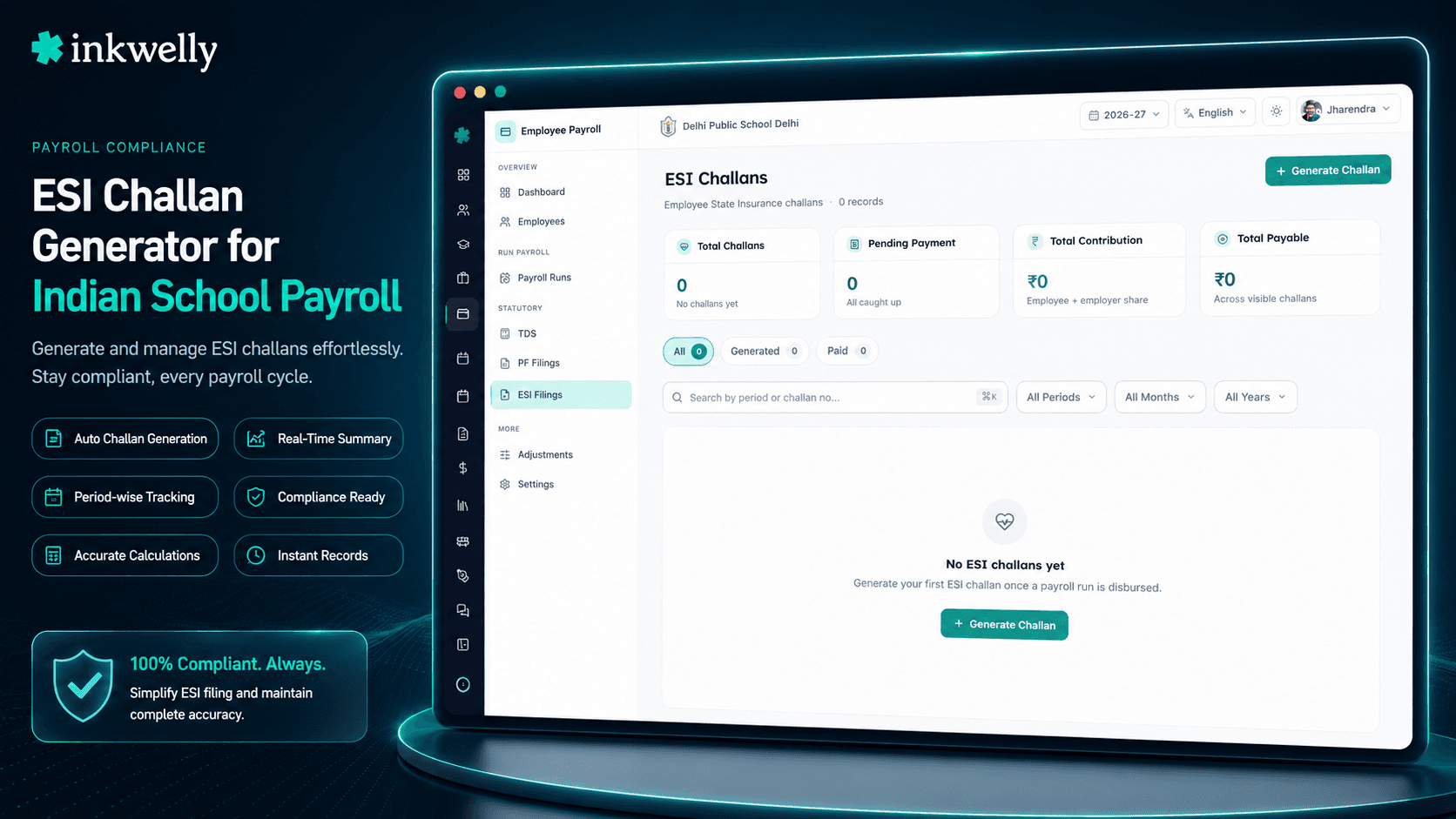
Employee Payroll खोलें → ESI Challans → Generate Challan click करें। Pay period चुनें — सिर्फ़ disbursed payroll runs वाली periods dropdown में आती हैं। System उस period के सारे disbursed runs से ESI contributions pull करता है (पहले से किसी challan में link की contributions skip), उन्हें employee-wise split करता है, 0.75% employee deduction और 3.25% employer share sum करता है, और एक challan record लिखता है with: total employees covered, total employee contribution, total employer contribution, total amount, और period reference।
View Details click करें per-employee line items देखने के लिए: ESI wages, employee contribution, employer contribution, total contribution, और हर staff member का IP Number।
esic.gov.in पर ESIC Portal पर sign in करें, monthly return file करें, online challan generate करें, school के net banking से pay करें, ESIC जो challan number issue करता है उसे copy करें।
Inkwelly पर वापस आएँ। Record Payment click करें, challan number paste करें — सिर्फ़ यही एक field है। Status GENERATED से PAID हो जाता है, period lock, audit trail close।
ESIC reconciliation engine जो हर fact के against compare करता है
- Employees covered — सिर्फ़ वो staff members जिनके पास isESIEnabled=true है और उस pay period में ESI wages ₹21,000 wage ceiling के अंदर हैं
- ESI wages per employee — disbursed period के लिए सभी isESIApplicable salary components का sum (basic, DA, HRA, eligible allowances)
- Employee contribution — ESI wages का 0.75%, staff member की monthly salary slip से deducted
- Employer contribution — ESI wages का 3.25%, school का share ESIC fund में route होता है
- Total contribution per employee — employee plus employer share, salary slip के against line by line reconciled
- IP Number — Insured Person number, हर ESI eligibility वाले employee पर tagged और onboarding में verified
- Pay period — challan को underlying disbursed payroll run से link करने वाला month और year reference, generation के बाद कभी editable नहीं
- Total amount — हर employee के across sum, वो figure जो ESIC's portal exact match expect करता है, last rupee तक
- Status — GENERATED जब तक challan number record नहीं होता; PAID जब ESIC Portal challan number Inkwelly में back-recorded होता है
दो statuses, एक source of truth
हर ESI challan के exactly 2 states होते हैं। GENERATED मतलब challan record produce हो गया — office को contribution numbers और due total amount पता है। PAID मतलब ESIC Portal द्वारा issued challan number Inkwelly में back-recorded हो गया — period close, audit trail complete।
कोई intermediate 'Uploaded' state नहीं — ESIC's portal flow file upload और challan generation को EPFO की तरह separate नहीं करता। Generate करें, portal पर return file करें, pay करें, number record करें, done। Dashboard unpaid challans को red में surface करता है जब तक number land न हो; principal month में एक बार scroll करते हैं और या तो green badges की row देखते हैं या exactly जानते हैं कौन-सी period को phone call चाहिए।
₹21,000 ceiling salary component द्वारा enforce होती है, आपके द्वारा नहीं
ESIC सिर्फ़ उन employees पर apply होता है जो किसी given month में ₹21,000 से कम कमाते हैं। जिस moment किसी staff member की ESI-applicable wages ₹21,000 cross करती हैं, उस period में ESI deduction stop हो जाती है — और अगले month wages threshold से नीचे drop होने पर resume हो जाती है (जैसे एक teacher जो October में one-time LTC allowance lose करती है)। यह per-month evaluation ESI Act 1948 के under optional नहीं है; Excel में track करना exactly वही जगह है जहाँ अधिकतर schools quietly compliance break करते हैं।
Inkwelly हर employee के लिए हर pay period पर disbursement के दौरान ceiling evaluate करता है। ESI challan में सिर्फ़ वो employees include होते हैं जिनकी उस month actually ESI deduction हुई। Dialog आपको upfront count दिखाता है — 'X employees have ESI contributions for this period'। Count पर trust करें। यह disbursed run से computed है, hopeful Excel formula से नहीं।
Wage components एक बार tag, हमेशा applied
Salary structure setup के दौरान, हर salary component (Basic, DA, HRA, Conveyance, Performance Bonus, Reimbursement) में एक single boolean होता है: isESIApplicable। एक बार set करें जब salary head create हो रहा है। उसके बाद हर monthly run, हर salary slip, हर ESI challan automatically उस flag को honour करता है।
Accountant को याद नहीं रखना पड़ता कौन-सा allowance ESI में count होता है और कौन-सा नहीं। Inkwelly याद रखता है। अगले साल जो accountant उसकी जगह आता है उसे सीखना नहीं पड़ता — rule salary structure में रहता है, predecessor के सिर में नहीं। Auditability पूरी chain ऊपर तक, chairman तक, उस Junior Inspector तक जो 3 month बाद आता है पूछता 'March में conveyance allowance ESI wages में क्यों count हुआ लेकिन April में नहीं?' Answer salary structure में एक click है, change date और actor के साथ।
Period close करने के लिए एक field
EPFO के TRRN-plus-challan-plus-amount-plus-date dance के unlike, ESIC portal payment के बाद single challan number issue करता है। यह एकमात्र field है जो Inkwelly का Record Payment dialog माँगता है। Minimum 3 characters, alphanumeric — usually format ESI/2025/04/001234 में।
Paste, save, period lock। Principal अगले दिन dashboard खोलते हैं, April 2026 के against green PAID badge देखते हैं, और आगे बढ़ जाते हैं। Chairman पूछते हैं 'April ESI paid है?' — answer screen पर है, binder में नहीं, WhatsApp scroll में नहीं, 'kal accountant से पूछता हूँ' में नहीं। एक field, 2 seconds, Indian school accounts office की सबसे लम्बी monthly anxiety close।
“अगर school chairman का email folder खोले बिना यह prove नहीं कर सकता कि April का ESIC challan paid था, तो email folder ही system है।”
जहाँ यह school की दोपहर बचाता है
Case 1: Mid-year promotion ESI ceiling cross करती है। एक TGT October 2025 में PGT promote हुई। उसकी gross monthly wage ₹19,500 से ₹23,000 हो गई। ESI deduction October's payroll से automatically stop हो जाती है क्योंकि wage ₹21,000 exceed कर गई। October ESI challan correctly उसका contribution exclude करता है। Excel में पुराने accountant ने हमेशा यह forget किया और 2 month तक ESIC over-pay किया जब तक किसी ने notice नहीं किया।
Case 2: 14-day stint के लिए hire हुआ substitute peon। एक substitute peon April 2026 में 14-day contract पर ₹14,000/month पर hire हुआ — period के लिए ₹6,533 pro-rated। उसके पास दूसरे establishment की पिछली job से IP Number है। Inkwelly का ESI challan उसे pick करता है, pro-rated wage पर 0.75% apply करता है, और उसका IP Number line items में include करता है। पुराना Excel उसे forget कर देता; audit 90 दिन बाद उसे पकड़ती जब inspector पूछता 'यह नाम attendance register में है पर contribution return में क्यों नहीं?'
Case 3: Class IV staff का F&F। एक class IV staff member March 2026 के end में resign हो गया। F&F April में disbursed। उसका final ESI contribution सही pro-rata logic और IP Number के साथ April challan में आता है; May challan correctly उसे drop कर देता है।
Case 4: Junior Inspector ESIC inspection। April के 3 month बाद, एक Junior Inspector school office में आता है और April ESI challan, employee-wise contribution split, IP Numbers, और payment date माँगता है। Inkwelly में: ESI Challans खोलें → April 2026 → चारों facts एक screen पर, inspector के लिए PDF export-able। कोई binder नहीं, कोई panic नहीं, कोई consultant call नहीं।
ESI module की day-to-day operations
- किसी भी disbursed pay period के लिए ESI challan generate करें — दूसरे payroll tool से Inkwelly पर migrate करते समय historical months back-fill करें
- Payroll correction के बाद re-generate करें — contributions latest challan से auto-relink, audit log हर version को timestamps के साथ capture
- Per-employee line items देखें — IP Number, ESI wages, employee contribution, employer contribution, total contribution
- Status (GENERATED, PAID) से dashboard filter करें कि 15 तारीख से पहले इस week क्या pending है
- ESIC Portal द्वारा returned challan number एक field में record करें — minimum 3 characters, paste-and-save
- Inspectors और chairman reports के लिए ESI challan summary या per-employee line items PDF के रूप में export करें
- Dashboard summary tiles में हर challan के across total amount, total employees covered, और total contributions track करें
- Audit log capture करता है किसने generate, किसने payment record किया — सिर्फ़ payroll permission वाले roles को visible
- Period, challan number, या status से search और filter करें ताकि inspection के दौरान seconds में कोई भी historical challan मिल जाए
Real Indian school पर ESI challan generation देखें
20-minute walkthrough — हम sample April 2026 payroll का ESI challan generate करेंगे, ESIC Portal walkthrough दिखाएँगे, और challan number record करेंगे।
ESI challan generator जो NOT करता है
Inkwelly आपके लिए ESIC Portal में login नहीं करता। Portal payment establishment के ESIC code, login credentials और OTP require करता है — automate करना मतलब Inkwelly को ESIC credentials store करने पड़ेंगे, जो DPDP Act 2023 के under security और compliance risk है। Accountant Inkwelly के ESI Challan summary से contribution data लेता है, ESIC Portal पर monthly return file करता है, challan generate करता है, net banking से pay करता है, और challan number Inkwelly में वापस copy करता है। 2 minutes total।
ESI contribution rates (0.75% employee plus 3.25% employer) और wage ceiling (₹21,000 ESIC notification dated 13 May 2010, subsequent amendments के साथ) establishment level पर pre-configured हैं और सिर्फ़ SUPER_ADMIN द्वारा editable। अगर आपका state contribution period reduction notification में reduced contribution rate offer करता है (Maharashtra और दूसरे states ने newly-implemented districts के लिए historically किया है), हमसे contact करें और हम rate centrally update करते हैं — हर future challan उसे honour करता है।
System ESIC challan PDF produce नहीं करता — वो ESIC Portal पर monthly return file होने के बाद generate होता है। Inkwelly Record Payment row के अंदर challan number और reference store करता है। जिन schools को challan PDF की local copy चाहिए वो ESIC से download करके Inkwelly media library में attach करें — same Employee Payroll module से accessible।
ESI challans की late filings (अगले month की 15 तारीख के बाद) पर 12% per annum interest और ESI (General) Regulations 1950 की regulation 31 के damages लगते हैं। Inkwelly का dashboard unpaid challans को paid के साथ same screen पर surface करता है — row red रहती है जब तक challan number land न हो। Late filing school की responsibility रहती है, लेकिन visibility 'forgot' को बहुत harder excuse बना देती है।
किस मॉड्यूल का हिस्सा
1 moduleअक्सर पूछे गए सवाल
8 सवालESI challan क्या है और ESIC हर month क्यों require करता है?
ESI challan एक monthly statement है जो establishment ESIC के साथ file करता है, उस pay period में payable total contribution declare करता है। Covered industries में 10 या उससे ज़्यादा employees वाले हर establishment (schools इसमें आते हैं) को अगले month की 15 तारीख से पहले monthly contribution return file करना, ESIC Portal पर challan generate करना, और pay करना mandatory है। Late filing पर 12% per annum interest और ESI (General) Regulations 1950 की regulation 31 के damages लगते हैं।
क्या Inkwelly ESI challan automatically ESIC Portal पर upload करता है?
नहीं, और intentionally। ESIC Portal establishment login, OTP और password require करता है — automate करना मतलब Inkwelly को ESIC credentials store करने पड़ेंगे, जो DPDP Act 2023 risk है। Inkwelly challan summary 30 second में generate करता है; accountant ESIC Portal पर 1 minute में monthly return file करता है और challan number वापस paste करता है। Portal interaction school के पास रहता है।
Inkwelly ₹21,000 ESI wage ceiling कैसे handle करता है?
Per employee, per pay period। Payroll disbursement के दौरान, Inkwelly हर staff member की उस period की ESI-applicable wages evaluate करता है। अगर total ₹21,000 exceed करता है, उस month ESI deduction नहीं होती और employee ESI challan से exclude होता है। अगर wages अगले month ₹21,000 से नीचे drop होती हैं (जैसे teacher one-time LTC allowance lose करती है), ESI deduction automatically resume हो जाती है, manual intervention के बिना।
अगर employee का IP Number missing है तो क्या?
Generate Challan pre-validation pass run करता है। ESI eligibility वाला कोई भी employee जिसका IP Number missing या invalid है, challan record create होने से पहले flag हो जाता है। [Employee profile](/features/employee-information) में IP Number fix करें — typically staff member की पिछली ESIC employment से या नए joiners के लिए school की ESIC registration से pulled — regenerate, done।
क्या हम उस month का ESI challan generate कर सकते हैं जो disburse नहीं हुआ?
नहीं। Generate Challan dropdown सिर्फ़ वो pay periods दिखाता है जिनका कम से कम एक payroll run disbursed है। ESIC reconciliation को contribution paid salary से आना चाहिए — unpaid month पर contribution claim करना immediate audit flag invite करता है। अगर आपकी period missing है, payroll run पर वापस जाएँ, उसे disburse करें, और period dropdown में automatically आ जाएगी।
अगर challan generate होने के बाद पर payment से पहले payroll correction करनी हो तो क्या?
Re-generate करें। पुराना challan history में move हो जाता है, underlying ESI contributions नए challan से auto-relink, और नया record correction reflect करता है। अगर पुराना challan already ESIC Portal पर paid था, तो portal पर revised return file करना पड़ेगा — Inkwelly regeneration log करता है ताकि audit trail दोनों versions को timestamps के साथ capture करे।
Record Payment dialog actually क्या capture करता है?
एक field: Challan Number जो ESIC Portal challan generation के बाद return करता है। Format alphanumeric, minimum 3 characters, typically ESI/2025/04/001234 या similar। Save होने के बाद challan का status PAID हो जाता है और period lock हो जाती है। Inkwelly का generation के दौरान total amount का pre-fill मतलब challan amount खुद generation के moment से record पर है; payment recording loop close करती है।
ESI data कहाँ store होता है, और क्या DPDP Act 2023 compliant है?
सारा ESI challan data — IP Numbers, employee names, wages, contributions, challan numbers — Inkwelly के Mumbai servers पर store है, India से बाहर कभी नहीं जाता, और request पर purgeable है। DPDP Act 2023 के under IP Numbers PII हैं और सिर्फ़ payroll permission वाले roles को visible हैं। पूरा audit trail capture करता है किसने generate और payment record किया हर challan के लिए — किसी भी ESIC inspector visit के लिए sufficient evidence।
आपको ये भी पसंद आ सकता है
2 लेखInkwelly आपके स्कूल पर — खुद देखें
30 मिनट का डेमो। आपके मौजूदा ERP को आपके साथ खोलकर, कॉल पर ही आपका डेटा Inkwelly में लोड करते हैं। कॉल ख़त्म होते-होते एक तय तारीख़ का गो-लाइव प्लान आपके हाथ में।